Voice typing guides, dictation walkthroughs and voice to action explainers: this is the whole Genie 007 library on one page.
Speech to text and voice typing don’t cut it anymore. You still dictate every word, fix every mistake and hit send yourself. Genie 007 skips all of that. Tell it what you want done, not word by word, just the order, and it delivers the finished email, post or document in your tone. That’s think-to-text, and it is what most of the voice typing guides below are really about.
This page is the full library: every guide Genie 007 has published, sorted by topic, alphabetical, and updated automatically the moment a new one goes live. Use it to find the exact walkthrough for your app, your job or your language. Voice typing guides for Gmail, Outlook, Slack, Notion, Google Docs and Excel. Dictation for lawyers, doctors, sales teams, teachers and developers. Live translation across 140+ languages. And the bigger picture of voice to action, where the AI does your work instead of writing your words.
One Genie, every screen: the Windows app, the Mac app, the mobile app for iOS and Android and the browser extension. It works inside every app and website you already use. Private by design: everything happens on your device. Free to start, no card needed.
How to use these voice typing guides
Every guide follows the same idea. First, what the built-in tool in your app can and cannot do, whether that is Google Docs voice typing, Windows Voice Access, Apple Dictation or the microphone on your phone keyboard. Then the honest fix: how Genie 007 works inside that same app with no plugin, no integration and no copy-pasting, and what changes when you stop dictating and start giving orders.
Two modes run through the whole library. Voice Typing is world-class dictation: 99.5% accuracy, perfect punctuation and grammar, no saying “comma” or “full stop” out loud, and your own writing style applied as you speak. Genie Mode is the part nobody else has. You say “reply to this, can’t do Thursday, offer Friday” and the finished reply appears, in your tone, ready to send. Speak your native language and it writes in whichever language you choose, in real time.
Pick your entry point. If you want a specific app, start with the productivity guides. If you want your profession, the voice AI and dictation section covers lawyers, doctors, accountants, teachers, real estate agents, developers and more. If you write in more than one language, the translation guides are in the same section. If you live on LinkedIn, the first list is yours.
Start here: the essential voice typing guides
New to voice typing? These five explain the difference between dictation that writes your words and Genie 007, which does your work.
- What is think-to-text
- Voice to action, explained
- Voice typing in Google Docs
- The best dictation software, according to Reddit
- The best speech to text Chrome extension
Voice typing guides for LinkedIn and social media
Posts, comments, DMs and personal branding by voice. Say the idea, get the finished post.
- AI Assistant for LinkedIn Creators
- AI Voice Assistant for LinkedIn: Top 5 Best Ways to Create Posts 10X Faster
- Best AI Tool for Content Creators: Why Genie007 Is Essential
- Best AI Tool for LinkedIn Networking and Personal Branding: Genie007
- Best Social Media Strategy with Genie007 for Better Engagement
- Best Voice In Alternative for Professionals
- Best Ways to Boost Productivity: How Genie007 Helps Remote Professionals
- Genie007 LinkedIn AI Productivity: Transforming Networking and Personal Branding
- Genie007 vs ChatGPT: Which is Better and Fast?
- How does artificial intelligence work ? There are 3 Different Ways of Learning AI
- How to Write Engaging LinkedIn Posts with Genie007 AI (2025 Guide)
- How will AI change the world in the next 10 years?
- LinkedIn AI Productivity: Top 5 Best Ways to Automate Your Professional Growth
- LinkedIn Productivity Apps: Elevate Your Workflow with Think‑to‑Text
- Master LinkedIn Voice Commands: Boost Your Productivity with Think‑to‑Text
- Speak to Succeed: How Genie007 Helps Entrepreneurs Save Time and Write Smarter
- The 10 Best AI Voice Platforms for Enterprise Teams in 2026
- Think-to-Text for LinkedIn Messaging: Build Relationships at Light Speed
- Top Features of Genie007 That Will Transform Your Workflow
- Transforms Gmail Productivity with Genie007: Top 5 Best Features
- Voice AI Assistant: Top 5 Best Features That Actually Execute Commands
- Voice AI That Types While You Think: Best Tools 2025
- Voice Typing for LinkedIn Posts: 5× Faster Content Creation with Think-to-Text
- Voice Typing in LinkedIn: Posts, DMs and Comments
- What is AI? A Beginner-Friendly Guide to Artificial Intelligence
- What is Genie007? The World First Voice Ai Assistant
- Why Genie007 is the Future of AI Voice Assistants for Professionals
Productivity and workflow guides
Email, meetings, notes, documents and the apps you live in. How professionals reply to hundreds of messages without typing one.
- AI Agents vs Human Assistants: Why 2026 Is the Turning Point
- AI Dictation vs Transcription: What Is the Difference?
- AI Productivity Tool: Top 5 Best Ways to Get 4 Hours of Work Done in 5 Minutes
- AI Voice Commands: Context-Aware AI That Acts — Genie 007
- AI Voice Typing Assistant: Work Faster & Healthier
- AI Voice Typing vs Basic Dictation: What Actually Changes When Your Tool Thinks
- Ai Workflow Agents: Top 5 Best Insights Every Leader Needs Now
- Best AI Agent for Work: The Absolute Best Strategy for 2026
- Best AI Dictation Software in 2026: Compared and Reviewed
- Best AI Voice Assistant for Productivity: How Genie007 Helps You Work Smarter
- Best Dictation Hotkeys and Snippets: Speed Up Voice Typing
- Best Dictation Software for Lawyers in 2026
- Best Dictation Software for Mac 2026
- Best Dictation Software for Real Estate Agents — Save Hours Daily
- Best Dictation Software for Real Estate Agents 2026 — Genie 007
- Best Dictation Software for Windows 11 in 2026: 10 Tested
- Best Dictation Software for Writers and Authors 2026
- Best Dictation Software Reddit 2026: What Real Users Actually Recommend
- Best Dragon NaturallySpeaking Alternative 2026 — Genie 007
- Best Free Dictation Software in 2026: No Cost, Full Features
- Best Idea to Email Tool: From Idea to Email in 5 Seconds with Genie007
- Best Meeting Transcription & Speech-to-Text Tools
- Best Prompting by Voice: Faster AI Prompts for ChatGPT and Claude
- Best Speech to Text Chrome Extension Picks for 2026
- Best Voice Assistant for Business in 2026: Buyer’s Guide
- Best Way to Work Without Keyboard: Run Your Entire Workday with Genie007
- Boost Your Gmail Productivity with a Voice-AI Assistant
- Carpal Tunnel Relief Voice Typing: Top 5 Best Ways to Work Pain-Free
- Carpal Tunnel Voice Typing: How to Write Without Pain Using Voice Dictation
- Cursor Voice Dictation: Top 5 Best Ways to Dictate Prompts Hands-Free
- Dictation in Noisy Places: How to Make Voice Typing Work in Any Environment
- Dictation vs Typing Speed: Proven Data on How Much Faster Voice Is (2026)
- Dictation Vs Typing Speed: Top 5 Best Tests Showing How Much Faster Voice Is
- Enterprise Voice Typing Guide
- Genie 007 vs Apple Dictation: The Honest 2026 Comparison
- Genie 007: The Complete AI Voice Assistant Guide (2026)
- Genie007 Enhances Productivity: Top 5 Best Ways Across All Websites
- GitHub Voice Typing: Dictate Issues, PRs and Code Reviews
- Gmail Voice Commands Save Time Reduce Stress: Top 5 Best Ways to Save Time and Reduce Stress
- Gmail Voice Typing Tool: Top 5 Best Ways to Boost Email Productivity
- Gmail Voice Typing: Unlock Productivity and Write Emails Faster
- Google Docs Voice Typing: The Complete Guide
- Hands-Free Productivity in 2025: Why Voice AI Like Genie007 Is the Future of Work
- How Intelligent Agents Are Replacing Traditional Productivity Software in 2026
- How to Choose the Best Speech-to-Text Software in 2025: Genie007 vs Google, Amazon, Deep gram, Whisper
- How to Choose the Best Voice Assistant for Business (And Why Genie007 Leads the Way)
- How to Set Up Voice Typing on Windows 11: The Complete 2026 Guide
- How Voice Typing Works: From Soundwave to Finished Text (2026 Guide)
- LinkedIn Voice Assistant for Personal Branding: Genie007 Guide
- Multilingual Voice Typing: Write in 140+ Languages Without Typing
- Outlook Voice Commands: Save Time and Reduce Stress
- Slack Voice Typing Tool: Boost Team Productivity with Genie007
- Talk to Type: Complete Guide to Voice Typing 2026 — Genie 007
- The AI Agent Playbook: How Modern Teams Reduce Redundant Tasks by 80%
- The Rise of Browser AI Agents: The Next Evolution After Chatbots
- Top 10 AI Tools for 2026: Tested and Ranked
- Top 10 AI Writing Tools in 2025
- Vibe Coding by Voice: Dictate Prompts and Code with Genie 007
- Voice Ai Assistant Gmail Productivity: Top 5 Best Advanced Voice AI Assistant Features
- Voice Dictation For Accountants: Top 5 Best Ways to Speed Up Financial Work
- Voice Dictation for ADHD: Capture Thoughts Fast — Genie 007
- Voice Dictation for Customer Service – Genie 007
- Voice Dictation for Customer Service: Reply 3x Faster — Genie 007
- Voice Dictation for Developers — Genie 007
- Voice Dictation for Sales: Faster Outreach and CRM Notes
- Voice Dictation in Notion: Complete Setup Guide 2026 — Genie 007
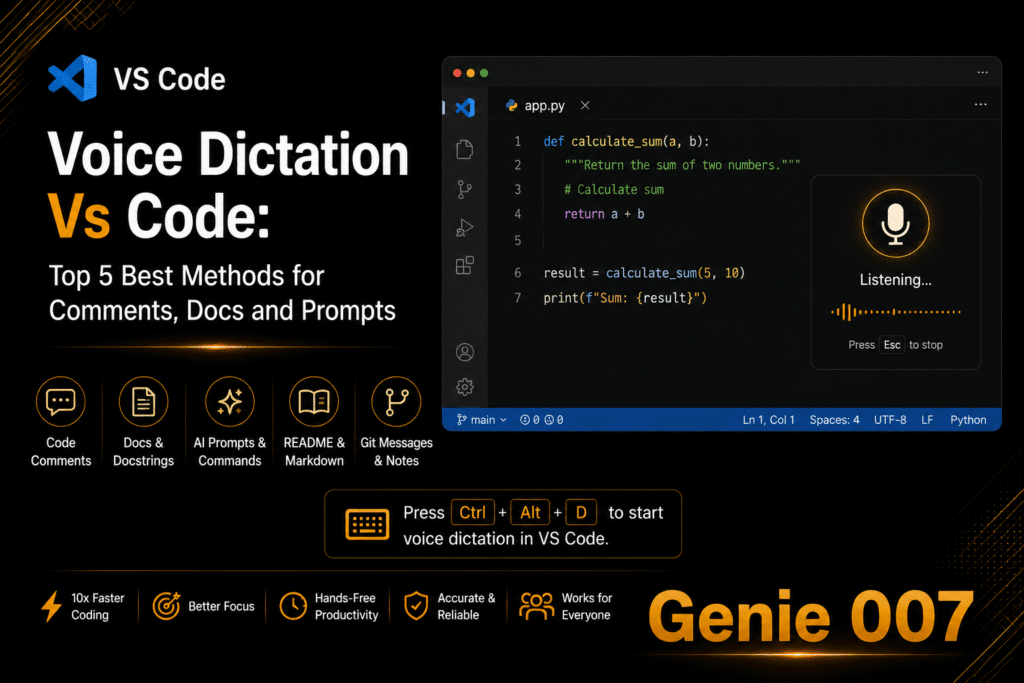
- Voice Dictation Vs Code: Top 5 Best Methods for Comments, Docs and Prompts
- Voice In Alternative: Top 5 Best Features for Professional Use
- Voice Powered Social Media Content Creation: 5 Ways to Post Smarter in 2026
- Voice to Action: AI That Executes Your Intent
- Voice to Text Chrome Extension
- Voice Typing Accent: 2026 Accuracy Guide for Every English Accent
- Voice Typing Apple Notes Guide: iPhone, Mac and iPad
- Voice Typing for ChatGPT: Dictate Prompts — Genie 007
- Voice Typing for Content Creators: Write Scripts Faster — Genie 007
- Voice Typing for Email: Dictate Gmail and Outlook
- Voice Typing for Email: Dictate Gmail and Outlook — Genie 007
- Voice Typing for Executives: Think Out Loud, Act Instantly
- Voice Typing for Gmail: Beyond Dictation in 2026
- Voice Typing for HR Professionals: Write Job Descriptions, Reviews and Policies Faster
- Voice Typing for Jira: Speed Up Ticket Creation and Updates
- Voice Typing for Journalists: File Your Story Faster Without Losing Your Voice
- Voice Typing for Non-Native English Speakers: Speak Naturally, Write Professionally
- Voice Typing for Non-Native English Speakers: Write Professional English by Speaking Your Language
- Voice Typing for Project Managers: Status Updates, Meeting Notes and Tasks Without Typing
- Voice Typing for Sales Reps: Update Your CRM, Write Follow-Ups and Close Deals Faster
- Voice Typing for Students
- Voice Typing for Students: Study Smarter, Not Harder
- Voice Typing for Teachers
- Voice Typing for Writers: How to Draft Your Best Work Faster
- Voice Typing in Asana: Dictate Tasks and Comments
- Voice Typing in Discord
- Voice Typing in Figma
- Voice Typing in Google Docs: Beyond Built-In
- Voice Typing In Hubspot: Top 5 Best Ways to Use Voice in HubSpot
- Voice Typing in Outlook: Dictate Emails Hands-Free — Genie 007
- Voice Typing in Salesforce: Dictate CRM Notes and Updates by Voice
- Voice Typing in Slack: Send Messages Without Typing
- Voice Typing in Slack: Send Messages Without Typing
- Voice Typing in Slack: Send Messages Without Typing — Genie 007
- Voice Typing in Trello: Dictate Cards and Comments
- Voice Typing Not Working in Chrome? How to Fix It
- Voice Typing Speech To Text: Top 5 Best Ways to Boost Remote Team Productivity
- Voice Typing Vs Traditional Typing Boost: Top 5 Best Reasons Voice Wins Every Time
- Voice Typing with Screen Readers: Accessibility Guide
- What Context-Aware Computing Means for Professional Workflows: The Complete Enterprise Guide
- What Is Artificial Intelligence?
- What is Artificial Intelligence? The Best Beginner’s Guide to the Agentic Era 2026
- Why Professionals Should Stop Writing Emails and Start Speaking Instructions
Voice AI, dictation and translation guides
Voice typing for every app, every profession and every language, plus live translation when you speak one language and need another.
- 5 Best Multilingual Voice AI Tools: Work Without Language Barriers
- AI Voice Assistant for Small Business: The 2026 Guide
- Airbnb Host Message Templates — Spoken, Not Typed (One Inbox, Five Languages)
- Arabic Speech to Text: The Best Arabic Dictation Tools Tested (2026)
- Arabic to English Voice Translator: Speak Arabic, Get English Text (2026)
- Arabic Voice Typing: How to Type in Arabic by Speaking (2026 Guide)
- Best AI Voice Assistant for Professionals: 2025 Buyer’s Guide
- Best AI Voice Assistant Tool for Social Media Posting Work in 2026
- Best App to Translate Voice to Text in Real Time
- Best Cheap Dictation Software 2026: Quality Voice Typing Under £10/Month
- Best Dictation App for iPad: Free vs Paid Guide (2026)
- Best Dictation App for iPhone 2026
- Best Dictation Software for Chromebook (2026)
- Best Dictation Software for Chromebook (2026)
- Best Dictation Software for Paralegals in 2026
- Best Dictation Software UK (2026): Tested for British Accents and GDPR
- Best Microphone for Dictation: AirPods vs Headsets vs Built-in
- Best Offline Dictation Software 2026: Private Voice to Text Without the Cloud
- Best Spanish to English Voice Translator Apps for Real-Time Use in 2026
- Best Voice to Text App for Mobile 2026
- Best Voice to Text for Seniors: Simple Dictation Tools for Older Adults (2026)
- Best Way to Automate CRM Updates: How Genie007 Saves Hours Each Day
- Copilot Dictation: Voice Prompts for Microsoft Copilot (2026)
- Dental Dictation Software: Chart Notes and Patient Letters by Voice
- Dental Dictation Software: Chart Notes and Patient Letters by Voice
- Dictate a Sermon: Voice Typing for Pastors, Newsletters and Pastoral Emails
- Dictate Meeting Notes: Skip the Recorder, Keep the Notes
- Dictate Performance Reviews: Write Performance Reviews Faster
- Dictate Your Cover Letter: How to Write a Cover Letter Faster
- Dictation for Academics: Papers, Reviews and Grant Applications by Voice
- Dictation for Financial Advisors: Client Notes Without the Admin Backlog
- Dictation for Insurance Agents: Cut Documentation Time in Half
- Dictation for Nurses and Care Workers
- Dictation for Podcasters: Voice Typing for Show Notes in Minutes
- Dictation for Therapists: Session Notes by Voice
- Dictation Punctuation Commands (And Why You Don’t Need Them)
- Dictation Software for Bilingual Professionals Who Switch Languages All Day
- Dictation Software for Insurance Adjusters: Field Notes to Final Report by Voice
- Dictation Software for Small Business: 2026 Buyer Guide
- Dictation Software for Social Workers: Write Case Notes in Minutes, Not Hours
- Dictation Switch Languages Automatically: Bilingual Voice Typing in 2026
- Dictation Tips for Beginners: How to Get Better at Dictation
- Does Dictation Software Record Your Voice? Privacy Explained
- Does Voice Typing Work With a Stutter? What Actually Helps in 2026
- Effortless Voice-Driven Workflows: Best Productivity Tools for Professionals
- French Speech to Text: How to Dictate in French (and Translate to English) in 2026
- From Digital Exhaust to Actionable Workflows: Redefining Enterprise Productivity
- GDPR Compliant Dictation Software: A Buyer’s Guide for UK and EU Teams
- Genie007 – The Ultimate AI Productivity Engine for Modern Teams
- Genie007 for Customer Service Teams: The AI Voice Solution for Faster, Smarter Support
- Genie007 for Remote Teams: Boosting Virtual Collaboration with Voice AI
- Genie007 for Sales AI Voice Selling Revenue: Top 5 Best Ways to Drive Revenue Faster
- Genie007 Privacy-First AI: How Advanced Voice Tech Keeps Data Safe for Businesses
- Genie007 vs Asana Voice First AI Wins: Top 5 Best Reasons Voice Beats Traditional Tools
- German Dictation Software: Best Tools for German Speech to Text in 2026
- Google Docs Voice Typing Not Working: 11 Fixes (2026)
- Google Meet Live Translation: How to Caption and Translate Calls in Real Time
- Hands Free Computer Control: Work Entirely by Voice in 2026
- Hindi Voice Typing: The Complete Guide to Speaking Hindi and Getting Perfect Text (2026)
- HIPAA-Compliant Dictation Software: What Actually Qualifies in 2026
- How Accurate Is Voice to Text in 2026? Real Numbers From Real Tests
- How Genie007 Boosts Twitter Productivity for Business & Teams
- How Genie007 Empowers Solopreneurs: Ultimate Voice Automation Toolkit
- How to Answer Emails Faster: The 2026 System for a Zero Inbox
- How to Dictate a Book: Write Your Novel by Voice
- How to Dictate in Excel: Enter Data by Voice (2 Methods That Work)
- How to Dictate in Microsoft Word: The Complete Voice Typing Guide (2026)
- How to Dictate in Microsoft Word: The Complete Voice Typing Guide (2026)
- How to Dictate in OneNote: Windows, Mac, Web and Mobile
- How to Dictate in Outlook (Emails 5x Faster)
- How to Dictate in PowerPoint: Slides and Speaker Notes Faster
- How to Dictate on iPhone (and Go Far Beyond Siri)
- How to Dictate on Mac: The Complete 2026 Guide
- How to Dictate to Claude AI: Voice Prompting That Actually Works (2026)
- How to Get Better at Dictation: Voice Typing Tips for Beginners in One Week
- How to Manage Global Teams in 140+ Languages Using Voice AI: The 2026 Strategy
- How to Respond to Google Reviews Fast, by Voice
- How to Take Notes During a Call Without Typing (2026 Guide)
- How to Take Notes During a Call Without Typing (2026 Guide)
- How to Type 10x Faster (Without Learning to Type)
- How to Type With a Broken Arm: Voice Typing for Injury Recovery (2026)
- How to Type With One Hand: Layouts, Shortcuts and the Voice Option
- How to Type With One Hand: Layouts, Shortcuts and the Voice Typing Shortcut
- How to Use Voice Typing on Android: Complete 2026 Guide
- How to Write Meeting Minutes Faster: The Voice-First Method (2026)
- How to Write While Walking: Dictate Ideas, Emails and Drafts on the Move
- iPhone Dictation Not Working? Every Fix for iOS in 2026
- Live Translation for Zoom and Teams Meetings
- Live Voice Translation: Speak One Language, Write Another
- Medical Dictation Software 2026: A HIPAA-Ready Guide for Doctors, Nurses and Billing Teams
- Meeting Follow Up Email: Dictate Yours in Seconds
- Multilingual Customer Support with Voice AI
- Multilingual Voice Typing Software: Top 5 Best Ways to Break Language Barriers
- Police Report Writing Software: How Officers Cut Report Time in Half
- Polish to English Voice Translator: Speak Polish, Send Perfect English Messages
- Real-Time Translation Chrome Extension for Work
- Reply to Instagram DMs Faster: Voice Dictation for Creators and Sellers (2026)
- Spanish to English Voice Translator: Speak Spanish, Send Perfect English (2026)
- Speak English, Write Spanish: Voice Typing That Translates
- Speak Hindi Type English: How to Dictate in Hindi and Get English Text Instantly
- Speech to Text for Administrative Assistants: Faster Emails, Notes, and Scheduling
- Speech to Text Software Guide 2025: Top 5 Best Tools for Business
- Tagalog Voice to Text: Best Filipino Speech Recognition Tools in 2026
- The Smarter Voice In Alternative for Professionals
- Translate Voice Message to English: WhatsApp, Telegram and iPhone Voice Notes (2026)
- Twitter Voice Assistant for Authentic Brand Building
- Unlock Multilingual Team Productivity with Genie007: Advanced Voice Typing AI
- Urdu Voice to Text: Best Apps and Tools for Urdu Speech Recognition in 2026
- Veterinary Dictation Software: Best Tools for Vets and SOAP Notes in 2026
- Voice AI Technology Explained: How Machines Understand Human Speech
- Voice Assistant Technology: How It Works
- Voice Dictation for Bolt: Build Apps Faster by Talking
- Voice Dictation for Claude Code: Prompt Faster by Talking
- Voice Dictation for Lovable: Prompt Your App by Voice
- Voice Dictation for Replit: Code and Prompt by Speaking
- Voice Dictation for v0: Design by Talking, Not Typing
- Voice Notes to Text: Stop Transcribing, Start Publishing
- Voice Productivity Reinvented: How Genie007 Outshines the Competition
- Voice Productivity Reinvented: Why Genie007 is the Game-Changer for Teams and Solopreneurs
- Voice to Text for Consultants: Draft Client Deliverables Between Meetings
- Voice to Text for Truck Drivers: Legal, Hands-Free Messaging on the Road (2026)
- Voice to Text for Veterinarians: Faster Client Emails and Discharge Notes
- Voice to Text Google Gemini: The Complete 2026 Guide
- Voice to Text Not Working Android: 9 Fixes That Actually Work in 2026
- Voice to Text Wrong Words? How to Fix Recognition Errors
- Voice Typing for Arthritis and Hand Pain
- Voice Typing for Coaches: Client Notes & Programs by Voice
- Voice Typing for Community Managers: Reddit, Discord & Forums
- Voice Typing for Consultants: Reports Without the Late Nights
- Voice Typing for Dyslexia: Write With Confidence
- Voice Typing for Ecommerce: Dictate Product Descriptions Faster
- Voice Typing for Executive Assistants: Draft Correspondence and Briefs at Executive Speed
- Voice Typing for Freelancers: Win More Proposals
- Voice Typing for Lawyers: Dictate Legal Documents Faster in 2026
- Voice Typing for Legal Assistants: Faster Case Notes and Client Intake
- Voice Typing for Low Vision: Write Emails and Documents Without Squinting
- Voice Typing for Marketers: Briefs, Copy and Captions
- Voice Typing for Paralegals: Draft Letters, Briefs and Attendance Notes Faster
- Voice Typing for Parkinson’s and Hand Tremors: A Practical Setup Guide (2026)
- Voice Typing for Pastors: How to Dictate a Sermon, Newsletter and Email by Voice
- Voice Typing for Property Managers
- Voice Typing for Recruiters: Outreach & Notes 5x Faster
- Voice Typing for Remote Workers: Reclaim Your Day (2026)
- Voice Typing for RSI: Prevent Tendonitis and Overuse Pain Before It Stops You
- Voice Typing for Translators: Draft Translations by Speaking, Not Typing
- Voice Typing for Virtual Assistants
- Voice Typing for YouTubers: Scripts, Titles & Descriptions
- Voice Typing Google Sheets: Dictate Data, Notes and Comments
- Voice Typing in Microsoft Teams: Dictate Chat Messages Fast
- Voice Typing Keeps Stopping: Why It Happens and How to Fix It
- Voice Typing While Holding Baby: Reply to Everything One-Handed (or No-Handed)
- What Happened to Windows Speech Recognition? Where It Went and What Replaces It
- What Is a Voice-First AI Assistant?
- What Is Think-to-Text? The Step Beyond Speech to Text
- WhatsApp Voice Translation: Translate Messages on WhatsApp Web
- WhatsApp Voice Typing: Reply to WhatsApp by Voice on Desktop
- Why Context + Voice Will Become the New Operating System for Modern Work
- Why Voice Typing Is Not Enough for Modern Workflows
- Why Voice-to-Text Is Dead ? And Why Voice-to-Action Is the Future of Work
- Windows 11 Speech to Text: Every Free Option Tested (2026)
- Windows 11 Voice Typing Not Working? Every Fix That Works (2026)
- Windows Voice Access Alternative That Actually Works
- WordPress Voice Typing: Dictate Posts Straight Into the Block Editor
- Write Blog Post by Voice: Dictation for Bloggers
- Write Email in Another Language: Speak in English, Send in Any Language
- Write Professional Emails as a Non-Native English Speaker (By Voice)
- Zendesk Voice to Text: Answer Tickets by Talking (Agent Guide)
More from the Genie 007 blog
- 10 Ways Genie007 Saves Time for Busy Entrepreneurs
- 5 Best Carpal Tunnel Relief Tips: How a Voice AI Assistant Protects Your Hands
- 5 Proven Ways to Boost Workflow Productivity with AI: Genie007 Guide
- AI Speech to Text Productivity Tool: Work 10× Faster
- AI That Actually Works in Gmail, Slack and Notion (Not Just a Sidebar)
- AI That Understands Where You Are: Context-Aware Computing Explained
- AI Tools for Small Businesses: Top 5 Best AI Voice Assistants Revolutionizing Small Business Communication
- AI Voice Dictation for Writers: Unleash Your Creativity
- AI Writing Assistant for Emails – How Genie007 Transforms Email Communication
- Ambient AI: Top 5 Best Amazing Things Every Professional Should Know
- Best AI Agents vs AI Tools: The Proven Difference Most People Don’t Know
- Best AI Chrome Extension 2026: The Only One That Actually Does Stuff For You
- Best AI Productivity Tools 2026: The Only List That Matters
- Best Content Workflow: From Idea to Post in Seconds with Genie007
- Best Email Productivity Tool: Write and Manage Your Inbox with Genie007
- Best Voice AI Assistant for Productivity: Why Genie007 Leads
- Best Voice AI Writing Tool: Speak and It’s Done with Genie007
- Best Voice-to-Text Apps for Content Creators and Social Media Management in 2026
- Best Way to Redefining Productivity: How Genie007 Leads the Voice Revolution
- Best Ways to Work Smarter with Genie007: Think Faster, Do More
- Boost Your Client Communication With Genie007’s AI Voice Assistant
- Fastest AI Tool: Top 5 Best Reasons Genie007 Is 10× Faster Than Every Other AI
- Free AI Tool for Entrepreneurs: How Genie007 Saves Time and Boosts Productivity
- Genie007 Voice Productivity Guide: Work Smarter, Not Harder
- How Genie007 Boosts Your Business Growth on LinkedIn with AI Voice Assistance
- How Genie007 Helps You Reply to 200 Emails in Just 2 Minutes
- How Much Time Copy-Paste Work Is Stealing From Your Business (And How to Stop It)
- How to Never Type an Email Again (Seriously)
- How to Post on LinkedIn Without Typing a Single Word
- How to Use AI at Work Without Being a Prompt Engineer
- How to Use AI for Social Media Posts: A Complete Guide with Genie007
- LinkedIn Engagement: Top 5 Best Ways to Boost Your Professional Reach
- Never Miss a Deadline: Top 5 Best Ways Genie007 Organizes Your Tasks
- Replace Your Keyboard With Your Voice: The Complete 2026 Guide
- Reply to 10x More Emails in Minutes with Just One Voice Command
- Saves Time: Top 5 Best Ways Genie007 Saves Your Time
- Social Media: Top 5 Best Ways to Write and Schedule Posts Instantly Without Typing
- Speech-to-Text for Healthcare, Legal, and Podcasts: Genie007 vs Industry Solutions
- Talk to Your Computer and Actually Get Things Done
- Telegram Voice to Text: Dictate Messages and Reply by Voice
- The End of Copy-Paste: Why Browser-Native AI is the 2026 Gold Standard
- The Fastest Way From Idea to Social Media Post Using Genie007
- Voice AI vs Traditional Typing: Why Genie007 Wins Every Time
- Voice Assistant for Virtual Meetings: How Genie007 Redefines Online Collaboration
- Voice Commands That Actually Do Things (Not Just Set Timers)
- Voice Dictation for Windsurf: Faster AI Coding by Voice
- Why Every Freelancer Needs Genie007 as Their Personal AI Assistant
- Why Every Startup Founder Needs Genie007 to Scale Their Business: Top 5 Best Reasons
- Why Prompt Writing is Dead: Genie007 Brings Natural AI Conversation
- Why Your Voice Assistant Is Useless at Work (And What to Use Instead)
- Work Smarter with Browser Voice‑AI: 10X Your Productivity
- Workflow Productivity: The Proven Way to Speed Up Every Task
- Writing Phase: Top 5 Best Ways AI Is Removing Manual Drafting Forever
- You Don’t Need Better Writing Skills. You Need a Better AI Workflow.
Ready to stop typing?
Typing had a good run. Get Genie 007 free on Windows, Mac, mobile or straight from the Chrome Web Store for your browser, and see the plans when you are ready. Say the word.
Written by Bill Kiani, founder of Genie 007.