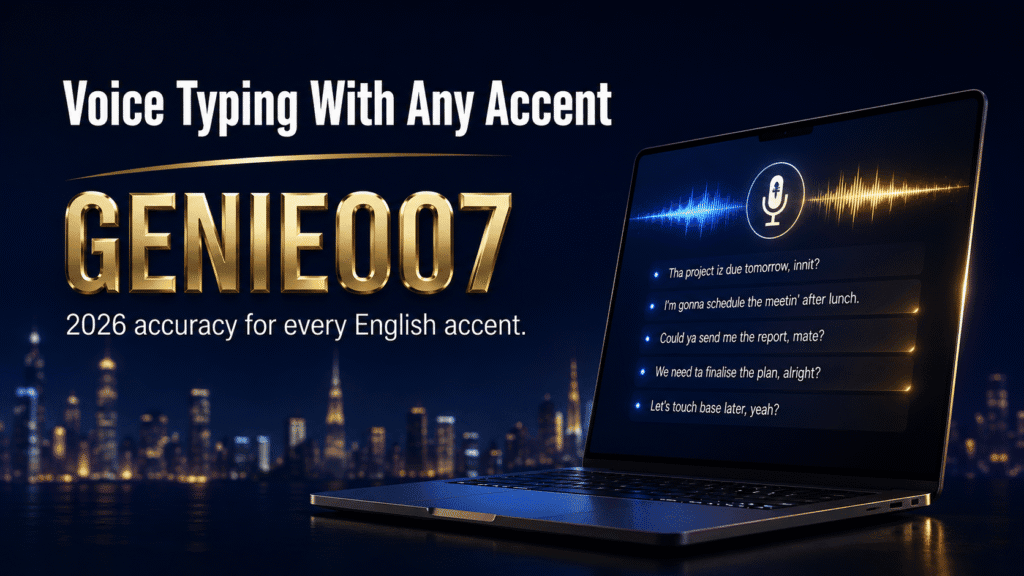
Voice typing accent accuracy still varies by 20 to 30 percentage points between standard and regional English speakers, though the gap has narrowed fast. Built-in tools like Apple Dictation and Windows Voice Access remain accuracy bottlenecks for Scottish, Welsh, Indian, and other non-standard accents — the tool you pick matters more than your accent ever will.
If you speak with a regional accent — Scottish, Welsh, Irish, South Asian, Caribbean, or any non-standard English dialect — you’ve probably wondered whether voice typing is even worth trying. The honest answer is nuanced. Speech recognition has improved dramatically in the last few years, but accuracy still depends heavily on your accent and, just as much, on which tool you choose.
Does Speech-to-Text Handle Different Accents Well?
Yes, though unevenly. Standard American and southern British accents now hit 95 to 98 percent accuracy on modern speech-to-text engines, but Scottish, Indian, West African, and other strongly regional or non-native accents can still fall to 70 to 90 percent, worse in noisy rooms. Genie 007 closes most of that gap by understanding intent, not just sound.
That gap is the whole story of voice typing with accent variation. A system trained mostly on one accent cluster will always perform best on that cluster — everyone else pays an accuracy tax, in corrections, in time, and eventually in whether they bother using voice input at all.
How Speech Recognition Systems Handle English Accents
Speech recognition systems are machine learning models trained on audio data, and the representativeness of that data determines which accents perform well. Most mainstream systems — from Google, Apple, and Microsoft — were trained predominantly on American English, with Southern British English as the next-largest slice. The result: American, Southern British, and “neutral” accents score highest, while regional and non-native accents lag behind.
This is fundamentally a data problem, not a speaker problem. Systems optimised for American and standard-British pronunciation patterns struggle with Scottish burrs, Geordie dialects, Indian English, or West Indian English. Accent impact shows up in three ways: phonetic confusion (sounds misheard entirely), vocabulary limitations (dialect-specific words with no match), and prosody mismatch (unfamiliar speech rhythm and stress patterns). A regional speaker might reach 85% accuracy in quiet conditions with a well-trained system; with standard built-in tools, that can drop to 60–70%.
Voice Typing Accent Accuracy by Platform and Dialect
Here’s how the major built-in platforms actually perform with different accents, based on real-world usage and documented limitations.
Apple Dictation offers genuine privacy: your voice is processed in real time and never stored. Accuracy for standard English: roughly 96% in quiet environments. Regional accents suffer measurable drops; speakers with Indian, African, or strong regional British accents report frequent manual corrections. Fine for short emails, frustrating for extended prose.
Windows Voice Access (Windows 11, free) achieves 80–85% accuracy for native speakers and noticeably less for non-native speakers. Usable for occasional commands, unreliable for anything high-stakes.
Google Docs Voice Typing (free, browser-based) outperforms Apple for non-native accents, landing around 80–90% accuracy, thanks to larger and more diverse training data. The trade-off: browser-only, and accuracy still drops sharply on technical terms and proper nouns.
Microsoft 365 Dictation integrates with Word, Excel, and Outlook at roughly 85–90% accuracy, with similar accent limitations to Google. None of these three transcribe intent — they transcribe words — which leaves accented speakers doing the most correction work of anyone.
All of these built-in tools share the same structural flaw: they’re built for transcription, not understanding. If you have a strong accent and dictate “create report,” the system might hear “create a report,” “re-create port,” or something else entirely. You’re left manually fixing the output every time. Understanding dictation vs typing speed helps explain why accent accuracy matters so much: poor accuracy wipes out the entire speed advantage of voice input.
The Research on Accent Bias in Speech Recognition
This isn’t just anecdotal. A widely cited Stanford study published in PNAS tested five commercial speech recognition systems (including Amazon, Apple, Google, IBM, and Microsoft) and found an average word error rate of 0.35 for Black speakers compared with 0.19 for white speakers — a near-two-times gap across every system tested (Koenecke et al., PNAS, 2020).
Separate research into non-native and heavily accented English speech has found word error rates in the 30–50% range, compared with 2–8% for standard native speech — a gap wide enough to make voice typing feel more like proofreading than dictation for the speakers it fails.
Independent 2026 benchmarking backs this up at the platform level: the best speech-to-text engines now top out around 95–98% word accuracy on clean, standard-accent audio, but accuracy on accented or noisy audio typically falls to somewhere between 70% and 90% (AssemblyAI, 2026). Put simply: the tools work well for the accent they were trained on, and progressively less well the further your voice sits from that baseline.
British and Regional Accent Accuracy: What Genie 007 Users Report
Regional British accent accuracy is one of the most common themes in feedback from Genie 007 users. Scottish, Yorkshire, Geordie, and Welsh speakers repeatedly describe the same pattern: built-in dictation tools force them into constant correction cycles, while Genie 007’s think-to-text processing gets their intended meaning right far more often, because it isn’t trying to match their accent against a narrow training set — it’s trying to understand what they meant to say.
Academic research on regional British speech backs up why this is hard for standard systems in the first place: recognising and correctly transcribing UK regional accents and dialects is a well-documented challenge for automatic speech recognition, precisely because most commercial systems are trained on a narrower, more standardised slice of English than the UK actually speaks (regional accent recognition research, ScienceDirect). If you speak with a strong regional or non-native accent, that’s not a personal shortcoming in the technology’s design — it’s a training-data gap, and it’s one that think-to-text processing is specifically built to work around.
Why Accent Accuracy Matters in Real Work
The difference between 90% and 70% accuracy doesn’t sound dramatic until you live it. Dictating a 300-word email: 90% accuracy means roughly 27 errors to fix; 70% accuracy means roughly 90. By the time you’ve corrected them all, you’ve lost the entire speed advantage of voice input. For accented speakers, frustration sets in fast, and many abandon voice typing after a handful of attempts.
The problem compounds in professional contexts. A sales manager dictating LinkedIn posts, a non-native English speaker drafting client emails, a regional dialect speaker writing meeting notes — all face constant friction. Built-in tools add cognitive load: you’re speaking, listening for errors, reformulating, and repeating. That’s not faster than typing; it’s slower and more exhausting.
Beyond personal frustration, accent bias in speech recognition is a documented accessibility issue. Workers with regional or non-native accents effectively can’t rely on voice typing the way majority-accent speakers can, creating a hidden barrier inside tools marketed as productivity boosters. Organisations rolling out “voice-first” workflows often don’t account for this, and end up with tools that quietly work only for some of their people.
Real-World Factors That Worsen Accent Accuracy
Accent alone doesn’t determine accuracy — context compounds it. Several factors make accent challenges worse in real-world voice typing.
Background noise is the first killer. Built-in voice recognition handles quiet environments reasonably well. Add ambient noise — office chatter, traffic, a TV in the background — and accuracy drops for every accent, but hardest for non-native and regional speakers, because the system is already less confident about the phonetic information it’s isolating.
Technical vocabulary and proper nouns compound the problem. Dictating code comments, medical terms, or a list of international client names causes standard speech recognition to fail hard. A Scottish engineer saying “loop” might get “loup” or “loupe.” A non-native speaker saying “deployment” might get “the ploy mint.” Manual training can help a little, but built-in tools rarely support custom vocabularies at all.
Speaking speed and rhythm matter more than most people realise. Speaking quickly, or with the stress patterns common in non-native English, gives the system less time to find phonetic boundaries. Slowing down deliberately to “help” the system often backfires too, introducing unnatural pauses that confuse it further.
Microphone quality is underestimated. Plenty of people attempt voice typing on laptop mics or basic headset mics, which add noise and compression artefacts. A regional accent combined with a poor microphone is close to a worst-case scenario for accuracy.
How Think-to-Text Changes the Accent Equation
The core limitation of standard voice typing is that it transcribes — it tries to convert your exact words into text, accent and all. Think-to-text, by contrast, aims to understand your intent and deliver polished output, regardless of your accent or speaking style.
Genie 007 uses think-to-text processing, meaning it captures your meaning and renders it in clean, professional English. Say a non-native speaker with a strong accent dictates: “I need create comprehensive report on Q3 numbers.” Genie 007 understands the intent and delivers “I need to create a comprehensive report on Q3 numbers” — grammatically correct, properly punctuated, ready to send. Standard dictation would transcribe your exact words, errors included, and leave you to fix them.
This is particularly powerful for Voice Typing Mode, Genie 007’s dictation feature, which combines fast transcription with automatic punctuation, formatting, and your personal writing style. Unlike Google Docs or Apple Dictation, it works inside every app on all four platforms — Windows, Mac, mobile, and as a browser extension. You can dictate into Gmail, Slack, Notion, or GitHub, wherever you already work, without tab-switching or copy-pasting.
For non-native and regional accent speakers specifically, Genie 007 solves the original problem: you can finally use voice to work faster than typing, without spending more time correcting than you saved. The 140+ language support also means multilingual workers can speak in their native language and get polished English output. Learn more about what is think-to-text and how it outperforms standard transcription for accented speech, or see how it plays out for voice typing for non-native English speakers in more detail.
Practical Tips for Better Accent Accuracy with Any Tool
Before you switch tools entirely, here are low-cost moves that squeeze better accuracy out of whatever system you’re currently using.
Invest in a decent microphone. A USB headset or lapel mic (£20–50) eliminates half your accuracy problems immediately. Built-in laptop mics are genuinely poor; avoid them for anything important.
Reduce background noise. Close doors, ask colleagues to keep it down, or move somewhere quieter. Background noise isn’t a minor inconvenience — it’s a primary accuracy killer, especially for accented speech. Noise-cancelling headphones become a real productivity tool here, not a luxury.
Speak naturally, don’t over-compensate. Many regional and non-native speakers unconsciously try to sound “standard” when dictating, introducing unnatural stress and rhythm. Speak as you normally would; the system adapts better to consistent natural speech than to exaggerated or artificial delivery.
Test before committing. Dictate a paragraph into Google Docs Voice Typing, Apple Dictation, or Windows Voice Access before relying on it for real work. Count the corrections needed. If it’s more than 5–10%, the time spent correcting will exceed the time you saved — don’t bother with the built-in tool for serious writing.
Use the right tool for the job. Built-in dictation works fine for casual messages, brainstorms, and quick notes. For professional documents, client emails, or code comments, a tool that understands intent is worth the investment. Compare dictation for non-native English speakers and check pricing options to find the right fit for your accent and workflow.
Does speech-to-text handle different accents well?
Yes, though unevenly. Standard American and southern British accents reach 95–98% accuracy on modern engines, but Scottish, Indian, West African, and other strongly regional or non-native accents can fall to 70–90%, worse in noisy conditions. Genie 007 closes most of that gap with think-to-text processing.
Does Google Docs work well with accents?
Google Docs Voice Typing performs better than Apple Dictation for non-native accents, thanks to Google’s larger and more diverse training data. However, accuracy still drops 10–15% compared with native English speakers, and you’ll need to proofread. For professional writing, the manual cleanup time is significant.
Will my accent improve voice typing accuracy over time?
Standard built-in tools don’t learn from your voice or personalise to individual accents. Some third-party tools, including Genie 007, can adapt to your voice and speaking patterns, improving accuracy the more you use them. With generic systems, accuracy stays static — your accent doesn’t train the system to recognise you better.
Can I improve my accent’s accuracy by changing how I speak?
To a point, yes. Speaking clearly, at a natural pace, into a good microphone, in a quiet room, all help. But if your accent differs significantly from a system’s training data, even perfect delivery yields imperfect results — that’s a system limitation, not a personal one. The fix is a tool built to handle accent diversity, not forcing your accent to fit systems that weren’t built for it.
Try Genie 007 Free
Whatever your accent — Scottish, Welsh, Indian, non-native English, or anything else standard dictation tools weren’t trained for — Genie 007’s think-to-text processing understands what you meant to say and delivers it polished, without the correction cycle.
Download Genie 007 free — available for Windows, Mac, mobile and as a browser extension. No credit card required.
Written by Bill Kiani, founder of Genie 007.
Related reading: the best dictation software UK guide covers British accents in depth.
Related reading: How Accurate Is Voice to Text in 2026? Real Numbers From Real Tests.
If accents are the real cause behind your errors, see our full breakdown of why voice to text gets words wrong and how to fix it, covering microphone, language and vocabulary settings for every platform.