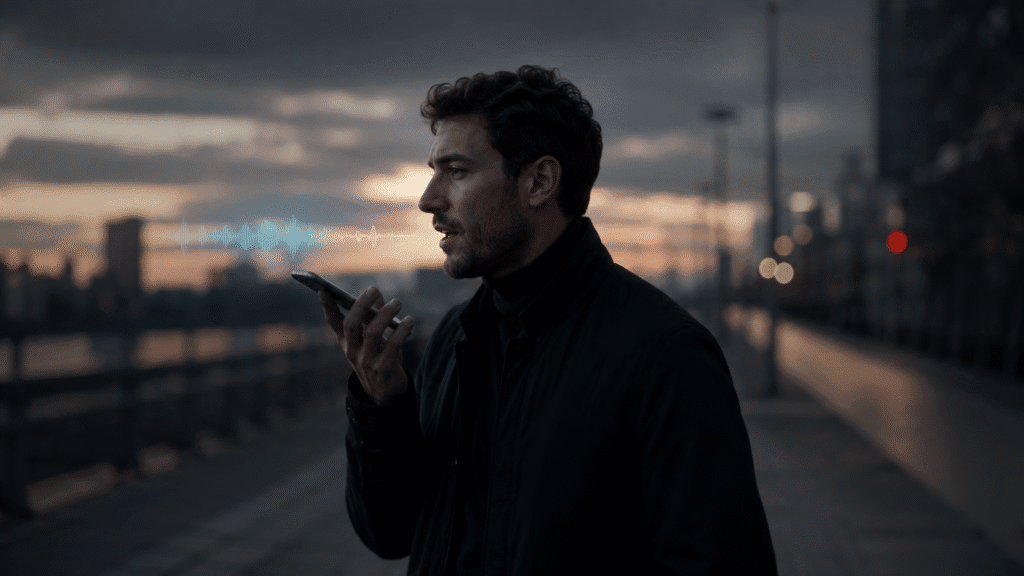
Steve Jobs held walking meetings. Charles Darwin walked his “thinking path” every morning. Friedrich Nietzsche claimed his best ideas came to him on foot. The science backs them up — but knowing that walking sharpens thinking is not the same as knowing how to write while walking and actually capture what your brain produces. That is the gap this guide closes. Freelancers who already write while walking know the power of capturing ideas on the move — voice typing for freelancers takes that further, applying the same technique to proposals and client emails.
Why Your Brain Writes Better When You Walk
A Stanford University study found that creative output increases by an average of 60 per cent while a person is walking. The research, led by educational psychologist Marily Oppezzo, tested participants on divergent thinking tasks — the kind of open-ended idea generation that underlies emails, articles, and creative writing. Whether participants walked on a treadmill or outdoors, the effect held. It was the movement itself, not the scenery, that drove the improvement. You can read the full Stanford walking and creativity study for the methodology.
This is not a new discovery — thinkers have been exploiting it for centuries. Darwin’s “sandwalk” at Down House was deliberately constructed so he could pace while working through problems. Nietzsche wrote in Twilight of the Idols: “All truly great thoughts are conceived while walking.” Jobs refused to sit still for important conversations. These were not romantic affectations. They were deliberate productivity systems built around how the human brain actually generates ideas.
The practical problem is that a great thought in motion is worthless if it evaporates before you reach your desk. Walking dictation is the obvious answer — but most people discover the limits of the tools built into their phones the first time they try it outdoors.
Why Built-In Phone Dictation Fails on a Walk
Apple Dictation and Google’s voice input are designed for calm, controlled environments: sitting at a desk, dictating a quick text, searching for a nearby restaurant. Take them outdoors and three problems appear immediately. Wind noise produces garbled transcriptions that bear little resemblance to what you said. Ambient sounds — traffic, footsteps on gravel, other people nearby — confuse the audio model. And most critically for walking writers, both tools time out after a pause of just three to five seconds.
That last point is fatal for serious writing. When you try to dictate while walking, you are thinking and speaking at the same time. You need to pause mid-sentence to find the right word. You need ten seconds of silence to work out how the paragraph ends. Built-in dictation stops listening the moment you pause, drops what it was transcribing, or simply switches off. You look at your screen to find nothing there — or worse, a fragment.
Most people try walking dictation once, hit this wall, and revert to stopping to tap notes into their phone — which defeats the purpose entirely. If you have encountered this frustration, the troubleshooting guide for iPhone dictation not working explains the underlying causes in detail. For walking specifically, however, the fix is not a settings change. It is a different tool.
Writing While Walking: A Real Workflow with Genie 007
Genie 007’s mobile app was built for exactly this kind of use. It keeps listening through pauses, applies noise filtering automatically, and does not time out after a few seconds of silence. But the more significant difference is the underlying model. Genie 007 operates in two modes: Voice Typing, which produces a clean, punctuated transcript of what you say, and Genie Mode, which takes your spoken thoughts and converts them into polished, complete text — even when your input is rough, incomplete, or thinking-aloud in nature.
Here is how a working day looks when walking dictation becomes part of the routine.
Morning walk: drafting emails
You have three emails to write before the 9 o’clock meeting. Instead of arriving at your desk and spending forty minutes in your inbox, you open Genie 007 during a twenty-minute morning walk. You speak the gist of each email — not word-for-word prose, just the intent and key points — and Genie Mode converts your spoken thoughts into professional, ready-to-send emails. By the time you reach the office, the drafts are waiting for a final read.
Example voice input: “Email to Sarah, re the Q3 report — tell her we have reviewed the figures, we are satisfied with the margin analysis, and we would like to schedule a call to discuss distribution before the board presentation. Keep it brief and professional.” What arrives in your drafts is a complete, correctly formatted email. No dictating punctuation, no cleanup, no reformatting.
Lunchtime walk: capturing content ideas
Ideas that arrive mid-walk are often the strongest ones, and also the most fragile. They evaporate within minutes if not captured. Switch Genie 007 to Voice Typing mode and speak in full thoughts: a working title, the three points you want to make, the angle that makes the piece different from everything else on the subject. Genie 007 transcribes it with punctuation intact, ready to paste into Notion, Google Docs, or wherever you draft. A thirty-minute walk can populate a content calendar for the entire week.
This is the point at which walking dictation stops feeling like a workaround and starts feeling like a system. Writers interested in the full workflow from spoken idea to finished long-form piece will find the guide on dictating a book useful — the same principles that apply to a 90,000-word manuscript apply equally well to a 1,000-word article.
Evening walk: dictating longer drafts
For longer-form writing — blog posts, reports, proposals, newsletters — a thirty-minute evening walk can replace a two-hour desk session. Speak in natural, flowing prose. Do not stop to self-edit as you go; that instinct is the enemy of mobile dictation. Voice Typing captures your output with appropriate punctuation and paragraph breaks, and you return to your computer with a workable rough draft rather than a blank page. The setup on iOS takes under two minutes if you follow the steps in the full guide on how to dictate on iPhone.
The Time Maths: Speaking Versus Sitting
A Stanford University study on speech recognition found that voice input is three times faster than typing on a mobile phone, with an error rate 20 per cent lower. The average person speaks at roughly 150 words per minute. The average person types on a smartphone at 38–40 words per minute. Thirty minutes of walking dictation at a conversational pace produces approximately 2,000–2,500 words of raw material — the equivalent of a full blog post, a detailed report, or several days’ worth of email.
The comparison is more striking when you account for what walking usually replaces. Most commutes, dog walks, and lunch breaks produce nothing written. Converting them to drafting sessions at 150 words per minute is not a marginal improvement — it is genuinely reclaimed hours. For anyone who wants to capture ideas on a walk rather than lose them, this is the most time-efficient writing method available to a busy professional.
| Method | Words per 30 minutes | Requires a desk? | Uses existing time? |
|---|---|---|---|
| Typing at a desk | ~900–1,200 | Yes | No |
| Typing on a phone whilst walking | ~300–400 | No | Yes |
| Walking dictation (built-in tools) | Variable / unreliable | No | Yes |
| Walking dictation (Genie 007) | ~2,000–2,500 | No | Yes |
For a deeper look at the speed comparison between speaking and typing across different contexts and devices, the guide to typing faster without typing covers the full picture with practical benchmarks.
Three Common Objections, Addressed Honestly
Wind and background noise. Genie 007 handles outdoor conditions better than built-in tools, but no dictation is perfect in all environments. The practical improvement comes from using a headset rather than the phone’s built-in microphone. A standard iPhone headset held close to your mouth eliminates most wind interference. Speak at a measured pace — slightly slower than your indoor default — and choose quieter routes for longer drafting sessions. Genie 007’s noise filtering handles the rest.
Privacy. If your walking dictation involves client communications, confidential strategy, or commercially sensitive content, the question of where your audio goes is legitimate. Genie 007 encrypts your audio in transit, processes it in real time and stores no recordings and no transcripts. It is GDPR compliant, which matters if you work in legal, medical, or financial services.
The learning curve. It takes two or three walks before speaking into a phone whilst walking feels natural rather than odd. The main hurdle is the instinct to self-edit — to stop mid-sentence and correct yourself. The technique that works is to treat walking dictation like a voice note to a colleague: conversational, forward-moving, without going back. Genie Mode is specifically designed for this kind of rough, thinking-aloud input. It is forgiving of incomplete sentences and false starts, and produces polished output regardless. See the Genie 007 pricing page for plans that match your usage volume.
Frequently Asked Questions
Can you really write while walking?
Yes — provided you use a dictation tool that handles pauses and outdoor noise. Built-in phone dictation times out after a few seconds of silence, making it impractical when you need to think between sentences. A dedicated write while walking app such as Genie 007 keeps listening through natural pauses and filters background noise automatically, making sustained drafting on a walk entirely achievable.
What is the best app for writing while walking?
The best app for walking dictation handles three things: background noise filtering, unlimited pause tolerance, and intelligent output that goes beyond raw transcription. Apple Dictation and Google’s voice input fail on the first two counts outdoors. Genie 007’s mobile app addresses all three, and adds Genie Mode — which converts rough, thinking-aloud speech into finished, formatted text without requiring any dictation conventions or commands.
Does walking help with writing?
Research says yes, substantially. A Stanford study found that walking increases creative output by an average of 60 per cent. The effect is consistent whether the walk is indoors on a treadmill or outside. For writers experiencing blank-page paralysis, difficulty finding the right angle, or slow idea generation at a desk, walking is one of the most evidence-backed interventions available — and combining it with dictation turns a thinking exercise into a drafting session.
How do I reduce background noise when dictating on a walk?
Use a wired headset or Bluetooth earphones with a built-in microphone rather than the phone’s speaker microphone. Position the mic close to your mouth, speak at a measured pace, and choose quieter routes where the task demands precision. Genie 007 applies its own noise filtering on top of your hardware setup, which resolves most outdoor conditions short of standing next to a main road.
Podcasters in particular benefit from walking dictation: see how dictation for podcasters can save hours each week on show notes, descriptions, and guest outreach.
Try Genie 007 Free
Every walk you take without dictating is writing time you will never recover. Genie 007 turns your daily steps into a productive drafting session — quick emails handled on a morning commute, content ideas captured at lunch, full article drafts ready before you return to your desk.
Download Genie 007 free — available for Windows, Mac, mobile and as a browser extension. No credit card required.
Written by Bill Kiani, founder of Genie 007.
Related reading: voice to text for truck drivers — legal, hands-free messaging on the road.