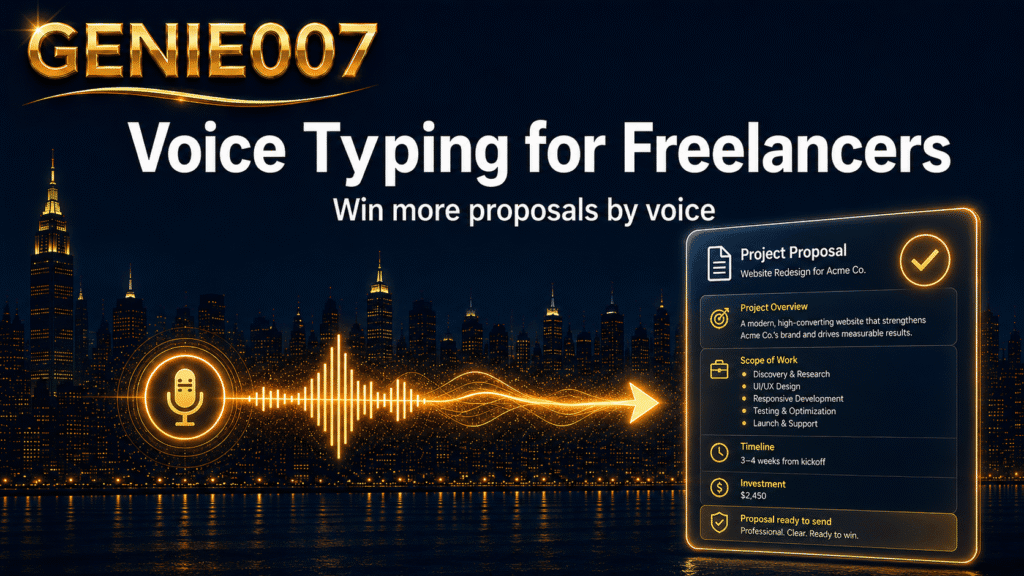
Voice typing for freelancers isn’t a novelty — it’s a genuine competitive edge. If you spend more than four hours a week on Upwork proposals, client emails, and project notes, you’re leaving money on the table every time you reach for the keyboard. The average freelancer types at around 40 words per minute. The average person speaks at 130–150 words per minute, according to Wikipedia’s data on words per minute. That three-fold gap is where proposals are won and lost, and where freelance productivity either compounds or stalls.
Where Freelance Hours Go to Die
Non-billable writing is the silent tax on every freelancer’s income. Freelancers consistently spend 30–40% of their working hours on tasks that never appear on an invoice: pitching, chasing, updating, confirming. A typical Upwork proposal runs to 300–400 words and takes 20–25 minutes to draft carefully when typed. Send five per week and you’ve spent two hours competing — before you’ve done a minute of paid work.
Client emails compound the problem. A busy freelancer typically sends 15–25 messages a day — status updates, scope clarifications, deadline confirmations, revision requests. Each one a small drain. Multiply across a week and you’re looking at four to six hours of administrative communication, none of it billable. For a freelancer charging £60 per hour, that’s up to £360 per week in opportunity cost from writing admin alone. That is not a rounding error; it is a pricing problem hiding as a productivity problem.
A Freelancer’s Day — Before and After
Before: It’s Monday morning. You open your laptop, scan three job listings, and spend 45 minutes writing Upwork proposals — carefully drafting, rewording, rereading. You reply to four client emails before touching any actual work. By 9:45am you’ve produced nothing billable.
After: Same morning. You dictate your first proposal in eight minutes — speaking naturally while Genie 007 captures your words with automatic punctuation and formatting, no “comma” or “full stop” commands needed. You speak your client replies while making coffee. By 9:15am you’re on billable work. The difference isn’t discipline or extra hours. It is the input method.
Five Voice Typing Workflows Freelancers Use Every Day
Whether you’re pitching new clients, maintaining existing relationships, or managing the business side of freelancing, these five workflows cover the tasks where voice typing delivers the clearest return. Each one works in any text field on any app or website — no copy-pasting between tools required.
1. Upwork Proposals
Open the proposal field, press the hotkey, and speak: “Start with: I’ve worked with three SaaS companies on similar content briefs and I can see exactly what you’re trying to achieve. Then describe my process — research, outline, draft, revision round included. Close by mentioning my start date.” Genie 007 transcribes instantly, punctuating and formatting as you go. A 350-word proposal that typically takes 20–25 minutes to type takes 7–10 minutes dictated.
2. Client Emails
Instead of typing each reply, speak the intent: “Tell Sarah the revised brief looks good, we’re on track for Friday, and she can message me directly if anything changes.” The output is a clean, professional email — no filler words, punctuated correctly. Works inside Gmail, Outlook, or any web client without switching tabs. If you also need to dictate in Outlook, the setup is exactly the same.
3. Project Notes and Meeting Recaps
After a client call, dictate your notes while the conversation is still fresh — walking back to your desk or straight into your project management tool. Many freelancers who already dictate meeting notes for clients find extending that habit to their own project tracking the easiest productivity win of all. No app-switching, no reformatting — just speak and move on.
4. Invoices and Statements of Work
Dictate line items, scope summaries, and payment terms into any invoicing tool. For freelancers who write their own statements of work, voice typing cuts that process from 40 minutes of careful keyboard work to 15–18 minutes — and the result tends to be more conversational and easier for clients to parse than formal typed copy.
5. Social Content and Outreach
LinkedIn connection requests, cold outreach messages, X replies to potential clients — all dictatable. If you’re building a personal brand alongside client work, voice typing lets you write while walking between meetings, or draft posts on the move using the Genie 007 mobile app. A five-minute walk becomes a five-minute content sprint.
The Time-Savings Maths
Conservatively, a freelancer sending five Upwork proposals and 20 client emails per week can expect to reclaim significant time across every task category:
| Task | Typed | Dictated | Weekly saving |
|---|---|---|---|
| 5 Upwork proposals | 100 min | 40 min | 60 min |
| 20 client emails | 90 min | 35 min | 55 min |
| Project notes (3 projects) | 45 min | 18 min | 27 min |
| Admin copy and invoices | 30 min | 12 min | 18 min |
| Total | 265 min | 105 min | 160 min |
That’s roughly 2.5 hours reclaimed per week — without working longer, without hiring anyone, and without changing what you do, only how you do it. Over a month that’s a full working day returned to billable hours.
Common Objections to Voice Typing for Freelancers
Accuracy
Modern dictation tools handle natural speech with high accuracy in normal conditions. The main sources of error are background noise and highly specialised vocabulary. Speaking at a normal pace into a decent microphone — even a built-in laptop mic in a quiet space — produces output that needs only a brief read-through. Built-in options like Google Docs Voice Typing work well inside a browser tab, but the moment you switch to your Upwork proposal window, your invoicing tool, or your email client, you lose access entirely. Genie 007 follows you everywhere — any app, any site, any text field.
Privacy
Genie 007 uses in-browser, on-device processing. That is not marketing language — it is an architectural decision. Unlike cloud-based approaches that route your speech through external servers, Genie 007’s processing happens in the browser itself. Your dictated content never touches Genie 007’s servers. No audio is stored, no logs are kept, and zero data is retained. For freelancers handling sensitive client material — NDAs, financial data, unreleased product information — this is a material difference. Genie 007 is GDPR compliant and HIPAA ready.
Learning Curve
Most freelancers reach comfortable proficiency within one to two weeks of daily use. The technical setup takes minutes. The adjustment is cognitive rather than technical: you’re learning to think aloud rather than compose silently at the keyboard. Many freelancers report feeling fluent within the first week. The learning curve for voice typing for freelancers is genuinely shallow — the hard part is simply remembering to use it consistently for the first few days.
Beyond Dictation: When Genie Mode Changes Everything
Plain voice typing solves a speed problem. Genie Mode solves a different one: the cognitive cost of composition itself.
If you want to type faster without actually typing, the ceiling of pure dictation is that you still have to formulate every sentence before you speak it. That works well for factual emails. For a persuasive Upwork proposal, a carefully crafted LinkedIn post, or a client update that needs to strike exactly the right tone, it can still feel like work.
Genie Mode changes the input entirely. Instead of dictating a finished sentence, you share your intent:
“Proposal for the content strategy project. Emphasise my B2B SaaS background, mention I can start immediately, and keep the tone confident but not pushy.”
Genie 007 generates the complete, polished proposal — platform-aware, human-sounding, and ready to submit. It is the difference between a transcription service and a writing partner you brief rather than dictate to. You can read more about how this works in the think-to-text explainer, but the practical upshot is simple: you stop composing and start directing.
Freelancers who are already productive with voice typing often describe Genie Mode as the moment the tool stops feeling like software and starts feeling like genuine leverage on their freelance productivity. The proposals get better, not just faster.
Frequently Asked Questions About Voice Typing for Freelancers
How does voice typing help freelancers win more Upwork proposals?
Voice typing for freelancers lets you produce a full 350-word proposal in under 10 minutes instead of 20–25 minutes typed, so you can send more bids in the same time. Higher volume with maintained quality meaningfully improves your chances of landing work, particularly in competitive categories where speed of response also signals professionalism and availability to the client.
Is voice typing accurate enough for professional client emails?
Yes, for the vast majority of freelancers and email types. Modern dictation tools reach high accuracy in quiet conditions with normal speech, and the output typically needs only a brief read-through. Genie 007’s automatic punctuation and formatting means emails arrive ready to send — without the “comma, full stop” commands that make older dictation systems genuinely tedious to use.
How long does it take to learn voice typing as a freelancer?
Most freelancers find their workflow comfortable within one to two weeks of daily use. Technical setup takes minutes. The adjustment is largely about learning to think aloud rather than composing silently at the keyboard — a habit shift rather than a technical skill acquisition. Many report feeling fully fluent by the end of the first week of regular use.
If replying to Instagram DMs is part of your client workflow, our guide on how to reply to Instagram DMs faster by voice shows you the exact desktop setup that cuts the time in half.
Administrative assistants and virtual assistants use similar voice tools — our guide to speech to text for administrative assistants covers the admin-specific workflows.
Try Genie 007 Free
Freelancers who switch to voice typing typically reclaim 2–3 hours per week from proposals and admin alone — time that goes straight back to billable work or to pitching more clients. Genie 007 handles everything from a single dictated email to a complete Upwork proposal generated from a spoken brief.
Download Genie 007 free — available for Windows, Mac, mobile and as a browser extension. No credit card required.
Written by Bill Kiani, founder of Genie 007.
If you are a freelancer scaling into a small subcontractor team, the guide to dictation software for small business covers per-seat pricing and admin controls once solo dictation stops being enough — read the full guide.
Related reading: voice to text for consultants — draft client work faster.
Related reading: Why Every Freelancer Needs Genie007 as Their Personal AI Assistant.