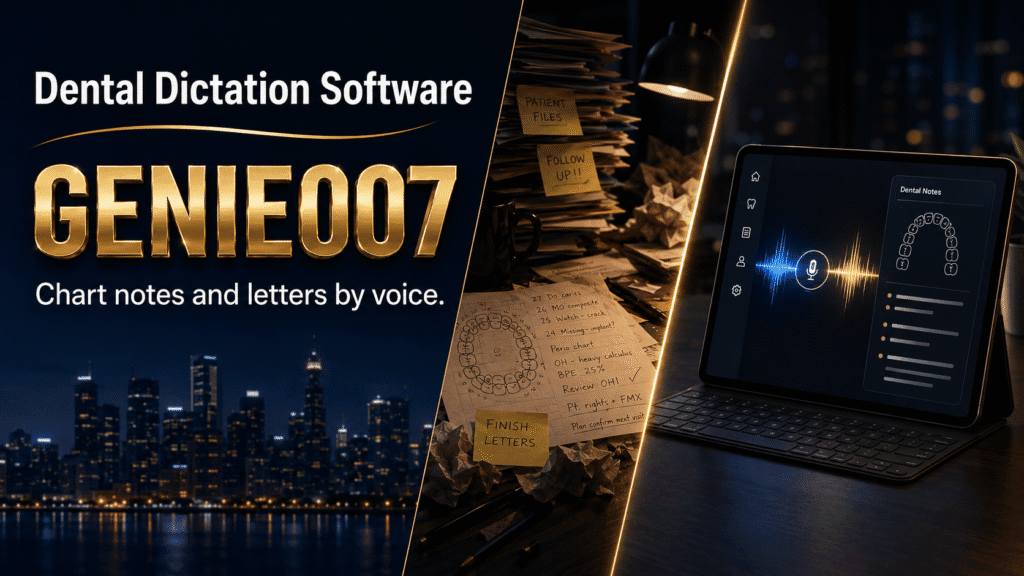
Dental dictation software lets dentists and hygienists speak exam findings, chart notes, referral letters and patient correspondence instead of typing them, turning spoken observations into structured clinical text or a polished letter in seconds. The best tools handle both quick voice notes and complete patient letters, cutting the paperwork that follows you home after the last patient leaves.
The label covers very different products. Some are built into your practice management system to capture six-point probing depths during a periodontal exam; others sit outside it, drafting the referral letters and insurance narratives that surround the chart. This guide covers both, and where a privacy-first voice AI like Genie 007 fits into a real practice’s day.
What Is Dental Dictation Software, and Where Does Genie 007 Fit?
In 2026, the tools sold under this name split into two genuinely different jobs. The first is chairside voice charting for dentists: speech recognition wired into your dental practice management software so a hygienist can call out probing depths, bleeding points and mobility scores hands-free while the assistant’s eyes stay on the patient, not a keyboard. The second is general-purpose voice AI for everything that surrounds the chart — referral letters, recall correspondence, insurance narratives, patient emails — dictated in whatever application you already use, without any integration to your clinical system at all.
Genie 007 belongs firmly in the second category. It does not write directly into a periodontal chart or integrate with your practice management platform, and it is not trying to. What it does is take the exam finding you have just dictated and turn it into the chart note, letter or message you need — in your Windows or Mac app, your browser, or your phone, the moment you need it.
| What you need | Best fit | Why |
|---|---|---|
| Six-point periodontal probing entered live during the exam | Your practice management system’s built-in voice charting module, where available | Needs deep integration with the numbered chart fields |
| Referral letters, recall letters, insurance narratives, patient emails | Genie 007 | Works in any app, drafts complete documents from spoken intent, no integration required |
| Quick freehand chart notes in a web-based or cloud system | Genie 007’s Voice Typing mode | Fast, accurate dictation with automatic formatting, wherever the cursor is |
The Time Drain: Why Dental Documentation Follows You Home
The paperwork problem in dentistry is real and measurable. The American Dental Association’s Health Policy Institute 2025 workforce report shows the average dentist’s weekly office time not spent treating patients has grown from around 3.6 hours in 2010 to 5.5 hours in 2024 — nearly a third of the working week spent on tasks other than chairside care, much of it documentation, correspondence and administration. The report attributes the entire post-2020 increase in total office hours to this non-clinical time, not to more patients seen.
None of that time goes away by wishing it did. A hygienist still has to record a full periodontal exam. A dentist still has to write to the orthodontist, the oral surgeon, or the patient’s GP. What changes is how much of it has to be typed, one keystroke at a time, after the surgery has gone quiet.
A Day in the Surgery, Before and After Voice Dictation
Before: a dentist finishes a full list of patients at half past five, then sits down to write three referral letters, two recall notes and a handful of treatment-plan emails. Each one means recalling the details from memory or flicking back through the chart, typing a draft, then tidying the wording. An hour, sometimes more, disappears before the laptop closes.
After: the same dentist dictates each letter the moment the patient leaves the room, while the clinical picture is still fresh. “Referral to oral surgery — lower left eight, impacted, symptomatic, panoramic film attached, request extraction under local anaesthetic” becomes a complete, properly addressed referral letter in Genie 007’s Genie Mode. The dentist checks it, sends it, and moves to the next patient. By close of play, the letters are already gone.
Five Dental Writing Workflows You Can Do By Voice
Abstract claims about time savings mean little without the actual workflow, so here is what dental practice documentation looks like by voice.
- The referral letter. Say: “Referral to endodontics — upper right central incisor, prolonged sensitivity to cold, negative to percussion, suspect irreversible pulpitis, request urgent root canal assessment.” A complete, properly formatted letter drafts itself, ready for a final clinical check.
- The freehand chart note. For systems without built-in voice charting, Voice Typing mode turns spoken exam narration — caries location, restoration type, treatment performed — into a clean, punctuated note in the record, without stopping to type between observations.
- The recall and treatment-plan letter. Say: “Letter to the patient — six-month recall due, mention the crown discussed at the last visit is still outstanding, friendly tone, invite them to book online.” Genie Mode matches the register to a patient letter rather than a clinical note.
- The insurance narrative. Say: “Narrative for the claim — extraction of a non-restorable molar due to vertical root fracture, radiograph attached, medically necessary.” A structured narrative drafts itself in the tone insurers expect.
- The multilingual aftercare note. With live translation across 140+ languages, post-extraction or post-op instructions spoken in English can be handed to a non-English-speaking patient in their own language — genuinely useful where comprehension affects healing.
The Time-Savings Math
A 200-word referral letter typed at 40 words a minute takes about five minutes, closer to eight once you count re-reading and tidying. Write three of those and a handful of recall notes most days, and that is well over half an hour of typing stacked onto an already full clinical day. Dictating the same letters by stating the intent, then checking the draft, typically takes under two minutes each — call it 15 minutes for the same workload. Over a five-day week, that is roughly two hours returned; over a working year, more than twelve full clinical days handed back to patient care instead of the keyboard.
Accuracy, Privacy and the Learning Curve
Accuracy with dental terminology. Voice Typing handles clinical vocabulary — tooth numbering, restorative materials, periodontal terms — accurately for narrative dictation. For anything going into a formal record or a claim, review the draft before it is filed, exactly as you would with any typed note.
Genie 007’s processing happens in-browser and on-device: your voice and the patient details you dictate never touch Genie 007’s servers, with AES-256 encryption, no audio storage, and zero data retention. That architecture makes it HIPAA ready and GDPR-aware by design — ready, not certified, since no subscription replaces your practice’s own information-governance policy. Our guide to HIPAA compliant dictation software sets out what a Business Associate Agreement requires and where free built-in tools fall short. Practices with a wider range of clinical correspondence may also find our broader medical dictation software guide useful for comparing chairside charting against general-purpose options.
Learning curve. Composing a finished letter aloud, word for word, is a skill few clinicians have practised. Stating what you want instead — the diagnosis, the request, the tone — is something dentists already do out loud to their front desk every day. Most people are productive from the first session, helped by the fact that think-to-text asks you to describe intent rather than dictate prose. The free trial, with no card required, means testing it against a real afternoon’s letters costs nothing.
Solo practitioners and small clinics weighing up the cost of a full chairside charting add-on against a lighter general-purpose tool can compare plans on the pricing page — Genie 007 starts from a few pounds a month, with no long procurement process before a dentist or hygienist can start dictating.
Frequently Asked Questions
What is dental dictation software?
Dental dictation software converts spoken words into dental chart notes, referral letters or patient correspondence, ranging from chairside tools built into a practice management system for periodontal charting to general-purpose voice AI such as Genie 007 that drafts letters and notes in any application.
Is voice dictation accurate enough for dental chart notes?
Yes, for narrative dictation of exam findings and correspondence, provided every draft is reviewed before it is filed or sent, which is standard practice for any dictated clinical note regardless of the software used.
Is dental dictation software HIPAA compliant?
No dictation tool is HIPAA compliant by itself, since compliance covers a practice’s policies and staff as well as its software. Genie 007 describes itself as HIPAA ready and GDPR-aware, not certified, because processing happens on-device with no audio stored and no data sent to its servers.
Can voice dictation write referral letters for dentists?
Yes. Stating the clinical detail aloud, such as the diagnosis, findings and reason for referral, lets Genie 007’s Genie Mode draft a complete, properly formatted referral letter in seconds, ready for a final clinical check before it is sent.
How much does dental dictation software cost?
Chairside voice charting built into a practice management system is typically priced as part of that platform’s subscription, while general-purpose voice AI such as Genie 007 starts from a few pounds a month with a free trial and no card required.
Try Genie 007 Free
If referral letters and recall notes are the reason your evenings start later than they should, dictating the finding and letting Genie 007 draft the letter is the fastest change you can make this month — privately, on your own device, from a few pounds a month.
Download Genie 007 free — available for Windows, Mac, mobile and as a browser extension. No credit card required.
Written by Bill Kiani, founder of Genie 007.
This article is for general information only and is not medical advice. If you are experiencing pain or other symptoms, please consult a qualified healthcare professional.