

Bengali voice typing works free in Google Docs on a PC and in Gboard on Android, and both list Bengali for India and Bangladesh. Windows 11 voice typing, Word’s Dictate and Apple Dictation do not list Bengali (Bangla). This guide gives the setup steps, a workaround for Word, and a way to speak Bengali and get English text.
What Bengali voice typing is, and who it helps
Bengali voice typing turns spoken Bengali into written Bengali script. That helps because the script is slow to type: it is an abugida, and consonant clusters fuse into conjunct letters that often need several key presses.
Bengali is the official language of Bangladesh and an official language of the Indian states of West Bengal and Tripura, so readers range from students in Dhaka to shop owners in Kolkata. Its own name is Bangla, and the tools below use both names, so Bangla voice typing and Bengali voice typing mean the same here.
Bengali speech to text: which built-in tools support it
We checked each vendor’s own help pages in October 2026. Bengali is covered by Google’s tools but not by Microsoft’s or Apple’s, unlike Hindi, which both of them list.
| Tool | Bengali support |
|---|---|
| Windows 11 voice typing (Win+H) | Not listed |
| Microsoft Word Dictate | Not listed, as supported or preview |
| Google Docs voice typing | Yes: Bengali (India) and Bengali (Bangladesh) |
| Gboard on Android | Yes: Bangla (India) and Bangla (Bangladesh) |
| Apple Dictation (iPhone, Mac) | Not listed |
| Genie 007 | Yes, plus Bengali to English; free to try, no card needed |
These lists change, so recheck the linked help pages below before ruling a tool out.
Bengali voice typing on PC: what Windows 11 does and does not do
Windows 11 voice typing (Windows logo key + H) only works in the languages on Microsoft’s list. That list includes Hindi, Gujarati, Marathi, Tamil (India) and Telugu, but nothing for Bengali or Bangla, and no microphone setting can add a missing language.
Some results for Bengali voice typing on PC point to unofficial Android keyboard apps run through emulators. A keyboard sees everything you type, so stay with tools you trust. Realistic routes:
- Google Docs voice typing in Chrome or Edge, covered below.
- Gboard on an Android phone, then send the text to your PC.
- A tool that writes into any PC app, such as Genie 007 on Windows.
Bengali voice typing in Word
Word’s Dictate button needs a Microsoft 365 subscription and a reliable connection. Hindi is a supported language there, and Gujarati, Marathi, Tamil and Telugu are preview languages, but Bengali is on neither list, so Bengali voice typing in Word is not available through Dictate.
The quickest workaround uses Google Docs:
- Open a blank Google Doc in Chrome and choose Tools > Voice typing.
- Pick Bengali (India) or Bengali (Bangladesh) and dictate.
- Copy the text, paste it into Word and read it through once.
To dictate straight into the Word window, Genie 007 works inside any app, Word included, and adds punctuation automatically.
Bengali voice typing in Google Docs
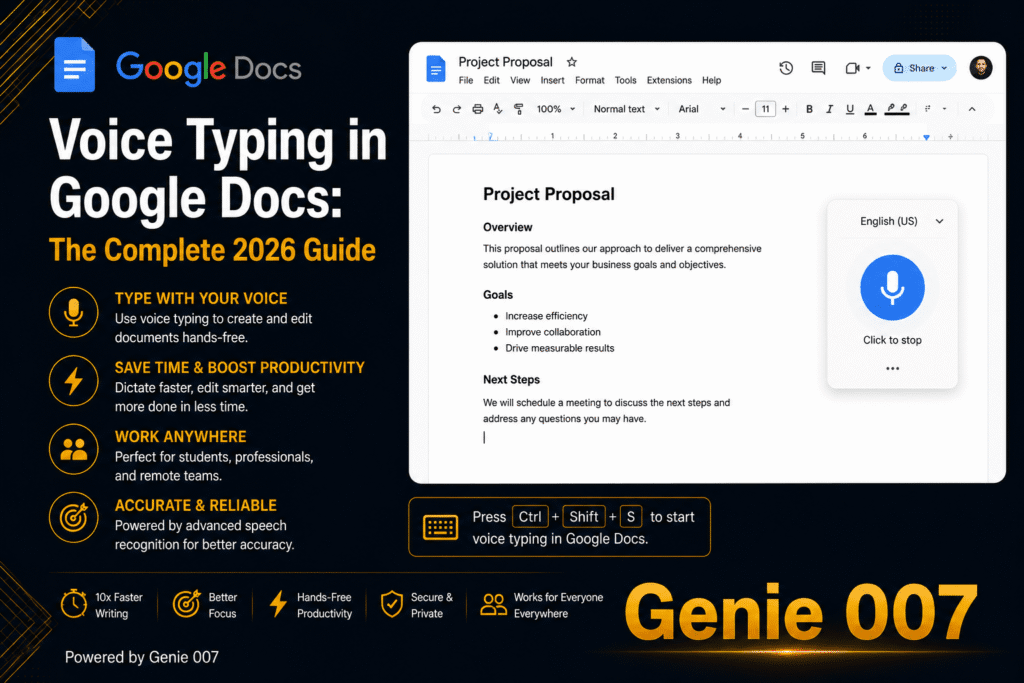
Google Docs is the best free route on a PC or Mac. Google’s voice typing help page lists both Bengali (India) and Bengali (Bangladesh) and names Chrome, Edge and Safari as supported browsers.
- Open a document and check your microphone is on.
- Choose Tools > Voice typing, or press Ctrl + Shift + S (Cmd + Shift + S on a Mac) in Chrome.
- Use the language drop-down above the microphone to pick Bengali (India) or Bengali (Bangladesh).
- Click the microphone, speak at a normal volume and pace, and click again to stop.
Google says voice commands work only in English and punctuation might not be available in every language, so add and check punctuation yourself. Bengali sentences end with a danda (।), which is easy to miss. On a phone, use your keyboard’s microphone instead.
Bengali voice typing on Android with Gboard
Gboard is the easiest phone route. Google’s 2017 announcement listed Bengali for Bangladesh and India among new Gboard voice typing languages, and it works in any app with a text box.
- Install Gboard from the Play Store.
- Tap a text box, tap Settings at the top of the keyboard, then Languages > Add keyboard.
- Choose Bangla (Bangladesh) or Bangla (India), pick a layout and tap Done.
- Switch to the Bangla keyboard with the language abbreviation on the toolbar.
- Tap the Microphone key and speak when you see “Speak now”.
Google warns that talk-to-text does not work with every language and that spoken punctuation varies, so check the result. More platforms are in our voice typing guides.
Bengali voice typing on iPhone and Mac
Apple’s iOS feature availability page and its macOS equivalent list Hindi (India) among the Dictation languages as of October 2026, but not Bengali, so the iPhone keyboard microphone and Mac Dictation will not transcribe it.
Gboard’s App Store listing includes Bengali and says voice input is sent to Google, but we could not confirm which languages its iPhone microphone accepts, so test a short sentence first. You can also try the Genie 007 mobile app, or use Google Docs on a Mac.
A short Bengali script example
The same idea changes with how formal you are. Here is one sentence four ways.
| Version | Text |
|---|---|
| Formal written Bengali | আপনার ইনভয়েসটি বৃহস্পতিবারের মধ্যে পাঠানো হবে। |
| Everyday spoken Bengali | তোমার ইনভয়েসটা বৃহস্পতিবারের মধ্যে পাঠিয়ে দেব। |
| Mixed Bengali and English | invoice-টা Thursday-র মধ্যে send করে দেব। |
| English | I will send you the invoice by Thursday. |
Built-in tools write down what you say. Speak the second line and you get exactly that back. That suits a chat, but a client letter wants the first version, and Bengali has three levels of “you” (আপনি, তুমি, তুই), so the choice matters. No built-in tool makes that switch for you.
Bengali accuracy: variants, dialects and mixed English
Speech recognition transcribes rather than tidies, so what you say is what lands on the page. These habits cut the corrections:
- Try both Google variants on one sentence, since vocabulary and pronunciation differ between Bangladesh and West Bengal, and keep the one that needs fewer fixes.
- Speak the way you want to write: everyday written Bengali follows the spoken standard (cholito bhasha), while formal sadhu bhasha is now rare outside literature and official documents.
- Expect more corrections with strong regional speech such as Sylheti or Chittagonian.
- English words may arrive in Bengali script or Latin letters, and digits as ১২৩ or 123, so check both. Google also suggests a quiet room and an external microphone.
If you also dictate Hindi, Microsoft and Apple both list it, and our Hindi voice typing guide covers the setup. Our Tamil voice typing guide covers another pattern of support.
Speak Bengali, get English text with live translation
Every built-in tool above returns the language you spoke, and for Bengali two of the biggest are missing. If you think in Bangla but write to clients in English, the usual loop is dictate, translate, fix the stiff English, paste again.
Genie 007 skips that loop. With live voice translation, you speak Bengali and English text appears in Gmail, WhatsApp or Slack, and Bengali is among the 140+ languages Genie 007 understands. In Genie Mode you give an instruction instead of dictating a draft:
ক্লায়েন্টকে জানাও যে ডিজাইনের ফাইল মঙ্গলবারের মধ্যে তৈরি হয়ে যাবে, আর বৃহস্পতিবারের মধ্যে মতামত দিতে বলো। ভদ্রভাবে লেখো।
That means “tell the client the design files will be ready by Tuesday, ask for feedback by Thursday, and keep it polite”. The finished English message lands in your tone:
Hello, the design files will be ready by Tuesday. Could you please send me your feedback by Thursday? Many thanks.
That is think-to-text: it does your work, not your words, and understands the context. For plain Bengali, voice typing mode adds punctuation and grammar automatically, so you never say “comma”. It is private by design, and nothing is stored.
Related guides: Marathi voice typing, Telugu voice typing and the Punjabi to English voice translator guide.
Frequently Asked Questions
How do I type in Bengali by voice?
To type in Bengali by voice, use Google Docs voice typing on a PC in Chrome (Tools, then Voice typing, then Bengali India or Bangladesh) or tap the microphone on Gboard on Android after adding a Bangla keyboard in its language settings. Windows 11 voice typing, Word Dictate and Apple Dictation do not list Bengali.
Does Windows 11 voice typing support Bengali?
No, Microsoft’s list of supported languages for Windows 11 voice typing does not include Bengali or Bangla, although it does list Hindi, Marathi, Gujarati, Tamil and Telugu, so pressing Windows key plus H is not a supported way to dictate Bengali in any Windows app.
Can I use Bengali voice typing in Word?
Not through Word’s own Dictate button, because Microsoft lists Bengali as neither a supported nor a preview Dictate language, but you can dictate Bengali in Google Docs with Tools, then Voice typing, and paste it into Word, or use Genie 007, which works inside Word and other apps.
Can I speak Bengali and get English text?
Not with the built-in tools alone, because Google Docs and Gboard write down the language you actually speak, but a live translation tool such as Genie 007 lets you speak Bengali and get finished English text directly inside Gmail, WhatsApp, Slack and most other apps.
Try Genie 007 Free
Google’s tools get Bengali onto the page, while Microsoft’s and Apple’s do not. Genie 007 is for when a thought in Bengali needs to arrive as a finished email or reply in English, in your own tone.
Free to try, no card needed; request access to the desktop apps. Genie 007 works on Windows, Mac, mobile and as a browser extension.
Written by Bill Kiani, founder of Genie 007.