
Google Translate’s Android app is the main free Punjabi to English voice translator: its live translate help page lists Punjabi (Gurmukhi), while Windows voice typing, Word Dictate, Google Docs voice typing and Apple Dictation do not list Punjabi at all. For finished English text typed into WhatsApp or email, use a tool that translates as you speak.
Speak Punjabi write English: who needs it
This is everyday life for many Punjabi speakers, from Punjab itself to families in the UK and Canada. You chat with relatives in Punjabi on WhatsApp, then switch to English for a client, a landlord or a job application. Typing Punjabi on a phone keyboard is slow, and polished English in a second language takes longer again.
That is why people search for a Punjabi to English voice translator: speak naturally, get English text. Below we check which free built-in tools support Punjabi, explain Gurmukhi and Shahmukhi, and show a workflow that goes from your voice straight to English. We read each vendor’s help pages in October 2026.
Punjabi speech to text: which built-in tools support it
The desktop built-ins mostly do not support Punjabi dictation: Windows, Word, Google Docs and Apple Dictation all leave it off their language lists, even though Hindi appears on all four.
| Tool | Punjabi support | What we found |
|---|---|---|
| Windows 11 voice typing (Win+H) | Not listed | Hindi, Gujarati, Marathi, Tamil and Telugu are listed |
| Microsoft Word Dictate | Not listed | Absent from supported and preview languages |
| Google Docs voice typing | Not listed | Hindi and Urdu are listed |
| Apple Dictation (iPhone and Mac) | Not listed | Hindi (India) is listed |
| Gboard microphone (Android) | Not confirmed | No Google help page lists Punjabi; test it |
| Google Translate app (Android) | Yes: Punjabi (Gurmukhi) | Listed on the live translate help page |
| Microsoft Translator | Text only | Speech column is empty for Punjabi |
| Genie 007 | Speak Punjabi, get English | Free to try, no card needed |
Sources: Windows voice typing, Word Dictate, Google Docs voice typing, Apple’s iOS feature availability, Google’s live translate help and the Microsoft Translator language list.
Punjabi voice typing on Android: Google Translate and Gboard
Android is the best place to start a Punjabi to English voice translator workflow. These steps follow Google’s help pages for the Translate app on Android; iPhone menus differ, so we have not covered them.
- Open the Translate app and set the spoken language to Punjabi and the translation language to English.
- Tap Speak and say your sentence when prompted. If the button is disabled, Google says the spoken language cannot be translated.
- For a two-way chat, tap live translate at the bottom, select a live translation mode and your languages, and take turns speaking.
- Copy the English text into WhatsApp, Gmail or wherever it needs to go.
Gboard is the other route, for typing Punjabi into any app. Tap a text field, tap the Settings gear on the keyboard, choose Languages > Add keyboard, pick Punjabi (Gurmukhi, or Arabic for Shahmukhi) and a layout, then tap Done. Touch and hold the space bar to switch keyboards, then tap the microphone.
Google’s Gboard help warns that talk-to-text does not work with all languages, and none of the Google pages we read lists Punjabi voice typing for Gboard, so test one short sentence before you rely on it.
Gurmukhi vs Shahmukhi: which Punjabi script do you need?
Punjabi is written in two scripts. Gurmukhi is used for Punjabi in India’s Punjab and is written left to right. Shahmukhi is the Perso-Arabic script used for Punjabi in Pakistan and is written right to left. A speech tool hears sounds, but the text you get back depends on the script it supports.
| Meaning | Gurmukhi | Shahmukhi |
|---|---|---|
| Punjabi | ਪੰਜਾਬੀ | پنجابی |
| I am fine | ਮੈਂ ਠੀਕ ਹਾਂ | میں ٹھیک ہاں |
| Thank you | ਸ਼ੁਕਰੀਆ | شکریہ |
Google’s live translate page lists only Punjabi (Gurmukhi), with no Shahmukhi entry, and Microsoft Translator shows one Punjabi entry for text only. None of the official pages we read promise voice input for Shahmukhi.
If you speak Pakistani Punjabi, test your voice before committing, and do not pick Urdu as a stand-in: it is a different language, so Punjabi words are likely to be misheard. When your goal is English text, the script matters less than whether the tool understands your speech.
Accuracy and nuance in a Punjabi to English voice translator
Support for Punjabi is thinner than for Hindi, as the table shows, so treat every machine translation as a draft.
- Politeness. Punjabi separates formal ਤੁਸੀਂ from informal ਤੂੰ, while English has one “you”. A literal translation can sound too blunt or too stiff, so say the tone you want.
- Dialect and accent. Majhi, Malwai and Doabi speech differ in words and sound, and speakers in the UK and Canada often mix in English words. Speak in full phrases and pause between sentences.
- Names and places. Check the spelling of people, streets and companies, because a tool may translate a name as an ordinary word.
- High-stakes text. Contracts, legal, medical and safety wording should be reviewed by a qualified person before it is sent.
A quiet room and a decent microphone help more than any setting. Hindi speakers face a related gap with mixed Hindi and English speech; our Hindi voice typing guide covers it.
Your Punjabi to English voice translator workflow for WhatsApp, email and work
Free tools stop at the same point. With Translate you speak, wait, copy, switch to Gmail, paste and then fix stiff wording. That loop is fine for one message and slow for twenty.
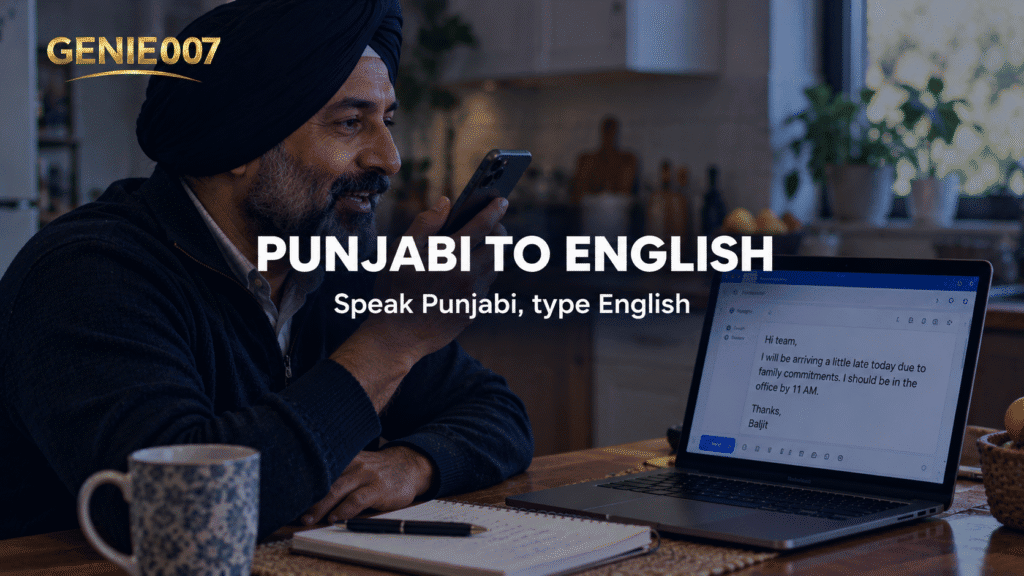
Genie 007 removes the loop. With live voice translation, you speak Punjabi and English text appears where your cursor already is, in Gmail, WhatsApp, Slack and most other apps, across 140+ languages. It follows the same idea as our guide to how to speak Spanish and write English.
- Click into the reply box or message field.
- Start Genie 007 and speak in Punjabi.
- Choose English as the output language.
- Review the draft, ask for changes by voice, such as warmer or more formal, and send.
In voice typing mode, Genie 007 adds punctuation and grammar automatically, so you never say “comma” or “full stop”. For a client reply, use Genie Mode and give the instruction, not the sentences:
ਕਲਾਇੰਟ ਨੂੰ ਦੱਸ ਦਿਓ ਕਿ ਰਿਪੋਰਟ ਵੀਰਵਾਰ ਦੀ ਥਾਂ ਸ਼ੁੱਕਰਵਾਰ ਤੱਕ ਭੇਜ ਦੇਵਾਂਗੇ, ਅਤੇ ਦੇਰੀ ਲਈ ਮਾਫ਼ੀ ਵੀ ਮੰਗ ਲਓ।
That means “tell the client we will send the report by Friday instead of Thursday, and apologise for the delay”. The reply box gets finished English in your tone:
Hello, apologies for the delay. We’ll send the report by Friday rather than Thursday. Thank you for your patience.
That is think-to-text: it does your work, not your words. Punjabi quality depends on dialect and microphone, so try it with your own voice on the free trial. It is private by design, and nothing is stored. More platforms are in our voice typing guides.
Related guides: Tamil voice typing, Bengali voice typing, Marathi voice typing and Russian speech to text.
Frequently Asked Questions
Is there a free Punjabi to English voice translator?
Yes, the free Google Translate app on Android works as a Punjabi to English voice translator: it lists Punjabi (Gurmukhi) for live translation, so you set Punjabi as the spoken language and English as the translation language, tap Speak, say your sentence and read the English on screen. For English typed straight into WhatsApp or Gmail, use a live translation tool such as Genie 007.
Does Windows 11 voice typing support Punjabi?
No, Microsoft’s Windows voice typing page does not list Punjabi in any variant, though it lists Hindi, Gujarati, Marathi, Tamil and Telugu, and Word Dictate and Google Docs voice typing leave Punjabi out as well, so there is no built-in Punjabi dictation on a Windows PC as of October 2026.
Does Google Translate support Punjabi voice input?
Yes for Punjabi (Gurmukhi): Google’s live translate help page for Android lists it among the supported languages, so you can tap Speak in the Translate app, say a sentence in Punjabi and get English back, though the page does not mention the Shahmukhi script. If Speak is disabled, Google says that language cannot be translated by speech.
Can I speak Punjabi and type English in WhatsApp?
Yes, with a live translation tool such as Genie 007 you can click into a WhatsApp message box, speak in Punjabi, choose English as the output language and get finished English text in the box, ready for you to review and send. WhatsApp’s own voice note button only records audio.
Try Genie 007 Free
Free tools get a Punjabi sentence onto your screen as English. Genie 007 is a Punjabi to English voice translator for when a spoken thought needs to arrive as a finished English email or reply, in your own tone.
Free to try, no card needed; request access to the desktop apps. Genie 007 works on Windows, Mac, mobile and as a browser extension.
Written by Bill Kiani, founder of Genie 007.