One hand rocking a sleeping baby. The other hand fumbles with your phone. Three unread messages in the school WhatsApp group. Two Slack notifications from work. An email from your partner asking when you’ll be home. You’re stuck—literally. Voice typing while holding baby solves this: you talk, your text appears, you send. No thumb gymnastics. No dropping the phone on a tiny head. No stress.
The Time Drain: Why Parents Need Hands-Free Messaging
New parents and carers face a genuine productivity trap. The average parent checks their phone 96 times a day—but only when they can use both hands. When one arm is occupied (baby sleeping, baby being soothed, baby refusing to be put down), that phone becomes a two-handed puzzle. Typing a 15-word message one-thumbed can take five minutes. Multiply that across school updates, work comms, and family chat, and you’re burning 10–15 minutes a day just trying to reply while a child is in your arms. Research on parenting workload shows that managing constant digital demands while caring for children adds significant mental strain. That’s where voice-to-text apps change the game.
The real frustration isn’t the time—it’s the mental load. You’re trying to be present with your child while feeling guilty about ignoring messages. You’re trying to stay responsive at work whilst your baby needs your physical support. Voice typing while holding baby breaks that bind. Your hands stay free, your messages get sent, and your attention stays where it needs to be.
A Day in the Life: Before and After Voice Typing
Before voice typing: You’re home at 10 a.m., baby finally asleep in your arms. Your phone buzzes. A WhatsApp message from the nursery: “Can you confirm pickup at 3?” You shift the baby, try to type with one thumb, accidentally send “Cna yu…” Stop. Delete. Try again. Meanwhile the baby stirs. You freeze. Ten minutes later, you’ve managed a thumbs-up emoji. That’s it for comms until nap time.
After voice typing: Same scenario. Phone buzzes. Same message. You unlock your phone with your face or thumb, press the voice button, and say: “Confirm pickup at 3, thanks.” Sent in six seconds. No hand released, no baby disturbed, no mental friction. Then an email notification—your boss asking about a project deadline. You say: “Email back, we’re on track, deliverables by Friday.” Genie 007 transforms your casual words into a polished response with proper punctuation. Message sent. Baby still asleep. You’re still present.
Real Parent Workflows: Voice Commands That Work
The School Message Reply: You’re holding your toddler while scrolling through parent-chat notifications. A parent asks: “Can anyone help with the bake sale?” You speak into your phone: “Sorry, I’m juggling nap times that week, but I can contribute a £5 donation.” Genie 007 transcribes, adds punctuation, and matches your tone for a casual group chat. Hit send without shifting your child.
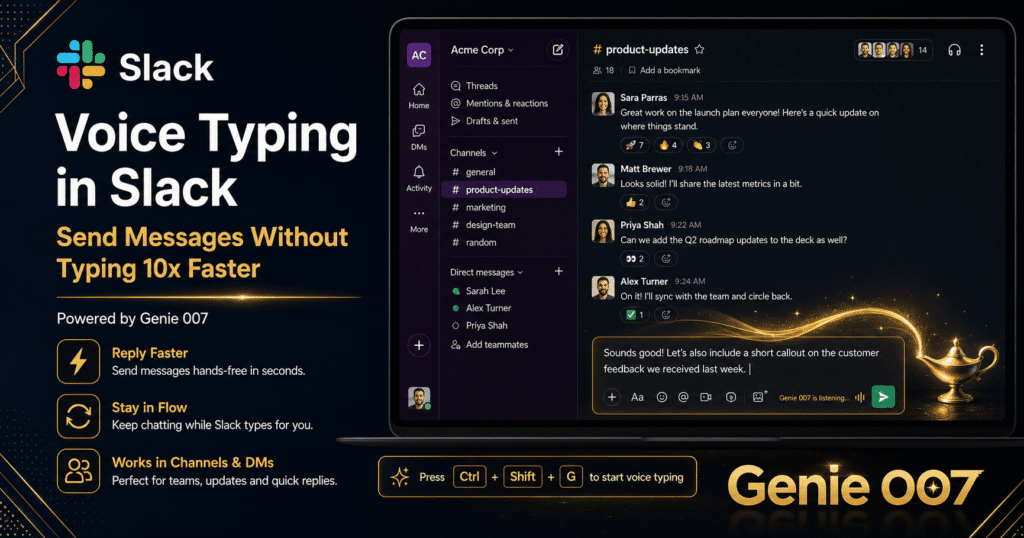
The Work Slack Update: Your phone buzzes mid-morning. A colleague asks for a status update in Slack. You’re mid-cuddle. You say: “Tell the team the design review is done, notes shared in the doc, ready for feedback Tuesday.” Genie 007’s platform-aware mode recognizes you’re in Slack—casual tone, conversational phrasing, no unnecessary formality. Your message lands exactly right, and you never had to set the baby down.
The Email You’ve Been Avoiding: A client email is sitting unread. You’re holding your baby, and the mental weight of “I should reply” is heavier than the actual reply would be. You unlock your phone and say: “Email to Sarah, thanks for the proposal feedback, we’ll incorporate the accessibility notes into version two, happy to discuss next week.” Genie 007 transforms those casual words into a professional email with proper opening and closing. Read more about voice typing for email to see how this works across Gmail and Outlook. You hit send. One-handed. No mental negotiation. Done.
The Partner Coordination: Your partner texts: “Running late, can you get dinner started?” You’re holding a fussing baby. You say: “No problem, I’ll do pasta, should be ready by six thirty.” Sent. Immediate. No stress.
Beyond Voice Typing: Genie Mode for Parents
Voice typing handles urgent replies, but Genie 007 offers something deeper for busy parents: think-to-text through Genie Mode. Instead of dictating word-for-word, you describe your intent, and the AI generates a complete, polished message.
Example: You’re on a work call, baby fussing in your lap, and you suddenly remember you promised to send a thank-you note to your childminder. You can’t step away. With Genie Mode, you say: “Write a friendly thank-you message to the childminder, mention she was brilliant with the baby’s separation anxiety today.” Genie 007 generates a warm, genuine-sounding note. You review it in two seconds and send. No time spent finding the right words. No guilt about the delayed thanks.
Or: You’re managing the family calendar and need to decline a social invitation because of your baby’s schedule. You say: “Politely decline the dinner invitation Friday, mention we have childcare gaps that evening, suggest next month instead.” Genie 007 writes it for you. Warm, clear, and sent without you ever typing a single word. Both hands free to keep your child content.
Accuracy, Privacy, and Learning Curve: Addressing Real Concerns
Is it accurate enough for work messages? Yes, particularly for voice typing mode. Genie 007 processes your audio on your device—not cloud-based transcription—so it understands context, your accent, and your speech patterns. For work Slack and emails, it’s as accurate as professional dictation tools. Genie Mode (generating full responses from intent) is even more polished because it rewrites for tone and clarity, not just transcription.
What about privacy? Your baby. Your messages. Your work. None of it goes to Genie 007’s servers. All processing happens on your device. Your boss can’t hear your voice. Genie 007 can’t hear your voice. Your data doesn’t leave your phone, computer, or browser. If you’re concerned about privacy with parenting content or work confidentiality, this is a genuine advantage over cloud-based transcription tools.
Is there a learning curve? None, really. Press a button, speak naturally, send. Genie 007 learns your writing style over time, so it adapts. If you tend toward formal emails, it mirrors that. If you’re casual in Slack, it notices. The first message takes 30 seconds to understand the process. The second takes 10. By the tenth, it’s muscle memory.
Frequently Asked Questions
Can I use voice typing while on a video call with my baby in the background? Yes. Genie 007 works on Windows, Mac, mobile, and browser extension. On video calls (Zoom, Teams, Google Meet), you can use the browser extension to reply to chats without your voice appearing in the meeting audio. The voice input is local to your device, not broadcast to call participants.
What if my baby is crying in the background—will Genie 007 transcribe that? It won’t transcribe the baby noise, no. Genie 007 is trained on human speech and ignores background sounds. Your voice is what matters. Real parents report that noisy environments (babies, toddlers, household chaos) don’t degrade accuracy compared to traditional speech-to-text tools.
Can I use voice typing on both my phone and my laptop while parenting? Absolutely. Genie 007 runs on Windows, Mac, iPhone, Android, and as a browser extension. If you’re working from home with a baby napping on your lap, you can voice-type emails in Outlook on your Windows machine, or reply to Slack on your phone one-handed while holding your child. Consistency across platforms means your workflow works everywhere.
The Real Win: Your Attention Back
Voice typing while holding baby isn’t just about speed. It’s about finally being able to stay connected to your work and your people without sacrificing physical presence with your child. You’re not balancing a phone on a baby’s head. You’re not frantically trying to type one-thumbed whilst your toddler fusses. You’re talking, your message is sent, and you’re still holding your child with both hands free to soothe them, play with them, or just be there.
For parents and carers juggling work, family, and the constant hum of messages, that’s freedom.
Try Genie 007 Free
Voice typing while holding baby means you never miss a message, update, or deadline—even when your hands are full. Genie 007 gives you hands-free reply power across email, Slack, WhatsApp, and every app you use daily.
Download Genie 007 free — available for Windows, Mac, mobile and as a browser extension. No credit card required.
Written by Bill Kiani, founder of Genie 007.