Choosing the Right Microphone for Dictation
Finding the best microphone for dictation starts with understanding how microphone quality affects speech recognition accuracy. When you dictate, your microphone captures not just your voice but also background noise, keyboard clicks, and ambient sound. A poor-quality microphone forces your dictation software to work harder, reducing accuracy and requiring more corrections. Upgrading your microphone is one of the fastest ways to improve your dictation experience — but which option is actually best for you?
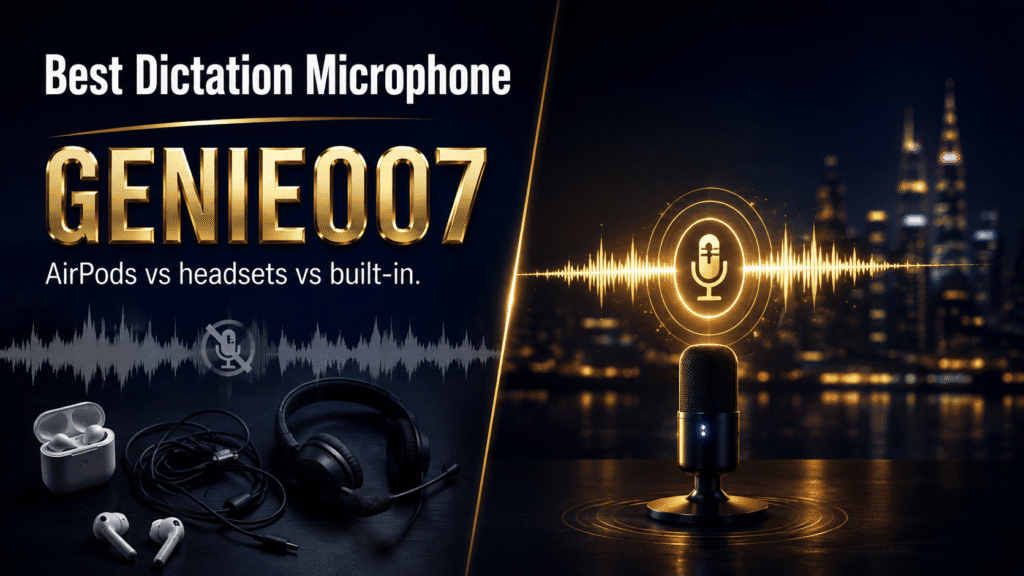
The best microphone for dictation depends on your workflow, budget, and environment. Three main options dominate: built-in laptop microphones (free but noisy), Bluetooth headsets like AirPods (portable and convenient), and dedicated USB microphones (professional-grade clarity). Each has distinct trade-offs in noise isolation, comfort, and ease of setup. Let’s compare them honestly and help you choose.
Built-in Laptop Microphones: Convenient but Compromised
Your laptop’s built-in microphone is always there, requires no setup, and costs nothing. For casual dictation — quickly jotting down a reminder or drafting a short message — it works adequately. Apple’s on-device dictation engine achieves roughly 96% accuracy in quiet conditions, and Windows Voice Access and Google Docs Voice Typing offer similar baseline performance when the environment is silent.
The problem emerges in real-world conditions. Built-in microphones sit far from your mouth (12–18 inches away), picking up every keystroke, mouse click, and ambient noise. In an open office, coffee shop, or home with background activity, accuracy plummets. You’ll spend more time correcting errors than you saved by dictating. Additionally, built-in mics offer no isolation or noise cancellation, so your dictation software receives a noisy signal and misinterprets your words.
Built-in mics are ideal only if you work in a consistently quiet space and don’t dictate frequently. For anyone serious about voice-to-text productivity, this is the baseline to exceed, not the goal to reach.
AirPods and Bluetooth Headsets: Portable and Practical
Wireless earbuds like AirPods and Bluetooth headsets (Jabra, Sony, Plantronics, etc.) offer a major advantage: the microphone sits close to your mouth, roughly 2–3 inches away. This proximity dramatically improves signal-to-noise ratio compared to built-in mics. You’ll capture more of your voice and less of the environment, which means fewer corrections.
AirPods in particular appeal to Apple users because they integrate seamlessly with macOS, iOS, and iPad. They’re portable, comfortable for extended wear, and the audio quality is good for dictation purposes. Bluetooth headsets from professional brands (Jabra Evolve, Sony WH-1000XM series) add active noise cancellation, making them even more effective in noisy environments. The trade-off: Bluetooth introduces latency (slight delay between speaking and text appearing), and interference from Wi-Fi or other devices can occasionally cause dropouts.
Bluetooth solutions work well for mobile dictation, video calls, and flexibility. If you move between your phone, tablet, and laptop, wireless headsets are practical because they pair once and follow you. However, connection stability and occasional lag can frustrate users who expect instant, lag-free typing. They’re also not the optimal choice if you dictate in very noisy environments, because even close-proximity microphones on earbuds can struggle when ambient noise is intense.
USB Microphones: Professional Clarity and Reliability
A dedicated USB microphone (Audio-Technica AT2020, Blue Yeti, Rode NT1, Shure MV7) is designed specifically for voice capture. These microphones offer multiple advantages that Bluetooth and built-in options cannot match: superior noise isolation, higher bit depth, no wireless interference, and often built-in noise gates or filters.
USB microphones connect directly to your computer with a single cable, eliminating wireless latency and connection drops. They’re engineered to focus on the sound source (your voice) and reject off-axis noise, so background activity has far less impact. Many include cardioid polar patterns, which naturally reject sound coming from the sides and rear, meaning your keyboard typing and room noise are largely ignored.
The investment is modest: quality USB mics range from £40 to £150. They’re stationary — not portable like AirPods — but if you have a dedicated workspace, they deliver professional-grade accuracy consistently. Journalists, authors, transcriptionists, and accessibility-focused professionals often rely on USB microphones because the investment pays dividends in reduced editing time and improved first-pass accuracy.
Comparison Table: Microphone Types for Dictation
| Microphone Type | Cost | Noise Isolation | Latency | Portability | Best For |
|---|---|---|---|---|---|
| Built-in Laptop Mic | Free | Poor | None | Always Available | Quiet spaces, occasional dictation |
| Bluetooth Headset (Standard) | £50–150 | Moderate | Low (50–100ms) | Excellent | Mobile users, calls, flexible workflows |
| Bluetooth with Active Noise Cancellation | £150–350 | Excellent | Low (50–100ms) | Excellent | Noisy environments, commuters, hybrid work |
| USB Microphone | £40–150 | Excellent | Negligible | Stationary | Dedicated workspace, professional dictation, high accuracy |
Why Microphone Quality Matters for Accuracy
Speech recognition engines — whether Apple Dictation, Google Docs Voice Typing, or specialised AI dictation tools — rely on clear audio input to function well. A microphone that captures crisp, isolated voice signals delivers accuracy rates above 95% even in semi-noisy conditions. A microphone drowning in background noise forces the software to guess and correct, reducing accuracy to 70–80% or lower.
The physics is straightforward: speech recognition works by analysing sound waves and matching patterns to known words. When your microphone captures mostly ambient noise with weak voice signals mixed in, the software’s confidence drops. You end up saying “send the report” and seeing “sin therapy board”. These errors aren’t the software’s fault; they’re the input quality telling the engine to pick between noise patterns.
The ceiling of traditional dictation (using only built-in or low-quality microphones) is frustration: constant corrections, slower workflows, and the temptation to return to typing. But pair even a modest USB microphone with modern dictation software, and accuracy jumps dramatically. This is why professionals invest in microphones — it’s not about luxury, it’s about usability.
The Next Step: Think-to-Text
Once you’ve selected a microphone, microphone quality alone isn’t enough to transform your workflow. You also need dictation software that understands intent, not just transcription.
Traditional dictation tools capture your words literally. If you say “Meeting notes comma Sarah’s project comma done dash three items pending”, you get exactly that text. You’re directing every punctuation mark, every capitalisation, every format. This is faster than typing, but it’s still dictating.
Think-to-text is different. You share your thoughts freely, and the software delivers what you mean. Say “I finished Sarah’s project, three items are pending” — and that’s what appears, properly punctuated, without voice commands. Genie 007 uses this approach across Windows, Mac, mobile, and browser extension, working inside Gmail, Slack, LinkedIn, and 20+ other platforms. It adapts your voice input to match platform conventions (casual for Slack messages, professional for emails) and learns your personal writing style over time.
The result: a best microphone for dictation only reaches its potential when paired with software that respects how humans actually think and speak. Invest in your microphone, then invest in software that works with it, not against it. Genie 007’s pricing starts at £5 per month, making it affordable to upgrade both your microphone and your dictation software together — a hardware-plus-software stack that transforms how you work.
Microphone Setup and Placement Tips
Choosing a good microphone is half the battle; positioning and configuration matter equally. For USB microphones, mount yours on a desk stand at mouth level or slightly below — 6–10 inches away. Many users make the mistake of placing their microphone too far, reintroducing the distance problem they were trying to escape. A cardioid microphone (which rejects side and rear noise) should point directly at your mouth, not off to one side.
If using Bluetooth headsets, ensure you’re in a consistent location with strong Bluetooth signal — ideally within 3 metres of your device. Move away from interference sources like large metal objects or competing 2.4GHz devices (Wi-Fi routers, microwaves, older wireless mice). Keep your device’s Bluetooth codec settings on quality mode if available; some phones and laptops default to battery-saving modes that reduce audio quality.
For all microphones, avoid covering the microphone grille with your hand or clothing, even if you think it’ll help noise isolation. Microphone design relies on the grille to function correctly; blocking it introduces distortion. Test your microphone in the environments where you’ll actually dictate — office, home office, car, coffee shop — to confirm accuracy before relying on it for important work. Many voice recognition systems let you create multiple microphone profiles, which is useful if you switch between USB and Bluetooth regularly.
FAQ
Do I need an expensive microphone for accurate dictation?
Not necessarily expensive, but yes, you need something better than your laptop’s built-in mic. A £50 USB microphone or a quality Bluetooth headset (£80–120) will give you 2–3× better accuracy than free built-in options. The improvement pays for itself in reduced editing time within weeks. Professional-grade microphones (£200+) offer diminishing returns unless you dictate for 6+ hours daily. When paired with modern voice typing software, even a budget microphone unlocks professional-level dictation.
Can I use AirPods for dictation on Mac and iPhone?
Yes, AirPods work well for dictation on Apple devices because they integrate smoothly and the microphone sits close to your mouth. They’re not ideal in very noisy environments (active noise cancellation helps, but AirPods don’t have aggressive ANC), and Bluetooth latency is noticeable for some users. For occasional dictation, AirPods are excellent. For professional heavy-use scenarios, especially if you dictate in noisy places, a USB microphone is more reliable and will maintain accuracy consistently.
Does microphone quality matter if I’m using speech recognition software?
Absolutely. Speech recognition accuracy is directly proportional to input signal quality. A high-quality microphone with good noise isolation will achieve 94–97% accuracy even in moderately noisy environments. A poor microphone forces the software to work with degraded input, reducing accuracy to 75–85%. The best dictation software in the world can’t compensate for a bad microphone; both matter.
What do professional transcriptionists use?
Professional transcriptionists typically use dedicated USB or XLR microphones (Audio-Technica, Rode, Shure) connected to audio interfaces. They prioritise noise rejection, polar patterns, and consistency. For dictation workflows (as opposed to transcribing audio files), a quality cardioid USB microphone is the industry standard because it’s affordable, reliable, and purpose-built for voice.
Try Genie 007 Free
Upgrading your microphone is the hardware foundation for better dictation. Upgrading your dictation software to think-to-text is the next step — capturing your meaning, not just your words, in every platform you use.
Download Genie 007 free — available for Windows, Mac, mobile and as a browser extension. No credit card required.
Written by Bill Kiani, founder of Genie 007.
Before assuming a new microphone will fix accuracy, rule out a settings problem first — our guide to Windows 11 voice typing not working covers the input-device and permission checks that solve most cases without spending anything.
New to dictating altogether? Start with our dictation tips for beginners to build accuracy habits before you spend anything on hardware.
Hardware is only one piece of the puzzle — our guide to fixing voice to text wrong words covers the language, vocabulary and platform settings that matter just as much as the microphone.