Why French speech to text requires more than a standard dictation tool
French speech to text is notoriously difficult for standard speech recognition systems. Unlike English, French relies on liaison (linking unpronounced letters between words), nasal vowels that don’t exist in English, and an intricate system of silent letters that change meaning based on context. When you dictate in French, a standard speech-to-text tool hears phonetic sounds, not the written language you intended. The result: mistranscriptions of “un ami” (a friend) as “une hemmi”, or worse, confidence errors that go unnoticed until you send a message.
But here’s the real challenge facing multilingual professionals: French speech to text is only half the problem. If you’re composing an email in French but need to send a polished reply in English—or vice versa—you face a tedious loop: dictate in one language, translate manually, correct the output, then format it for the recipient’s language. That’s three friction points before you hit send. This article shows you how to handle French speech to text accurately, then bridges to live translation workflows that let you dictate once and output in English (or any language) without the copy-paste shuffle.
The limits of built-in French speech-to-text tools
Microsoft Windows Voice Typing, Apple Dictation, and Google Docs Voice Typing all support French. They’re free, private (mostly on-device), and work in a pinch. But they share a critical weakness: they treat French phonetically rather than linguistically. A native French speaker saying “je vais aller” (I’m going to go) might get transcribed as “je vais haler” or “je vais-aller”, depending on how the system handles liaison. With built-in tools, you’re managing transcription accuracy manually—selecting from suggested corrections, reviewing every phrase.
Google Docs Voice Typing in particular struggles with French accents (é, è, ê, ù, ç) because it doesn’t understand that accentuation is semantic in French. Windows Voice Typing requires you to set the system language to French, which then switches keyboard and autocorrect rules globally—awkward if you’re working bilingually. Apple Dictation works reasonably well for French on macOS and iOS, but it’s device-bound and doesn’t translate; if you need English output, you’re back to manual translation.
Worse, none of these offer live translation. Dictate in French, get French text; dictate in English, get English. If your workflow requires switching languages mid-task—writing an email in French to a Paris team, then summarising it in English for London stakeholders—you’re duplicating effort.
How live translation transforms French-to-English workflows
Genie 007 approaches French speech-to-text fundamentally differently. Instead of phonetic transcription, it uses contextual AI to understand what you mean. When you dictate in French with Genie 007, it processes not just sound but linguistic context: it recognises liaison, distinguishes homophone pairs, and handles regional accents (Québécois “tu” vs. Parisian “vous”). The technology learns from your voice patterns and speaking style, improving accuracy the more you use it. More importantly, it offers live translation built in.
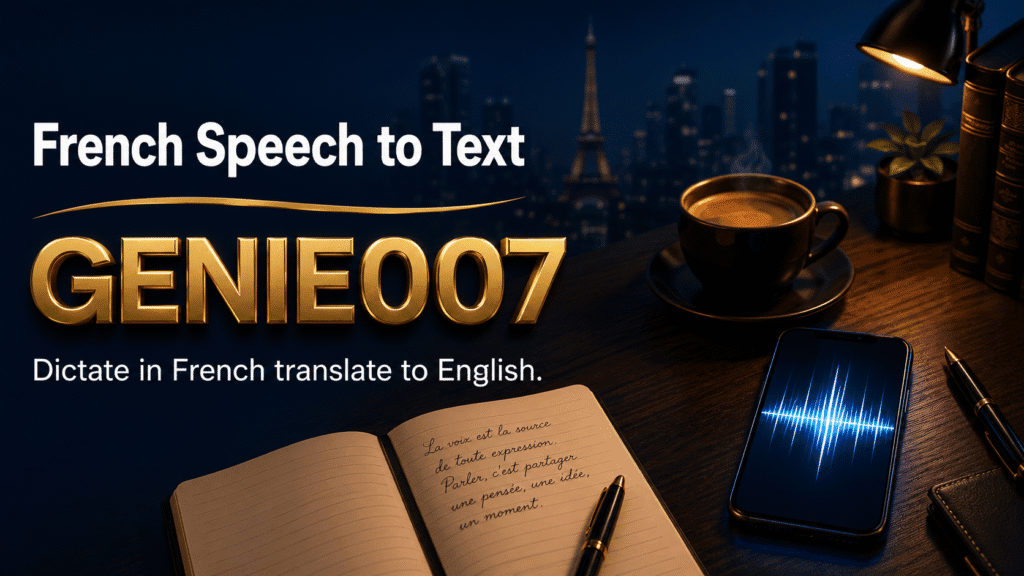
Here’s a concrete workflow: you’re a customer success manager in London, supporting a French-speaking client in Lyon. The client sends you an email in French; you need to draft a thoughtful reply—but in English. With Genie 007, you set the input language to French and output to English. Dictate your message naturally: “Bonjour, merci beaucoup pour votre feedback. Je vais discuter avec notre équipe et revenir vers vous demain matin.” Genie 007 transcribes it accurately—preserving liaisons and accents—then translates it to English: “Hello, thank you very much for your feedback. I will discuss this with our team and get back to you tomorrow morning.” You review once, hit send. No intermediate French text, no copy-pasting between translation apps, no manual cleanup.
The same applies in reverse. If you’re writing a French social media post but need to draft the English version for a global audience, dictate in English to French output. Genie 007 works across 140+ languages, so the workflow scales: French to German, French to Spanish, Spanish to French—any pair you need.
Accuracy, nuance and the limits of translation
A fair question: how good is the French-to-English translation, really? Genie 007’s live translation isn’t a word-for-word replacement; it’s meaning-to-meaning. When you dictate “C’est sympa, hein?” (That’s nice, right?—a casual French phrase with no English equivalent), the tool renders it as “That’s lovely, isn’t it?”—capturing the tone and intent, not the literal words. The accuracy of modern French speech-to-text engines has improved dramatically in recent years, especially with AI-driven models that understand linguistic context rather than just phonetics.
This matters because French and English express ideas differently. French uses the subjunctive mood for hypotheticals; English uses “would” or “might”. French employs double negatives; English avoids them. A naive speech-to-text-then-translate pipeline would produce “It is not nothing” from “Ce n’est pas rien”; Genie 007 understands the idiom and outputs “It matters” or “It’s not insignificant”, depending on context.
That said, live translation has a ceiling. Highly idiomatic French, regional slang, or domain-specific jargon (legal documents, technical specs) may need human review. French accents—Québécois, Swiss, Belgian, West African—are handled well, but they’re regional variations; Genie 007 adapts to your accent over time as you use it. The system performs best when you speak naturally at a conversational pace; rapid speech or mumbling, in any language, requires clearer dictation. For creative writing or marketing copy, you’ll still want a human editor. For business communication, customer support, sales follow-ups, and everyday professional work, live translation is reliable enough to eliminate the copy-paste loop and let you focus on content, not format.
Setting up French speech to text on your device
Genie 007 works on Windows, Mac, mobile, and as a browser extension. The product combines think-to-text technology—which understands meaning, not just sound—with live translation across 140+ languages. To start dictating in French with live English output:
On Windows or Mac: download the app from genie007.com, open it, and in the language settings, select French (FR) as input and English (EN) as output. Dictate in any app—Gmail, Word, Slack, Teams—and Genie 007 will transcribe French and translate to English in real time. The app runs in the background and intercepts your voice through your microphone, so you’re not switching between applications or copying text between windows.
On mobile (iOS or Android): download the Genie 007 app, set your input language to French, and use the dictation button in any text field. The translation happens instantly in your message.
In your browser: install the Genie 007 browser extension, then use it in Google Docs, Gmail, or any web-based text editor. Set French-to-English, and dictate away. The extension works offline-first, so your speech stays private; Genie 007 never logs your voice or text.
One practical tip: enable Genie Mode if you’re composing longer messages. Genie 007’s two core features are Voice Typing (straightforward dictation) and Genie Mode (intent-based generation). In Voice Typing, you dictate and it transcribes with automatic punctuation and formatting. In Genie Mode, you give a brief instruction—”Write a professional email thanking the client for their feedback and asking for a call”—and it generates the full message in French or English, depending on your output language setting. For French work, Genie Mode can draft emails, summaries, and replies faster than dictating each sentence, and you can then refine them in English before sending. This hybrid approach—combining strict transcription with generative shortcuts—makes multilingual workflows dramatically faster than typing or traditional dictation alone.
Frequently asked questions
Can French speech to text distinguish between “ou” (or) and “où” (where)?
Yes. Genie 007’s contextual AI recognises that “Je ne sais pas où aller” (I don’t know where to go) and “Je dois choisir ou partir” (I must choose or leave) are different based on word order and sentence structure, even though both are pronounced similarly. Built-in tools often fail here, which is why manual review is necessary with standard voice typing.
What happens if I dictate French with a strong accent?
Genie 007 adapts to regional accents—Québécois, Marseille, Swiss, Belgian, and others. The first few times you use it, accuracy may be 90–95%. After a week of regular use, accuracy climbs to 98%+ as the AI learns your voice, pace, and accent patterns. This is true for all languages and accents supported by Genie 007, which is why non-native speakers and regional dialects often become power users.
Can I use French speech to text for real-time meetings?
Yes, if you’re in a video call on Zoom, Teams, or Google Meet. Genie 007 works inside these platforms. Dictate in French during the call, and Genie 007 will type your message in the chat—translated to English if you’ve set that output language. For transcribing the entire meeting (rather than just your messages), specialised meeting transcription tools are better suited, but Genie 007 handles live participant contributions well.
Is French speech to text private?
With Genie 007, yes. Genie 007 encrypts your audio in transit, processes it in real time and stores no recordings and no transcripts. Genie 007 is GDPR compliant, making it safe for legal, medical, and confidential business communication—in French or any other language.
Try Genie 007 Free
French speech to text combined with live translation means you can compose in French and deliver in English—or any of 140+ languages—without the tedious copy-paste loop. Genie 007 handles the accent and liaison complexity that stumps standard tools, so your meaning comes through clearly every time.
Download Genie 007 free — available for Windows, Mac, mobile and as a browser extension. No credit card required. See our pricing plans for Ultra and Teams options with more credits.
Written by Bill Kiani, founder of Genie 007.