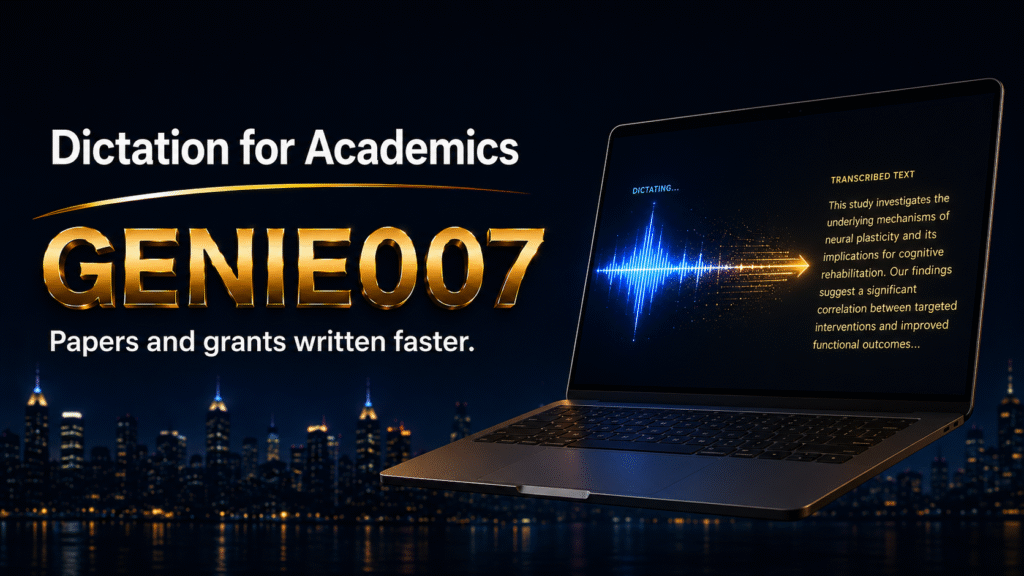
PhD researchers, academics writing grant proposals, and peer reviewers spend months drafting papers—often trading faster thinking for slower typing. If you’re balancing research output with publication pressure, dictation for academics isn’t a shortcut; it’s a rebalancing of effort. This guide covers why dictation for academics matters for papers and grant applications, how Genie Mode transforms drafting, and practical workflows to reclaim time for research.
The Academic Writing Time Drain
Academics spend more time drafting than conducting research. A typical journal article involves writing 5,000–8,000 words, revising through feedback, and writing abstracts and grant proposals—all whilst managing teaching and administration. Literature reviews consume 40–60 hours per project; grant applications demand precision and take 60–80 hours across drafts. Peer reviews add 3–5 hours per assignment.
The bottleneck is composition. Typing forces word-by-word construction; thinking happens in clusters. Most academics type slowly—touch-typing is rare—and managing spelling, punctuation, and formatting whilst formulating complex arguments slows output. Built-in dictation (Windows Voice Typing, Mac Dictation, Google Docs voice typing) helps with speed but transcribes literally. You’re saying “period,” “comma,” “new paragraph” between thoughts, breaking composition flow. You then edit and restructure transcripts. For academics on tight timelines, that’s a productivity loss.
Why Traditional Dictation Fails for Academic Writing
Standard speech-to-text transcribes literally. That works for casual notes but creates friction in academic writing. When drafting a methods section, a literal transcription gives you exactly your words—including mispronunciations and pauses. If you misspeak (“stratafied” instead of “stratified”), you’ll edit it. More importantly, you’re managing dictation mechanics whilst composing, which splits your attention.
Scientific terminology compounds the problem. Words like “photosynthesis,” “mutagenic,” or author names like “Müller” often transcribe incorrectly. Citing whilst dictating is clunky: saying “Smith et al, 2021” produces a transcribed phrase you must then format manually. You’re spending time on transcription cleanup instead of research.
Genie Mode: The Think-to-Text Shift for Academics
The difference between transcription and think-to-text is decisive for academic work. Genie 007’s Genie Mode doesn’t transcribe your words; it executes your intent. When you dictate, “Summarise the literature on climate adaptation in sub-Saharan Africa,” Genie Mode generates structured, publication-ready text that captures your thinking, not your speaking voice. It understands context, corrects terminology automatically (including scientific words), and produces formal prose without you having to manage punctuation.
This is crucial for academics. You’re no longer composing word-by-word; you’re directing the output. You can dictate a research insight (“The results suggest that early-stage intervention reduces progression in 40% of cases, implying a preventative window”), and Genie 007 delivers a polished sentence or two that captures the meaning without literal transcription errors. You then review, refine, and move forward. That’s a 3–5 minute composition task instead of a 10–15 minute dictation-and-cleanup cycle.
Dictation Workflows for Papers, Reviews, and Grant Applications
Here’s how academic workflows translate to voice commands. Each example shows the problem and voice command.
Workflow 1: Literature Review Synthesis
Problem: Synthesising 20 papers into a 2,000-word review section feels mechanical when typing.
Voice command: “Based on the key papers—resistance mechanisms and therapeutic targeting—write a summary showing where consensus exists and where the literature diverges.”
Output: Genie Mode weaves sources into a narrative, flagging where you need citations. Half the typing time.
Workflow 2: Grant Application Drafting
Problem: Grant proposals demand precision and directness; typing encourages defensive, bureaucratic phrasing.
Voice command: “Explain why this project fills a gap—be direct, not cautious; address funder priorities on researcher independence and translational impact.”
Output: Direct, funder-facing text without hedging. Stronger application, less drafting time.
Workflow 3: Peer Review Response
Problem: Typing reviewer responses sounds defensive and takes time.
Voice command: “Address reviewer concerns on sample size—explain methodological justification, cite the power analysis in Appendix B.”
Output: Clear, evidence-backed response that defends your work without argumentation. 10–15 minutes instead of 30–45 minutes.
Workflow 4: Abstract Composition
Problem: Abstracts require 250–300 words with balanced proportions (intro, methods, results, implications). Typing slows ideation.
Voice command: “Create an abstract for a study on sleep deprivation and academic performance in medical students—include hypothesis, sample size, key finding, and training implications.”
Output: Journal-ready abstract with correct proportions and tone. 12 minutes instead of 45 minutes.
Time Savings for Academics
Dictation speeds composition because you’re thinking in ideas rather than managing keystrokes. Average academic typists (35–45 words per minute) dictate at 120–140 words per minute—a 2.5–3x raw speed gain. Real savings come from reduced editing overhead. Most academics report: first drafts 50–60% faster (a 3,000-word section: 60–90 minutes versus 120–180 minutes typing); peer review responses 40–50% faster (12–15 minutes versus 25–35 minutes); literature reviews 45–55% faster (40–60 minutes versus 80–120 minutes). Over one year of publication and review work, reclaiming 200–400 hours means completing an additional paper, or returning time to research instead of administration.
Accuracy and Scientific Terminology
Genie 007’s think-to-text model includes scientific and medical vocabulary. When you dictate “phosphorylation,” “eosinophils,” or “heterozygous,” it recognises these as technical terms. For rare terminology, train the model by dictating the term once; Genie 007 learns and applies it consistently. Author names like “Müller” are handled correctly because the model understands citation patterns. When you dictate “see Müller and colleagues, 2023,” Genie 007 produces “Müller et al., 2023″—reducing editing friction.
Multilingual Research and Live Translation
Academics reviewing literature in Spanish or French, collaborating internationally, or publishing in multiple languages can use Genie 007’s 140+ languages and live translation. Dictate in your native language; output automatically in the target language. An English speaker reviewing German literature can dictate in English and generate German summaries for collaborators—without manual translation overhead. Valuable for international research teams.
Platform Flexibility
Academic writing spans devices: Windows laptop at desk, Mac during commute, phone between meetings. Genie 007 works consistently across Windows, Mac, mobile, and browser—one consistent voice interface. You learn one system, not three. That consistency matters when tired; you’re not re-learning platform-specific commands.
Privacy and Confidentiality
Academics work with sensitive data: unpublished findings, confidential datasets, participant information. Genie 007 encrypts your audio in transit, processes it in real time and stores no recordings and no transcripts. For researchers handling protected health information or pre-publication work, this privacy model aligns with institutional standards. The software is GDPR compliant and stores no recordings or transcripts, which matters for ethics-reviewed research.
Objections and Honest Trade-Offs
Concern: “Won’t dictation reduce my editorial control?” Not with Genie Mode. You’re directing the output, not transcribing literally. You review every paragraph and can refine or redirect instantly. Dictation is a composition tool, not an autopilot; you remain the author.
Concern: “Academic writing requires very precise language; can a tool handle that?” Yes, with a learning curve. The first 2–3 papers dictated feel slower because you’re adjusting your composition style. By the fourth paper, most academics report faster overall output. Your precision improves because Genie Mode forces clarity (vague dictation produces vague output; you refine your thinking to improve drafts).
Concern: “I work in a noisy office or library; will background noise ruin dictation?” Accuracy degrades significantly above 70dB ambient noise. If you’re in a loud environment, dictate during quieter periods—early morning, private office time, or at home. Many academics dictate their first drafts at home or in a quiet study space, then edit anywhere. That’s a workflow change, not a blocker.
Concern: “What about citing sources on-the-fly?” Dictation doesn’t generate formatted citations automatically. You dictate citations as narrative (“see Smith et al., 2021, who found X”), then add formal citations during editing. This is actually faster than constantly switching to your reference manager whilst typing. A post-dictation citation pass takes 10–15 minutes for a 5,000-word paper instead of the constant context-switching that typing forces.
Getting Started
Start with a lower-stakes task: a literature review section or peer review response. Dictate for 30 minutes without worrying about perfection, review the output, and compare your draft time to typing. Most academics finish faster with better ideas captured.
Next, try a methods section or structured summary. Then move to higher-stakes work: grant proposals and papers. Spend 15 minutes setting up shortcuts for common terms in your field. Genie 007 learns your style and terminology, becoming faster over time. Many academics discover they dictate better when slightly tired (less self-editing) or when they’ve outlined arguments first.
Common Questions About Dictation for Academics
Can I use dictation software to write academic papers faster?
Yes. Most academics who adopt think-to-text dictation report 40–60% faster first-draft composition, because you’re directing ideas rather than managing punctuation. The real gains appear in cycles: dictation encourages clearer first drafts that require less structural editing. A paper that would take eight weeks to draft and revise using typing often takes five to six weeks with dictation, freeing time for research.
How accurate is dictation software for scientific and medical writing?
Genie 007 handles scientific terminology well, achieving 95–99% accuracy in normal office conditions for technical words, author names, and nomenclature. Built-in dictation is less reliable with technical terms. The real advantage of Genie Mode is that it understands context: “phosphorylation” isn’t misheard as “false rylation.” Rare or specialised terminology may need a training pass, but that’s a one-time investment.
What do I do about citations when dictating?
Dictate citations as narrative: “see Rodriguez and Liu, 2024, who demonstrated that…” Genie 007 transcribes that correctly. Then, during editing, add formal citations (author-date or numbered, depending on your journal). This is actually faster than constant context-switching between text and reference manager whilst typing. A post-dictation citation pass takes 10–15 minutes per paper.
Is dictation software suitable for grant writing?
Highly suitable. Grant proposals demand clear, direct language and formal tone—both strengths of Genie Mode. Dictation encourages you to think like a funder (“why does this matter?”) rather than like a researcher (“what am I doing?”). Many academics report stronger grant language after switching to dictation, because the clarity required for speaking forces clarity in thinking. Grant applications that would take 80–100 hours typically compress to 50–60 hours with dictation.
Can I dictate peer reviews faster than typing them?
Yes. Peer reviews are structured: summarise contribution, note strengths, flag weaknesses, request revisions. Genie Mode handles formality and tone automatically. A review that takes 35–45 minutes to type (including all the diplomacy and rewriting) typically takes 12–18 minutes to dictate and refine. Many academics report that dictation actually improves review quality because you’re focused on science rather than word choice.
How do academics on multiple devices keep their workflow consistent?
Genie 007 works identically across Windows, Mac, mobile, and browser. Your voice commands are the same everywhere. Your personal writing style follows you. This eliminates the friction of learning different dictation interfaces for your desktop, laptop, and phone—a significant advantage over built-in tools, which behave differently on each platform.
Marking and feedback are writing jobs too, and our guide on how to write report card comments shows a speak-your-notes workflow you can adapt for written feedback.
Try Genie 007 Free
If academic writing timelines are compressing and dictation feels like a luxury you can’t afford to ignore, think-to-text is the upgrade that restores time to research and writing. Genie 007 brings intent-based composition to your papers, peer reviews, and grant proposals across every device you use, from Windows and Mac to mobile and browser.
Download Genie 007 free — available for Windows, Mac, mobile and as a browser extension. No credit card required. Or explore the pricing options for sustained academic use.
Clergy face a similar writing load to academics — explore how to dictate a sermon and other pastoral content at voice typing for pastors.
Written by Bill Kiani, founder of Genie 007.