A broken arm or wrist doesn’t just stop you reaching for your coffee—it halts your entire workflow. If your job depends on email, messaging, or documentation, a cast makes you feel stranded. But here’s the truth backed by orthopaedic consensus: you shouldn’t type for the first 6–8 weeks anyway. Typing stresses healing bones and delays recovery. The alternative that actually works is voice typing. This guide shows you how to type with a broken arm using Genie 007’s voice AI, settable in under five minutes, on Windows, Mac, mobile, or your browser.
Why Typing With a Broken Arm Slows Healing
When a doctor immobilises your arm in a cast or sling, they’re doing more than preventing further injury. The first 6–8 weeks are critical: bone cells are building new matrix, calcium is depositing, and stability is forming. Repetitive motion—including typing—creates micromotion inside the cast that disrupts this process. Clinical guidance from Mayo Clinic and Cleveland Clinic consistently warns against keyboard work during initial healing.
Typing also triggers protective muscle tension around the injury, which can delay rehabilitation. Physical therapists often see patients who returned to keyboard work too early and added 2–4 weeks to their recovery window. Voice-based input eliminates this risk entirely while keeping you productive. It’s not a workaround; it’s the evidence-based path forward.
Recovery Timeline: What You’re Actually Facing
Simple wrist or arm fractures typically heal in 6–8 weeks of immobilisation, according to NHS guidance. More complex breaks—those with displacement or multiple fragments—may need 12 weeks or longer. Once the cast comes off, you’re not immediately back to full typing. Most people spend another 2–4 weeks in a splint, followed by supervised physical therapy to rebuild grip strength and range of motion.
The full functional recovery—returning to pre-injury typing speed and comfort—usually takes 3–6 months. During the first half of that window, typing should be minimal or avoided. This is not your surgeon being cautious; it’s bone biology. Rushing typing during healing is how secondary injuries happen.
Voice Typing: The Immediate Solution
The moment your cast goes on, you can set up voice typing. No waiting for healing, no permission from your physio—just install and go. Genie 007 offers think-to-text voice input, which means you’re not dictating word-for-word; you’re speaking your thoughts and it delivers polished text. For emails, Slack, project management tools, and documentation, that’s a game-changer when your hands are immobilised. This is not your grandfather’s speech-to-text, where you’re stuck listening to a robotic dictation system. Think-to-text understands context, tone, and intent, making it feel like you have a professional writing assistant listening to your voice.
Unlike speech-to-text systems that demand you say “period” and “comma”, Genie 007 handles punctuation automatically. You speak conversationally; it writes professionally. The system learns your vocabulary, your speech patterns, and your preferred tone over time. Setup takes about four minutes across any platform—Windows, Mac, mobile, or your browser. Once installed, you’re immediately productive without needing to adjust your natural speaking style.
Setup in Five Minutes: Windows, Mac, Mobile, Browser
On Windows: Download Genie 007 from the Windows app store or visit genie007.com/windows/. Log in with your email, grant microphone access, and you’re voice typing immediately in Word, Outlook, or any text field. The app works offline and encrypts everything locally—your boss doesn’t hear your voice notes, and Genie 007 doesn’t store them either.
On Mac: Install from genie007.com/mac/, then enable microphone permissions in System Settings. Launch the app, and you’re ready. Mac users particularly benefit because Genie 007 works inside every app—Gmail, Slack, Google Docs, even terminal windows.
On mobile: iPhone and Android versions are available at genie007.com/genie007-for-mobile/. Install, grant microphone permission, and start dictating in any messaging or email app. This is invaluable for quick responses when your hand is in a cast.
As a browser extension: The fastest route for most people is genie007.com/browser/. Install the Chrome extension, give it microphone access, and it works in Gmail, LinkedIn, Twitter, Slack web, Notion—anywhere you type in your browser. No separate app window; voice typing lives inside your workflow.
Think-to-Text vs Dictation: Why This Matters During Recovery
Standard speech-to-text tools transcribe what you say literally, word for word. “I’m frustrated about the deadline, can we extend it?” becomes a raw transcript you then have to rewrite into professional language. That defeats the purpose when you’re injured with limited mobility—you still end up editing heavily with one hand, which creates the very strain you’re trying to avoid. It’s a false solution to the problem.
Genie 007’s think-to-text feature interprets your intent instead of just transcribing your words. You say “I’m frustrated about the deadline, can we extend it?” and it drafts a professional email: “Could we discuss extending the deadline? I’d like to align on scope and timeline.” It’s contextual, diplomatic, and dramatically faster than dictation-then-edit. During recovery, that speed difference is genuinely the difference between managing your inbox productively and drowning in work that piles up because you can’t edit fast enough. You’re no longer creating work for yourself through endless rounds of editing.
For technical work, it learns your jargon and domain-specific vocabulary quickly. For customer support, it switches to a helpful, empathetic tone. For internal messages to colleagues, it stays casual and collaborative. For formal communications with senior leadership, it elevates its formality automatically. The tool adapts to context and audience so you don’t have to dictate every edit or consciously change your voice. This context awareness is what separates professional-grade voice AI from basic dictation tools.
Staying Productive While Your Arm Heals
The first temptation is to “just type a little bit”—checking Slack for five minutes, sending one email, fixing one document. Avoid this completely. Recovery isn’t faster with exceptions; it’s slower with them. A few minutes of keyboard work feels harmless but creates micromotion that disrupts healing. Your bones need full immobilisation without negotiation. Instead, build your entire day around voice input from day one.
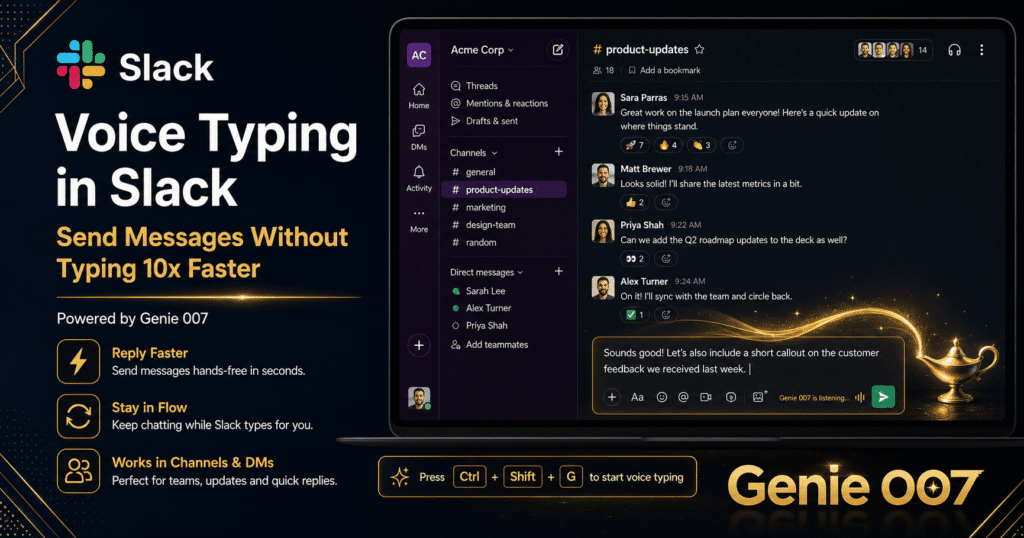
Use voice to draft emails in Outlook or Gmail. Use voice to add comments in shared documents. Use voice to update project management tools like Asana or Trello. Use voice for Slack and Teams. Use voice for internal wikis and documentation platforms. These platforms handle voice input seamlessly with Genie 007, and you maintain full productivity without touching a keyboard. You can voice-type customer responses, code documentation, meeting notes, and project briefs without any hand strain whatsoever.
For meetings and video calls, use voice to take notes while still making eye contact with the camera. For one-on-ones with your manager, voice allows you to participate without the awkward “I can’t type” barrier. You can contribute to brainstorms, answer Slack threads, and engage in real-time conversations without feeling sidelined. Most colleagues won’t even notice you’re using voice input—they just see your message arrive, professional and on time.
The psychological benefit matters enormously too. You’re not sidelined or unproductive; you’re adapting with a professional tool. That reduces the frustration and anxiety of injury and keeps your confidence intact during recovery. Research shows that maintaining professional engagement during injury recovery accelerates both physical and mental healing.
Privacy and Security While You Recover
When you’re injured and vulnerable, the last thing you want is worrying about data. Genie 007 processes audio on-device—your voice never touches Genie 007’s servers. Everything is encrypted with AES-256, and nothing is logged or stored. Your sensitive messages, medical notes, or confidential work stays between you and your device.
The app is HIPAA ready, so if you’re in healthcare or legal work, compliance is built in. Your boss, your IT team, and Genie 007 cannot eavesdrop. That’s a hard advantage during recovery when you might voice notes about pain levels or medical follow-ups alongside work.
Frequently Asked Questions
Can you type with a broken wrist?
Technically yes, but medically no. Typing stresses healing bone and delays recovery by 2–4 weeks. Doctors recommend avoiding keyboard work for 6–8 weeks after fracture. Voice typing eliminates that risk while keeping you productive.
When can I return to normal typing after a broken arm?
Simple fractures heal in 6–8 weeks, but that’s immobilisation time. Return to full typing speed typically takes another 4–8 weeks of gradual rehabilitation. Plan on 3–4 months before you’re back to pre-injury typing speed without discomfort. Your physio will guide the pace.
What’s the best way to work with a broken arm in a cast?
Voice input is the gold standard. Set up Genie 007 before or immediately after immobilisation, and you’ll maintain email, messaging, and documentation without hand strain. It’s faster than hunt-and-peck, less painful than attempting to type one-handed, and—most importantly—it doesn’t slow healing.
Is voice typing accurate enough for professional work?
Yes, absolutely. Genie 007’s think-to-text feature is specifically built for professional communication across business contexts. It handles punctuation, context, and tone automatically without you having to micromanage. Accuracy is highest in quiet environments (typical office or home setup), and the tool learns your vocabulary, technical jargon, and writing style over time. Most users report 95%+ accuracy after the first week of use. For comparison, standard speech-to-text systems achieve around 85–90% accuracy, but Genie 007’s intent-based approach delivers fewer errors that matter—professional-level output you can send immediately without extensive editing.
Do I need to download software, or can I use a web version?
Both. The browser extension works in Gmail, Slack, LinkedIn, and most web apps immediately. If you need voice typing in desktop apps like Word or Outlook, the Windows or Mac app is faster. Most people use both—browser extension during the day, app for emails and documents.
Try Genie 007 Free
A broken arm is a time-limited problem with a solution that’s free to try. Voice typing isn’t just for injury recovery; it’s how modern professionals stay productive, stay healthy, and stay ahead. Set it up today and take the pressure off your healing arm from day one.
Download Genie 007 free — available for Windows, Mac, mobile and as a browser extension. No credit card required. You can also read more about how think-to-text works and check pricing options if you decide to upgrade after recovery.
Written by Bill Kiani, founder of Genie 007.
This article is for general information only and is not medical advice. If you are experiencing pain or other symptoms, please consult a qualified healthcare professional.