Sending a meeting follow up email shouldn’t eat into your afternoon. Yet most professionals spend 20–30 minutes crafting one after every call: reviewing notes, organising action items, double-checking the tone, proofreading. For someone with five meetings a week, that’s 2+ hours of admin work that doesn’t move business forward. The challenge grows when meetings span multiple time zones or decision-makers need confirmation before the conversation fades from memory.
What if you could dictate a meeting follow up email in 90 seconds instead?
The Time Drain: By the Numbers
A typical meeting follow-up workflow looks like this: join the call, scribble notes, let the call end, open email, re-read your scrawl, structure it coherently, craft a subject line, add recipients, write out action items with owners and deadlines, proof once for typos, proof again for tone, then hit send. Each step is a context switch.
Multiply that by the reality of modern work: sales teams send follow-ups after every prospect call; project managers close out action items after standups; executives recap decisions after strategy sessions; HR teams confirm interview next steps. If each meeting follow up email costs 25 minutes, a busy professional loses 8–10 hours a month to this single task.
The pressure to get it right adds friction. A poorly timed or unclear follow-up damages credibility. A missing deadline or owner assignment creates ambiguity. Typos undermine professionalism. The email needs to be fast, but it also needs to be sharp.
Before and After: A Day in the Life
Without voice-powered email: You finish a call and draft a follow up email after meeting. Notes are scattered. You craft a subject line, list action items (sometimes forgetting your own), proofread for typos and tone. 25 minutes gone.
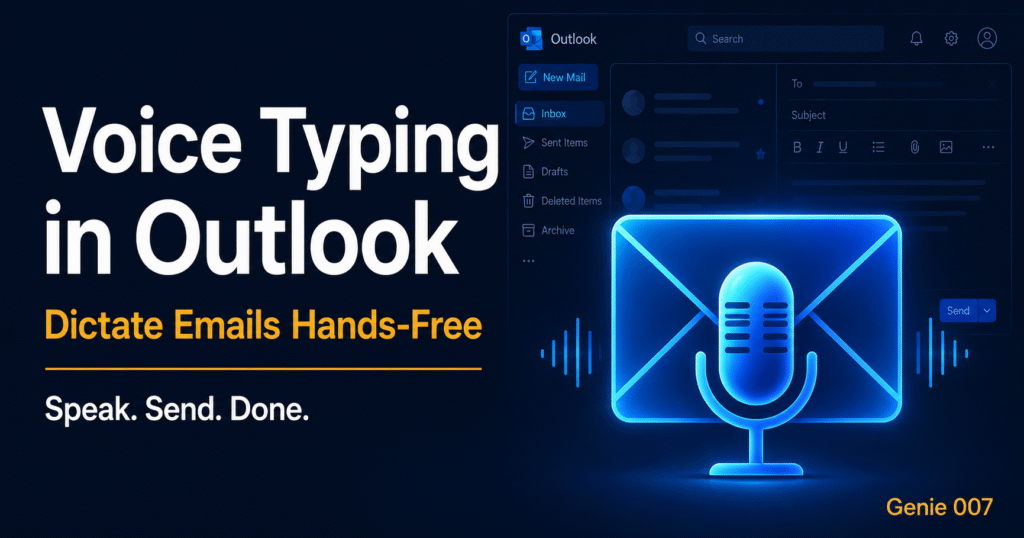
With Genie 007’s voice-to-action workflow: Same call. You click the extension in Outlook, speak: “Follow-up from today’s sync. Sarah owns wireframes due Friday, I’m sending the technical spec Thursday, they’ll feedback by Monday. Confirm: no pricing changes. Next call Wednesday 2pm.” Genie Mode generates a polished email with professional subject line, bullet points, owners, dates, and your tone—all in 90 seconds. You review once, send, move on.
The difference: 25 minutes reduced to 2 minutes of composition plus 30 seconds review. The email reads better because Genie 007 converts intent into structured action, not transcribed rambling.
Three Essential Workflows for Meeting Follow-Ups
Workflow 1: The Instant Recap (Sales and Business Development)
After a prospect call, you have a narrow window to confirm interest, outline next steps, and keep momentum. Delay erodes engagement. With Genie 007, you don’t wait until evening to draft the meeting follow up email.
Voice command example: “Follow-up from the call with Acme Corp. They want to pilot the platform starting August. I’ll send over terms by Friday. They’re keen but need signoff from their CFO—I’ll connect you with Sandra. Budget is £50k to £100k. Next touchpoint: their product review on Thursday. They prefer video calls.”
Output: A complete follow-up with subject line, structured recap, action items (with your name and date attached), decision points confirmed, and the next meeting locked in—all in the tone of a senior professional who always gets things right. No typos. No forgotten details. No 20-minute delay.
Workflow 2: The Project Standup Update (Operations and Project Management)
Daily standups or sprint reviews generate action items fast. By the time you close your notebook, you’ve forgotten who said they’d tackle what. Email the team before clarity fades.
Voice command example: “Standup recap: Design will have mockups ready by Tuesday EOD. Development is blocked on the API docs—I’m following up with platform team today. QA starts regression testing Friday. Bug discovered in payments module—Rajesh is on it, fix ETA Monday. Next standup same time tomorrow.”
Output: An email that every team member can immediately action. No ambiguity. Owners and deadlines are crystal clear. Bottlenecks are flagged so no one wastes time on dependencies that aren’t ready.
Workflow 3: The Executive Decision Confirmation (Leadership and Strategy)
After a strategic meeting, decisions need to be formalised and stakeholders need to be aligned. The meeting follow up email is your record of what was agreed and what comes next.
Voice command example: “Board sync recap: Approved budget reallocation to Q4 product roadmap. Hiring freeze in operations lifted for engineering—three open roles. Marketing will present new campaign strategy next month. No decision on the merger—waiting on legal. My action: send the finance numbers by Tuesday. CEO action: schedule call with the board on Friday. Next meeting: second Tuesday of next month.”
Output: A formal recap that stakeholders will file and reference when questions arise. It’s professional, comprehensive, and documents decisions so there’s no room for misunderstanding weeks later.
The Real Time Maths
Clear meeting action items documented in your follow-up save teams hours every week. If you send five meeting follow up email messages a week:
- Traditional method: 5 emails × 25 minutes = 2 hours 5 minutes per week
- Genie 007 method: 5 emails × 2 minutes = 10 minutes per week
- Weekly time reclaimed: 1 hour 55 minutes
- Annual saving: 100+ hours
For busy professionals juggling dozens of commitments, 100 hours a year is the difference between staying on top of priorities and constantly playing catch-up. It’s also the difference between a follow-up email that gets sent the same day (warm, timely, credible) and one that arrives three days later (too late to reinforce the conversation).
Genie 007 encrypts your audio in transit, processes it in real time and stores no recordings and no transcripts. You speak, Genie Mode writes, you review, you send. No copy-paste. No switching apps. No friction.
Addressing Common Concerns
Will the email sound like AI? No. Genie Mode learns your writing style and applies it instantly. It doesn’t output generic templates—it mirrors the tone and structure you use naturally. Early users report that recipients often assume they typed it themselves.
What if I get the details wrong when speaking? You review before sending. The email appears as a draft in your inbox. If you spot a mistake—a wrong date, a forgotten name, a misheard number—you can edit it like any other email. Genie 007 gets 95%+ of facts correct on the first pass; the review is a safety net, not a transcription overhaul.
Is my meeting content private? Yes. Genie 007 encrypts your audio in transit, processes it in real time and stores no recordings and no transcripts. That means your boss, your lawyer, your healthcare records—none of it leaves your control. Read more about privacy and security.
Getting Started with Voice-Powered Follow-Ups
The workflow is simple. Install Genie 007 on your platform (Windows, Mac, mobile, or as a browser extension). Open Gmail, Outlook, Teams, or Slack. Click the microphone icon. Speak your meeting recap as if you’re explaining it to a colleague who wasn’t there. Hit send once Genie Mode generates your email.
Most users report they’re at full speed within the first week. Your email voice becomes a reflex—speak into your meeting notes, get back a polished email in seconds. Think-to-text voice AI like Genie 007 converts your intent into action instantly, which is the whole point of the meeting follow up email: not to recite notes, but to move the conversation forward with clarity and momentum.
Frequently Asked Questions
What should be included in a meeting follow-up email?
A strong meeting follow up email includes: a clear subject line, attendees, a brief summary of what was discussed, decisions that were made, action items with owner names and due dates, the date of the next meeting or touchpoint, and a professional closing. This structure eliminates ambiguity and accelerates decision-making. Genie 007 structures all of this automatically from your voice—you just speak naturally and it handles the formatting.
How soon should you send a follow-up email after a meeting?
Send your meeting follow up email within a few hours, ideally the same day. This keeps the conversation fresh in everyone’s mind and prevents miscommunication. With Genie 007, you can dictate and send in minutes, so waiting isn’t necessary—you can follow up immediately after stepping away from the call.
How do you write a professional follow-up email when you missed a meeting?
If you missed a meeting, your follow up email after meeting should acknowledge your absence, ask for a brief recap or notes, and express commitment to the action items you’ll own. Voice-to-action AI like Genie 007 can help you draft this respectfully: speak your apology and request, and let Genie Mode refine it to the right tone.
The Bridge to Think-to-Text
Traditional speech-to-text will transcribe what you say. Genie 007 goes further: it understands what you mean. When you dictate a meeting follow up email, you’re not limited to saying “period, new line, bullet point.” You’re sharing the intent—who said what, what’s expected next, what risks need flagging—and Genie Mode converts that into a structured, actionable email. That’s the difference between a transcript and communication that works.
Think-to-text is what separates Genie 007 from basic speech recognition. It takes your spoken recap and executes the intent behind it—not a word-for-word transcript, but a structured, actionable email. For busy professionals, that’s the missing link between staying on top of meetings and drowning in follow-up admin. See our pricing plans if you’re ready to try it.
Try Genie 007 Free
Stop letting meeting follow-ups consume your afternoon. Dictate a polished email in seconds, and spend your time on work that matters. Download Genie 007 free — available for Windows, Mac, mobile and as a browser extension. No credit card required.
Written by Bill Kiani, founder of Genie 007.
Related reading: AI Writing Assistant for Emails – How Genie007 Transforms Email Communication.