

The phrase “talk to type” originally described something simple: speaking words into a microphone and having them appear on screen as text. That was speech-to-text. Useful, but limited. Talking to type in 2026 means something fundamentally different — context-aware AI that listens to a short spoken intent and produces complete, structured, ready-to-use output. Not a transcript of what you said. The thing you were trying to create.
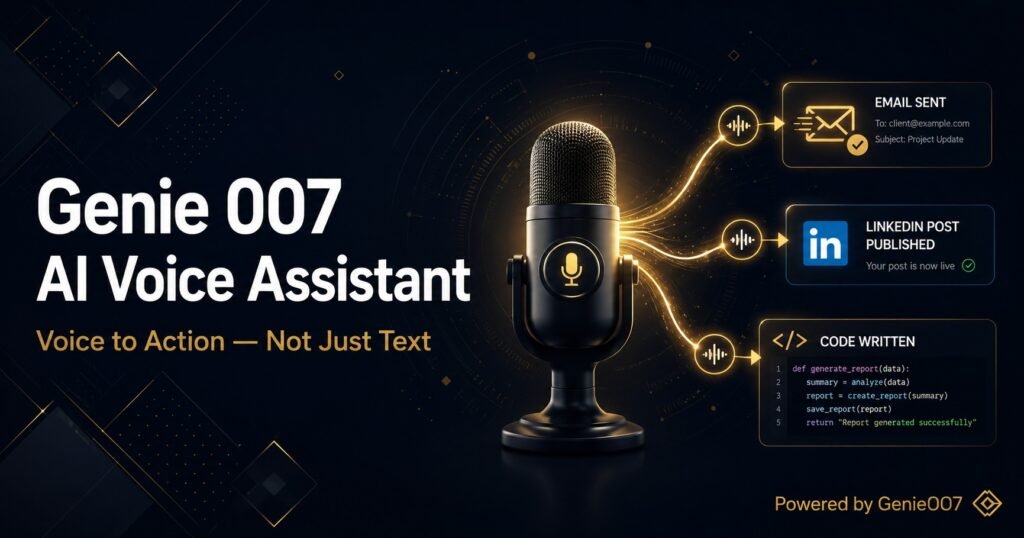
This shift — from speech-to-text to voice-to-action — is what separates basic dictation apps from what Genie 007 does. When you say “reply professionally to this email,” Genie 007 does not type those seven words into your email client. It reads the email you have open, understands the context and tone required, and writes a complete professional reply. You approve it and send. That is talking to type in its modern form. Our full explainer on voice to action covers the broader shift in how knowledge workers are adopting this.
On a phone, the same principles apply — our guide to voice typing on Android walks through Gboard setup, Pixel’s Assistant voice typing and the settings most people miss.
iPhone users can put this into practice straight away with our roundup of the best dictation app for iPhone in 2026.
Talk to Type: From Speech-to-Text to Voice-to-Action
Speech-to-text tools have existed since the 1990s. Dragon NaturallySpeaking launched in 1997 and spent 25 years improving a single capability: transcribing spoken words into text. The tools that followed — Google Docs voice typing, Apple Dictation, Windows Speech Recognition — did the same thing with increasing accuracy. By 2020, basic speech-to-text had essentially been commoditised. Accuracy reached 95 to 99% and cost dropped to near zero.
The next challenge was not accuracy — it was intelligence. A tool that types what you say gives you the same output whether you say it well or not, whether the context is appropriate or not, whether you use exactly the right words or not. Knowledge workers do not want a transcript. They want the finished thing: the email, the report section, the Slack message, the LinkedIn post. The gap between saying something out loud and having a polished professional output has historically required human editing to bridge. That is the gap Genie 007 closes.
The numbers illustrate the difference. A basic talk-to-type tool gives you a 3x speed improvement over typing — you speak at 130 WPM instead of typing at 40 WPM. Genie 007’s voice-to-action approach gives a 20 to 30 times multiplier for structured tasks — because instead of dictating 300 words, you speak 10 and get 300 back. The output is relevant, accurate, and ready to use.
What Talk to Type Actually Looks Like in 2026
Here is the same task handled by a basic talk-to-type tool versus Genie 007, to make the difference concrete:
Task: Write an email declining a meeting invitation politely.
With basic speech-to-text: You dictate the entire email word by word, speaking in full sentences with punctuation commands (“new paragraph,” “comma”), cleaning up your stammers and restatements manually afterwards. Faster than typing but still requires you to compose every word.
With Genie 007 Genie Mode: You open the meeting invitation. You say “decline professionally explaining I have a conflict and suggest rescheduling next week.” Genie 007 reads the invitation, sees who it is from, reads the date and subject, and writes a complete, appropriately toned decline with a specific rescheduling suggestion. You review in five seconds and send. You spoke 15 words. You sent a 120-word polished email.
This context-awareness is what makes Genie 007 a voice-to-action tool rather than a talk-to-type tool in the older sense. It operates in the same way across Gmail, Slack, LinkedIn, GitHub, Jira, Notion, Google Docs, and any other platform with a text field.
Who Benefits Most from Talk to Type Technology
Talk-to-type technology benefits anyone who produces high volumes of text professionally. The clearest beneficiaries in 2026:
Knowledge workers and executives who spend 40 to 60% of their working day writing. Speaking at 130 WPM plus AI-generated structured content fundamentally changes the economics of their writing output. A senior executive who previously spent an hour on email each morning now spends fifteen minutes.
Content creators who produce written content across multiple platforms daily — scripts, descriptions, captions, newsletters. We cover this fully in our guide to voice typing for content creators. The voice-to-action multiplier is especially powerful for creators because each output requires a different format.
Developers who write documentation, tickets, PR descriptions, and AI prompts around their code. For the writing that surrounds code, talking to type cuts total writing time significantly. Full detail in our voice dictation for developers guide.
People with physical limitations. RSI, carpal tunnel, repetitive strain, and other conditions that make prolonged typing painful make voice-to-action technology not just a productivity choice but a practical necessity. Even basic talk-to-type removes the keyboard entirely. Genie 007’s efficiency amplifies this further — fewer words spoken means less vocal strain too.
Multilingual professionals. Genie 007 supports 140 languages with 99.5% accuracy and automatic mid-sentence language detection. Speaking your native language and receiving output in a different language is a genuinely new capability that basic speech-to-text never provided. The talk-to-type experience in your second or third language becomes as efficient as in your first.
How to Start Talking to Type with Genie 007
Genie 007 is available as a Chrome extension, a Windows desktop app, and a Mac desktop app — covering the full range of environments where people produce written content professionally.
Chrome extension: Works in any browser tab — Gmail, Slack, Notion, LinkedIn, GitHub, Google Docs, Jira, and every other browser-based tool. Install from the Chrome Web Store. Free tier available — no credit card required.
Windows app: Works at the system level — any text field in any Windows application, including desktop software that is not browser-based.
Mac app: Works across all Mac applications — including the Notion desktop app, desktop Slack, VS Code, and native Mac tools.
Voice Typing Mode provides the basic talk-to-type experience: speak naturally, text appears, 99.5% accuracy, 140 languages, automatic punctuation, grammar correction, filler word removal. Genie Mode provides the voice-to-action layer on top: short spoken commands, context-aware output, complete structured content from minimal input.
Chrome Talk to Type: How to Turn It On
Talk to type is Gemini-powered dictation built into desktop Chrome. Sign in to Chrome, click a text box, right-click it and choose Talk to Type. That opt-in is needed the first time. After that, press Ctrl + Space on Windows and ChromeOS, or Option + Space on Mac, and start speaking.
- Click inside the text box where you want to type. It can be any web text box or Gemini in Chrome.
- Right-click the text box and select Talk to Type. You must use the right-click menu the first time, and you opt in and agree to data sharing before it starts.
- Speak. An action bar with a waveform appears while Chrome detects your voice.
- Select Done in the action bar, or press the shortcut again, to stop.
- Next time, skip the menu: Ctrl + Space on Windows and ChromeOS, Option + Space on Mac.
Place the cursor where you want words to go and new speech is inserted there. You can also highlight text, start talk to type and say how to change it, such as making it more formal or turning it into a bulleted list. Google lists the steps on its Use talk to type in Chrome help page. If you want shortcuts for other tools, see our voice typing shortcut key guide.
Talk to Type Not Showing in Chrome?
Google sets a few conditions, and most missing menu entries come down to one of them. Work through these checks in order.
- Use desktop Chrome on Windows, macOS, Linux or ChromeOS. Talk to type is desktop only.
- Sign in to Chrome. The feature needs a signed-in profile.
- Leave Incognito. Talk to type does not work in an Incognito window.
- Allow microphone access for Chrome. If dictation stalls, our guide to voice typing not working in Chrome covers permission fixes.
- Update Chrome and restart it. The feature arrived with Chrome and ChromeOS 156.
- Wait. Chrome Unboxed reports a gradual server-side rollout that varies by account and region, so you may not see it straight after updating.
On a Chromebook, our page on dictation software for Chromebook lists other options while you wait.
Chrome Talk to Type vs Genie 007
Chrome talk to type is free, built into the browser and good at dictating into web text boxes. Its limits come from where it lives. Genie 007 works across desktop apps, the browser and mobile, and it can write the finished message for you, not only transcribe it.
| Chrome Talk to Type | Genie 007 | |
|---|---|---|
| Where it works | Web text boxes in desktop Chrome, and Gemini in Chrome | Desktop apps such as Word, Outlook and Slack, the browser, and mobile |
| Platforms | Desktop Chrome on Windows, macOS, Linux and ChromeOS | Windows, Mac, Mobile and a Chrome extension |
| How you start | Right-click the first time, then Ctrl + Space or Option + Space | Press Q (or any key or combination you choose) and say what you want |
| What you get | Dictation, plus voice rewrites of highlighted text | Think-to-text writes the finished message; Press X for word-for-word typing |
| Languages | Not stated on Google’s help page | 140+ languages |
| Limits | Needs sign-in, not in Incognito, stops when you switch tabs, text changes not yet in Google Workspace apps | Needs a microphone and the Genie 007 app or extension installed |
| Your data | Chrome collects your voice recording, typed words and page details | Private by design |
The practical difference is the job. With Chrome you speak the text you want, then ask for edits. With Genie 007 you say the order, for example “reply to this email, thank her for the quote and ask when it can be delivered”, and the reply is written in your tone. Read more about what think-to-text is.
The two work side by side. Keep Chrome talk to type for quick web forms, and use Genie 007 when you work outside the browser or want a finished message. The Genie 007 browser extension is free to start, and you can request access to the Windows app or Mac app from their pages.
Frequently Asked Questions
What is the difference between talk to type and voice dictation?
They describe the same basic concept — converting speech to text — but voice dictation usually implies a more professional or extended use case. In 2026, both terms increasingly refer to AI-enhanced tools like Genie 007 that go beyond transcription to context-aware content generation. The meaningful distinction is between basic speech-to-text (which types what you say) and voice-to-action (which produces what you intended to create).
Is talk to type accurate enough for professional writing?
With Genie 007, yes. 99.5% accuracy across 140 languages with automatic punctuation, grammar correction, and filler word removal produces output clean enough for professional use without manual correction in most cases. For critical documents, a brief review pass is always sensible.
Can I talk to type in languages other than English?
Yes. Genie 007 supports 140 languages with equal accuracy, including automatic mid-sentence detection. You can start speaking in one language and switch to another naturally — Genie 007 detects and transcribes both correctly. This makes it useful for multilingual professionals who move between languages throughout their working day.
Does talking to type work on iPhone and Android?
Genie 007 works on mobile. The mobile app provides the same Voice Typing Mode and Genie Mode capabilities available on desktop — 99.5% accuracy, Genie Mode commands, multi-language support — across iOS and Android. Particularly useful for capturing ideas, dictating messages, and writing on the go.
How is Genie 007 different from just using my phone’s built-in dictation?
Built-in phone dictation (Siri dictation, Google voice typing) produces a word-for-word transcript with reasonable accuracy. Genie 007 adds context-aware AI: it understands the context and your intent, and produces structured finished content from short commands. The accuracy is higher (99.5%), the output quality is better, and it works consistently across all apps — not just the ones the phone manufacturer designed for.
Talking to type began as a neat shortcut. In 2026, it is a fundamentally different way to produce written content — faster, smarter, and less demanding than sitting at a keyboard and composing every word. Genie 007 is built for this version of talk-to-type.
Try Genie 007 Free → Talk to type on Chrome, Windows, and Mac. No credit card required.
Written by Bill Kiani, founder of Genie 007.
Related Reading
- Voice Dictation in Notion
- Voice Typing for Content Creators
- Voice Typing for Outlook
- How to Dictate Emails
If you work on a Chromebook, the combination of ChromeOS’s built-in tools and a capable extension is covered in our guide to dictation software for Chromebook.
Related reading: Talk to Your Computer and Actually Get Things Done.