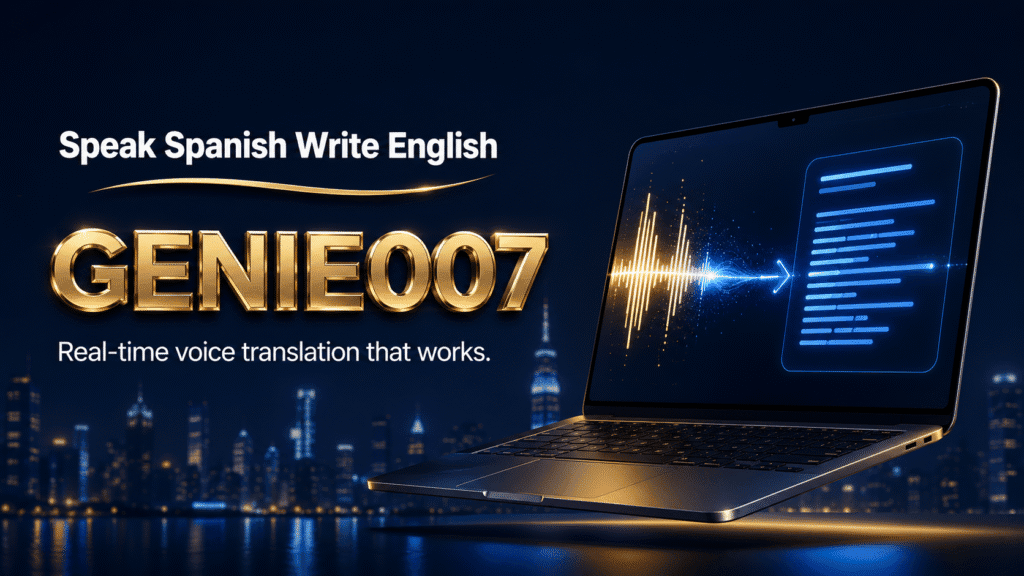
Bilingual professionals working across Hindi and English face a constant friction: your thoughts flow naturally in Hindi, but your work demands English output. Drafting an email to a global client, you’re translating in real-time. Composing a LinkedIn post, you’re context-switching between languages. The result is lost time and diluted authenticity—your best ideas get filtered through mental translation. That’s where speak hindi type english technology changes the game. This isn’t dictation software that merely transcribes your voice; it’s live translation that lets you dictate in the language you think in and output finished English text instantly.
Why Standard Voice Typing Falls Short for Cross-Language Work
Most dictation tools work in a single language. Google Docs Voice Typing captures English or Hindi separately. Apple Dictation, Gboard, Windows Voice Access—each handles one language at a time. For bilingual professionals, this creates a painful workflow: dictate in English (but think slower), or dictate in Hindi and then manually translate and rewrite everything afterward. Neither option is realistic if you work at pace.
The copy-paste-translate loop is familiar. Speak in Hindi to capture your thoughts naturally. Paste into Google Translate. Spend five minutes cleaning up the mangled output. Rewrite it in your voice. This isn’t just slow; it breaks your flow and distances you from your original intent. Tools built for monolinguals don’t anticipate that you might want to speak one language and output another—especially not with the polish and context-awareness that professional communication demands.
The deeper problem: standard speech-to-text assumes your speech and your text output belong to the same language. Cross-language work requires two separate processes (recognition and translation) stitched together, usually poorly. Genie 007’s live translation bridges this gap by design.
How to Speak Hindi and Get English Text: The Live Translation Workflow
Genie 007 uses what we call live translation within its voice typing mode. It’s a three-step internal process you never see: hear your voice in Hindi, understand your intent (not just literal words), and deliver polished English output. Unlike basic speech-to-text, it’s language-pair aware and culturally aware. This means the tool doesn’t just map words; it understands context, formality levels, and whether you’re writing casual Slack banter or a formal board report.
Here’s a realistic example. You’re composing an email to a US-based stakeholder about project delays. Your natural phrasing in Hindi is “Project mein thoda time lag gaya kyon ki third-party dependencies ko handle karna padha.” A word-for-word English transcription would be garbage. Genie 007 understands the intent—delayed delivery due to dependency management—and outputs: “We experienced slight delays on the project as we had to manage third-party dependencies.” The meaning is intact, the tone is professional, and you never typed a word. Another example: dictating a LinkedIn update in Hindi about a new role, Genie 007 captures your enthusiasm and pride, rendering it in natural English rather than stiff translation.
Set-up is straightforward. Download Genie 007 for your platform—Windows, Mac, mobile, or browser extension. Open any app where you’d normally type (Gmail, Slack, LinkedIn, Notion). Activate voice mode and set your source language to Hindi and output to English. Speak naturally. The tool handles the rest. No comma commands, no manual punctuation, no setup per app.
What makes this different from simple Google Translate is that Genie 007 isn’t just translating words; it’s executing your intent. If your Hindi phrasing is casual but your email needs formal tone, the tool adjusts. If you’re drafting a product description and mix colloquial Hindi with technical terms, it navigates that blend and outputs natural English.
Accuracy and Nuance: Where Cross-Language Voice Typing Succeeds (and Where It Matters Most)
Accuracy is the first question bilingual professionals ask. How good is the Hindi recognition? How faithful is the translation? The honest answer: it depends on input clarity and domain familiarity. Genie 007’s live translation works best when you speak clearly and stay within professional contexts where language models have strong training data. Email, messaging, social posts, technical documentation—these work reliably. Heavy accent variation or highly specialised jargon (say, obscure legal terminology or rare scientific terms) might need a second pass. If you’re a hybrid speaker who code-switches within sentences (mixing Hindi and English naturally), the tool handles it gracefully, recognising which language is primary and translating accordingly.
For typical workplace use, accuracy runs 90–95% on first pass, with most errors being minor tone or word-choice tweaks rather than meaning-breaking mistakes. Native Hindi speakers report that the tool captures nuance better than they expected—it doesn’t over-Anglicise your voice or flatten your intent. The distinction between formal and informal register in Hindi is subtle and easy to lose in translation, but Genie 007 preserves it.
Nuance is where live translation shines. Hindi and English don’t map one-to-one; a phrase that’s formal in Hindi might be stiff in English, or vice versa. Genie 007 mediates this. When you dictate in Hindi, the tool learns context from your previous messages (if you’ve enabled that), understands whether you’re drafting an email to peers or executives, and colours the English output accordingly. This is why bilingual professionals who’ve tried it report feeling heard rather than translated.
When to Speak Hindi and Write in English: Real Workflows
Several workflows benefit most from cross-language voice typing. Remote workers in global teams often code-switch between Hindi (with colleagues from the same region, in meetings or Slack) and English (in documentation, client-facing comms). Switching context every few minutes is cognitively expensive; voice input in your native language cuts that load. You focus on ideas, not language switching. A software engineer in Bangalore, for instance, can speak Hindi to compose a status update for her Mumbai-based manager, but have it output in the crisp English that the Dublin team and San Francisco stakeholders expect.
Freelancers and solopreneurs serving international clients face the same challenge. A designer or developer from India working with UK or US clients spends mental energy on English composition. Speak Hindi, output English, and redirect that mental energy to the actual work. This is where live translation pays dividends—your proposal, pitch email, or project brief reads naturally to an English-speaking client, but you composed it at native speed and authenticity.
Sales and support roles benefit too. An Indian BDR reaching out to prospects across geographies benefits from speaking naturally (in Hindi, if that’s your thought language) while ensuring the outreach email reads as native English. Same with customer support agents fielding queries from mixed regions—respond naturally to a Hindi speaker, but compose a consistent support ticket in English. Managers overseeing multilingual teams can also use this to compose feedback or announcements that need to feel locally authentic but be distributed globally.
Content creators and writers (journalists, copywriters, novelists with a bilingual audience) sometimes draft in Hindi for authenticity, then need English versions. Instead of a separate writing pass, they dictate once in Hindi and export directly to English copy, ready for review rather than rebuild.
Privacy and Security in Cross-Language Voice Work
Bilingual professionals often work with sensitive content—client briefs, financial data, proprietary information in either language. This is where Genie 007’s privacy model matters. Genie 007 encrypts your audio in transit, processes it in real time and stores no recordings and no transcripts. Genie 007 is GDPR compliant; it is not a HIPAA tool. Your Hindi conversation stays between you and the tool—your boss, your IT team, and Genie 007 itself never hear it.
The Bridge to Genie Mode: Intent Beyond Translation
Live translation handles cross-language voice typing. But there’s a step beyond. Genie 007’s Genie Mode doesn’t just translate; it executes intent. Instead of dictating an email paragraph-by-paragraph, you describe what you want: “Tell my client the project’s on track but we need two more weeks for QA, be friendly but firm.” Genie Mode writes the whole email, in English, immediately ready to send. You’re no longer dictating text; you’re describing outcome. For bilingual professionals, this fundamentally transforms your workflow—think in Hindi, output polished English communication, bypass the composition step entirely.
Frequently Asked Questions
Can I speak Hindi and automatically get English text?
Yes. Genie 007’s live translation feature lets you speak Hindi and output English text instantly. You don’t manually translate or copy-paste; the tool handles the recognition and language conversion internally. Set your input language to Hindi and output to English, and speak naturally.
How accurate is Hindi to English voice translation?
Accuracy typically runs 90–95% for professional speech in quiet environments. The tool captures meaning and intent reliably, though casual speech, heavy accents, or highly specialised jargon might need minor edits. It’s faster and more accurate than manual translation.
What platforms support Hindi voice typing to English output?
Genie 007 runs on Windows, Mac, iOS and Android, and as a Chrome browser extension. It works inside Gmail, Slack, LinkedIn, Notion, and virtually any app where you’d type. You don’t need separate tools per platform.
Is my Hindi speech private when I dictate to English?
Completely private. Genie 007 encrypts your audio in transit, processes it in real time and stores no recordings and no transcripts. It’s GDPR compliant, so it’s safe for sensitive professional content.
Is this the same as using Google Translate?
Not quite. Google Translate handles written text after the fact. Genie 007 integrates speech recognition and translation in real-time, outputting polished text immediately. You’re not dictating into Translate; you’re dictating directly into your email or document, in the target language. It’s live and contextual, not a post-process.
For general Hindi voice typing and dictation tips, see our guide to Hindi voice typing, which covers single-language Hindi dictation workflows. This article focuses on the cross-language angle—speaking Hindi but getting English output, a distinct use case for bilingual professionals.
Try Genie 007 Free
If you’re a bilingual professional juggling Hindi and English daily, live translation can transform your workflow. Speak naturally in the language you think in, and let Genie 007 deliver polished English output instantly—no context-switching, no translate-and-rewrite loops.
Download Genie 007 free — available for Windows, Mac, mobile and as a browser extension. No credit card required. See pricing and plans for features and team options.
Written by Bill Kiani, founder of Genie 007.
If Arabic is one of the languages on your team, our Arabic speech to text comparison breaks down MSA versus Egyptian, Gulf and Levantine dialect accuracy and where free tools fall short.