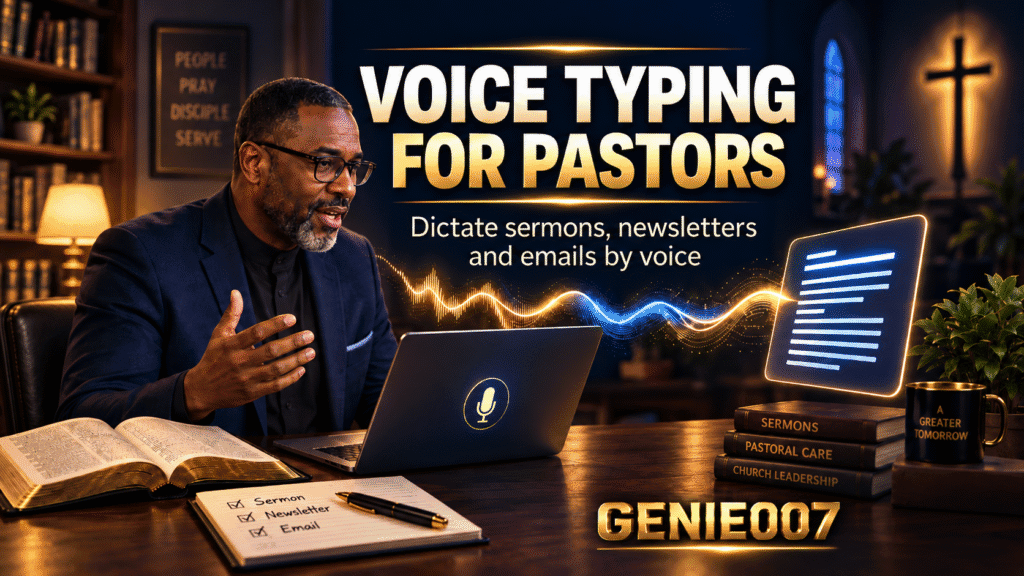
Pastors spend between 8 and 15 hours each week on sermon preparation. Add to that parish newsletters, pastoral emails, counselling notes, and church bulletins—and the writing workload becomes genuinely consuming. Yet pastors are trained speakers; they’ve spent years perfecting the art of vocal delivery, finding rhythm in speech, building narrative tension through their voice. The irony is that many sit in front of a blank screen trying to capture that same clarity in type. This is where dictate a sermon using voice typing changes everything: by preaching your outline aloud, you capture your natural voice, your pacing, your theology—then let AI transform it into a polished manuscript ready for the pulpit.
The Time Drain: Writing When You Were Built to Speak
Sermon writing and pastoral communication eat into preparation time that could go to prayer, study, and care. Ministers report that their biggest writing bottleneck isn’t theology or message craft—it’s the mechanics of typing, editing, and wrestling with structure on screen. A 40-minute sermon can take 6–8 hours to write. Parish newsletters, sent weekly or fortnightly, add another 2–3 hours. Pastoral emails to grieving families, newcomers, and ministry volunteers pile on more. Meanwhile, the speaking part—the thing pastors excel at—happens naturally.
Many pastors rely on Microsoft Word, Google Docs, or Apple Pages for initial drafts. These platforms offer basic dictation (built into Windows, Mac, and Docs), but they transcribe literally: every filler word, every pause, every slight detour ends up in the text. You then spend time cleaning, restructuring, and filling gaps. It’s not saving time—it’s creating a new editing phase.
Dictate a Sermon: How Preaching Your Outline Beats a Blank Page
The breakthrough is shifting from transcription to think-to-text. Instead of speaking every word you intend to print, you speak as you would in study—outlining, thinking aloud, building argument—and the AI captures your intent, not your hesitations. Think-to-text works by understanding what you mean, not just what you say; it removes fillers, adds missing connectives, and structures your thoughts into coherent prose.
Here’s a concrete workflow: You sit with your sermon notes—scripture passage, key themes, illustrations—and activate voice mode. Instead of typing, you speak directly into the tool, as if rehearsing aloud. “Main point: the Incarnation shows God’s radical solidarity with human suffering. First, establish that Christ didn’t just observe suffering from above; He entered into it. Use the story of Mary’s lament at Lazarus’s tomb.” That entire thought, spoken in one breath, becomes three properly punctuated paragraphs in your sermon draft. No comma commands, no pauses to hunt for words. You’re speaking theology; the AI translates that into written form.
Genie 007 operates in two modes. Voice Typing mode gives you lightning-fast dictation with automatic punctuation and personal writing style matched to your voice. Genie Mode, the flagship feature, takes a step further: it executes your intent, generating complete sections from brief voice prompts. Say “Write a powerful opening about why forgiveness matters” and Genie Mode produces a full, contextually aware paragraph ready for your review. No transcription of fillers. No structural cleanup. Just theology expressed, captured, and refined.
Real Workflows: Sermons, Newsletters, and Pastoral Emails
Consider three scenarios where dictate a sermon and voice typing transform ministry work:
Scenario 1: Sunday Sermon Prep
You’ve read the appointed scriptures, done your exegetical work, and want to draft the sermon. Instead of typing, you use Genie 007 on your mobile app or Windows/Mac to voice-record your thinking using dictation software for pastors. “Outline the main argument in three points, explain why each matters to our congregation, and weave in the illustration of the prodigal father’s joy.” Within seconds, Genie Mode produces a structured outline that becomes your sermon foundation. You refine it by voicing additions or corrections. A task that would take 6 hours of typing takes 1 to 2 hours of speaking and reviewing.
Scenario 2: Weekly Parish Newsletter
Tuesday morning, you need to draft this week’s newsletter. The message covers parish updates, an upcoming service, and a brief reflection on hope. Instead of opening Word and typing, you voice the entire newsletter as if you were speaking to the congregation, using sermon writing by voice. Genie 007 captures your warmth, your cadence, your pastoral tone—then renders it as polished text. You copy it to your email, add links, and send it. What might take 90 minutes of typing and editing takes 20 minutes of speaking and one final read-through.
Scenario 3: Pastoral Correspondence
A parishioner writes asking for counsel. Your reply needs pastoral care, scriptural grounding, and thoughtful reflection. Instead of composing at the keyboard, you voice your response using voice typing for ministry: “Thank them for trusting me with this. Quote Philippians 4:6 about anxiety. Affirm their faith journey. Suggest specific practices for prayer and community support. Invite them to our Wednesday evening group.” Genie 007 generates a warm, coherent pastoral email. No cold typing. No stilted tone. Your voice, your care, expressed naturally.
Time Savings and Realistic Numbers
Let’s do simple mathematics. A pastor writing 1 sermon per week, 1 newsletter per week, and 3–4 pastoral emails averages 10 hours of writing work weekly. If voice typing reduces that to 3–4 hours through faster speaking and less editing, you recover 6 hours. Over a year, that’s roughly 300 hours—nearly eight weeks—spent on care, study, prayer, and rest instead of battling the keyboard.
The speed advantage comes from flow. When you dictate, you’re not pausing to find words or restructure sentences mid-thought. Your mind moves at speaking pace, not typing pace. Most people speak at 150 words per minute; average typing is 40. Even accounting for voice editing and refinement, dictation is substantially faster. For sermons, where theological coherence and emotional resonance matter more than perfect grammar, the efficiency gain is dramatic.
Accuracy matters too. Genie 007 is built for think-to-text, not literal transcription, so it understands context and theology in your voice. Fillers vanish. Incomplete thoughts become complete sentences. Your pastoral tone remains intact. The first pass is already polished enough for minimal revision. Unlike basic dictation tools that require heavy post-editing, think-to-text captures intent, making the output clergy-ready from the start.
Addressing Doubts: Accuracy, Privacy, and Learning Curve
Will the AI understand theological vocabulary?
Yes. Genie 007 learns your voice and your vocabulary. After your first few dictations, it recognises terms like Christology, eschatology, Eucharist, and covenant without confusion. If it ever stumbles on a proper name or unusual term, a quick voice command corrects it, and the system remembers.
What about confidential pastoral content?
Privacy is built in. Genie 007 encrypts your audio in transit, processes it in real time and stores no recordings and no transcripts. Audio is encrypted in transit and nothing is stored, meaning pastoral confidences stay confidential. This matters deeply for counselling notes and sensitive correspondence.
Will I sound like a robot if I just dictate?
No. Genie 007 learns your writing style from usage; the more you dictate, the more your voice comes through. Your warmth, your rhythm, your pastoral tone aren’t lost—they’re amplified. And Genie Mode lets you set the tone: “Write this in a playful, welcoming style” or “Make this profound and reverent” shapes the output accordingly.
Is there a learning curve?
Minimal. Most pastors are comfortable speaking within a few minutes. The adjustment is mental: trusting that your spoken thoughts will translate into text without your constant typing attention. That trust builds after the first sermon or newsletter you voice.
FAQ
Can I dictate a sermon while standing at the pulpit?
Yes. Genie 007 for mobile runs on your phone or tablet, and the browser extension works in Gmail and other writing apps. You can rehearse and refine right there, or record your thoughts and edit later.
Does voice typing work well for email?
Absolutely. Many pastors use it to draft emails in Gmail and Outlook, then refine tone before sending. The conversational nature of voice—shorter phrases, warmer language—often makes emails feel more genuine.
What if my congregation speaks languages other than English?
Genie 007 supports voice typing in 140+ languages and live translation, so multilingual ministry, international correspondence, and translation of sermons become vastly faster.
Try Genie 007 Free
Stop typing your theology. Speak it, let AI polish it, and spend your recovered hours in prayer and pastoral care. Dictate a sermon in minutes rather than hours. Genie 007 turns your natural voice—already your greatest communication tool—into your fastest writing tool.
Download Genie 007 free — available for Windows, Mac, mobile and as a browser extension. No credit card required. Explore Genie 007’s pricing plans for teams and longer-term use.
Written by Bill Kiani, founder of Genie 007.