German is one of the trickiest languages for speech recognition technology. Compound words that run to twenty letters, umlauts that shift meaning, and strict capitalization rules—these features that make German precise in writing become headaches for traditional dictation software. If you work across German and English, managing two separate typing workflows drains time. That’s where German dictation software enters the picture.
Why German Needs Specialised Dictation Software
English dictation is forgiving. You speak naturally, the tool transcribes, and minor errors are easy to spot. German dictation software, by contrast, must handle linguistic quirks that generic speech-to-text systems struggle with. The biggest challenge is German’s love of compound words—Zusammensetzungen—where multiple words combine into a single term. A word like “Freundschaftsbeziehung” (friendship relationship) needs to be recognised as one cohesive unit, not fragmented. Standard dictation often breaks these apart or misinterprets them entirely.
Umlauts (ä, ö, ü) and the ß (sharp S) add another layer. These aren’t just accent marks; they change pronunciation and meaning. The vowel “ö” in “Köln” sounds nothing like “o” in “Koln”. Most basic voice typing tools—including Windows Voice Access and standard Google Docs voice typing—lack the linguistic training to distinguish these sounds consistently, especially for non-native speakers or in noisy settings. Research on German speech-to-text systems shows that handling umlauts and compound-word recognition is significantly more difficult than for English speech recognition. British English speakers dictating in German face the additional barrier of accent; most consumer speech recognition trains on American or native German speakers. Built-in options often underperform here.
Capitalisation rules are equally rigid in German. Every noun must be capitalised, regardless of where it appears in a sentence. Automated dictation frequently misses this requirement, requiring manual cleanup. For professionals writing German emails, documents, or content, this friction adds up quickly.
Existing Dictation Options and Their Limits
Let’s examine what you actually have available without third-party software subscriptions. Apple Dictation (on Mac and iOS) handles German reasonably well on-device, with around 95% accuracy in quiet conditions. Its privacy story is strong—nothing leaves your device—but accuracy drops sharply in background noise, and it struggles with technical terms and proper nouns. The workflow is also limiting: you dictate, then manually fix errors, then restructure for clarity. No contextual intelligence.
Windows Voice Access works in Windows 11 and is completely free, but it’s blunt. It’s designed for accessibility—commanding your computer to open files and click buttons—rather than composing professional text. For actual writing, it’s slow and requires verbose commands. German support exists but isn’t prioritised, and accuracy on compound words is weak.
Google Docs voice typing (free in your browser) is more capable. It handles German, supports real-time transcription into a document, and offers automatic punctuation. But here’s the catch: it’s transcription-first. You speak, it writes what you said. If you need to dictate German but send English emails, or if you want the tool to understand your intent rather than your exact words, you’re out of luck. Many German professionals report 10-20 minutes of post-dictation cleanup per email—rewording for clarity, fixing umlauts, restructuring sentences. For volume, this is unsustainable.
The German Dictation Software Solution: Live Translation in Action
Here’s what changes when you use modern German dictation software with live translation capability. Instead of transcribing what you say, it captures your intent and translates it simultaneously into your target language. That sounds abstract, so let’s walk through a real workflow.
Imagine you’re a UK-based manager working with a German partner company. Your morning involves a Slack message to a German colleague, an email to a client in Berlin, and notes for a project report. With traditional dictation, you’d either type in English (slow), or dictate in English anyway and then manually compose German responses (slow and prone to errors). With Genie 007 think-to-text technology, the workflow shifts.
You’re composing an email. Instead of typing or dictating word-for-word, you activate voice and speak in German: “Hi Martin, wir haben die neuen Anforderungen erhalten und werden sie bis Freitag analysieren.” (Hi Martin, we’ve received the new requirements and will analyse them by Friday.) Genie 007 listens, understands that you want to confirm receipt and commitment, and delivers polished English text instantly: “Hi Martin, we’ve received the new requirements and will have our analysis ready by Friday.” No literal translation from German phrasing; the tool interprets your intent and delivers natural English prose.
The reverse works equally well. Dictate in English, get German output. This is especially powerful for non-native speakers or multicultural teams. A British account manager can speak naturally in English, and German-speaking clients receive perfectly grammatical German. The software handles the linguistic bridge.
German-specific features matter here. The system is trained on German’s compound-word structure, understands that umlauts carry meaning, and applies German capitalisation rules automatically. When you dictate “Geschäftsbeziehung” (business relationship), it stays as one word, not broken into “Geschaefts beziehung” or misheard as something else. It recognises “Köln” as the German city, not a misspelling.
Accuracy and Nuance in German Dictation
Accuracy matters most when language carries legal or financial weight. Traditional speech-to-text achieves 85-90% accuracy for German in quiet conditions—acceptable for casual notes, risky for contracts. Purpose-built German dictation software typically reaches 94-97% accuracy through specialised training on German phonetics, regional accents, and dialect variations. If you’re speaking with a Bavarian accent, a Stuttgart accent, or a Swiss German inflection, modern systems adapt.
But accuracy alone isn’t the full picture. Nuance is. Consider the phrase “Das ist ein sehr wichtiges Projekt.” (This is a very important project.) Literal transcription gives you exactly that. But if your intent was to signal urgency and priority, the tool should surface that tone in the output: “This project is mission-critical.” That’s intent capture—the hallmark of modern German dictation software, not older voice-to-text systems.
This matters across workflows. Think-to-text systems are trained on thousands of real-world German communications—emails, Slack messages, social posts, meeting notes—so they recognise German patterns and idioms. When you dictate “Das ist eine knifflige Situation,” the system understands this is a problem to be solved, not a literal statement about how tricky things are, and outputs accordingly.
Building German Dictation Into Your Workflow
Integration is practical. Modern German dictation software works inside Gmail, Outlook, LinkedIn, Slack, Teams, and dozens of other platforms. You don’t tab out to a separate app; you activate voice while composing an email or message, and text appears where you need it.
For remote teams spanning Germany and the UK, this eliminates friction. A UK sales director can voice-compose outreach in English; German partners receive perfect German. A German product manager can dictate sprint updates in German; UK stakeholders read polished English. No translation delays, no “lost in translation” misunderstandings, no post-composition cleanup.
Training takes minimal time. The software learns your voice, your accents, your typical vocabulary within the first few hours of use. If you frequently dictate technical terms, product names, or proper nouns, you can teach the system those words upfront. For an international team, this personalisation ensures consistency.
Privacy and Security Considerations
When you use cloud-based German dictation software, you’re sending audio and text through someone’s servers. Many compliance-conscious organisations rightly worry about this. Look for systems that process voice on-device or in-browser whenever possible. German data protection rules are strict—GDPR applies—so vendors targeting German users must comply with robust encryption, data minimisation, and retention limits. If you handle sensitive client information, verify the vendor’s certifications before integrating.
Apple Dictation wins here: everything stays on your device. The trade-off is lower accuracy and no live translation. Privacy-first platforms that encrypt in transit and at rest offer a middle ground—strong security without sacrificing translation capability.
FAQ: German Dictation Software
Can Google Docs voice typing handle German compound words accurately? Google Docs voice typing supports German but treats transcription as its primary goal. Compound words are often hyphenated or fragmented, requiring manual cleanup. It’s free but labour-intensive for German workflows.
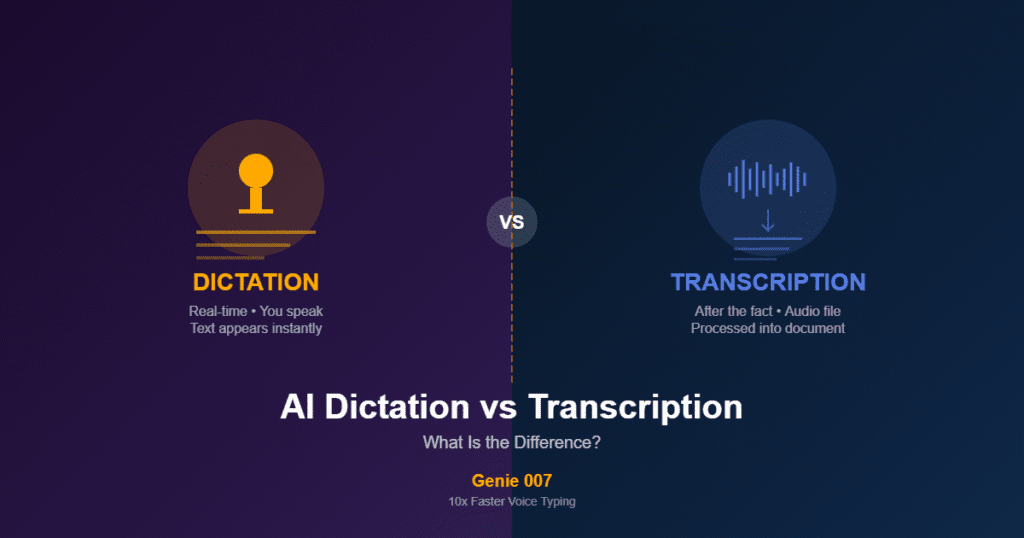
What’s the difference between speech-to-text and German dictation software? Speech-to-text transcribes your exact words; German dictation software with think-to-text capability interprets your intent and can translate across languages simultaneously. For cross-language work, the latter is far more efficient because it requires no post-composition editing.
Does German dictation software work for non-native speakers? Yes, and it often outperforms traditional dictation for non-native users. Modern systems are trained on regional accents and non-native German speakers. They also handle the intent-to-text shift, which means minor accent variations don’t derail the output—the system understands what you mean, not just how you sounded.
Try German Dictation Software Free
Dictating in German shouldn’t require choosing between speed and accuracy. Whether you’re composing emails to German partners, managing multilingual teams, or simply tired of typing, German dictation software removes friction. With live translation, you can speak in German and deliver polished English—or vice versa—without a translation app in between. Download Genie 007 free and experience German dictation that understands intent, not just words. Available for Windows, Mac, mobile and as a browser extension. No credit card required. Try affordable plans starting at £5/month after the free trial.
Try Genie 007 Free
Stop wrestling with compound words and umlauts. Genie 007’s German dictation with live translation lets you speak naturally in German and send finished English emails in seconds—or speak English and send German, with intent preserved across both languages.
Download Genie 007 free — available for Windows, Mac, mobile and as a browser extension. No credit card required.
Written by Bill Kiani, founder of Genie 007.