
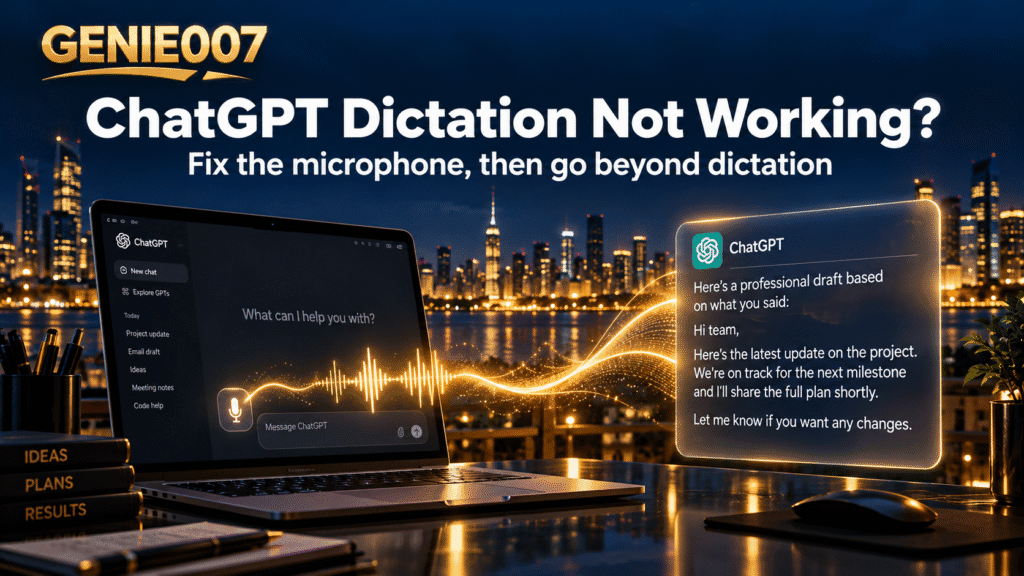
Is ChatGPT voice dictation not working? In most cases the microphone is blocked at one of three levels: the browser’s permission for chatgpt.com, your computer or phone’s privacy settings, or the wrong input device. Allow the microphone in each place, reload ChatGPT, then test with one full spoken sentence before looking for deeper faults.
Quick fix:
- Reload ChatGPT and choose Allow when asked for the microphone.
- In Chrome, click View site information, then Site settings, and set Microphone to Allow.
- Allow ChatGPT or your browser in the system microphone privacy settings.
- Select the right input device and dictate a full sentence.
- Check the OpenAI status page and turn off any VPN.
ChatGPT voice dictation not working? First check: dictation or Voice
ChatGPT has two speech features. Dictation, the microphone icon in the message box, sends your recording to OpenAI and returns editable text. Voice, the separate Voice icon, is a live conversation where ChatGPT talks back.
OpenAI’s ChatGPT Voice help page recommends Dictation when you want to edit text before sending, and Voice for back-and-forth talk.
| Dictation | Voice | |
|---|---|---|
| Button | Microphone icon | Voice icon |
| Result | Editable text you send | A spoken reply |
| Limits | None published | Plan allowance and session length |
Both use the same microphone permission, so the fixes below cover both.
The microphone is blocked in your browser
When chatgpt.com first asks, Chrome offers Allow while visiting the site, Allow this time or Never allow. “Allow this time” asks again on your next visit, while “Never allow” blocks the microphone silently, a frequent cause of the ChatGPT microphone not working in a browser.
- On chatgpt.com, click View site information, the icon left of the web address.
- Select Site settings and set Microphone to Allow, or use Reset permissions if it appears.
- In More > Settings > Privacy and security > Site settings > Microphone, remove chatgpt.com from the blocked list and pick your microphone from the drop-down.
- Reload ChatGPT.
Google explains each option in its Chrome camera and microphone help. Other browsers keep it elsewhere:
| Browser | Where to allow the microphone |
|---|---|
| Safari on Mac | Safari > Settings > Websites > Microphone, then set chatgpt.com to Allow or Ask |
| Edge, Brave and other Chromium browsers | The site information icon beside the address; names vary by version |
Privacy extensions can also block the recording. If dictation works in an incognito window, where extensions are usually off, switch your extensions off and turn them back on one at a time to find the culprit. Our guide to fixing voice typing not working in Chrome has the wider checks.
The Windows or Mac app cannot hear you
Windows and macOS can block the microphone even when the browser allows it, and the ChatGPT desktop apps use the same switches.
Windows 11
- Open Start > Settings > Privacy & security > Microphone.
- Turn on Microphone access and Let apps access your microphone, and switch ChatGPT on if it is listed.
- Turn on Let desktop apps access your microphone, which covers browsers such as Chrome.
Microsoft lists these switches in its Windows microphone permissions guide. Also check that Windows sound settings use the microphone you speak into.
ChatGPT dictation not working on Mac
- Choose Apple menu > System Settings > Privacy & Security > Microphone.
- Turn on ChatGPT (the older app is now called ChatGPT Classic), or Google Chrome if you use ChatGPT there.
- Quit and reopen the app or browser.
- In Apple menu > System Settings > Sound, open Input, select your microphone and watch the level move as you speak.
The macOS app needs macOS 14 or later.
Dictation fails in the ChatGPT phone app
On a phone, ChatGPT voice dictation not working usually means a permission or an outdated app. Menu names vary by phone maker.
| Phone | Microphone permission | Also try |
|---|---|---|
| iPhone and iPad | Settings > Privacy & Security > Microphone, ChatGPT on | Test in Voice Memos; remove a case covering the microphones |
| Android | Settings > Apps > ChatGPT > Permissions > Microphone, Allow only while using the app | Check Settings > Security and privacy > Privacy > Privacy controls > Microphone access |
Update ChatGPT and reopen it. Forum users report dictation failing more often in long chats and in Projects, so test in a new chat, and avoid switching apps mid-recording. For Voice on iPhone, OpenAI suggests opening Control Centre during the call, choosing Mic Mode and turning on Voice Isolation.
ChatGPT error messages and what they mean
If ChatGPT voice dictation not working comes with a message, look it up here. OpenAI’s guide to ChatGPT error messages covers the network errors that also break voice input: the first three rows below. The others are messages users report on OpenAI’s community forum.
| Message | What to do |
|---|---|
| A network error occurred. | Turn off VPN, proxy or Web Protect filters; try another network |
| An error occurred while connecting to the websocket. | As above, plus try incognito or another browser |
| Something went wrong. | Refresh, start a new chat, clear cache and cookies |
| Enable microphone access in Settings | Fix the browser and system permissions above |
| Your dictation must be longer than 1 second | Speak a full sentence; restart the app if the timer looks wrong |
| A red “Error” after recording | Retry a shorter clip in a new chat; update the app |
The worst case of ChatGPT voice to text not working is silent: it shows it is converting, then the box comes back empty. Forum users link this to long recordings, so keep clips short.
Network and account checks
OpenAI transcribes the audio on its servers, so dictation needs a live connection. If ChatGPT voice input not working hits your whole office at once, suspect the network.
Before blaming your setup for ChatGPT voice dictation not working, check the OpenAI status page, which tracks Voice mode separately.
- Turn off VPNs, proxies, secure DNS and filters such as Web Protect, or try your phone’s hotspot.
- Sign out and back in, then start a new chat.
- For Voice, check your plan’s allowance, measured over a rolling 24 hours.
Still finding ChatGPT voice dictation not working? A fallback that works
Test the microphone in another app, such as a video call. If nothing hears you, check the hardware, a cable mute switch or the driver. Restart the browser and computer, and reinstall the ChatGPT app last. If the fault follows you across devices and networks, contact OpenAI support with the time, device and error text.
Meanwhile, built-in voice typing can fill the ChatGPT box directly:
- Windows: click in the box and press Windows logo key + H.
- Mac: turn on Dictation in Apple menu > System Settings > Keyboard, then choose Edit > Start Dictation.
- Android: tap Microphone at the top of Gboard.
When a transcript is not enough
All of these, ChatGPT’s own included, give you a transcript. For a real prompt you still say every word, then tidy the ramble.
Genie 007 does your work, not your words. Its voice typing mode punctuates automatically, so you never say “comma”. In Genie Mode you give the order and it writes the finished text in your tone. Say in the ChatGPT box: “Ask it to turn my notes into a one-page board update, plain English, bullets, flag the two biggest risks.” Genie 007 types: “Turn the notes below into a one-page project update for our board. Use plain English and short bullet points, and end with the two biggest risks and how we are handling each.”
It understands the context, works in Gmail, Slack and any website or app, and lets you speak in one language and get text in another, across 140+ languages. See what think-to-text means, how to dictate to ChatGPT with Genie 007 or our voice typing for ChatGPT guide.
Related guides: voice typing shortcut keys for every app, Copilot dictation not working, Perplexity voice to text and DeepSeek voice input.
Frequently Asked Questions
Why is ChatGPT voice dictation not working?
ChatGPT voice dictation not working is usually down to a blocked microphone, either in the browser’s site permission for chatgpt.com, in the Windows, macOS, iOS or Android privacy settings, or through the wrong input device, and occasionally a VPN, an extension or an OpenAI outage.
Why does ChatGPT not hear my microphone?
ChatGPT cannot hear your microphone when the website or app lacks permission, the system microphone switch is off, or your computer is listening to another input such as an unused headset, so check browser site settings, system privacy settings and the input device, then reload.
How do I allow microphone access for ChatGPT in Chrome?
Open chatgpt.com in Chrome, click the View site information icon left of the web address, choose Site settings, set Microphone to Allow and reload, and if chatgpt.com is on the blocked list in Chrome’s own Site settings, remove it and pick your microphone there.
What is the difference between ChatGPT dictation and voice mode?
ChatGPT dictation turns your speech into editable text in the message box that you review and send yourself, while voice mode opens a live spoken conversation in which ChatGPT talks back, and both use the same microphone permission, so one fix usually repairs both.
Does ChatGPT dictation work on a Mac?
Yes, ChatGPT dictation works on a Mac in the browser and in the ChatGPT desktop app, which needs macOS 14 or later, and if it fails, switch on ChatGPT or your browser under Privacy and Security, Microphone in System Settings and check the input under Sound.
Using Claude as well as ChatGPT? Here is how to fix Claude dictation when it stops working.
Using Gemini as well as ChatGPT? Here is how to fix Gemini dictation not working on the web, Android, iPhone and Mac.
Try Genie 007 Free
Fixing the microphone gets your words into ChatGPT. Genie 007 gets your intent there: say what you need and the finished prompt, email or message appears, private by design.
Free to try, no card needed. Add the browser extension, get the mobile app, or request access to the desktop apps for Windows and Mac.
Written by Bill Kiani, founder of Genie 007.