
Voice typing languages vary widely by tool. On 22 November 2026, Microsoft lists 46 language entries for Windows 11 voice typing, Word Dictate lists 51 (15 supported plus 36 in preview), Google Docs lists 119 languages and accents, and Apple lists 63 for Dictation on Mac and iPhone. The table below shows 42 languages side by side.
To change the language: in Windows 11, switch your input language with Windows key + Spacebar. In Word, select the gear icon under Dictate and pick a Spoken Language. In Google Docs, use the drop-down in the voice typing box. On a Mac, go to System Settings > Keyboard > Dictation and click Edit next to Languages. Full steps for each tool are below.
Every count below is ours, made from each maker’s own help page on that date.
Voice typing languages at a glance
“Yes” means the language is on the maker’s list. “Preview” is Microsoft’s label in Word for languages that may have lower accuracy or limited punctuation. “No” means it is not listed.
| Language | Windows 11 voice typing | Word Dictate | Google Docs voice typing | Apple Dictation (Mac and iPhone) | Genie 007 desktop app |
|---|---|---|---|---|---|
| English | Yes | Yes | Yes | Yes | Yes |
| Spanish | Yes | Yes | Yes | Yes | Yes |
| French | Yes | Yes | Yes | Yes | Yes |
| German | Yes | Yes | Yes | Yes | Yes |
| Portuguese | Yes | Yes | Yes | Yes | Yes |
| Italian | Yes | Yes | Yes | Yes | Yes |
| Dutch | Yes | Preview | Yes | Yes | Yes |
| Polish | Yes | Preview | Yes | Yes | Yes |
| Russian | Yes | Preview | Yes | Yes | Yes |
| Ukrainian | No | No | Yes | Yes | Yes |
| Turkish | Yes | Preview | Yes | Yes | Yes |
| Greek | No | Preview | Yes | Yes | Yes |
| Romanian | Yes | Preview | Yes | Yes | Yes |
| Czech | Yes | Preview | Yes | Yes | Yes |
| Hungarian | Yes | Preview | Yes | Yes | Yes |
| Swedish | Yes | Preview | Yes | Yes | Yes |
| Danish | Yes | Preview | Yes | Yes | Yes |
| Norwegian | Yes | Preview | Yes | Yes | Yes |
| Arabic | No | Preview | Yes | Yes | Yes |
| Hebrew | No | Preview | Yes | Yes | Yes |
| Persian | No | No | Yes | No | Yes |
| Hindi | Yes | Yes | Yes | Yes | Yes |
| Urdu | No | No | Yes | No | Yes |
| Bengali | No | No | Yes | No | Yes |
| Punjabi | No | No | No | No | Yes |
| Gujarati | Yes | Preview | Yes | No | Yes |
| Marathi | Yes | Preview | Yes | No | Yes |
| Tamil | Yes | Preview | Yes | No | Yes |
| Telugu | Yes | Preview | No | No | Yes |
| Kannada | No | No | Yes | No | Yes |
| Malayalam | No | No | Yes | No | Yes |
| Nepali | No | No | Yes | No | Yes |
| Sinhala | No | No | Yes | No | Yes |
| Chinese | Yes | Yes | Yes | Yes | Yes |
| Japanese | Yes | Yes | Yes | Yes | Yes |
| Korean | Yes | Preview | Yes | Yes | Yes |
| Vietnamese | Yes | Preview | Yes | Yes | Yes |
| Thai | Yes | Preview | Yes | Yes | Yes |
| Indonesian | No | No | Yes | Yes | Yes |
| Malay | No | No | Yes | Yes | Yes |
| Tagalog (Filipino) | No | No | Yes | No | Yes |
| Swahili | No | No | Yes | No | Yes |
If your language shows “No” or “Preview” under the tool you use, the last column is your next step. The Genie 007 desktop app for Windows and Mac has all 42 in its Input Language list, and it types into any app, not only Word or a browser tab.
Sources, checked 22 November 2026: Microsoft, Use voice typing to talk instead of type on your PC; Microsoft, Dictate your documents in Word; Google, Type & edit with your voice; Apple, iOS feature availability and macOS feature availability (Dictation sections). The Genie 007 column comes from the language list in the desktop app, under Settings, Input Language.
Notes on the table
- English: Windows lists 6 regions, Word supports 5 with New Zealand in preview, Google Docs lists 13 and Apple 15.
- Spanish: Windows and Word list Spain and Mexico. Google Docs has 21 Spanish entries, Apple 5.
- Arabic: Word has Bahrain, Egypt and Saudi Arabia in preview, Google Docs 15 entries, Apple Saudi Arabia and the United Arab Emirates.
- Chinese: Word supports Chinese (China), with Hong Kong and Taiwan in preview. Apple lists Mandarin, Cantonese and Shanghainese.
- Portuguese: Word supports Brazil; Portugal is in preview.
- Different names: Google lists Persian as Farsi, Indonesian as Bahasa Indonesia, Malay as Malaysian and Tagalog as Filipino.
How to cite this page: Genie 007, Voice typing languages (2026 table), https://genie007.com/voice-typing-languages/, checked 22 November 2026.
Windows 11 voice typing languages
Microsoft’s page lists 46 entries for Windows 11, which come to 36 languages once regional versions are folded together. Windows 10 is different: the Windows 10 tab on the same page lists only 7 dictation languages (Simplified Chinese, English, French, German, Italian, Portuguese and Spanish). The Windows 11 list is strong on European languages, from Irish and Maltese to Estonian and Slovenian, and it covers five Indian languages: Hindi, Gujarati, Marathi, Tamil and Telugu.
The gaps are just as clear: Arabic, Hebrew, Persian, Urdu, Bengali, Punjabi, Kannada, Malayalam, Ukrainian, Greek, Indonesian and Malay are all missing. Voice typing needs an internet connection, because it uses online speech recognition powered by Azure Speech services. Start it with Windows key + H while your cursor is in a text box. Fluid dictation, which corrects grammar, punctuation and filler words as you speak, is a Copilot+ PC feature in English locales only.
How to change voice typing language in Windows 11
Microsoft says that to switch voice typing languages, you change the input language you use. If the language is not installed yet, add it first:
- Select Start > Settings > Time & language > Language & region.
- Find Preferred languages and select Add a language.
- Search for the language, select Next, then install any optional features you want. Microsoft notes that speech recognition is not required for voice typing.
Then switch to it: select the language switcher in the corner of the taskbar, press Windows key + Spacebar, or use the language switcher on the touch keyboard. If your language is not one of the 46 entries, Windows voice typing will not type it. The Genie 007 app for Windows lists every language in the table and types into any Windows app.
Word Dictate languages: supported and preview
Microsoft’s Word page splits its list in two. 15 entries, across 9 languages, are fully supported: Chinese, English, French, German, Hindi, Italian, Japanese, Portuguese and Spanish. Another 36 are marked as preview, and Microsoft warns that preview languages “may have lower accuracy or limited punctuation support”.
That makes 51 entries and 39 languages: the Windows 11 list plus Arabic, Greek and Hebrew. Dictation is only available to Microsoft 365 subscribers and needs a microphone and a reliable internet connection. The page gives one list for its Windows, Mac and Web tabs.
How to change the Dictate language in Word
- Open a document and go to Home > Dictate.
- Select the gear icon to see the Dictation settings.
- Choose your language in the Spoken Language drop-down.
By default, Dictation uses your document language in Office. The same panel has Enable auto-punctuation, if it is available for your language.
Google Docs voice typing languages
Google’s help page lists 119 languages and accents for voice typing, the longest list of the four. The page prints 118 lines, but one reads “Dutch English (Australia)”, which is two entries run together, so we count 119.
It is also the strongest built-in option for South Asian languages. Bengali (Bangladesh and India), Gujarati, Hindi, Kannada, Malayalam, Marathi, Nepali, Sinhala, Tamil and Urdu (India and Pakistan) are all listed. Two surprises: Telugu and Punjabi are not on Google’s list as of 22 November 2026, even though Windows 11 lists Telugu. A help page can lag behind the product, so check the drop-down in the voice typing box before you rule Docs out.
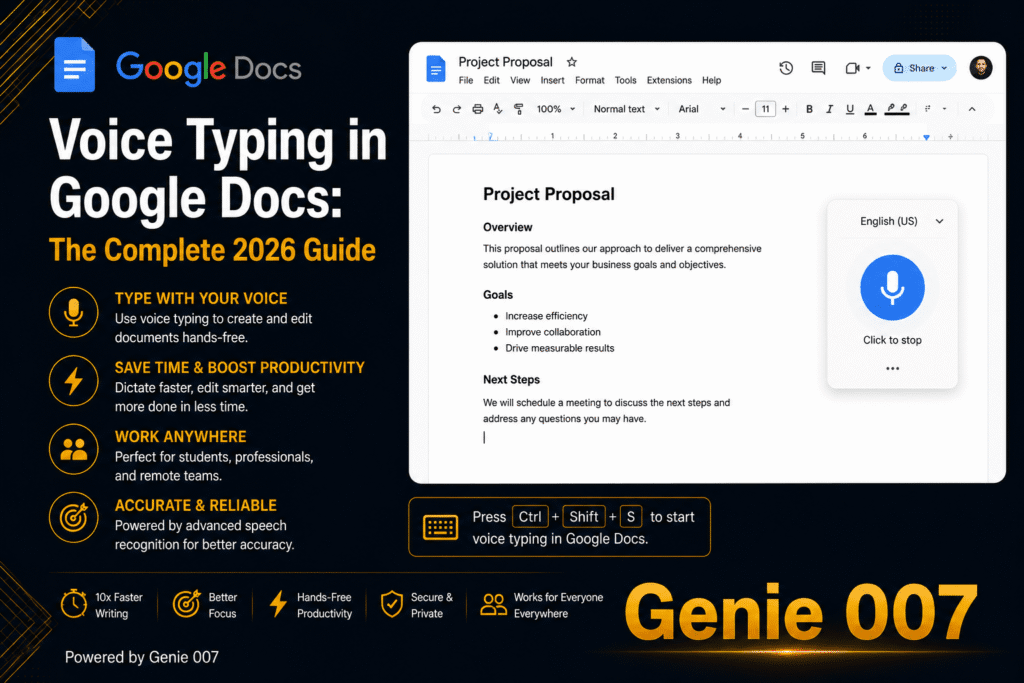
Voice typing works with the latest versions of Chrome, Edge and Safari. Open a document and click Tools > Voice typing; a microphone box appears, and you click the microphone to start. Google adds two limits worth knowing: voice commands are available only in English, with both the account language and the document language set to English, and punctuation “might not be available in every language”.
How to change the voice typing language in Google Docs
Google’s help page does not describe the language step, so this part comes from a third-party source, not from Google. freeCodeCamp’s Google Docs voice typing walkthrough, published on 30 July 2021, says you change the language with the drop-down menu in the voice typing box. Select your language there before you click the microphone. Google can change that box at any time, so go by what you see on screen.
Mac and iPhone dictation languages
Apple publishes its Mac dictation languages on the macOS feature availability page and the iPhone list on the iOS page. Both Dictation sections list the same 63 entries, with small naming differences such as “Turkish (Türkiye)” on the Mac page. Counting Mandarin, Cantonese and Shanghainese separately, that is 34 languages.
Apple covers several languages Windows misses: Arabic, Hebrew, Greek, Ukrainian, Indonesian, Malay and Catalan are all there. But Hindi is the only Indian language on Apple’s Dictation list, and Persian, Urdu, Bengali, Tagalog and Swahili are missing. The Genie 007 app for Mac lists every language in the table.
How to add a dictation language on Mac
Apple’s Mac User Guide page on dictation (macOS 27) gives these steps:
- Choose Apple menu > System Settings, then click Keyboard in the sidebar.
- Go to Dictation and turn it on, then click Enable.
- Click the Edit button next to Languages, then select a language and region.
If you set up more than one language, Apple says you can switch as you dictate by clicking the language next to the cursor, or by pressing the Globe key (if your keyboard has one) and choosing the language. For speaking two languages in the same sentence, see our guide to switching dictation languages mid-sentence.
What to do when your language is missing
If Windows tells you voice typing is not available in the current language, your input language is not on Microsoft’s list. Punjabi is the only language in our table that no built-in tool lists, and 9 more appear only on Google’s list. You have three practical routes.
- Use the tool that lists it. A Kannada, Malayalam, Bengali or Urdu speaker can dictate in Google Docs and copy the text across. It works, but it means a second window and copy and paste for every message.
- Accept preview quality. Word users dictating Tamil, Telugu, Marathi or Arabic can use the preview languages.
- Use a desktop app that types anywhere. The Genie 007 app for Windows and Mac lists every language in the table above.
Even when your language is supported, a built-in tool gives you a transcript of what you said. Preview languages may lack full punctuation, Google’s voice commands are English only, and Fluid dictation’s clean-up is English only. You still tidy the text yourself.
The Genie 007 desktop app lists all 42 languages from the table under Settings > Input Language, with the same list under Output Language. It works in 140+ languages and types into any app where your cursor is: Word, Outlook, Slack or a browser form. Two keys do the work:
- Press X (or any key or combination you choose) for Voice Typing. It types what you said, cleaned up, with filler words removed and punctuation and grammar fixed.
- Press Q for Genie mode. You say what you want and Genie writes the finished text, because it understands the context of the app and the box you are in. That is think-to-text.
Live Translation sits in Settings. Choose an Input language (Auto-detect or a specific language) and an Output language, and it works on both keys. A Punjabi speaker can set Punjabi in and English out, put the cursor in an Outlook reply, press Q and say “tell the client the samples ship on Friday, keep it polite”, and get a finished English email. The live voice translation app guide shows more language pairs.
For setup in one language, our guides cover Kannada voice typing, Bengali voice typing, Urdu voice to text, speaking Punjabi and typing English and Tagalog voice to text. Our voice typing guides hub has the rest.
Voice typing languages: frequently asked questions
What languages does Windows 11 voice typing support?
Microsoft’s voice typing page lists 46 entries for Windows 11, covering 36 languages, as checked on 22 November 2026. They include English in six regions, Spanish, French, German, Hindi, Gujarati, Marathi, Tamil, Telugu, Chinese, Japanese and Korean. Arabic, Hebrew, Urdu, Bengali, Kannada and Ukrainian are not on the list.
How do I change the voice typing language in Google Docs?
Use the language drop-down menu in the voice typing box, then select your language. Open the box from the Tools menu by choosing Voice typing. Google’s help page lists 119 languages and accents but does not describe the menu, so this step comes from a third-party walkthrough. Voice commands work only in English.
Can I dictate in two languages on a Mac?
Yes, you can set up Dictation for more than one language and switch between them. In System Settings, open Keyboard, go to Dictation and click Edit next to Languages to add another. While dictating, click the language next to the cursor or press the Globe key to switch. Apple lists 63 language entries.
Why does Windows say voice typing is not available in the current language?
Windows voice typing follows your input language, and the one you are using is not among the 46 entries Microsoft lists. Switch to a supported input language with Windows key + Spacebar or the language switcher on the taskbar, or add it in Windows Settings first. If yours is not on the list, use another tool.
Which voice typing tool supports the most languages?
Of the four built-in tools, Google Docs voice typing lists the most, with 119 languages and accents on 22 November 2026, against 63 for Apple Dictation, 51 for Word Dictate and 46 for Windows 11. Outside the browser, the Genie 007 desktop app works in 140+ languages and types into any app.
For Malayalam specifically, our Malayalam voice typing guide shows what each built-in tool lists and how to get English text from Malayalam speech.
For Sinhala specifically, our Sinhala voice typing guide shows what each built-in tool lists and how to get English text from Sinhala speech.
For Punjabi specifically, our Punjabi voice typing guide shows what each built-in tool lists and how Genie 007 fills the gap.
Nepali is listed by Google Docs but not by Windows 11 or Word: see the Nepali voice typing guide.
Try Genie 007 Free
If your language is missing from Windows, Word or Apple, or you speak one language and need to write in another, Genie 007 types it into any app on your laptop. Speak, and it gives you the finished text.
Free to start, no card needed. Request access to the desktop app on the Windows or Mac page. Genie 007 works on Windows, Mac, mobile and as a browser extension.
Written by Bill Kiani, founder of Genie 007.