

Nepali voice typing is not on Windows 11’s voice typing list, Word’s Dictate list or Apple’s dictation list. Google Docs does list Nepali, but only inside a Docs tab. For any other Windows or Mac app, the Genie 007 desktop app lets you speak Nepali and get Nepali or English typed where your cursor is.
Quick answer
- For Word, Gmail, WhatsApp Web or a form on a PC or Mac, request access to the Genie 007 desktop app on the Windows or Mac page. Open Settings and set Input Language to Nepali.
- Under Output Language, pick Nepali to get Devanagari on the page, or English to have your spoken Nepali come out as English.
- Put your cursor where the words belong. Press X (or any key or combination you choose) and speak your Nepali sentence.
- Only need a Google Doc? Google’s own voice typing lists Nepali, in Chrome, Edge or Safari. Text stays in that tab.
What you need when you write Nepali on a laptop
Most people who search for this are in one of three situations. A student has an assignment to type up in Word. An office worker needs a formal letter for a bank. Someone abroad wants to message family without hunting for letters on an English keyboard.
The usual route is a phonetic tool: you type Nepali in English letters and a converter turns them into Devanagari. It works, but you type every word twice, once as a sound and once to correct it. Speaking should be quicker.
Nepali speech to text with Genie 007: say it, get it
The Genie 007 desktop app is built for this gap. Open its Settings and you will find Nepali in two lists: Input Language, for what you say, and Output Language, for what gets typed. You speak Nepali, you decide how it comes out, and the text lands in whatever Windows or Mac app has your cursor: Word, Gmail, Google Docs, WhatsApp Web, Facebook or a web form. There is no second window and no copy and paste. It needs an internet connection to work.
The Nepali line in this table means: I will work from home today.
| Where your cursor is | What you press and say | What gets typed |
|---|---|---|
| A Word document, with Input Language and Output Language on Nepali | Press X (or any key or combination you choose) and say: म आज घरबाट काम गर्छु। | म आज घरबाट काम गर्छु। typed in Devanagari on the page. Press X types what you said, cleaned up, punctuation included |
| A Gmail reply, with Output Language switched to English | X again, the very same Nepali words | I will work from home today. |
| Any reply box, in any app | Press Q and give the gist, in Nepali or in English: reply to this email, thank them for the documents, say I will sign it tomorrow | A complete reply, written from that gist: it thanks them for the documents and says you will sign it tomorrow. Read it, then send |
The two keys do different jobs. Press X types what you said, cleaned up: use it when you already know the words. Press Q writes the finished message from your gist: use it when you only know the point. That second idea is called think-to-text, and our page on what is think-to-text explains it in plain English.
Genie 007 works with 140+ languages, Nepali among them, so the same two keys also cover your English and any other language you switch to. Starting costs nothing and asks for no card: request access on the Windows or Mac page.
It also helps when you think in Nepali but must send English. Set Input Language to Nepali and Output Language to English, speak the way you would to a colleague, and the English is typed for you. If you work between languages a lot, our guide to the live voice translation app goes further.
How to set up Nepali voice typing in any app on Windows and Mac
You do this once, then it works the same everywhere.
- Go to the Windows or Mac page, request access, and install the desktop app once you are in.
- In Settings, find Input Language and select Nepali.
- In Output Language, select Nepali when the reader needs Devanagari, or English when the reader needs English.
- Click into a document, email, chat or form. Press X (or any key or combination you choose) and talk. A second press stops it, and so does roughly 9 seconds of silence, which is the default.
- When you want the whole message written for you, press Q and give the gist, for example: tell the bank the form is attached and ask when the account will be ready.
Nepali voice typing in MS Word and on a laptop
People ask for Nepali voice typing in MS Word and Nepali voice typing in laptop as two separate things, but on Windows and Mac they are the same problem: which tool types into the app you have open?
In Word, put the cursor on the line you are writing, press X and say it in Nepali. Devanagari goes straight into the document, with no browser tab open beside it and nothing to paste. Before you start, set a font that carries Devanagari letters, so every character displays properly.
On a MacBook nothing changes: the same two settings and the same key, in Word or in any other app. Word’s own Dictate button is no help here, as the next section shows, which is why Genie 007 is the route for Nepali voice typing in MS Word.
Nepali voice typing for PC: what the built-in tools still leave you doing
The built-in tools come with software you probably already have, which is why people try them first. The gap is that Nepali is missing from most of them, or limited to one window. Each claim below comes from the maker’s own help page, as read on 28 November 2026.
Windows 11 voice typing
Microsoft’s help page says you start voice typing with the Windows key plus H. Its language list runs from Bulgarian to Vietnamese. Hindi, Marathi, Gujarati, Tamil and Telugu are on it. Nepali is not. The page also says voice typing uses online speech recognition, so it needs an internet connection too.
Word Dictate
Microsoft’s Dictate page says Dictate is only available to Microsoft 365 subscribers. Hindi is on its supported list. Nepali is on neither the supported list nor the preview list. So Word’s own button cannot do it, whatever the subscription.
Google Docs voice typing
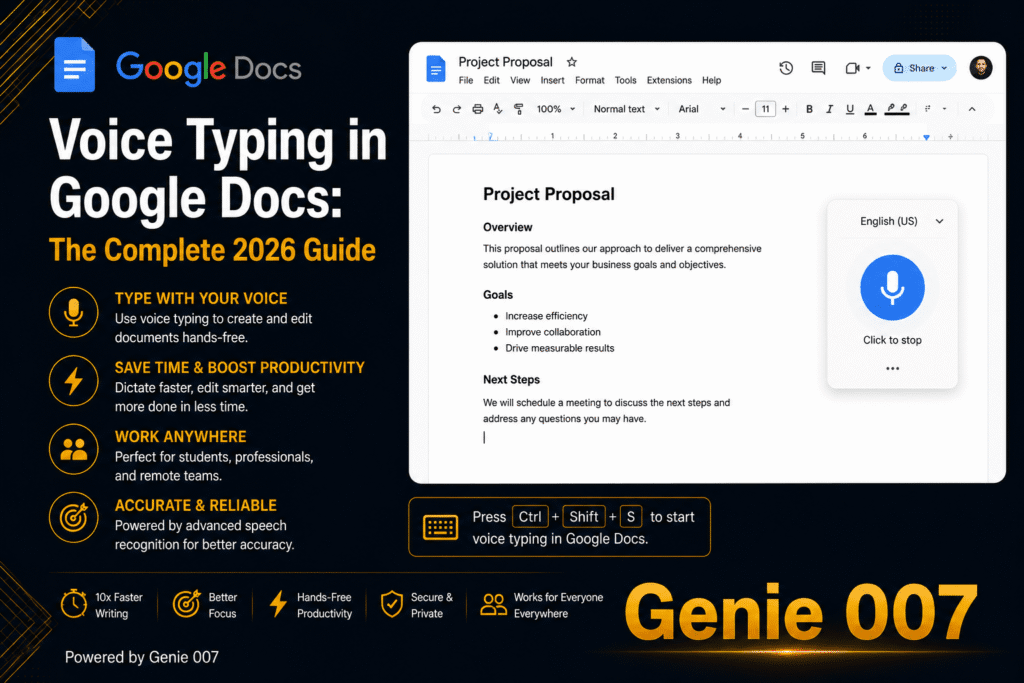
Google’s voice typing page does list Nepali. It says the feature works in the latest versions of Chrome, Edge and Safari, and that your microphone must be on and working. It is a good free route for a Google Doc. It types into a Docs tab, so a message for Gmail, WhatsApp Web or Word means copying the text across.
Apple Dictation
Apple’s feature availability page lists a Nepali keyboard under QuickType Keyboard language support. Its dictation lists do not include Nepali, and the same page for Mac reads the same way. So on a Mac or iPhone you can type Nepali with a keyboard, but Apple does not list Nepali for its microphone.
Nepali voice typing online: free websites
Free websites exist that take Nepali dictation in Chrome or Edge. You dictate on the site, then copy the text into your document, and each asks for your microphone, so stay with companies you can check. A website is one window. Genie 007 is the app where your cursor already is.
Nepali dictation compared: which tool does what
| The job in Nepali | Genie 007 | Windows 11 voice typing | Word Dictate | Google Docs voice typing | Apple Dictation |
|---|---|---|---|---|---|
| Is Nepali on its voice list? | Yes, under Input Language | No | No | Yes | Not in Apple’s dictation lists |
| Runs on Windows and on Mac | Yes, a desktop app for each | Windows only, and no Nepali | Not for Nepali | Any computer with Chrome, Edge or Safari | Not for Nepali |
| Types into the app you already have open | Yes, at your cursor | Not for Nepali | Not for Nepali | Docs tab only | Not for Nepali |
| Types Devanagari script | Yes, with Output Language on Nepali | No | No | Yes, in Docs | Keyboard only |
| Nepali speech in, English text out | Yes, with Output Language on English | No | No | Not offered on Google’s page | No |
| Writes the finished message from your gist | Yes, press Q | No | No | No | No |
Genie 007 is the only column with a yes in all six rows. Google Docs earns its yes for Nepali inside a Docs tab, and that is where it stops. Genie 007 types Nepali into that same Google Doc and into every other app on your PC or Mac, and you can start free.
Nepali voice typing in Preeti font: Unicode first, then convert
This is the question behind the “in preeti font” searches. Preeti is a legacy font: it shows Nepali letters by mapping them onto ordinary English keys. Voice tools do not work that way. They produce Unicode Devanagari, the standard that every modern phone, browser and Office version understands. No voice tool should be promised to type in Preeti, and Genie 007 does not claim to.
So the plain answer is this. Dictate in Unicode first. If a form, office or print shop still demands Preeti, run the finished text through a Unicode to Preeti converter, then switch the font. Do it as the last step, after you have read and corrected the Nepali, because converters need clean input.
Three Nepali sentences to test any tool
Say each of these out loud and compare what gets typed with the Devanagari below. One is for work, one is for a form and one is for home.
| Nepali (Devanagari) | What it means in English |
|---|---|
| म आज घरबाट काम गर्छु। | I will work from home today. |
| कृपया यो फाराम भरिदिनुहोस्। | Please fill in this form. |
| आमा, म आज साँझ घर आउँछु। | Mother, I will come home this evening. |
Then read the small marks carefully: the chandrabindu (ँ) in आउँछु and the halanta that closes भरिदिनुहोस्. Give names, and any English word said inside a Nepali sentence, a second look as well.
The Nepali voice typing app to choose on a PC or Mac
For Word, Gmail, WhatsApp Web, Facebook or a form on a PC or Mac, choose Genie 007. One spoken sentence, in the language you think in, becomes typed text exactly where you were about to type, as Nepali or as English. It types into a Google Doc as well, so Docs needs no second tool. Google’s own voice typing is a fair free option only if a Google Doc is the single place you ever write. On a phone, tap the mic on the Genie keyboard and say what you want. The mobile page has the latest.
Related guides: Hindi voice typing, Bengali voice typing, Marathi voice typing and the voice typing languages table.
Frequently asked questions
Can Windows 11 do Nepali voice typing with the Windows key plus H?
No. Microsoft’s help page lists the languages for Windows 11 voice typing, from Bulgarian to Vietnamese, and Nepali is not among them. Hindi, Marathi, Gujarati, Tamil and Telugu are. For Nepali, the Genie 007 desktop app has it as an Input Language and types into any Windows app.
How can I do Nepali voice typing in MS Word?
Word’s own Dictate button does not list Nepali, so use the Genie 007 desktop app. Set Nepali as the Input and Output Language, click in your Word document, press your chosen key and speak. The Devanagari is typed at your cursor. Pick a font with Devanagari letters first.
How do I do Nepali voice typing on a laptop or PC?
Install the Genie 007 desktop app on Windows or Mac. In Settings, pick Nepali under Input Language and Output Language, then press your key and talk in any app. It needs an internet connection. If you only need Google Docs, Google’s voice typing lists Nepali in Chrome, Edge and Safari.
How do I speak Nepali and get English text typed?
Use the Genie 007 desktop app with two settings: Input Language on Nepali and Output Language on English. Then talk in Nepali, and English is typed at your cursor in Word, Gmail, WhatsApp Web or a form. Windows 11 voice typing and Word Dictate cannot do this, because neither lists Nepali at all.
Can I do Nepali voice typing using Google Docs?
Yes. Google’s own voice typing page lists Nepali, and says it works in the latest Chrome, Edge and Safari with your microphone on. It types only inside a Docs tab, so text for other apps must be copied across. Genie 007 types Nepali into any Windows or Mac app instead.
Can voice typing write Nepali in Preeti font?
Not directly. Voice tools type Unicode Devanagari, not the legacy Preeti encoding. Dictate in Unicode first, check the text, then run it through a Unicode to Preeti converter if a form or office still demands Preeti. Keep the Unicode copy as your master, because it opens correctly on any device.
Try Genie 007 Free
Speak Nepali. Read your words in Devanagari, or in English, inside the Word file, email or chat that is already on your screen. Nothing to spell out in English letters first, and no second tab to copy from.
Free to start, no card needed. Request access to the desktop app on the Windows or Mac page. Genie 007 works on Windows, Mac, mobile and as a browser extension.
Written by Bill Kiani, founder of Genie 007.