

Marathi voice typing is available in Windows 11, Google Docs and Gboard on Android, and Microsoft Word offers Marathi as a preview language. Apple Dictation does not list Marathi, even though it lists Hindi. This guide gives setup steps for each tool, explains how Marathi differs from Hindi, and shows how to speak Marathi and get English text.
What Marathi voice typing is, and how Marathi differs from Hindi
Marathi voice typing turns spoken Marathi into written Devanagari. Marathi is the official language of Maharashtra, so readers include shopkeepers answering WhatsApp orders and office workers who think in Marathi but email in English.
Hindi uses the same script, but the two are separate languages, and Microsoft and Google list them separately. Marathi keeps three grammatical genders where Hindi has two, and its everyday words differ: Marathi says आहे and नाही where Hindi says है and नहीं.
A tool set to Hindi listens for Hindi vocabulary, so choose Marathi explicitly. Apple’s Dictation covers Hindi but not Marathi, and dictating Marathi into Hindi is not a workaround.
Marathi speech to text: which built-in tools support it
Marathi voice typing support differs by tool, so we checked each vendor’s own help pages in October 2026.
| Tool | Marathi support | Where it works |
|---|---|---|
| Windows 11 voice typing (Win+H) | Yes: Marathi | Text boxes in most Windows apps |
| Microsoft Word Dictate | Preview: Marathi (India) | Word for Microsoft 365, Mac and the web |
| Google Docs voice typing | Yes: Marathi | Docs in Chrome, Edge or Safari |
| Gboard on Android | Yes | Any Android app with a text box |
| Apple Dictation (iPhone, iPad, Mac) | Not listed (Hindi is) | Not available for Marathi |
| Genie 007 | 140+ languages, live translation to English | Gmail, WhatsApp, Slack and most apps |
Marathi voice typing on PC: Windows 11 setup
Windows voice typing listens in whichever input language is active, so first add Marathi. Microsoft’s Windows voice typing page says it uses online recognition powered by Azure Speech services, so you need internet and a microphone.
- Open Settings > Time & language > Language & region.
- Under Preferred languages, select Add a language, search for Marathi, choose it and select Next. Microsoft says optional features, including speech recognition, are not required.
- Click into a text box and press Windows logo key + Spacebar until the Marathi input is active.
- Press Windows logo key + H, wait for the “Listening…” alert and speak.
To stop, press the microphone button in the voice typing menu. Microsoft’s command list has a language dropdown, so check it for Marathi before relying on spoken punctuation.
Marathi voice typing in Word
Word has its own Dictate button. Microsoft’s Word Dictate language list puts Marathi (India) under preview languages, which may mean lower accuracy and limited punctuation. You need a Microsoft 365 subscription and a reliable connection.
- Open a document and select Home > Dictate.
- Select the gear icon, then choose Marathi (India) in the Spoken Language drop-down. Microsoft documents this for Word for the web; desktop menus vary by version.
- Wait for Dictate to start listening, then speak.
The same settings include an Auto Punctuation checkbox that applies only where the language offers it. No subscription? On a PC, switch to the Marathi input and use Win+H inside Word. On a Mac, Dictate is your built-in route, because macOS Dictation lacks Marathi.
Marathi voice typing in Google Docs
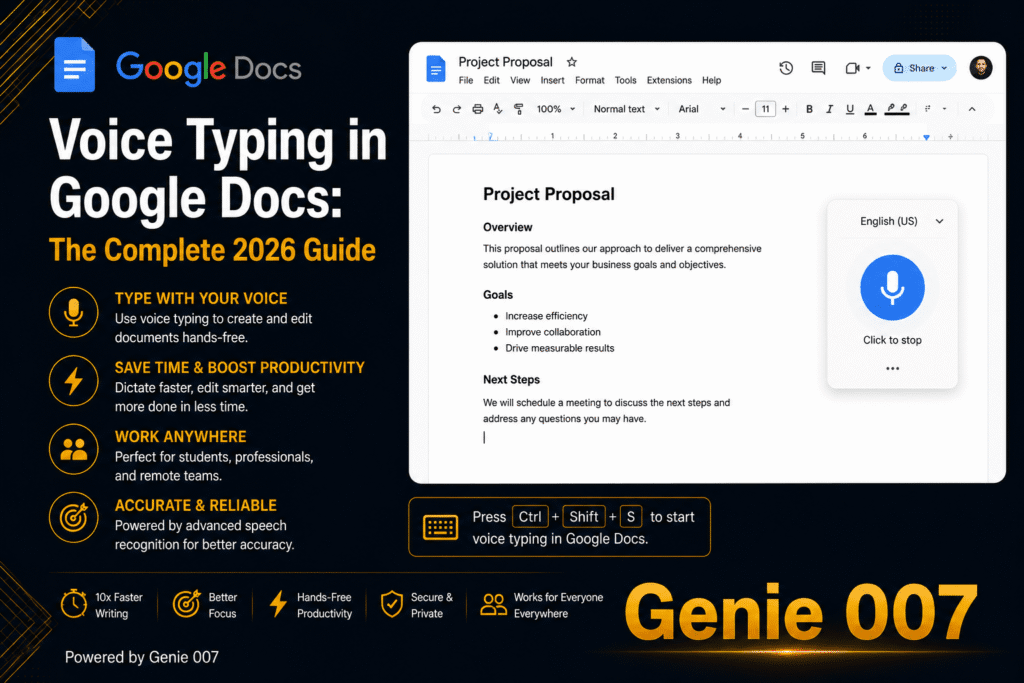
Google’s Docs voice typing help lists Marathi among its languages and says the feature works in the latest Chrome, Edge and Safari.
- Open a document in a supported browser and check that your microphone is on.
- Select Tools > Voice typing. A microphone box appears.
- Make sure the language shown in that box is Marathi; click the language name to change it.
- Click the microphone, speak at a normal pace, and click it again to stop.
Google says voice commands, including spoken punctuation, work only in English, so in a Marathi document you add punctuation by hand. If you see “We’re having trouble hearing you”, move somewhere quieter or use an external microphone.
Marathi voice typing on Android with Gboard
Google announced Marathi voice input for Gboard on Android in August 2017. It works in any app where you can type.
- Tap a text box, then tap the Settings icon at the top of the keyboard.
- Select Languages > Add keyboard, choose Marathi, pick a layout and tap Done.
- Touch and hold the space bar to switch to the Marathi keyboard.
- Tap the microphone at the top of the keyboard and speak when you see “Speak now”.
Google’s page on typing in a different language covers switching keyboards, and warns that talk-to-text does not work with every language and that punctuation phrases may be unavailable. Check how Marathi voice typing handles full stops. See all our voice typing guides.
Marathi voice typing on iPhone and Mac
Apple’s iOS feature availability page and its macOS equivalent list Hindi (India) and English (India) for Dictation but not Marathi as of October 2026, so the iPhone keyboard microphone will not transcribe Marathi.
Gboard on iPhone is one option: its App Store listing names Marathi and says voice input is sent to Google for transcription, but Google does not say which languages its iPhone microphone covers, so test a few sentences first. The Genie 007 mobile app is another route; on a Mac, use Google Docs or Word’s Dictate.
A short Marathi script example
Here is one message in everyday spoken Marathi, in Hindi for comparison, and in English.
| Language | Text |
|---|---|
| Spoken Marathi | आज संध्याकाळी सहा वाजता मला फोन कर, मीटिंगची वेळ ठरवू. |
| Hindi | आज शाम छह बजे मुझे फोन करना, मीटिंग का समय तय करेंगे। |
| English | Call me at six this evening and we’ll fix a time for the meeting. |
A built-in tool writes down what you say, English loanword मीटिंग included. Note मला, वेळ and ठरवू: the Hindi equivalents are different words, so Hindi settings cannot handle Marathi.
Mixing Marathi and English, and other accuracy limits
Many Marathi speakers drop English words into sentences, and Marathi voice typing writes what it hears rather than tidying it. A few habits help:
- Choose Marathi, not Hindi, in the language setting, even though the script looks the same.
- Speak in complete phrases and pause between sentences.
- English words may arrive in Devanagari or Latin letters; fix them afterwards.
- Accents vary across Maharashtra; if a word is misheard, repeat it more clearly.
Hindi speakers face the same mixing problem with Hinglish, which our Hindi voice typing guide covers. Writing in Tamil too? See our Tamil voice typing guide.
Speak Marathi, get English text with live translation
Plain Marathi voice typing returns the language you spoke. If your manager or client reads English, that means three steps: dictate in Marathi, paste into a translator, then repair the stiff result.
With Genie 007’s live voice translation, you speak in one language and finished text appears in another inside Gmail, WhatsApp or Slack, across more than 140 languages. Try a few Marathi sentences in the free trial to judge accuracy on your own accent. In Genie Mode you give the instruction, as you would brief a colleague:
क्लायंटला उत्तर लिही: गुरुवारी मला जमणार नाही, शुक्रवारी दुपारी भेटूया का ते विचार.
That means “reply to the client: I can’t do Thursday, ask if we can meet on Friday afternoon”. The reply box gets a finished English message in your tone:
Hello, thank you for your email. Unfortunately I can’t make Thursday. Would Friday afternoon work for you instead? Let me know and I’ll confirm the time.
That is think-to-text: it does your work, not your words. For plain dictation, voice typing mode adds punctuation and grammar without spoken commands. It is private by design, and nothing is stored.
Related guides: Bengali voice typing, Telugu voice typing and the Punjabi to English voice translator guide.
Frequently Asked Questions
How do I type in Marathi by voice?
To start Marathi voice typing, set Marathi as your language and use a built-in microphone: Win+H on Windows 11 after adding Marathi, Tools then Voice typing in Google Docs, the mic on the Marathi Gboard keyboard on Android, or Dictate in Word. Apple Dictation does not list Marathi.
Does Windows 11 voice typing support Marathi?
Yes, Microsoft lists Marathi among the languages Windows 11 voice typing supports: add Marathi under Settings, Time and language, Language and region, switch to it with Windows key plus Spacebar, then press Windows key plus H to dictate in most apps. You need internet and a working microphone.
Does iPhone dictation support Marathi?
No, Apple’s iOS feature availability page does not list Marathi among the Dictation languages for iPhone or iPad as of October 2026, though it does list Hindi (India) and English (India), so the standard keyboard microphone will not transcribe Marathi in any app. Gboard names Marathi among its iPhone languages, so test its microphone, or try the Genie 007 mobile app.
Can I speak Marathi and get English text?
Not with the built-in tools alone, because Windows, Word, Google Docs and Gboard write down the language you actually speak, but a live translation tool such as Genie 007 offers 140+ languages and can turn spoken instructions into polished English text inside Gmail, WhatsApp and Slack. Test Marathi in the free trial first.
Try Genie 007 Free
Built-in tools put Marathi on the page. Genie 007 starts where they stop: say what you want in Marathi and a finished English message arrives, in your own tone.
Free to try, no card needed. Request access for Windows or Mac, or use Genie 007 on mobile and as a browser extension.
Written by Bill Kiani, founder of Genie 007.