

Tamil voice typing is free and built into Windows 11, Google Docs and Gboard on Android, and Word’s Dictate offers Tamil as a preview language. Apple Dictation on iPhone and Mac does not list Tamil. This guide gives setup steps for each tool, explains Tamil and English mixing, and shows how to speak Tamil and get English text.
What Tamil voice typing is, and who it helps
Tamil voice typing turns spoken Tamil into written Tamil script. That matters more in Tamil than in most languages: the script is an abugida with 12 vowels and 18 consonants that combine into syllable letters, and typing it fast takes practice many fluent speakers never get.
Tamil is an official language in Tamil Nadu and Puducherry, in Sri Lanka and in Singapore, so readers vary: a shop owner in Madurai answering WhatsApp customers, a student in Jaffna taking notes, an office worker who thinks in Tamil but emails in English. Built-in tools serve the first two; the third needs translation, covered near the end.
Tamil speech to text: which built-in tools support it
Language lists change, so we checked each vendor’s own help pages in October 2026.
| Tool | Tamil support | Where it works | What you need |
|---|---|---|---|
| Windows 11 voice typing (Win+H) | Yes: Tamil (India) | Most text boxes in Windows apps | Tamil added as a Windows language, internet |
| Microsoft Word Dictate | Preview: Tamil (India) | Word for Windows, Mac and the web | Microsoft 365 subscription, internet |
| Google Docs voice typing | Yes: India, Sri Lanka, Singapore and Malaysia variants | Docs in Chrome, Edge or Safari | Google account, microphone |
| Gboard on Android | Yes | Any Android app with a text box | A Tamil keyboard added in Gboard |
| Apple Dictation (iPhone, iPad, Mac) | Not listed | Not available for Tamil | Another keyboard or tool |
| Genie 007 | Yes, plus Tamil to English | Gmail, WhatsApp, Slack and most apps | Free to try, no card needed |
Sources: Microsoft’s Windows voice typing language list, the Word Dictate language list, Google’s Docs voice typing help page and Apple’s iOS feature availability page.
Tamil voice typing in Windows 11
Windows voice typing listens in your current input language, so the key step is adding Tamil. You need to be online, because the service runs on Microsoft’s cloud speech engine.
- Open Settings > Time & language > Language & region.
- Under Preferred languages, select Add a language, search for Tamil, choose Tamil (India) and select Next to install it.
- Click into the text box where you want to write.
- Press Windows logo key + Spacebar until the Tamil input is active, or use the language switcher on the taskbar.
- Press Windows logo key + H and start speaking.
If English words appear instead of Tamil script, the input language is still English: switch it and try again. The same shortcut works in most apps where you can type.
Tamil voice typing in Word
Word has its own Dictate button. Microsoft lists Tamil (India) as a preview language and warns that preview languages may have lower accuracy or limited punctuation support. Dictate needs a Microsoft 365 subscription, a sign-in and a reliable internet connection.
- Open a document and go to Home > Dictate.
- Select the gear icon to open the dictation settings.
- Under Spoken Language, choose Tamil (India). Microsoft documents this for Word for the web; desktop menus are similar but vary by version.
- Turn Dictate on, wait for it to start listening, and speak.
No subscription? On Windows, click into your document, switch to the Tamil input and press Win+H for Tamil voice typing in Word through Windows itself. On a Mac, Word’s Dictate is the main built-in option, because macOS Dictation does not offer Tamil.
Tamil voice typing in Google Docs
Google Docs has the widest Tamil coverage of the desktop tools, with four variants: Tamil (India), Tamil (Sri Lanka), Tamil (Singapore) and Tamil (Malaysia). Pick the one closest to how you speak.
- Open a document in Chrome, Edge or Safari.
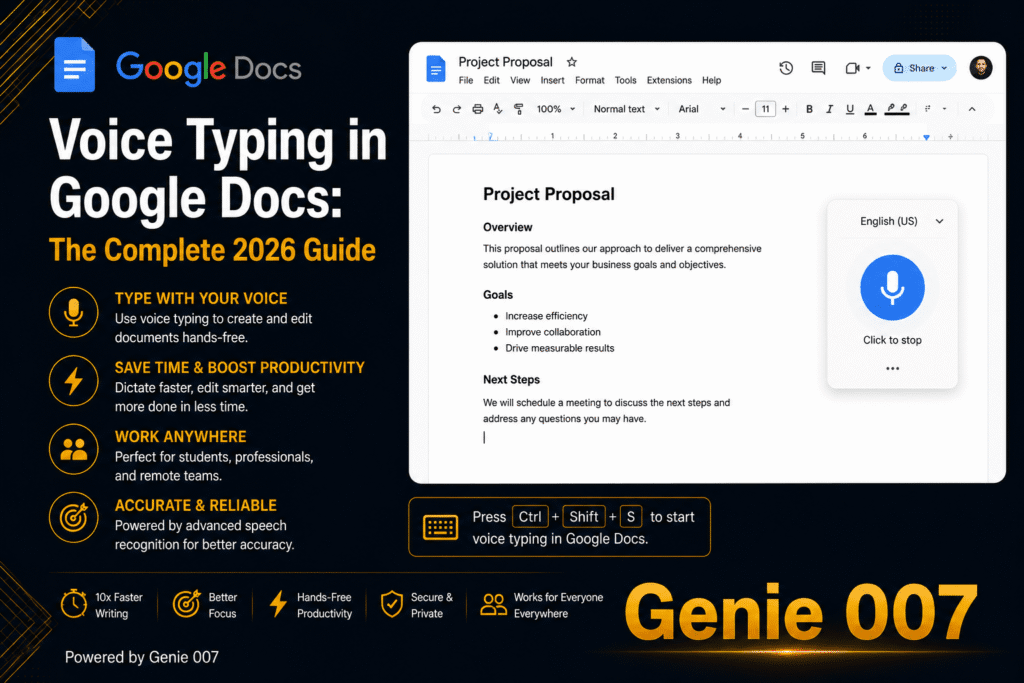
- Choose Tools > Voice typing, or press Ctrl + Shift + S (Cmd + Shift + S on a Mac) in Chrome.
- In the voice typing box, set the language to your Tamil variant.
- Click the microphone, speak at a normal pace, and click it again to stop.
Two limits matter for Tamil voice typing in Google Docs. Google says voice commands, including spoken punctuation, work only in English, so you add full stops and commas yourself. And it is a desktop browser feature; on a phone, use your keyboard’s microphone. Slides offers Tools > Dictate speaker notes.
Tamil voice typing on Android with Gboard
Gboard is the simplest route on Android. Google added Tamil speech recognition for India, Sri Lanka, Singapore and Malaysia to Gboard in 2017, and it works in any app with a text box.
- Tap into any text box, then tap the Settings icon at the top of the keyboard.
- Go to Languages > Add keyboard, choose Tamil, pick a layout and tap Done.
- Touch and hold the space bar to switch to the Tamil keyboard.
- Tap the microphone at the top of the keyboard and speak when you see “Speak now”.
If the voice toolbar shows a language code, tap it to change language. In WhatsApp, the keyboard microphone types text; the big microphone button beside the message box records a voice note. More platforms are in our voice typing guides.
Tamil voice typing on iPhone and Mac
Apple’s iOS and macOS feature availability pages do not list Tamil among the Dictation languages as of October 2026 (Tamil appears elsewhere, such as VoiceOver), so the standard iPhone keyboard microphone will not transcribe Tamil.
On an iPhone, try Gboard, which offers a Tamil keyboard and its own microphone (check that Tamil voice input works on your version; its App Store listing says what you say into it goes to Google for transcription), or the Genie 007 mobile app. On a Mac, use Google Docs or Word’s Dictate.
A short Tamil script example
Here is one idea in formal written Tamil, everyday spoken Tamil and English.
| Version | Text |
|---|---|
| Formal written Tamil | நாளை காலை பத்து மணிக்குக் கூட்டம் உள்ளது. |
| Everyday spoken Tamil | நாளைக்கு காலைல பத்து மணிக்கு மீட்டிங் இருக்கு. |
| English | There is a meeting at 10am tomorrow. |
Built-in tools write down what you say: speak the second line and you get it back, colloquial endings and the borrowed word “meeting” included. That suits a WhatsApp chat, but a notice or formal letter calls for the first version, and no built-in tool makes that switch.
Mixing Tamil and English, and other accuracy limits
Tamil has two registers: literary Tamil (centamil) for formal writing and colloquial Tamil for speech, and city speakers mix in English words, often called Tanglish. Speech recognition transcribes rather than tidies, so what you speak is what lands on the page.
- Pick your regional variant where offered; Sri Lankan Tamil keeps words and forms not in everyday use in India.
- Speak in complete phrases and pause between sentences.
- English words may come out in Tamil script or English letters; fix them afterwards.
- Add punctuation by hand, since spoken punctuation commands are mainly an English feature.
- Try a quiet room and an external microphone, as Google’s troubleshooting suggests.
Hindi speakers face the same issue with Hinglish; our Hindi voice typing guide covers how tools cope.
Speak Tamil, get English text with live translation
Every built-in tool above returns the language you spoke. If you think in Tamil but email in English, that means three steps: dictate in Tamil, paste into a translator, then fix the stiff result and paste it back.
Genie 007 removes those steps. With live voice translation, you speak Tamil and polished English appears in Gmail, WhatsApp or Slack; Tamil is one of the 140+ languages Genie 007 understands. In Genie Mode you give the instruction, as you would brief a colleague:
கஸ்டமர் கிட்ட ஆர்டர் இந்த வாரம் லேட் ஆகும்னு சொல்லு, மன்னிப்பு கேளு, வெள்ளிக்கிழமைக்குள்ள அனுப்பிடுவோம்னு சொல்லு.
That means “tell the customer the order will be late this week, apologise, and say we’ll send it by Friday”. What lands in the reply box is a finished English message in your tone:
Hello, I’m sorry to let you know your order is running late this week. We’ll have it sent out to you by Friday. Thank you for your patience.
That is think-to-text: it does your work, not your words. For plain Tamil, voice typing mode adds punctuation automatically. It is private by design, and nothing is stored.
Related guides: Bengali voice typing, Marathi voice typing, Telugu voice typing and the Punjabi to English voice translator guide.
Frequently Asked Questions
How do I type in Tamil by voice?
To type in Tamil by voice, add Tamil as a keyboard or input language, then use a built-in microphone: Win+H on Windows 11, Tools then Voice typing in Google Docs, the Gboard mic on Android, or Dictate in Word with Tamil (India) chosen as the spoken language. Apple Dictation does not list Tamil.
Does Windows 11 voice typing support Tamil?
Yes, Microsoft lists Tamil (India) among the languages Windows 11 voice typing supports, so you can add Tamil under Settings, Time and language, Language and region, switch to it with Windows key plus Spacebar, and press Windows key plus H to dictate in Tamil script in most apps. You need an internet connection.
Can I use Tamil voice typing in Google Docs?
Yes, Google Docs voice typing supports four Tamil variants, India, Sri Lanka, Singapore and Malaysia, in Chrome, Edge and Safari: open Tools, choose Voice typing, set the language to your preferred Tamil variant and click the microphone to start speaking. Spoken punctuation commands work only in English.
Can I speak Tamil and get English text?
Not with the built-in tools alone, because Windows, Word, Google Docs and Gboard write down the language you actually speak, but a live translation tool such as Genie 007 lets you speak Tamil and get polished English text directly inside Gmail, WhatsApp, Slack and most other apps.
Try Genie 007 Free
Built-in tools get Tamil onto the page. Genie 007 is for when a thought in Tamil needs to arrive as a finished English email or reply, in your own tone.
Free to try, no card needed; request access to the desktop apps. Genie 007 works on Windows, Mac, mobile and as a browser extension.
Written by Bill Kiani, founder of Genie 007.