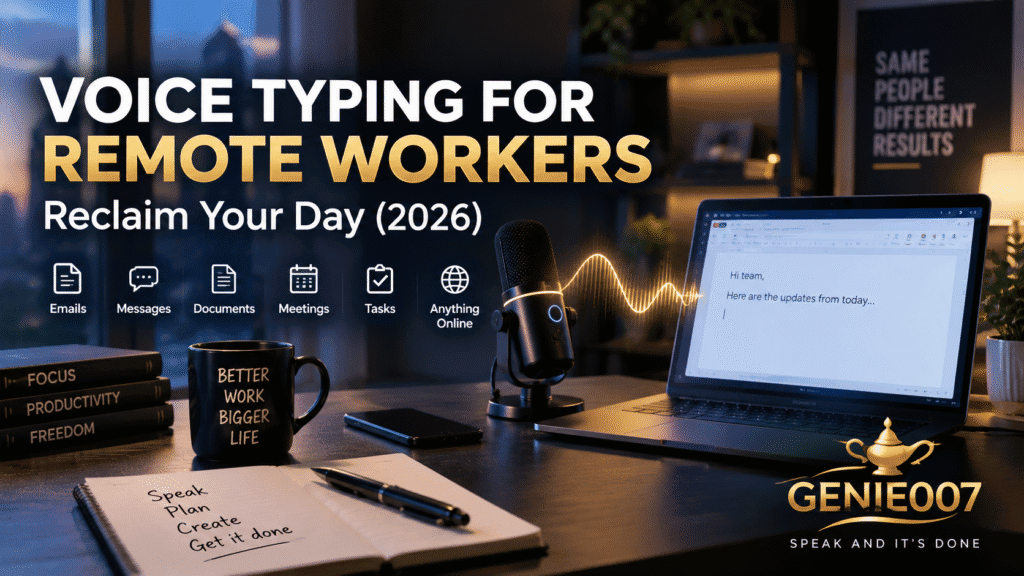
Voice typing for remote workers turns spoken thoughts into finished emails, reports, and Slack messages up to three times faster than typing — reclaiming hours lost to video calls, async updates, and inbox management. Instead of typing every reply from a home office desk, remote workers speak naturally and let AI produce ready-to-send text inside the tools they already use.
The Home-Office Time Drain: Why Remote Workers Type More Than Anyone Else
Working from home removed the commute, but it did not remove the workload — it changed the shape of it. A hallway conversation that used to take ten seconds now becomes a Slack message. A quick heads-up to a colleague becomes an email thread. A five-minute chat by the coffee machine becomes a written status update, because there is no coffee machine to chat beside.
Roughly half of US remote-capable employees now work a hybrid or fully remote schedule, according to Gallup’s Hybrid Work indicator — and for nearly all of them, written communication has replaced a large share of what used to happen face to face. More writing means more time at the keyboard, and more time at the keyboard means less time on the work that actually matters.
Video calls have not disappeared either — they have often multiplied to compensate for the loss of in-person contact. Stanford researchers studying what has become known as “Zoom fatigue” identified specific causes: excessive close-up eye contact, the cognitive load of processing nonverbal cues on screen, and the self-consciousness of watching your own face for hours a day. The result, according to the Stanford Report, is a measurable form of exhaustion unique to video-heavy remote work. Between the calls themselves and the written follow-ups they generate, a remote worker’s day is bookended by communication overhead that has nothing to do with the job they were hired to do.
Voice typing for remote workers addresses the half of that problem that involves a keyboard. It will not shorten a meeting, but it will dramatically shorten everything that comes after one.
A Day in the Life: Before and After
Picture a typical Tuesday. Before voice typing, the pattern looks like this: three back-to-back video calls in the morning, each followed by five to ten minutes of typing up notes and action items. A lunchtime scroll through Slack that turns into twenty minutes of typed replies. An afternoon spent drafting a client update, typing it sentence by sentence, backspacing to fix a phrase that did not land. By 5pm, two hours of the day have gone into typing things that were already clear in your head the moment you finished thinking them.
Now the same Tuesday with work from home dictation built into the routine. After each call, you speak a two-minute summary instead of typing one — punctuation and formatting are handled automatically, so the note is readable the moment you stop talking. Slack replies during lunch take a fraction of the time, because you are speaking at 130–150 words per minute instead of typing at 40. The client update gets dictated in one fluent pass, then lightly edited rather than composed from a blank page. The same day’s writing now takes closer to forty minutes than two hours — and the time saved goes back into deep work, not more meetings.
Five Workflows Where Voice Typing for Remote Workers Pays Off
The advantage is not theoretical. It shows up in specific, repeatable moments throughout a remote working day. Here are five of the most consistent.
1. The morning async standup
Many distributed teams have replaced the daily video standup with a written async update — what did you do yesterday, what’s next, what’s blocked. Typing this out every morning is a small tax that adds up over a year. Say instead: “Write my standup update — yesterday I finished the onboarding flow redesign and reviewed two PRs, today I’m starting the billing integration, no blockers.” Genie 007’s Genie Mode turns that into a clean, properly formatted update ready to paste into Slack or Teams, in the tone your team actually uses.
2. Slack and Teams messages between meetings
The gaps between back-to-back calls are short and disjointed — not enough time to settle into typing, but plenty of time to speak. Dictating a quick message to a teammate, a reaction to a shared document, or a scheduling reply takes seconds rather than the minute or two it takes to type, reread, and fix typos on a phone or laptop trackpad.
3. Clearing the end-of-day inbox
Email tends to pile up while you are in meetings, and remote workers without a physical office to leave often end up clearing it after hours. Dictating replies — even a batch of five or six in a row — turns a dreaded thirty-minute chore into a five-minute pass. You can find a deeper walkthrough of this specific habit in the guide to think-to-text, which covers how intent-based dictation differs from plain transcription for everyday email.
4. Meeting notes and follow-up actions
The ten minutes right after a call is when the details are freshest and the temptation to skip note-taking is strongest. Dictating a summary — decisions made, owners assigned, open questions — while it is still fresh produces better notes than typing them up an hour later from memory, and it takes a fraction of the time.
5. Cross-timezone written handoffs
Distributed teams increasingly rely on written handoffs to bridge timezones — a detailed note left for a colleague eight hours away rather than a call neither of you can realistically both attend. These handoffs need to be clear and complete, since there is no chance to clarify in real time. Speaking a fuller, more natural handoff note — rather than typing a rushed, abbreviated one before logging off — genuinely improves what the next person receives.
The Time-Savings Math
The arithmetic behind voice typing for remote workers is straightforward. Typing speed averages around 40 words per minute; speaking speed averages 130–150 words per minute for most adults — roughly three times faster, a gap confirmed by Stanford’s own research into speech versus keyboard input for text production tasks.
Apply that to a single 500-word client update: typing it takes around twelve to thirteen minutes; dictating it, plus a short review pass, takes closer to five. Across a typical remote working day — a standup update, a handful of Slack replies, two or three emails, and one set of meeting notes — that difference adds up to somewhere between forty-five minutes and an hour and a half recovered, without cutting a single meeting or working a minute later than usual.
Multiply that across a five-day week and the numbers become hard to ignore: three to seven hours a week that were previously spent producing text you had already thought through, now spent on the work that pays the bills.
Beyond Transcription: Async Voice Communication That Executes Intent
Plain dictation — words appearing on screen as you speak them — is where most people start, and the speed gain alone justifies it. But remote work runs on written communication in a way office work never did, and the ceiling of basic transcription shows up quickly: you still have to structure the thought, format it, and match the tone to the platform you’re posting in.
This is where think-to-text changes the equation. Genie 007’s Genie Mode does not just write down what you say — it delivers what you mean. Say: “Draft a Slack message to the design team letting them know the client approved the mockups and we’re moving to build next week, keep it upbeat and brief.” Genie Mode produces a complete, platform-appropriate Slack message — casual where Slack is casual, without you drafting a single sentence by hand. Ask for a LinkedIn post about a project milestone in the same breath, and it comes back formatted for LinkedIn instead. This is async voice communication in its most useful form: you think out loud once, and the right version lands in the right place.
For remote teams working across languages, Genie 007’s live translation extends the same idea further — speak in one language, get polished text in another, whether you are messaging a colleague in another office or replying to an international client. Genie 007 works directly inside Gmail, Outlook, Slack, Teams, Zoom, Notion, and every other tool in a typical remote worker’s stack, on Windows, Mac, mobile, and as a browser extension — no tab switching, no copy-paste.
Three Objections, Answered Honestly
“Is it accurate enough for professional writing?”
Modern AI voice typing consistently exceeds 95% accuracy in normal working conditions. The errors that do occur are typically a misheard proper noun or an odd line break — a few seconds to fix, not a rewrite. For remote workers whose home office is generally quieter than an open-plan floor, accuracy in practice tends to run even higher than in noisier settings.
“Is my work data actually private?”
For remote workers handling client data, financials, or anything under an NDA, this is the real question. Genie 007 encrypts your audio in transit, processes it in real time and stores no recordings and no transcripts. The system encrypts data in transit and at rest, stores no recordings or transcripts, and is GDPR compliant. Your boss cannot see it. Genie 007 cannot see it either.
“How long before it actually feels faster?”
Most people reach comfortable fluency within three to five working days. The adjustment is mostly mental — learning to speak in complete thoughts rather than composing silently — and it is a skill most remote workers already use daily on calls. Freelancers and consultants who have built the habit report it becomes automatic quickly; the guides on voice typing for freelancers and voice typing for consultants cover the same learning curve in more specific detail. Genie 007 is free to try with no credit card required — see the Genie 007 pricing page for current plans once you are ready to upgrade.
Frequently Asked Questions
Is voice typing actually good for people working from home?
Yes. Remote work replaced many in-person conversations with written ones — Slack messages, emails, and async updates — so remote workers type more than most other roles. Voice typing removes the keyboard bottleneck from that extra writing load, letting you speak at 130–150 words per minute instead of typing at around 40, without changing anything about how or where you work.
Is dictation really faster than typing for daily work tasks?
For most everyday writing — emails, messages, notes, updates — yes. Stanford’s Human-Computer Interaction research found speech input to be around three times faster than keyboard entry for text production. In practice, a 500-word update that takes roughly twelve minutes to type takes closer to five to dictate, including a quick review pass.
What should remote workers look for in dictation software?
Three things matter most: accuracy above 95% so corrections stay minimal, privacy through on-device or zero-retention processing since remote workers often handle sensitive client or company data, and broad platform coverage so it works inside Slack, email, and documents without switching apps. Genie 007 encrypts your audio in transit, processes it in real time and stores no recordings and no transcripts.
Can voice typing help reduce video call and Zoom fatigue?
Indirectly, yes. Stanford research identifies cognitive overload and constant self-monitoring as key causes of video call fatigue, much of which comes from the written follow-up work that surrounds calls. By making post-meeting notes, summaries, and replies faster to produce, voice typing shortens the total time spent at the screen around each call, even though it does not shorten the call itself.
Does voice typing work across the tools remote teams already use?
Yes. Genie 007 works directly inside Gmail, Outlook, Slack, Microsoft Teams, Zoom, Notion, Google Docs, and most other platforms remote teams rely on, so you dictate straight into the tool you’re already using rather than a separate app. It runs on Windows, Mac, mobile, and as a browser extension.
For Teams users specifically, our guide on voice typing in Microsoft Teams walks through every method that works in the chat compose box.
Try Genie 007 Free
If your remote working day is quietly eaten up by Slack messages, status updates, and post-meeting notes, voice typing for remote workers is the fastest fix available — and Genie 007 adds intent-driven writing and privacy-first processing on top of raw speed.
Download Genie 007 free — available for Windows, Mac, mobile and as a browser extension. No credit card required.
Written by Bill Kiani, founder of Genie 007.