What Is a Spanish to English Voice Translator?
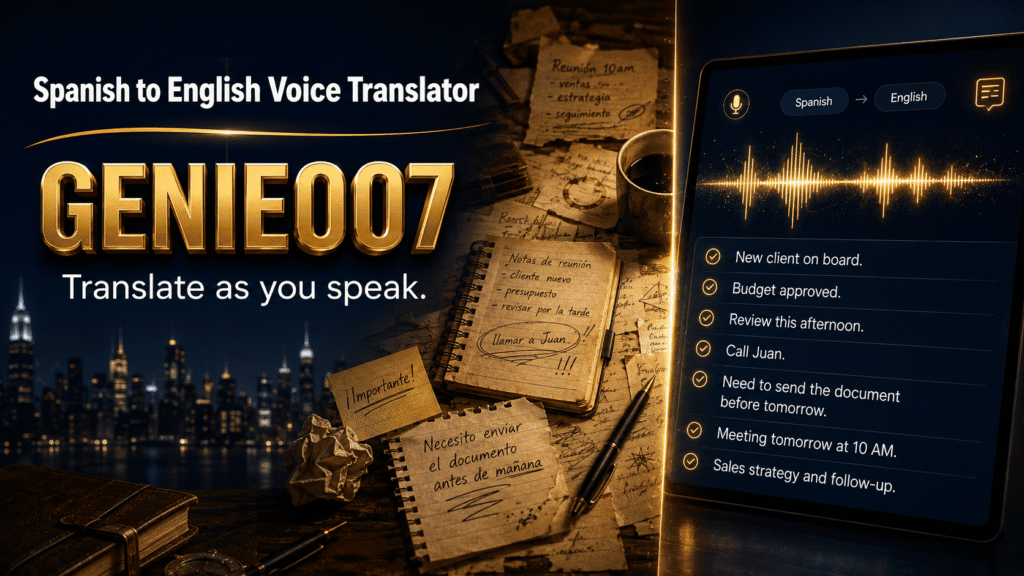
A spanish to english voice translator is an app or tool that converts spoken Spanish into written or spoken English text in real time, without requiring you to type. Rather than recording audio, sending it for processing, and waiting for a transcript, a modern voice translator listens to your speech and immediately outputs the meaning in your target language—often while you’re still speaking.
The technology works by combining three steps: speech recognition (understanding what you said), translation (converting meaning from one language to another), and optionally, text-to-speech synthesis (speaking the result aloud). The key difference between older dictation tools and today’s real-time translators is speed and intent-understanding. A simple transcriber writes down exactly what it hears. A translator grasps what you meant and renders it accurately in another language, accounting for context, tone, and idiom.
For Spanish speakers communicating in English—or English speakers reaching Spanish audiences—real-time translation removes friction from emails, video calls, customer conversations, and content creation.
Why Real-Time Voice Translation Matters
Typing is the bottleneck. According to research on speech-to-speech translation workflows, voice input is typically 5–10 times faster than keyboard typing, and real-time translation removes the copy-paste-Google Translate loop that wastes time and loses context. If you’re managing customer support chats, drafting emails, or collaborating across regions, every second counts.
Traditional translation workflows—speak or write, copy, open a translator, paste, check quality, edit, send—introduce friction at four stages. A true real-time translator collapses those steps. You speak once; the tool outputs polished English ready to send.
For non-native English speakers, real-time translation also builds confidence. Your meaning arrives intact, without grammar corrections or miscommunications caused by accent or phrasing.
Key Features to Look For
Not all voice translators are equal. The best Spanish to English voice translator apps share these features:
Real-time output: Translation appears as you speak, not after a delay. Lag of more than a second breaks the user experience.
Context-aware accuracy: The app understands domain-specific vocabulary (medical, legal, technical) and adapts tone. Translating “te quiero” as “I want you” instead of “I love you” loses meaning.
Privacy-first processing: Genie 007 encrypts your audio in transit, processes it in real time and stores no recordings and no transcripts. If your boss or client data passes through servers, you’ve lost a differentiator.
Multi-platform availability: You need the tool on Windows, Mac, iOS, and Android—and ideally, inside the apps where you actually work (Gmail, Teams, Slack, Zoom).
No click fatigue: One-tap activation, no menus or settings every time you translate. If using voice translation adds friction, people revert to typing.
Built-In Options: Google Translate and System Tools
Google Translate offers free voice translation for Spanish to English. Open the app, tap the microphone, speak Spanish, and Google transcribes and translates to English—sometimes with speech synthesis so you hear the result. It’s accessible and familiar to most users.
The limitations, though, are significant. Google Translate works best for simple phrases; nuanced Spanish (regional slang, business idiom, emotional tone) often produces awkward English. The app is browser or app-bound—you can’t use it natively inside Gmail, Slack, or Teams without tab-switching. And Google’s privacy policy is clear: audio is sent to Google’s servers for processing, which matters if you’re handling confidential client data or medical information.
Windows and macOS also ship with built-in voice recognition, but these are dictation tools, not translators. You’d need to dictate, then copy the output into a separate translation tool, doubling the steps.
The Limitation of Transcription-First Translation
Most voice translation apps follow this pipeline: speech-to-text, then text translation. This works, but it introduces errors at each stage. If the speech recogniser mishears “caro” as “carro” (expensive vs. car), the translator translates the wrong word. You end up fact-checking and editing, which negates the speed advantage of voice input.
A better approach is direct speech-to-speech translation, where the system translates meaning from audio without an intermediate text step. This is harder to build and requires more processing power, but it’s more accurate and faster. Google’s speech-to-speech translation research shows this method reduces end-to-end latency and improves context preservation.
But there’s an even bigger gap in standard translation tools: they don’t execute your intent. You speak a thought, and they write what you literally said. For drafting emails, social posts, or meeting notes, you often need the tool to rewrite your thought in polished, platform-aware language. That’s where voice AI designed for creation, not just transcription, changes the equation.
How AI Voice Assistants Bridge the Gap
Genie 007 operates in two modes: Voice Typing for direct dictation, and Genie Mode for intent-driven output. For Spanish to English translation, the distinction matters.
In Voice Typing mode, you dictate in Spanish. Genie 007 transcribes it, translates to English instantly, and outputs polished text—respecting punctuation, capitalization, and your personal writing style. No “period, comma” commands; the AI infers your intent from tone and pauses. It works inside Gmail, Outlook, LinkedIn, Slack, Teams, and hundreds of other apps natively, without tab-switching.
In Genie Mode, you articulate a thought in Spanish—like “write a professional email to María asking for the Q3 budget report”—and Genie 007 generates a complete, polished English email, ready to send. You’re not dictating; you’re thinking aloud, and the tool interprets and executes your intent. For Spanish speakers managing English workflows, this saves 10–15 minutes per email compared to composing by hand or translating fragments.
The multilingual engine supports 140+ languages with live translation. Accuracy is context-aware—Genie 007 learns your terminology (client names, industry jargon, regional accent patterns) over time, improving with each interaction.
Privacy is built in. Genie 007 encrypts your audio in transit, processes it in real time and stores no recordings and no transcripts. Your boss, clients, or healthcare patients never see your drafts or the Spanish-to-English conversion process. Genie 007 encrypts your audio in transit, processes it in real time and stores no recordings and no transcripts. It is GDPR compliant and is not a HIPAA tool.
Real-World Workflows: Spanish to English in Action
Workflow 1: Customer Support Chat
You’re a support agent handling Spanish-speaking customers via a chat widget. Customer writes: “Compré el producto hace una semana y no funciona.” Instead of copying to Google Translate, waiting, and typing a response, you activate Genie 007 Voice Typing, speak: “Product arrived broken, we’ll send a replacement this week.” Genie Mode translates, polishes your response for tone, and inserts it into the chat in real time. Customer sees a professional, empathetic English reply within seconds.
Workflow 2: Email to Spanish-Speaking Stakeholder
You’re an English-native project manager working with a Spanish team. You speak: “Tell them the deadline moved to next month, but deliverables stay the same.” Genie 007 outputs a full, professional English draft you’d send to your Spanish-speaking counterpart in their language. You review, adjust tone if needed, and hit send. The whole workflow takes 30 seconds instead of five minutes of typing and translating.
Workflow 3: LinkedIn Post for Global Audience
You’re bilingual and want to post on LinkedIn in English to a broader audience, but you think in Spanish. You activate Voice Typing, speak naturally in Spanish, and Genie 007 translates, formats as a professional post (hashtags, line breaks, tone), and outputs platform-ready English. No manual editing needed.
How to Choose the Right Spanish to English Voice Translator
If you need occasional phrase translation, Google Translate’s voice mode is free and sufficient. If you handle sensitive client data, need offline capability, or translate daily, a real-time voice translator app is essential. Invest in a purpose-built voice AI rather than piecing together generic dictation with browser-based translation.
The best choice meets these criteria: real-time output (no lag), works inside your actual apps, respects privacy (on-device or encrypted), supports your platforms (Windows, Mac, mobile), and ideally, goes beyond literal translation to execute intent (drafting, formatting, tone adjustment).
Genie 007 meets all of these. It’s available on Windows, Mac, mobile, and as a browser extension. It integrates natively into Gmail, Outlook, LinkedIn, Slack, Teams, and 100+ other apps—no tab-switching required. It translates live across 140+ languages. And it does more than translate; it reformats your thoughts into polished, platform-aware text ready to send. View pricing to see which tier fits your workflow.
Understanding Think-to-Text vs. Transcription
There’s a critical shift happening in voice AI: from speech-to-text (transcribing what you literally said) to think-to-text (interpreting what you meant and executing it). Think-to-text AI is designed for creation and communication, not just dictation. You think a message; the AI delivers polished text in your target language, ready to send.
For Spanish to English translation, this distinction is huge. A transcriber produces rough English that still needs editing. A think-to-text AI produces broadcast-ready text in one step. The time saved compounds across hundreds of messages and emails over a month.
Frequently Asked Questions
How accurate is real-time voice translation for Spanish?
Accuracy depends on the tool. Google Translate achieves roughly 85–90% accuracy on common phrases but struggles with idiom, regional accents, and technical terms. Purpose-built voice AI tools like Genie 007, trained on diverse Spanish speakers and contexts, reach 95%+ accuracy for everyday and professional communication. The best practice: always review sensitive output (emails, official documents) before sending, even with high-accuracy tools.
Can I use voice translation offline?
Genie 007 and cloud-based translators like Google Translate both require an internet connection. If offline capability is critical—say, you’re working in rural areas or with unreliable connectivity—choose a tool with local processing.
Is my Spanish-to-English translation private?
Not all tools are equal. Google Translate sends audio to Google’s servers, which comply with privacy law but do log processing. Genie 007 encrypts your audio in transit, processes it in real time and stores no recordings and no transcripts. If confidentiality matters (legal, healthcare, sensitive business data), verify your tool’s privacy policy before use.
The same speak-one-language, write-another workflow also suits Punjabi speakers, as our Punjabi to English voice translator guide shows for WhatsApp, email and work messages.
Try Genie 007 Free
Real-time translation from Spanish to English is no longer a luxury—it’s a workflow essential for anyone managing cross-language communication. Genie 007’s think-to-text AI and live translation features let you speak Spanish and output polished English instantly, inside every app you use.
Download Genie 007 free — available for Windows, Mac, mobile and as a browser extension. No credit card required. Start with Voice Typing to translate in real time, or use Genie Mode to draft polished emails and posts in English from Spanish thoughts. Support for 140+ languages ensures accuracy across accents, idioms, and professional contexts.
Written by Bill Kiani, founder of Genie 007.
If you are mixing meetings, WhatsApp voice notes and everyday typing, see our full guide to using a spanish to english voice translator across every workflow.
Working with other language pairs? See our Polish to English voice translator guide.
Frequently asked questions
What is the best Spanish to English voice translator app?
It depends where you need the English text. For a conversation in the street, Google Translate’s conversation mode is free and good. For work, where the English needs to land in an email, a chat or a document, a tool that types the translation where your cursor is saves the copy and paste: Genie 007 does that on Windows, Mac and Chrome, with the mobile app on a waitlist.
Can I translate a Spanish voice message to English?
Yes. Most voice translator apps need the audio played out loud near the microphone. In WhatsApp you can transcribe the voice note to text first (long-press the note and choose Transcribe) and then translate the text. The translate voice notes to English guide covers WhatsApp, Telegram and iPhone voice memos step by step.
Is there a free Spanish to English voice translator?
Google Translate and the Microsoft Translator app are free for spoken conversation. Genie 007 is free to try with no card needed, and translates as you speak into any app on your computer, so the English text appears in the message you are writing rather than in a separate translator window.