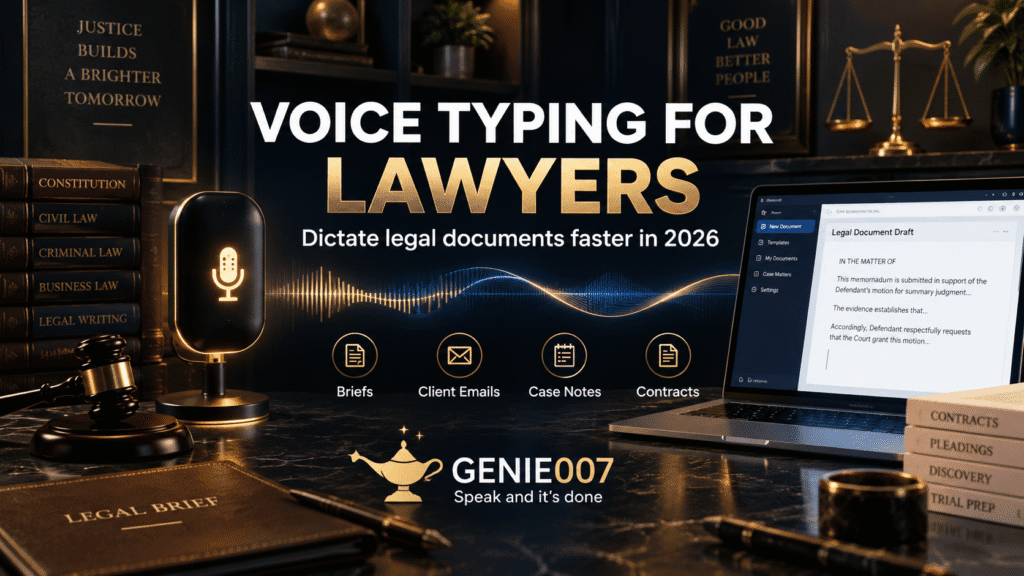
Voice typing for lawyers is the fastest way to reclaim billable time lost to documentation. Lawyers typically speak at 130 to 150 words per minute but type at 40 to 50 — a three-to-one gap that means every hour spent typing briefs, case notes, or client correspondence could take roughly twenty minutes by voice. If you dictate, you write faster without writing more.
Why Legal Documentation Eats Your Billable Day
According to Clio’s 2025 Legal Trends Report, the average lawyer bills for just 2.9 hours of a typical eight-hour workday. The rest disappears into administrative and documentation work. Writing tasks — drafting briefs, preparing case notes, composing client correspondence, updating matter management systems, and producing the internal memos that hold a practice together — consistently consume between 40 and 60 per cent of the legal working week.
The irony is that almost all of this output begins as speech. You debrief a client call verbally. You explain case strategy to a colleague. You narrate your thinking to a trainee. You already know what you want to say — the bottleneck is the keyboard, the act of translating fluent spoken thought into formatted text one keystroke at a time. Voice typing removes that bottleneck entirely.
The Speed Case for Legal Dictation
The mathematics are straightforward. A 2,000-word brief that takes a lawyer an hour to type can be dictated in under 15 minutes. A client update letter that normally absorbs 20 minutes at the keyboard takes five minutes to dictate and review. Scaled across a working week containing multiple briefs, attendance notes, client letters, and matter management entries, the cumulative saving becomes significant. Legal industry research suggests lawyers who dictate 50 per cent of their documentation output routinely recover seven to ten hours per week — approaching a full working day.
At a billing rate of £350 per hour, seven additional hours a week represents substantial recovered capacity annually — before accounting for the compounding benefit of less exhausted, higher-quality legal thinking. For most lawyers, documentation fatigue is the invisible cost that never appears on a timesheet but drains every client-facing hour that follows it.
Built-In Voice Typing Options: Windows and Mac
Both Windows and macOS include free dictation tools that require no additional software or subscription. They are a reasonable starting point for any lawyer considering voice-first working.
Windows Voice Typing
Windows Voice Typing, activated with the Win + H keyboard shortcut, works inside any Windows application — Microsoft Word, Outlook, your browser, your case management software. You speak and it transcribes. It applies basic auto-punctuation, handles most professional vocabulary with reasonable accuracy, and costs nothing. For a lawyer who wants to narrate a quick attendance note directly into a Word document, it is a practical starting point.
The practical limitation is structural: Windows Voice Typing transcribes literally. It records what you say without interpreting what you mean. A five-minute dictation of your thinking about a contract negotiation produces a 700-word stream of consciousness that still requires significant editing before it resembles a professional document. For many lawyers, this shifts the work from typing to editing rather than eliminating it. See the full guide to dictation punctuation commands for the specific voice commands that help structure output in real time.
Mac Dictation
Mac Dictation, enabled in System Settings, performs similarly. Apple has significantly improved on-device processing on Apple Silicon devices, which provides a genuine privacy advantage for everyday use — audio is processed locally rather than transmitted to a remote server. It performs well in quiet environments and integrates cleanly with most Mac applications, including Word and Outlook for Mac.
The structural limitations are the same: Mac Dictation transcribes what you say, not what you mean. And for legal work involving client-sensitive content, an additional consideration applies. Apple does not offer a Business Associate Agreement for Mac Dictation, which matters for firms handling protected health information in personal injury, medical negligence, or healthcare regulatory cases.
The Confidentiality Problem with Cloud-Based Dictation
Client confidentiality is not a preference for law firms — it is a professional obligation. ABA Model Rule 1.6 requires lawyers to make reasonable efforts to prevent unauthorised disclosure of client information, and that obligation explicitly extends to technology choices. ABA Formal Opinion 477R goes further, addressing a lawyer’s duty to understand where and how client data is processed when using technology tools — including dictation software.
Genie 007 encrypts your audio in transit, processes it in real time and stores no recordings and no transcripts. The audio — and often the text — passes through infrastructure controlled by a third-party vendor. Even with encryption in transit, this architecture creates exposure. For any content protected by attorney-client privilege — client conversations, case strategy, witness accounts, negotiation positions — this is a risk many firms have not fully evaluated when they adopted mainstream voice tools.
Law firms handling personal injury cases, medical negligence claims, or work involving medical records face an additional compliance layer: HIPAA. Any dictation tool that processes Protected Health Information must meet specific technical safeguards and, in most cases, require a signed Business Associate Agreement with the vendor before any data is processed. Our dedicated guide to HIPAA compliant dictation software covers the legal framework, the BAA requirement, and what to verify before committing to any tool.
How Genie 007 Solves This for Legal Work
Genie 007 addresses both the output-quality limitations of built-in dictation and the privacy concerns of cloud-based tools — by working differently at both levels.
Real-time processing, nothing stored
Genie 007 encrypts your audio in transit, processes it in real time and stores no recordings and no transcripts. Nothing is stored, logged, or retained beyond your current session. You can dictate client matter detail, case strategy, attendance notes, and privileged communications knowing none of it is kept.
The full technical explanation of how this works, and why it differs from standard cloud speech recognition, is covered in the think-to-text guide. The short version: Genie 007 encrypts your audio in transit, processes it in real time and stores no recordings and no transcripts. Genie 007 keeps the entire process local, which eliminates the third-party data exposure that cloud tools create.
Structured output, not literal transcription
Standard voice typing produces a transcript of what you said. Genie 007’s intent-driven layer — Genie Mode — produces what you meant. Rather than dictating a client update letter word for word, you might say: “Write a brief update to the client — we are waiting on disclosure, expect the bundle by the end of the month, and no action is needed from their side right now.” Genie Mode produces a complete, professionally worded letter in a tone appropriate for client correspondence. Not a raw transcript that needs line-by-line editing. A document ready for review.
This distinction matters most on the document types that consume the most lawyer time: briefs, attendance notes, file reviews, client correspondence, and matter management entries. This approach — moving from transcription to intent execution — is what the industry is beginning to call think-to-text. Genie 007 works inside Microsoft Word, Outlook, email clients, legal case management platforms, and every other application in a typical legal workflow. No tab switching, no copy-paste, no separate dictation window.
Works across every platform in your stack
Genie 007 is available for Windows, Mac, mobile, and as a browser extension. It operates inside your existing workflow rather than requiring you to adopt a new one. For lawyers comparing the full landscape of available options before committing to a tool, the best free dictation software guide for 2026 sets out how the major options compare on accuracy, privacy, and output quality.
Built-In Dictation vs. Genie 007 — A Practical Comparison
| Feature | Windows / Mac Built-In | Genie 007 |
|---|---|---|
| Cost | Free | Free trial; paid plans from £5/month |
| Output type | Literal transcript | Structured, formatted output |
| Privacy / data handling | Cloud (Windows); on-device limited to Apple Silicon (Mac) | Encrypted in transit; nothing stored |
| Works across all apps | Yes (Windows); most apps (Mac) | Yes — Word, Outlook, email, case management |
| Legal document structure | None — literal transcription only | Yes — via Genie Mode intent layer |
| HIPAA-appropriate | No BAA available from Microsoft or Apple | No BAA; not a HIPAA tool |
| Platforms | Windows and Mac only | Windows, Mac, mobile, browser extension |
Getting Started: Voice Typing for Legal Documents in Practice
The adjustment to voice-first working is primarily cognitive rather than technical. You are shifting from composing silently at a keyboard to speaking in complete, formed sentences — a skill most lawyers already use naturally in client meetings, court appearances, and supervision sessions. The transition to the page is shorter than it sounds.
A practical starting point: choose one document type and dictate it exclusively for a week. Client update letters work well — they are structured, relatively short, and familiar in format. Dictate a first draft, review it, and measure the time against your keyboard equivalent. Most lawyers find the dictation run is two-thirds shorter on day one and continues to improve as you develop a natural dictation rhythm.
From there, extend the habit to attendance notes, matter summaries, and internal memos — the high-volume, lower-stakes documentation that accumulates through the day and is typically written when mental energy is lowest. Dictating these at the natural moment, immediately after the call or meeting that prompted them, produces better content and frees up the end of your day for substantive legal work.
For lawyers coming from a professional services background, the voice typing for consultants guide covers the parallel experience in detail — the productivity gains, the accuracy objection, and the privacy architecture are essentially identical, and the workflow habits transfer directly to a legal practice context.
Frequently Asked Questions
Is voice typing secure enough for confidential legal work?
Genie 007 encrypts your audio in transit, processes it in real time and stores no recordings and no transcripts. Built-in tools like Windows Voice Typing send audio to Microsoft servers for processing, which creates third-party data exposure for any client-sensitive content. Genie 007 encrypts your audio in transit, processes it in real time and stores no recordings and no transcripts. For law firms handling medical records or personal injury cases, our guide to HIPAA compliant dictation software covers the additional compliance requirements in full.
Does voice typing for lawyers work in Microsoft Word, Outlook, and case management software?
Genie 007 works inside every major application in a typical legal workflow — Microsoft Word, Outlook, Gmail, Google Docs, and the browser-based interfaces used by most legal case management platforms. You activate it within the document or email you are already working in and dictate directly. There is no need to switch to a separate dictation window or copy-paste content across. It is available for Windows, Mac, mobile, and as a browser extension.
How accurate is voice typing for legal terminology and brief drafting?
Modern AI voice typing accuracy sits consistently above 95 per cent in professional environments, including legal contexts. For specialist terminology — case names, Latin phrases, sector-specific vocabulary — Genie 007 improves with context and use. The practical implication is that a review pass after dictation catches any remaining errors quickly. The net time saving remains significant even with a brief edit, because the first draft now takes minutes rather than an hour or more.
What is the difference between legal dictation software and built-in voice typing?
Built-in voice typing — Windows Voice Typing, Mac Dictation — transcribes whatever you say, literally. It records words but does not apply structure, formatting, or intent. Legal dictation software, at its most capable, moves beyond transcription to intent execution: you describe what you want, and the output is a correctly structured document. Genie 007’s Genie Mode works this way — you brief it on context and purpose, and it produces formatted output rather than a raw transcript. This distinction matters most for complex documents like briefs and client correspondence.
How long does it take a lawyer to get comfortable with voice typing?
Most legal professionals reach a comfortable working fluency within three to five days of regular use. The main adjustment is learning to speak in fully formed sentences rather than composing silently — a habit most lawyers already have from client calls and advocacy. Genie 007 is available on a free trial with no credit card required. See the Genie 007 pricing page for current plans starting from £5 per month.
Try Genie 007 Free
Voice typing for lawyers delivers its biggest return when it becomes part of the workflow rather than something added alongside it. Genie 007 encrypts your audio in transit, processes it in real time and stores no recordings and no transcripts.
Download Genie 007 free — available for Windows, Mac, mobile and as a browser extension. No credit card required.
Written by Bill Kiani, founder of Genie 007.