Wondering how to get better at dictation? Start with three things: a decent microphone in a quiet space, natural phrases instead of single words, and daily practice so your brain and the software adapt to each other. Beginners who nail these basics see real accuracy gains within a week.
Voice typing looks simple until you actually try it: a wall of red squiggly corrections, punctuation landing in the wrong place, and the strange self-consciousness of talking to your screen instead of typing at it. None of that means dictation isn’t for you: it means you’re missing the small habits that turn “talking at a computer” into a genuinely faster way to write. This guide covers the setup, the speaking technique, punctuation across Windows, Mac and Android, and the daily practice that gets beginners to fluent voice typing fastest.
Why Dictation Feels Clunky the First Week
The hardest part of dictation isn’t the software. It’s a skill most people have never had to build before: composing sentences aloud, word for word, in the exact order they’ll be read. Speech is naturally loose. We circle back mid-sentence, restart, trail off, and lean on tone and pauses to carry meaning that never makes it onto the page. Writing needs none of that slack; it needs a finished sentence. Dictation asks you to do both jobs at once, out loud, in real time, which is why it feels harder than either speaking or typing alone.
Researchers who study “think-aloud” writing have found that speaking and typing pull on noticeably different cognitive strategies: people paraphrase and connect ideas differently when they talk a passage through than when they type it, because verbalising taps working memory and sentence planning in a different way to typing. That’s a research-backed way of describing what almost every beginner feels in week one: dictating a clean paragraph out loud is a genuinely different skill from typing one, not simply a faster version of the same task. The good news is that it’s learnable in days, not months, once you know which habits actually move the needle.
Set Up for Success Before You Say a Word
Most “my dictation is inaccurate” complaints are actually microphone and environment problems, not software problems. A laptop’s built-in microphone sits far from your mouth and picks up fan noise, keyboard clatter and room echo right alongside your voice, all of which the software then has to guess around. Moving to a dedicated microphone, positioned close to your mouth and slightly off to the side rather than dead-on, removes most of that guesswork in a single step. Our guide to picking a dictation microphone covers the specific setups worth using, from budget USB mics to headset options.
The room matters almost as much as the microphone itself. Hard floors and bare walls bounce sound around and blur your speech before it reaches the mic, while a carpeted room with curtains or soft furnishings absorbs that noise and gives the software a cleaner signal. If you regularly dictate from a busy kitchen, an open-plan office or a train, don’t assume the accuracy problem is you. See our notes on dictating in noisy places for practical ways to work around it.
How to Get Better at Dictation: The Core Habits That Matter
Once your setup is sorted, the fastest gains come down to three speaking habits, and they matter far more than any app setting.
Speak in phrases, not single words. Modern dictation engines use the context of the words around a term to guess spelling and punctuation, so feed them full phrases of five to ten words rather than pausing after each one. Saying a whole clause at a steady, natural pace (the way you’d say it to a colleague standing next to you) gives the software far more to work with than clipped, robotic word-by-word delivery.
People routinely speak at 110–150 words per minute in normal conversation, while most people compose original text by typing at only 19–40 words per minute, a gap wide enough to explain why dictation feels so much faster once it clicks. A widely cited Stanford study found smartphone speech recognition was roughly three times faster than typing on the same device, with a noticeably lower error rate for English than the keyboard. The speed is there from day one; the accuracy is what beginners build over the first week or two of regular use.
Keep a steady pace. Rushing blurs words together; over-enunciating each syllable, ironically, confuses the model just as much, because it no longer sounds like natural speech. Aim for the pace of a calm voicemail message, not a court reporter, and not an auctioneer.
Plan the sentence before you say it. A two-second pause to think “what am I actually trying to say” saves ten seconds of correcting filler words and false starts afterwards. This single habit separates fluent dictators from people who give up after a week: sketch the point in your head first, then say the finished version out loud.
Punctuation Commands, Decoded
Every major platform lets you speak punctuation into existence, and most now add basic punctuation automatically as you talk. Apple’s Dictation, Google’s Voice Typing in Docs, and Windows Voice Access all support the same core spoken commands, even though the exact wording varies slightly between them: “period” or “full stop”, “comma”, “question mark”, “new line” and “new paragraph” are the five worth memorising first.
The habit that trips up almost every beginner: say the command as part of the sentence, not after a pause. “The meeting is Thursday period” works because it’s spoken as one continuous phrase; pausing before “period” makes some engines type the actual word instead of inserting a full stop. If your platform offers an automatic-punctuation toggle, turn it on while you’re learning: it inserts basic commas and full stops for you, so you can focus on phrasing rather than commands, then move to manual commands later once dictation feels natural.
Build the Habit With Daily Reps
Accuracy with dictation compounds the same way typing speed did when you were learning to type: short, regular sessions beat one long, frustrating attempt. Ten minutes a day dictating something low-stakes (a journal entry, a Slack message, notes from a meeting) teaches you your own speaking rhythm and teaches the software your voice, accent and vocabulary far faster than occasional long dictation marathons.
Start with tasks that don’t need polish: to-do lists, first drafts, texts to friends. Save formal documents and anything client-facing for once you’ve built confidence and a feel for how the software handles your voice. Most beginners notice their error rate drop within the first week of daily use, simply because both sides of the conversation (you and the software) have had more reps together.
Platform-Specific Quirks Worth Knowing
The core habits above hold everywhere, but each platform has its own edge cases worth knowing before you get frustrated by them. On a Mac, Dictation behaves differently depending on whether you’re using the older on-device engine or the newer server-based one, which affects both accuracy and which punctuation commands are available. See our full walkthrough on how to dictate on Mac. On Android, voice typing behaves differently from app to app, and some apps block the microphone icon entirely; our guide to voice typing on Android covers the common workarounds.
Across every platform, the fastest way to work out whether an accuracy problem is you, your microphone, or the app you’re dictating into is to test the exact same sentence in two different apps. If it comes out clean in one and mangled in the other, the issue is app-specific, not a dictation skill you still need to build.
The Ceiling of Plain Dictation, and the Think-to-Text Shortcut
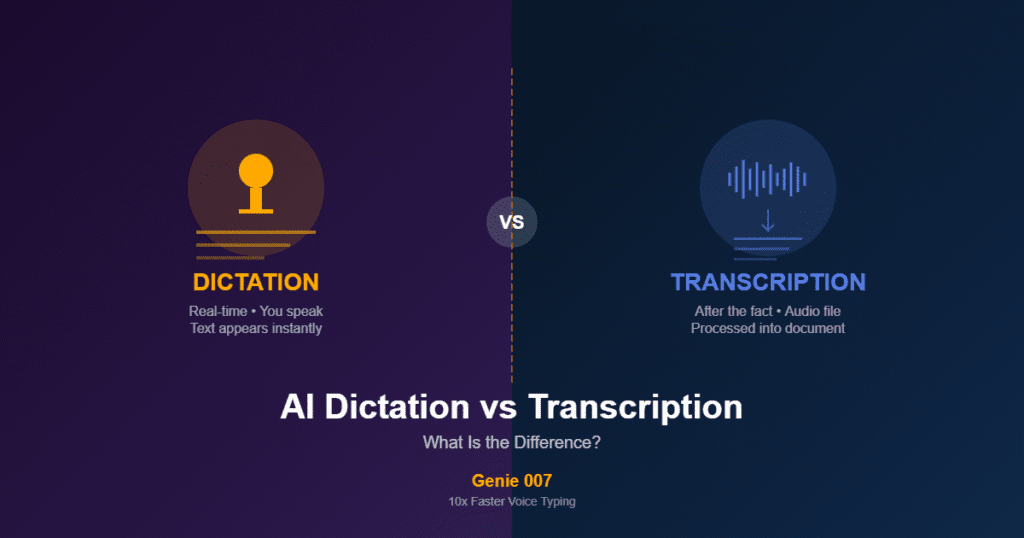
Here’s the limit nobody mentions when they tell beginners to “just get better at dictation”: even someone who masters phrasing, pace and punctuation perfectly is still doing the hardest part of writing out loud: composing the exact sentence, word for word, before they say it. That’s the skill this entire guide has been teaching, and it’s genuinely hard, because speech and finished prose are structured differently in your head to begin with.
Genie 007 removes that step rather than helping you get faster at it. With think-to-text, you describe the outcome (“reply to Sarah, confirm Thursday, keep it warm but brief”) and Genie Mode writes the finished message, in a tone that fits the app you’re in, instead of you composing it aloud word by word. Plain voice typing is still worth learning for quick notes and messages, and everything above will make you noticeably better at it. But think-to-text is what removes the ceiling entirely once you’re writing anything longer or more considered (emails, posts, replies) because you’re describing an outcome instead of dictating a script.
How long does it take to get good at dictation?
Most people notice a real jump in accuracy within their first week of daily use, once their microphone, speaking pace and phrasing settle into a rhythm. Full comfort (dictating naturally without thinking about the mechanics) usually takes two to four weeks of regular, low-stakes practice.
Why does my voice typing keep making mistakes?
Most accuracy problems come from environment and technique rather than the software itself: background noise, a distant microphone, or speaking too fast or too slowly. Fix the microphone and room first, then slow to a steady, natural pace and speak in full phrases rather than single words.
Do I need to memorise punctuation commands for dictation?
No, most platforms, including Apple Dictation and Windows Voice Access, now add basic commas and full stops automatically. Manual commands like “period”, “comma” and “new paragraph” are worth learning for precise formatting, but automatic punctuation is enough to get started comfortably.
Is talking really faster than typing?
Yes. People typically speak at 110–150 words per minute compared with roughly 19–40 words per minute for typed original writing, and a Stanford study found smartphone speech recognition was about three times faster than typing, with a lower error rate for English.
Can I dictate accurately in a noisy environment?
It’s harder but not impossible: a close-positioned microphone and noise-reduction settings recover most of the accuracy you’d otherwise lose to background sound. For consistently noisy settings like open-plan offices or trains, positioning and mic choice make a bigger difference than any single app setting.
Once you can dictate comfortably, put it to work on a real task: our guide on how to write report card comments shows how to speak rough notes about a pupil and turn them into a finished comment.
Try Genie 007 Free
If this guide has you thinking about how much faster writing could be, think-to-text skips the hardest part of dictation altogether: you describe what you want to say, and Genie 007 writes it for you.
Download Genie 007 free for Windows and feel the difference yourself, or check pricing and plans to find the right fit for how you write. No credit card required for the free trial.
Voice typing is especially powerful for anyone who needs to type with one hand — our guide covers layouts, shortcuts and voice as the main input.
Written by Bill Kiani, founder of Genie 007.