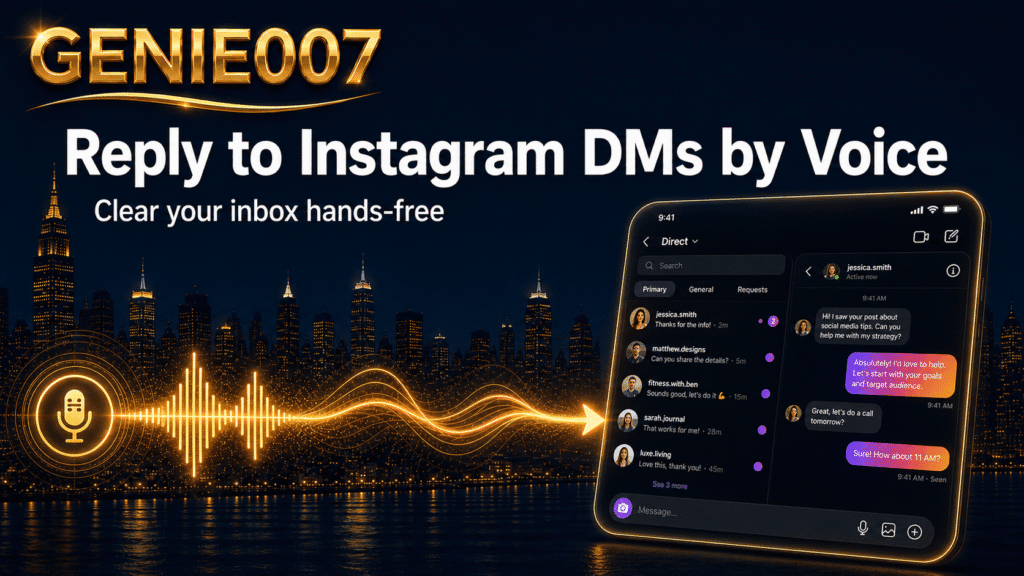
The quickest way to reply to Instagram DMs faster is not to type faster — it is to stop typing. Creators with growing followings and shop owners fielding product enquiries know the feeling: the inbox fills up faster than you can respond, and every thumb-typed reply costs time that compounds across dozens of messages a day. Voice dictation, run directly inside instagram.com on a desktop browser, lets you speak a polished, personalised reply in roughly a third of the time a mobile keyboard takes. This article explains exactly how that workflow operates, where traditional tools fall short, and how a think-to-text approach takes the process even further.
Why Instagram DMs Have Become a Full-Time Job
More than 150 million people send direct messages to businesses on Instagram every month. For a mid-size creator or a growing Instagram shop, that translates into hundreds of incoming messages per week — product questions, collaboration requests, order follow-ups, and customer service threads all running simultaneously. The volume rarely stays manageable on a mobile keyboard alone, and the consequences of falling behind are both visible and measurable.
Response speed matters more than most sellers realise. Industry data consistently shows that brands replying to Instagram DMs within the first few minutes convert at dramatically higher rates than those who respond hours later — yet the average business still takes over 10 hours to reply. Customers, meanwhile, expect a response within 10 minutes. That gap between expectation and delivery is precisely where a faster reply workflow pays off most clearly.
Speed also has a compounding effect on discoverability. Instagram tracks your account’s responsiveness and surfaces it to people visiting your profile. When you manage Instagram DMs promptly and consistently, the platform actively works in your favour — displaying a responsiveness rating to potential followers and buyers. The inbox is not just a support queue; it is a ranking signal that affects how many new people find you.
How to Reply to Instagram DMs Faster Using Voice Dictation
The practical approach is straightforward. Open instagram.com in your desktop browser — Chrome, Edge, or Brave all work — and install the Genie 007 browser extension. Once active, it operates inside every text field on the page, including the DM reply box. Click into a message thread exactly as you would to type, speak your reply naturally, and the extension converts your speech to clean, punctuated text in real time. No tab-switching, no copy-paste, no correcting autocorrect at the end.
The time saving becomes obvious after the first session. Speaking a 60-word reply takes roughly 25–30 seconds. Thumb-typing the same reply on a mobile keyboard takes the average person 80–90 seconds — and that is before accounting for autocorrect errors that need fixing. Across 40 DMs in a day, that difference alone adds up to 35–40 minutes of recovered time.
| Method | Device | Effective Speed | Time for 60 Replies (avg 60 words each) |
|---|---|---|---|
| Thumb-typing | Mobile app | ~38–40 WPM | ~90 minutes |
| Built-in mobile dictation | Mobile app | ~90–100 WPM (inc. corrections) | ~50 minutes |
| Voice dictation (Genie 007) | Desktop browser | 120–150 WPM | ~25–30 minutes |
Switching DM management to the desktop also gives you considerably more context for each reply. Dictating Instagram messages on desktop means you can see the full thread, the customer’s previous messages, and their profile — all in a single window. Longer, more considered replies are easy to review before sending, rather than an afterthought squeezed between typing bursts on a small screen. Setup takes under two minutes: install the extension, create a free account, and open instagram.com. Genie 007 then works in every text field across every tab — Gmail, WhatsApp, LinkedIn, and beyond — so the time saving compounds across your entire communication workload.
The Ceiling of Thumb-Typing and Mobile Dictation
The average person types 38–40 words per minute on a mobile keyboard. Natural speech runs at 120–150 words per minute — roughly three times as fast. That is not a gap you can close with practice; it is a physical constraint of thumb-typing on glass. A 2026 Logitech productivity analysis confirmed that voice dictation consistently outpaces keyboard input for routine communication tasks, with the gap widest on mobile devices where keyboard size and autocorrect interference compound the slowdown.
Most smartphones include built-in dictation — the microphone key on an iPhone or Android keyboard. These tools are functional but limited. Apple Dictation is reasonably accurate in quiet environments, and Google’s equivalent performs similarly. Neither understands context, neither carries your writing style from one message to the next, and neither knows that your usual sign-off is “feel free to message again anytime” rather than a bare “thanks”. The output is a literal transcript that needs editing before it sounds like you.
Instagram DM voice typing via the mobile app also faces a structural limitation: the Instagram app does not permit third-party tools to operate inside its native text fields the way a desktop browser does. That is why the browser approach unlocks capabilities the phone simply cannot match. In a browser, extensions access every text field natively, process speech in real time, and deliver formatted, styled text without additional steps. The phone is convenient for casual scrolling; the browser is where volume DM work belongs.
Think-to-Text — From Transcription to Finished Replies
Genie 007 offers two modes that handle different DM workloads. Voice Typing is precision dictation: speak naturally and get clean, punctuated text that matches your personal writing style — no “full stop” commands, no reformatting afterwards. That alone is meaningfully faster than typing. Genie Mode goes further. Instead of transcribing your words, it executes your intent. You brief it in plain speech — “thank them for the order, confirm dispatch is Thursday, tell them to message if they need anything, keep it warm and friendly” — and it produces a complete, polished reply.
For sellers managing high volumes of Instagram enquiries, Genie Mode turns a 90-second typing task into a 15-second voice briefing. The output is platform-aware: it produces the warm, conversational tone that suits an Instagram DM rather than the formal register it applies to a business proposal or client email. If your customer base is international, you can speak in English and instruct it to reply in French, Spanish, Arabic, or any of the 140+ languages it supports — your intent, delivered in your customer’s language, without a separate translation step.
Privacy is worth noting specifically for sellers handling order details in DMs. Genie 007 processes everything inside your browser. No audio is stored, no message content reaches its servers, and the full pipeline uses AES-256 encryption. A customer’s order number, delivery address, or payment query stays entirely between you and them. Plans start at £5 per month with a free trial and no credit card required — the full pricing options are worth a look before committing.
The same voice-first approach carries into every other part of your workflow. If you manage client emails, meeting notes, or proposals alongside your Instagram inbox, the workflow is identical across every text field in the browser. Our guide to dictating meeting notes by voice covers how this transfers to professional settings, and how to type faster without typing explains the broader productivity case. Freelancers juggling client communication and social media in the same working day will find our voice typing for freelancers guide a useful companion to this one.
Frequently Asked Questions
Can I use voice dictation directly inside the Instagram app on my phone?
The Instagram mobile app does not permit third-party voice tools to operate inside its DM text fields the way a desktop browser does. You can activate your phone’s built-in dictation via the microphone key on an iOS or Android keyboard, but formatting and accuracy are limited compared to a dedicated voice tool on desktop. For the fastest, most polished results, open instagram.com in a desktop browser with Genie 007 installed — both reply speed and output quality improve significantly from the first use.
Will using a voice tool to write DMs affect my Instagram account standing?
No. Voice dictation tools that help you compose and write replies manually are entirely within Instagram’s terms of service. You remain in control of every message sent; the tool simply helps you write it faster and more clearly. Instagram actively rewards fast responses — the platform’s responsiveness indicator on your profile reflects how quickly your account replies to incoming messages. Using voice dictation to respond faster will improve that rating, not risk it.
How many DMs can I realistically handle using voice dictation in an hour?
With a desktop voice dictation workflow, a focused 60-minute session can comfortably cover 80–120 personalised replies, depending on reply length and how many require individual research before responding. That compares to roughly 30–40 replies thumb-typed in the same time. The gains are largest when you use Genie Mode for replies that follow a familiar pattern — shipping updates, welcome messages, pricing answers — where a five-word brief produces a complete, personalised reply without composing every sentence from scratch.
Does Genie 007 work for Instagram comments as well as DMs?
Yes. The extension activates in every text field on instagram.com, including comment input boxes and story reply fields. You can move through an entire comment thread replying to each comment by voice, one after another, without touching the keyboard at all. For creators whose posts regularly generate high comment volumes, this is a straightforward extension of the same voice dictation workflow — speak a reply, move to the next comment, repeat.
Try Genie 007 Free
If you manage DMs for a creator account, a shop, or a personal brand, voice dictation in the browser is the fastest way to close the gap between incoming messages and sent replies. Set it up once on instagram.com and the time saving starts from the very first session.
Download Genie 007 free — available for Windows, Mac, mobile and as a browser extension. No credit card required.
Written by Bill Kiani, founder of Genie 007.