If you run a podcast, you already know how to talk. What nobody warns you about is how much writing happens after the recording stops. Dictation for podcasters is not a niche productivity trick — it is the direct answer to a weekly time drain that catches most creators off guard. Show notes, episode descriptions, social captions, guest follow-up emails, newsletter introductions: the writing overhead can consume several hours a week, and it rarely gets factored into the podcast workflow.
The Admin Side of Podcasting Nobody Mentions
A survey of 558 independent podcasters by PodMatch found that DIY creators spend four to eight hours per episode once prep, recording, editing, and publishing are combined. The writing portion sits quietly inside that total and rarely gets its own accounting. According to podcast hosting platform Captivate, podcast show notes alone take 20 to 30 minutes for a straightforward episode and closer to two hours for anything research-heavy. Multiply that by a weekly release schedule and you are looking at one to four hours of writing every week.
The before-picture is recognisable. You finish recording, sit down to write show notes from scratch, stare at your notes or your memory, wrestle with the summary, paste in the timestamps, and then remember you still have the social caption and the follow-up email to write. The content already exists in your head — the friction is getting it out efficiently.
Dictation for Podcasters: Five Workflows That Save Real Time
The average person types around 40 words per minute and speaks at 125 to 150 words per minute — roughly three to four times faster. For podcasters who are already comfortable in front of a microphone, that speed gap is low-hanging fruit. Here are five ways to put voice typing to work in your weekly podcast workflow.
1. Drafting Show Notes Immediately After Recording
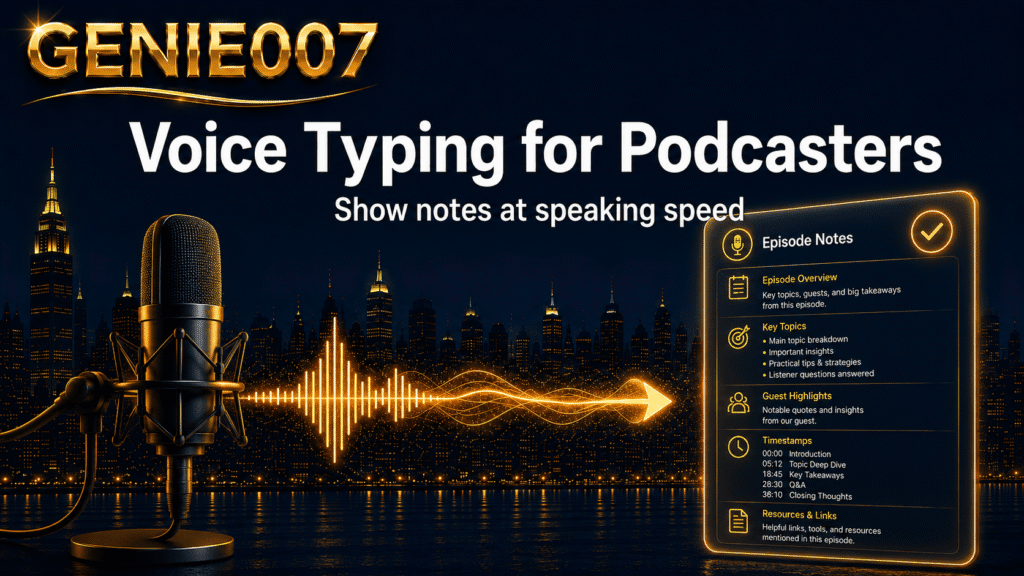
The best moment to write your show notes is the ten minutes after you stop recording, when the episode is still fresh. Open your notes app or CMS, activate voice typing, and speak as if you were summarising the episode to a colleague: the guest’s name, the core topic, two or three key takeaways, any timestamps worth flagging, and the links to include. Genie 007’s Voice Typing mode transcribes with automatic punctuation and no spoken commands — no “new line” or “full stop” — so your train of thought stays uninterrupted.
A 45-minute interview episode can be summarised this way in under eight minutes. A draft that exists is always faster to finish than a blank page waiting to be filled.
2. Writing Episode Descriptions and Summaries
Episode descriptions follow a predictable pattern: a hook sentence, the core topic, two or three key points, guest credentials if relevant, and the main links. Once you know the formula, you can dictate the whole thing in under five minutes. Speak each section in turn, let the tool handle punctuation and formatting, then do a single editing pass before publishing.
If you need different versions for different platforms — a longer one for your podcast host, a punchier version for your newsletter — Genie 007’s Genie Mode lets you start from a spoken brief rather than retyping. Share what the episode covered and the tone you need, and it produces a platform-appropriate version. That is the step beyond plain transcription: your brief becomes a finished piece of writing.
3. Social Captions and Guest Outreach
After publishing, most podcasters face another stack of writing tasks: an Instagram caption, a LinkedIn post, a follow-up message to the guest, an email to subscribers. These are individually short but collectively time-consuming. With voice typing, you can batch-dictate all of them in a single 15-minute session. Genie 007 works inside Gmail, LinkedIn, and most social platforms without switching tabs, so you dictate directly into the field where the text needs to go. Those managing guest scheduling will find the guide on dictating meeting notes and correspondence useful for the outreach side of the workflow.
4. Capturing Research Notes and Episode Ideas on the Move
Episode ideas rarely arrive at a desk. Guest research, question lists, episode outlines, and topic notes tend to surface mid-commute, mid-walk, or mid-conversation — and they evaporate equally fast if not captured. The Genie 007 mobile app lets you record structured voice notes anywhere. If you tend to think through ideas whilst walking, the approach covered in our guide to dictating content on the move makes that into a repeatable daily habit rather than a lucky catch.
5. Repurposing Episodes Into Long-Form Written Content
Many podcasters extend episode value by turning recordings into blog posts, written guides, or email sequences. Long-form dictation suits this well: you have already developed your thinking in the recording; voice typing lets you redevelop it in written form at speaking pace. For anyone working at extended length — turning a series of episodes into a guide or a short book — the techniques for long-form dictation apply directly to episode-to-article repurposing.
The Time-Savings Maths
Here is a realistic before-and-after for a solo podcaster on a weekly release schedule:
| Task | Typing (estimate) | Voice typing (estimate) |
|---|---|---|
| Show notes (simple episode) | 25–30 minutes | 8–10 minutes |
| Episode description | 15 minutes | 4–5 minutes |
| Social captions (3 platforms) | 20 minutes | 6–8 minutes |
| Guest follow-up email | 10 minutes | 3 minutes |
| Weekly total | ~70 minutes | ~21 minutes |
These estimates are based on the 3–4x speed difference between average speaking and typing rates. In practice, the savings compound: voice drafts remove the cold-start problem of staring at a blank page. You begin speaking, and the draft exists. That shift — from composing to editing — turns a creative burden into a straightforward clean-up task.
If you are running your podcast as a small business, or treating it with a commercial mindset, the wider productivity framing in our guide to AI voice tools for small businesses covers how independent operators use voice-first workflows across the full range of daily tasks, not only content creation.
Accuracy, Privacy, and Getting Started
Is the accuracy good enough? Modern voice typing handles conversational speech at high accuracy. The main variable is your recording environment: a quiet room with a decent microphone produces a draft that needs minimal correction. Proper nouns and technical terms may need a quick fix, but you are correcting individual words, not rewriting paragraphs. Genie 007 applies automatic formatting as you speak — punctuation, paragraph breaks — which reduces cleanup compared with unformatted transcription.
What about privacy? Podcasters often discuss commercially sensitive material: sponsorship rates, business strategies, personal guest details. Genie 007 encrypts your audio in transit, processes it in real time and stores no recordings and no transcripts. The product is GDPR compliant — particularly relevant for creators in health, legal, or finance niches where content confidentiality matters.
Will it handle a British or regional accent? Genie 007 supports over 140 languages and is built for accents and regional speech patterns. You can also dictate in one language and receive formatted output in another — a useful capability for podcasters who work with international guests or produce content for multilingual audiences.
Is there a learning curve? The main adjustment is speaking in full sentences rather than fragments. Most podcasters adapt within a session or two because they are already practised at thinking aloud. If you want to understand why the tool produces polished output rather than raw transcription, the introduction to think-to-text explains the approach clearly.
This is the point where plain voice typing reaches its ceiling. Transcription reproduces what you say — which still requires you to compose every sentence. Genie Mode takes a different approach: share the intent rather than the copy. Brief it on the episode topic, the guest’s key insight, and the target platform, and it produces a finished post without you narrating every line. For podcasters producing written content across multiple platforms each week, that is where the real time saving lives.
Frequently Asked Questions
How long does it take to write podcast show notes?
For a straightforward episode, show notes typically take 20 to 30 minutes to write from scratch. Research-heavy or interview episodes can take considerably longer — up to two hours once timestamps, fact-checking, and guest links are included. Using voice typing can reduce that to under ten minutes for a standard episode, with the same single editing pass you would do regardless of method.
Can you dictate directly into podcast hosting platforms?
Most podcast hosting platforms use standard web text fields, and browser-based voice typing works in these without special configuration. Genie 007’s browser extension runs inside any web-based CMS or hosting dashboard, so you dictate show notes directly into the publishing interface — no copy-pasting from a separate document.
Does voice typing work well with a podcast microphone?
Your broadcast microphone is generally adequate for dictation. In a treated room it produces clean results; in an untreated space, a USB headset or laptop microphone positioned close to your mouth may give cleaner output for dictation, since proximity matters more than room acoustics here. Most podcasters find their existing setup handles voice typing without additional equipment.
Is dictation for podcasters suitable for non-native English speakers?
Yes. Genie 007 handles accents, non-native speech patterns, and regional dialects accurately across over 140 languages. Non-native speakers often find it faster to dictate in their strongest language and adjust the output, rather than composing directly in a second language — and live translation is built in.
Podcasters with a growing Instagram audience can apply the same voice workflow to their DM inbox — our guide to replying to Instagram DMs faster by voice covers the full desktop setup.
Try Genie 007 Free
If post-production writing is the part of podcasting you enjoy least, voice typing is the most direct fix. Genie 007 handles show notes, episode descriptions, social captions, and guest outreach — dictated in minutes, formatted automatically, working inside the tools you already use. See the pricing page to find the plan that fits.
Download Genie 007 free — available for Windows, Mac, mobile and as a browser extension. No credit card required.
Written by Bill Kiani, founder of Genie 007.