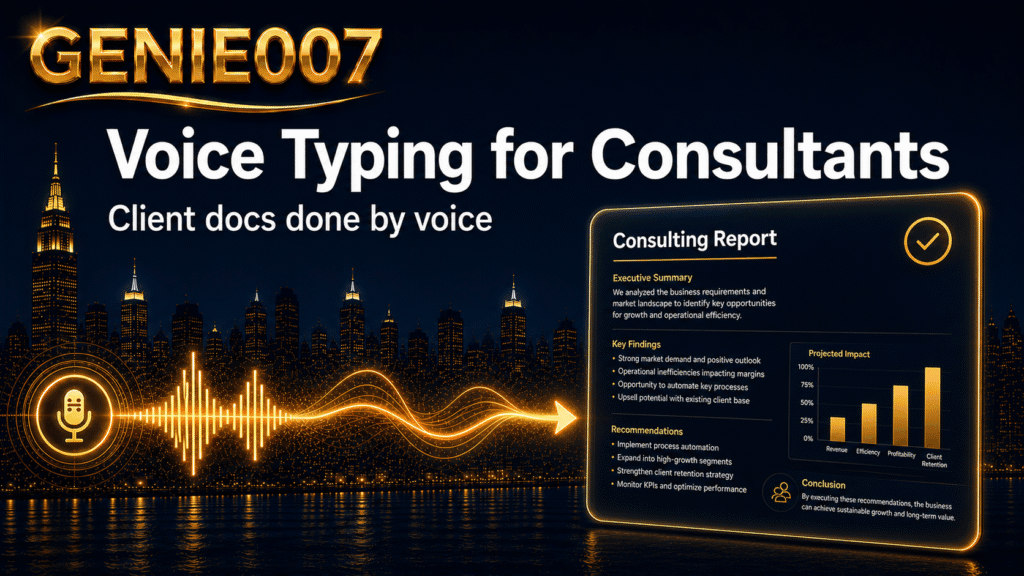
The consultant’s working day is largely a writing day. Between proposals, engagement reports, executive summaries, debrief emails, and stakeholder updates, it is not unusual for a senior consultant to spend three or four hours at the keyboard before a single billable insight reaches a client. Voice typing for consultants is one of the few habits that directly reduces this writing load — not by cutting corners, but by replacing the slowest part of the process: your fingers.
The Writing Mountain Most Consultants Never Question
Consider what a mid-week looks like in practice. Monday’s client session generates a debrief document. Tuesday brings a draft proposal for a pipeline opportunity. Wednesday means revising the engagement report against new data. Thursday is for an executive summary ahead of the board session. By Friday, an update email chain has turned into three separate threads, each one requiring a thoughtful reply.
None of this writing is the work. It is the packaging around the work. Yet for most consultants it accounts for a substantial share of the working day — and unlike billable hours, internal documentation, emails, and first-draft reports rarely surface on a timesheet.
The real irony is that most of this output starts as speech. You brief your team verbally. You clarify your thinking on a call. You narrate your findings to a colleague over coffee. You already know what you want to say. The bottleneck is the keyboard — the act of translating fluent spoken thought into formatted text, one keystroke at a time.
The Speed Maths Behind Voice Typing for Consultants
The average adult speaks at around 130 to 150 words per minute. The average adult types at around 40 words per minute. Research from Stanford University’s Human-Computer Interaction Group found that speech input is around three times faster than keyboard entry for text production tasks. For a consultant producing a 2,000-word engagement report, that gap translates to a 45-minute typing session versus roughly a 15-minute dictation run.
Over a week containing multiple proposals, reports, and client communications, that difference compounds. Report writing has always consumed consultant time; voice dictation for business is one of the clearest structural fixes available, because the bottleneck it addresses — keyboard speed — is universal regardless of seniority or specialism.
Where most professionals stall is in treating this as an experiment rather than a workflow change. The speed advantage is real from the first session. The technique matures over a working week. After that, returning to full-keyboard writing for long documents starts to feel unnecessary.
Five Workflows That Actually Move the Needle
The value of voice typing becomes concrete when mapped to real consultant workflows. Here are five places where the time savings are most consistent.
1. Post-client meeting debrief notes
The most valuable capture window is the ten minutes immediately after a client session — before details fade, while the room energy is still fresh. Dictate a free-flowing summary covering what was agreed, what remains unresolved, your initial instincts, and any follow-up actions. Genie 007’s Voice Typing mode applies automatic punctuation and light formatting, so the output is readable without manual cleanup. For a deeper look at building this habit, the guide to dictating meeting notes covers the full workflow.
2. Engagement report first drafts
A first draft is not a polished document — it is a download of your thinking. Dictate section by section: situation, key findings, implications, recommendations. Speak in complete thoughts. The revision pass that follows a dictated draft is consistently shorter than writing from scratch, because you are editing structure rather than generating substance. The writing phase shrinks from hours to a focused editing session.
3. Proposal narrative sections
Proposal boilerplate — credentials, methodologies, terms — lends itself to templating. The narrative sections do not: why this client, why now, what specifically will be delivered. Dictating these sections while your thinking is warm produces more natural, persuasive copy than composing cold at a keyboard. For the broader picture of consultant productivity gains from voice-first writing, the article on typing faster without typing is a useful companion.
4. Client email responses
High-volume email is a friction point most consultants absorb without question. A thoughtful 250-word client reply that takes eight to ten minutes to type takes under three minutes to dictate, including a brief review pass. Over a day of active client correspondence, this adds up to a meaningful recovery of time that can be redirected to billable or strategic work.
5. Internal stakeholder updates
Status updates, project memos, and internal briefings tend to be written last, when mental energy is lowest. Dictating them at the natural moment — right after the call or meeting that prompted them — produces better content and frees up the end of your day for higher-order thinking.
Beyond Transcription: When Your Voice Executes Intent
Basic voice typing puts words on a screen. That is useful, and the speed gain alone justifies the habit. But there is a second capability that matters more as consultant output gets more complex: intent execution.
Genie Mode — Genie 007’s intent-driven layer — does not transcribe what you say. It delivers what you mean. Rather than dictating an executive summary word for word, you might say: “Summarise the discovery session — the client is in logistics, the key finding is warehouse process fragmentation, and I want to recommend a 60-day diagnostic. Write this for a CFO who was not in the room.” Genie Mode produces a complete, appropriately structured executive summary. Not a rough transcript. Not bullet points that need assembly. A document already shaped for the reader you specified.
This is the approach the industry is beginning to call think-to-text — a shift from speech recognition into intent recognition. If you want to understand the underlying concept, the think-to-text guide covers the distinction in detail. Genie 007 works across Gmail, Outlook, Word, Google Docs, Teams, Notion, Salesforce, and every other platform in a typical consultant’s stack — inside the workflow, with no tab switching or copy-paste required. It is available for Windows, Mac, mobile, and as a browser extension.
The Three Objections — Answered
Accuracy
Modern AI voice typing accuracy sits consistently above 95% in professional environments. More practically: the errors that do occur are fast to correct. A misheard proper noun or a missed hyphen adds a minute to your review pass, not fifteen. The net time saving remains significant. For client-sensitive vocabulary — project codenames, niche sector terms, unusual proper nouns — Genie 007 improves with context and use.
Privacy
For consultants handling confidential client information, privacy is not a secondary concern. Genie 007 processes audio in-browser and on-device. Nothing is stored on a server. Nothing is logged. Nothing is accessible to anyone outside your own session. The architecture uses AES-256 encryption, maintains zero data retention, and is GDPR compliant and HIPAA ready. You can dictate client financials, proprietary findings, and sensitive recommendations without the content leaving your machine — a standard that matters in most professional services engagements.
The learning curve
Most consultants find that voice dictation feels natural within three to five working days of regular use. The adjustment is primarily cognitive: speaking in complete sentences rather than composing silently. Once that shift clicks, fluency builds quickly. For a practical guide to getting started across your tools, the dictation software for small business guide walks through setup in straightforward terms.
Frequently Asked Questions
Is voice dictation accurate enough for client-facing reports?
Yes, with a brief edit pass. Modern AI voice typing accuracy sits above 95% in professional settings, which means a short review — the same review you would run after any first draft — catches any remaining errors quickly. The practical advantage is that this first draft now takes minutes rather than an hour or more, giving you more time for thoughtful editing rather than less. For most consultants, the quality of output improves because the drafting phase is less exhausting.
Can voice typing work in Word, Outlook, and the other tools I use daily?
Genie 007 works inside Microsoft Word, Outlook, Google Docs, Gmail, Teams, Notion, Salesforce, HubSpot, and every other major platform a consultant typically uses. You activate it within your existing workflow and dictate directly into the document or email you are working in. There is no need to switch to a separate application, use a dedicated dictation window, or copy-paste content across. It works on Windows, Mac, mobile, and as a browser extension.
How long does it take to get comfortable with voice typing?
Most professionals find they reach a comfortable working fluency within three to five days of regular use. The main shift is learning to speak in complete, formed sentences rather than composing silently — something most consultants already do naturally on client calls. Genie 007 is available on a free trial with no credit card required. See the Genie 007 pricing page for current plans starting from £5 per month.
If you work in legal rather than advisory consulting, our guide to voice typing for lawyers covers the dictation workflow for case notes, briefs, and client correspondence.
Try Genie 007 Free
If report writing, proposals, and client emails are consuming hours that should be going elsewhere, voice typing is the most direct fix available. Genie 007 gives you fast, accurate dictation and intent-driven output across every platform you already work in — with privacy built in from the ground up.
Download Genie 007 free — available for Windows, Mac, mobile and as a browser extension. No credit card required.
Written by Bill Kiani, founder of Genie 007.