Learning how to type with one hand is challenging, whether due to injury, disability, or workflow preference. Typing with one arm or managing single-hand input typically means turning to specialised keyboard layouts, but these solutions require steep learning curves and offer modest speed gains. There’s a faster path: voice typing with Genie 007 lets you compose messages, emails, and documents at 5–10x the speed of traditional one-handed typing, whilst keeping both hands free for navigation and creative work.
One-Handed Keyboard Layouts: Do They Work?
Specialised one-handed typing systems exist and have genuine uses for accessibility and accessibility-first workflows. Dvorak one-hand layouts, for example, map half the alphabet to each hand independently. The left-hand Dvorak layout places high-frequency keys like E, T, A, O, and I in accessible positions, mirroring the right-hand variant. Users report that after several weeks of practice, they can type 40–60 words per minute with one hand, which is faster than hunt-and-peck but still well below two-handed QWERTY speeds (60–80 wpm for average typists).
Another approach is chord-based typing, where multiple keys pressed simultaneously produce a single letter or word—similar to stenotype systems used in court reporting. Chorded keyboards demand significant muscle memory and can take 2–3 months of consistent practice before proficiency. The advantage is speed (court stenographers reach 200+ wpm), but the barrier to entry is high, and these devices are expensive (£300–£1,500) and rarely necessary for everyday computer work.
One-handed keyboard layouts fall into a few broad categories: modified QWERTY arrangements with shortcuts, Dvorak-based one-hand variants optimised for single-hand input, and specialised layouts like the Maltron or Kinesis one-hand layout. Each has devotees, but adoption remains niche because the learning investment is steep—typically 3–8 weeks before reaching productive speeds—and the payoff (reaching 50–70 wpm) is modest compared to two-handed typing.
The Speed Ceiling: Why Keyboard Layouts Aren’t the Full Answer
Even optimised one-handed layouts hit a practical ceiling. Accessibility research shows that users with one-handed keyboards still averaged 45–55 wpm, compared to 70+ wpm on a standard QWERTY setup. Worse, switching to a specialised layout requires retraining muscle memory—if you’ve typed QWERTY for years, learning Dvorak one-handed is a weeks-long detour during which your productivity drops sharply.
There’s also the ergonomic reality: typing with one hand, especially for long periods, concentrates stress on a single arm and shoulder. Accessibility specialists often recommend alternating hands when possible, or switching to input methods that reduce repetitive strain altogether. That’s where voice input becomes appealing—it eliminates the hand-to-keyboard step entirely.
For people recovering from carpal tunnel syndrome, repetitive strain injuries, or other conditions affecting hand mobility, the strain of prolonged one-handed typing can actually slow recovery or worsen symptoms. Traditional one-handed keyboards still require fine motor control, wrist extension, and finger dexterity—all the movements that caused the injury in the first place. Voice input removes this entirely.
Consider a real workflow: writing a 500-word email one-handed takes 8–10 minutes with a specialised layout, or 15–20 minutes with standard QWERTY hunt-and-peck. Voice dictation takes 3–4 minutes. The time saving compounds across a day—an office worker sending 10–15 emails daily recovers an hour or more simply by switching to voice.
Voice Typing: The Practical Alternative to One-Handed Keyboards
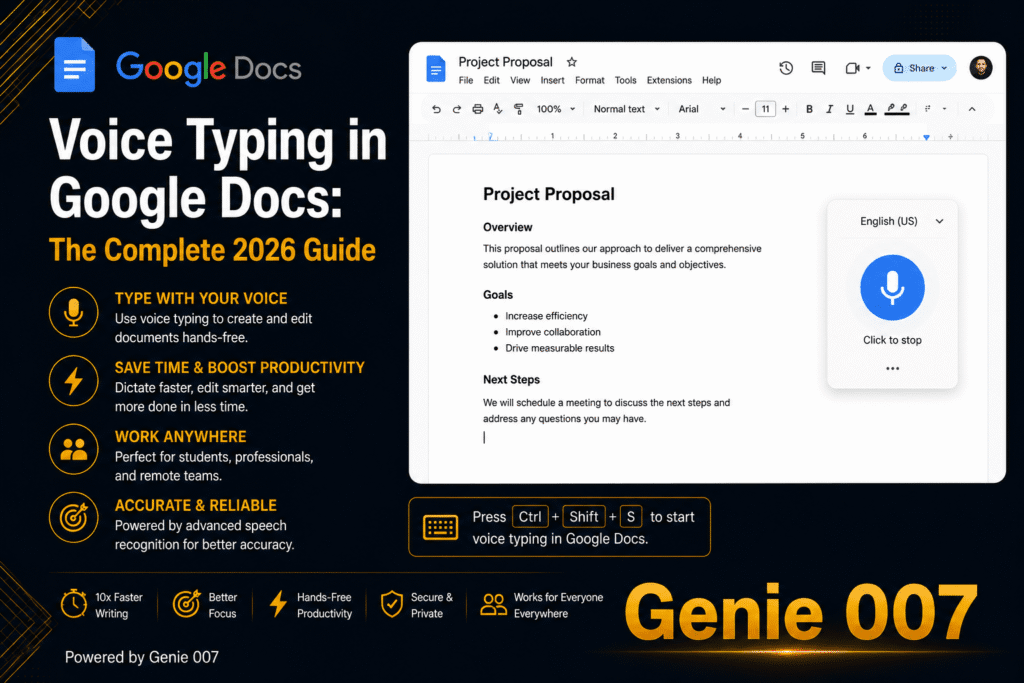
Voice typing with speech-to-text or dictation software bypasses the keyboard entirely. Built-in options like Windows Voice Typing and Google Docs voice typing offer free, accessible alternatives, though they transcribe literally—you’ll dictate “comma period” to add punctuation, and they struggle with homophones or context. It’s dictation, not thinking-to-text. Microsoft’s accessibility documentation provides guidance on built-in voice tools and one-handed input options for Windows users.
Microsoft’s Dictate feature in Word and Outlook uses cloud transcription, which works well in quiet environments but requires sending audio to Microsoft’s servers. Google Docs Voice Typing is free and on-device for Chrome, making it a solid free option if you’re already in Google Workspace. Apple Dictation on Mac and iOS is private (on-device processing) but has limited formatting options and no app integration outside Apple’s ecosystem.
The common limitation across all these tools: they deliver what you literally said, not what you meant. Mishear a word, and it’s transcribed wrong. Miss a comma, and you need to go back and add it manually. For professional writing—emails, reports, social media posts—this creates friction. You dictate, then you edit. That editing step reclaims half the time you saved by not typing.
Genie 007 transforms voice input from literal transcription into intent-driven composition. Instead of dictating word-for-word, you speak naturally—share your thoughts, and Genie 007 delivers polished, punctuated, formatted text ready to send. For one-handed working, this is practical and fast: you can hold a cup of tea in one hand, gesture with the other, and compose a professional email or LinkedIn post without touching a keyboard at all. Speech takes 30–40 seconds; typing the same text with one hand takes 2–3 minutes.
Genie 007 runs on Windows, Mac, mobile, and as a browser extension, so it works inside Gmail, Outlook, Slack, Teams, Google Docs, and dozens of other platforms. No copy-paste, no switching tabs. Your voice commands execute directly where you’re working.
Why Genie 007 Beats Single-Hand Typing
Speed. Voice dictation with Genie 007 averages 100+ wpm versus 40–60 wpm with a one-handed keyboard. A typical 200-word email takes 2–3 minutes to type one-handed; dictation takes 90 seconds. For a full day of writing, one-handed keyboard users spend 1–2 hours on typing tasks that voice finishes in 20–30 minutes.
No learning curve. You don’t need to retrain muscle memory. Start speaking naturally on day one. No investment in memorising new layouts or practising chords. If you can speak, you can use Genie 007 immediately.
Reduced strain. No repetitive hand motions. Genie 007 encrypts your audio in transit, processes it in real time and stores no recordings and no transcripts. GDPR compliant, This is especially important for people managing repetitive strain injuries or conditions like carpal tunnel syndrome, where continued typing—even one-handed—can impede recovery.
Works everywhere. One tool for email, messaging, documents, forms, and social media. Switch platforms without changing methods. Install once, use across Windows, Mac, mobile, and browser—Slack, Gmail, Teams, Notion, Figma, GitHub, and 50+ other apps.
Multilingual. Genie 007 supports 140+ languages. Speak in one language, get text in another—useful for international teams or cross-language correspondence. With one-handed keyboards, language switching requires layout changes, adding friction.
Intent-aware composition. Genie Mode doesn’t just transcribe; it executes your intent. Say “Write an email to the team saying the fix is live and thank them for the help.” Genie 007 drafts a polished, grammatical email. One-handed typing offers no such assistance.
The honest trade-off: voice input needs relatively quiet environments for peak accuracy, though Genie 007’s AI filters background noise well. If you’re in a loud open-plan office or on a construction site, traditional one-handed typing remains more practical—but at home, in private offices, or in quiet spaces, voice is faster and kinder to your body.
Setting Up Voice Typing for One-Handed Work
Install Genie 007 for your device: Windows app, Mac app, browser extension, or mobile app. Open the platform where you work—Gmail, Slack, Notion, whatever—and press the hotkey to start voice mode. Speak naturally. Genie 007 transcribes, punctuates, and formats automatically. No “comma” commands, no manual cleanup needed for standard business writing.
For emails: “Write an email to Sarah confirming the Monday meeting and asking about the budget update.” Genie 007 drafts it. For Slack: “Send a message saying we’ve shipped the fix, thanks to the team.” Done. For Notion or Google Docs: “Write a summary of today’s user feedback.” It composes a coherent paragraph, not a word-for-word transcript.
This is Genie Mode—the step beyond basic dictation. Think-to-text means you stay focused on your intent, not the mechanics of composition. Your other hand is free to hold a drink, gesture, use the mouse, or rest—exactly what one-handed workers need.
Voice Typing mode, by contrast, is pure dictation with automatic punctuation. Useful for transcribing notes, composing longer-form text where you want exact control, or environments where you prefer to avoid Genie Mode’s intent prediction. Both modes process in real time and store nothing afterwards.
When One-Handed Keyboards Still Make Sense
One-handed layouts aren’t obsolete. Genie 007 encrypts your audio in transit, processes it in real time and stores no recordings and no transcripts. Stenotype systems are industry standard for court reporting and live captioning because they’re fast, accurate, and don’t rely on audio—critical in professional settings where speech-to-text could introduce errors.
If you’re a professional typist or spend 6+ hours daily writing, investing in a one-handed layout might be worth the weeks of practice. Most people, however, write sporadically—emails, messages, comments, forms—and for those tasks, voice is dramatically faster and requires zero retraining.
FAQ: One-Handed Typing and Voice Alternatives
Is it possible to type with one hand? Yes, but slowly. Specialised one-handed layouts like Dvorak one-hand reach 40–60 wpm after weeks of practice, well below average two-handed speeds. Voice dictation is faster and requires no retraining.
What is the fastest way to type with one hand? Voice dictation with think-to-text technology averages 100+ wpm and requires zero practice. Traditional one-handed keyboards are slower and demand weeks of muscle-memory retraining.
Can you use voice to text instead of typing? Absolutely. Built-in options like Windows Voice Typing and Google Docs voice typing are free but literal (you dictate “period” and “comma” separately). Genie 007 handles punctuation, formatting, and tone automatically—it’s faster and more practical for real-world writing.
Is voice typing private and secure? Genie 007 processes your voice in real time and stores no recordings and no transcripts. Encrypted, GDPR compliant, not a HIPAA tool. Built-in services like Google Docs voice typing send audio to Google’s servers, so privacy is lower.
How long does it take to learn one-handed typing? Dvorak layouts take 2–4 weeks to reach basic competence; court steno takes 2–3 months. Voice dictation with Genie 007 has no learning curve—start on day one.
This article is for general information only and is not medical advice. If you are experiencing pain or other symptoms, please consult a qualified healthcare professional.
Try Genie 007 Free
If you’re typing with one hand due to injury, disability, or workflow preference, voice dictation is faster, easier, and kinder to your body than mastering a specialised keyboard. Genie 007 gives you think-to-text composition, works inside every app you already use, and costs from £5/month. Try it free—no credit card.
Download Genie 007 free — available for Windows, Mac, mobile, and as a browser extension. No credit card required.
Written by Bill Kiani, founder of Genie 007.