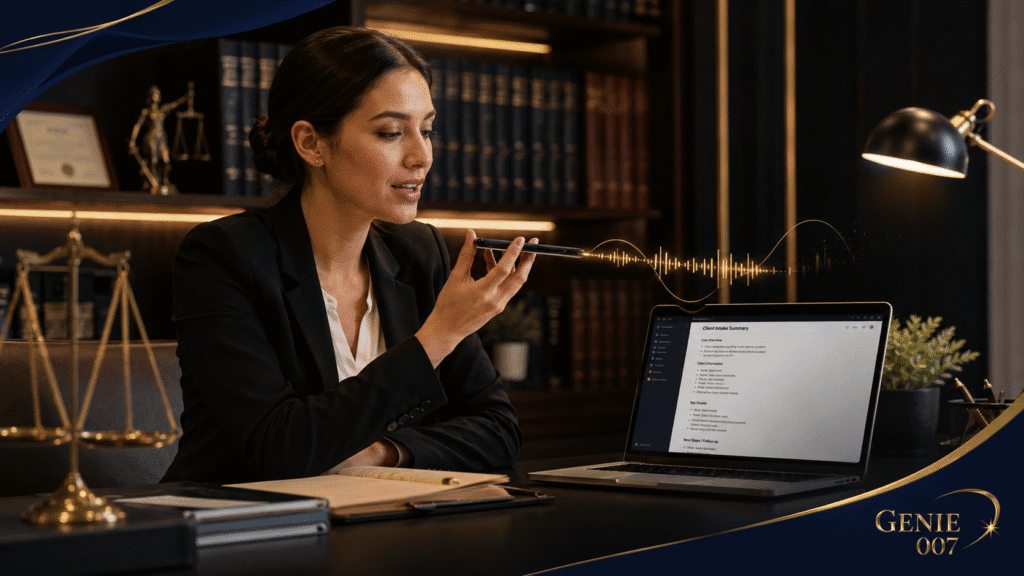
Voice typing for legal assistants transforms how you capture client information. Legal assistants spend hours juggling intake calls, scheduling, correspondence, and case file notes across multiple attorneys—mostly through typing and tab-switching. Dictating straight into your practice management system between calls reclaims time for higher-value tasks. This guide explains how voice typing works for legal assistants and shows concrete workflows that reduce strain and speed up your day.
The Legal Assistant Time Drain
Legal assistants handle the intake funnel. You answer calls from potential clients, new matters, and referrals; document their details in real time or from notes afterwards; schedule consultations; send confirmation emails; and flag urgent matters for supervising attorneys. You’re also likely supporting multiple attorneys in parallel, each with their own case preferences, communication styles, and deadline expectations. That’s a lot of context-switching—between phone, email, SMS, your practice management software, and the attorneys’ calendars.
The hidden cost is typing. You either type during calls (breaking your presence and causing errors) or type afterwards from notes (doubling the time). A 20-minute call becomes 40 minutes of work. Across five calls daily, that’s 3+ hours weekly on transcription alone. Built-in voice tools help, but they transcribe literally—you’re still saying “comma, period, new line,” which breaks your flow.
Voice typing for legal assistants changes this. With a tool designed to understand intent, you listen fully during the call, then dictate a summary immediately after: “First-time injury claim, client fell at supermarket, injury occurred three weeks ago, seeking compensation for medical bills and lost wages.” Instead of raw transcript, you get formatted intake notes ready to file. No literal transcription. No fumbling with punctuation. No retyping.
Before and After: A Legal Assistant’s Day
Without Voice Typing
09:30 – Client intake call (20 min). Client describes a contract dispute. You’re typing notes but missing details because you’re focused on typing, not listening.
09:50 – Type up full notes from memory and the partial notes you caught (25 min). Reformat into your practice management system. Check spelling and details against your call notes.
10:15 – Draft confirmation email to client with case summary. You’re retyping what you just entered into the system.
10:30 – Schedule follow-up consultation. Update attorney’s calendar. Send calendar invite to client. Check for conflicts.
11:00 – Two more intake calls and the same cycle repeats. By 13:00, you’ve spent 3+ hours on intake processing alone, and you haven’t reviewed any documents, confirmed addresses, or chased missing information.
With Voice Typing for Legal Assistants
09:30 – Client intake call (20 min). You listen fully and take minimal notes. Client feels heard.
09:50 – Dictate intake summary: “Contract dispute over renovation scope, £18,000 dispute, verbal agreement initially, then written amendment. Client has email trail. Needs advice on termination clause. Schedule for consultation.” Genie 007 formats it and drops it into your practice management system. No retyping.
10:00 – Dictate confirmation email to client from your phone or browser: “We’ve received your details and reviewed your situation. [Attorney] will contact you by Friday to discuss next steps.” Personalised, professional, sent in 90 seconds.
10:02 – Update attorney’s calendar and send confirmation to client via dictation. Done.
10:05 – Next intake call. Same efficient process.
By 13:00, you’ve handled the same intake volume but spent 90 minutes on processing instead of 3+ hours. You’ve also captured richer, more accurate client details because you listened instead of typed.
Five Legal Assistant Workflows Using Voice Typing
1. Client Intake Call to Case Summary
During call, you listen and note one or two keywords. After the call, dictate: “Personal injury claim, claimant fell at retail premises, injury date February 2026, seeks damages for medical and lost wages, has medical reports from GP.”
Output: Formatted intake summary in your practice management system in under two minutes, ready for the attorney’s review.
2. Intake to Email Confirmation
Dictate: “Thanks for contacting us. We’ve reviewed your matter and [Attorney Name] will contact you within two working days.”
Output: Professional confirmation email drafted and ready to send. Saves 10 minutes per client.
3. Scheduling and Calendar Updates
Dictate: “Schedule Jane Smith consultation with David Chen for Tuesday 14:00, 30 minutes, send calendar invite.” Output: Calendar invitation with all details, no manual entry.
4. Case Notes During Matter Progression
Dictate: “Client provided contract amendment via email. Defendant’s team proposed settlement of £12,500. Client hesitant, meeting scheduled for Friday.”
Output: Timestamped case note in practice management system, ready for attorney review.
5. Multi-Attorney Correspondence
Supporting four attorneys with different styles and case codes. Dictate: “Settlement offer received from respondent’s counsel, amount £45,000. Client approved. Meeting next Thursday.” Genie 007 learns your firm’s style and delivers consistent, professional output across all communications.
Time Savings and Accuracy Gains
With five intake calls daily at 45 minutes each (call plus typing and formatting), you’re spending 3.75 hours daily on intake. With voice typing for legal assistants, that compresses to 1.5 hours (listen, dictate, review). That’s 2.25 hours recovered daily, or 11+ hours per week—enough time to tackle research, document review, and priority client work.
You also reduce transcription errors. Dictating immediately after a call captures the client’s actual language; attorneys receive richer, more accurate summaries, reducing clarification cycles.
And because voice typing works across Windows, Mac, mobile, and browser, you dictate from anywhere—office, phone, email client—with no app-switching.
Objections: Accuracy, Privacy, and Learning Curve
Will Dictation Miss Legal Details?
Not if you review what you dictate. Genie 007 doesn’t transcribe literally; it understands legal context and learns your firm’s terminology. First time you dictate “claim reference BL-2026-00147,” it flags it. Second time, it learns the pattern. For client names and case codes unique to your firm, a quick review before filing takes 30 seconds. The time saved on retyping more than offsets the review time.
What About Confidentiality and Client Data?
Legal assistants work with sensitive client information—names, financial details, health facts, legal circumstances. Genie 007 encrypts your audio in transit, processes it in real time and stores no recordings and no transcripts. The software is GDPR compliant, with encryption in transit and at rest and no recordings or transcripts stored. Your boss can’t see it. Genie 007’s team can’t see it. This aligns with professional confidentiality standards and is far more private than Google Docs voice typing, which sends audio to Google’s cloud.
Is There a Learning Curve?
Minimal. Dictating isn’t a new skill for legal professionals; most have called a lawyer friend or dictated a reminder to themselves. Genie 007 picks up your natural speaking patterns and learns your terminology within a few hours of use. The browser extension and mobile apps are as intuitive as messaging apps you already use.
Built-In Options vs. Voice Typing for Legal Assistants
Your operating system includes free dictation: Windows Voice Typing, Mac Dictation, Google Docs Voice. All are free and work without subscriptions. The trade-off is clear. They transcribe literally—you’re saying “comma, new paragraph” mid-thought. They don’t learn your firm’s case codes or client name patterns. They don’t understand intent; you get raw transcript, not formatted output. And they’re locked to one platform or app—Windows Voice Typing doesn’t follow you to your phone or Mac.
For occasional notes, built-in tools work fine. For your primary workflow as a legal assistant, think-to-text tools like Genie 007 understand what you mean, not just what you say. Pricing starts at £5/month—affordable given time savings.
How to Get Started
First, choose your platform. Legal assistants usually start with the browser extension (works in Gmail, your web-based practice management portal, and any online form) or the Windows app (if your firm standardises Windows for intake). Mobile app is invaluable if you take calls from outside the office.
Second, test it on a non-urgent task. Dictate a few intake notes, confirmation emails, or calendar entries. Review the output before sending. Adjust if needed—Genie 007 learns your style with each dictation.
Third, share your firm’s case codes and common terminology with anyone else using the tool on your team. Genie 007 learns across users, so collective learning accelerates accuracy.
After one week, you’ll notice the time savings. After one month, you’ll wonder how you ever typed intake notes.
Related Reading
For context on how other legal professionals use voice tools, see dictation software for lawyers (attorneys often use more specialised features) and dictation software for paralegals (paralegals focus on case drafting and research, different from intake and scheduling). For a deeper dive into the technology behind think-to-text, read what is think-to-text.
Frequently Asked Questions
Can Voice Typing Understand Legal Terminology and Case Codes?
Yes, Genie 007 learns your firm’s terminology and case codes within a few dictations. The first time you mention a code like “BL-2026-00147,” it flags it for confirmation. After the second or third use, it recognises the pattern and formats it automatically. This adaptive learning is a key difference from basic speech-to-text tools that have no legal context.
Is Voice Typing Suitable for Confidential Client Information?
Completely. Genie 007 encrypts your audio in transit, processes it in real time and stores no recordings and no transcripts. The software is GDPR compliant, meeting professional standards for handling sensitive client data across litigation, personal injury, and healthcare matters.
How Much Time Does Voice Typing Actually Save?
Most legal assistants save 2–3 hours weekly replacing typed intake notes and emails with dictation. Five calls daily at 45 minutes processing time each (listen, type, format, send) versus 15–20 minutes with voice typing delivers substantial time savings—enough for document review, client follow-ups, and case research.
Try Genie 007 Free
Reduce intake processing time, improve accuracy, and give yourself back the hours you spend typing notes. Download Genie 007 free — available for Windows, Mac, mobile and as a browser extension. No credit card required.
Written by Bill Kiani, founder of Genie 007.
Related reading: Voice Typing for Executive Assistants.