If you write in two languages, you know the friction. Mid-email in Spanish, you need to reply in English. Most dictation tools force you to stop, dig into keyboard settings, toggle your language pack, and start again. What should be simple becomes tedious. The real problem isn’t transcription accuracy—it’s that you can’t dictation switch languages automatically, mid-sentence, the way you naturally speak and think.
Bilingual and multilingual professionals—lawyers managing clients across borders, international business developers, customer service teams in multicultural regions—lose 10–15 minutes per hour to this toggling ritual. Copy-paste-translate loops replace the flow. Your voice, which is fastest, becomes slowest.
Arabic speakers who code-switch with English should also read this arabic voice typing walkthrough for RTL and dialect-specific fixes.
Why Standard Dictation Tools Fail at Code-Switching
Speech recognition systems train on one language at a time. Apple Dictation, Google Docs Voice Typing, and Windows Voice Access all work well within a single language, but they fundamentally misunderstand bilingual speech. When you code-switch—dropping a French phrase into an English sentence—these tools either freeze, misinterpret the foreign words as gibberish, or ask you to manually select a new language before continuing. This isn’t a limitation of transcription quality; it’s a structural problem. The engine simply wasn’t built to follow your thoughts across languages.
The technical barrier is real and well-documented. A standard speech-to-text engine expects phonetic consistency. When a bilingual speaker says “J’ai une réunion” mid-email, the system hasn’t been trained to recognise that context switch. It tries to force the French phonemes through an English model and the result is mangled. You end up with sentence fragments, proper names misspelled, and work that needs cleaning up by hand. For someone managing work across three languages—say, English, French, and Spanish—this happens dozens of times daily. Each interruption breaks your flow and costs time.
Copy-paste loops become the workaround that most bilingual professionals adopt. Open dictation in language A, dictate, copy the result, close it, navigate to language settings, restart in language B, paste into your email, dictate again, then manually edit. A straightforward 30-second message becomes a two-minute context switch across applications and settings. Multiply that across 50+ emails a day, client chats, and team messages, and you’ve handed away an hour or more of productive time every single day.
The frustration runs deeper than lost minutes. You’re forced to think in structured sentences rather than speaking naturally. Most bilingual professionals think in the language of their current task, their audience, or the project they’re working on. Code-switching reflects that natural cognitive flexibility. When your tool forces you to choose one language at a time, you’re working against your brain’s natural operating mode, not with it.
The Live Translation Alternative: Automatic Language Detection
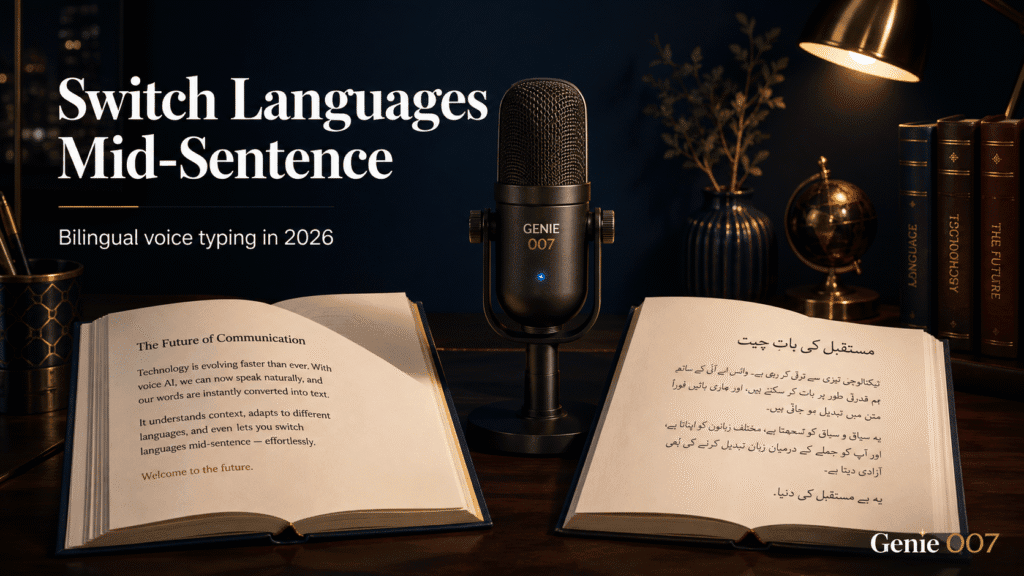
A smarter approach doesn’t force you to choose. Genie 007’s live translation feature detects which language you’re speaking and delivers the output in your target language—without a manual toggle. Speak naturally in any of 140+ languages, and it transcribes and translates in real time. Code-switching? No problem. You say something in French, Genie 007 recognises the language shift and delivers the output in your chosen target.
Here’s the workflow: Set your default output language (English, for example) and talk. If you mention a French phrase, Genie 007 translates it to English on the fly. If your boss emails in German, dictate your reply in English—Genie 007 understands German input and produces flawless English output. No language-pack toggling. No manual switching. You speak as you think; the tool keeps up.
This works across all your tools too. Gmail, Slack, Teams, Outlook—Genie 007 integrates directly into every platform. You’re not context-switching between a dictation app and your email. You press one button in Gmail, speak, and your message is drafted. The tool runs on mobile, Mac, Windows, and as a browser extension, so your workflow is the same whether you’re at your desk or on a call.
Beyond Transcription: Think-to-Text Over Literal Translation
Most translation and dictation tools transcribe literally. “I have a meeting with the boss” becomes exactly that in any language—technically correct but wooden, missing the tone and context you intended. Genie 007 goes beyond. Its think-to-text approach captures your intent, not just your words. When you dictate an idea, it refines it into the exact message you meant to send—polished, contextual, sounding native in the output language. This is the fundamental difference between dictation and composition with AI.
That shift matters profoundly for bilingual work. You’re not translating; you’re composing in your natural voice and having the system deliver your meaning clearly in another language. For customer-facing emails, business pitches, and formal communications, this difference is everything. Your accent never shows up in the text. Your second language sounds fluent, even if you’re not. The nuance lands correctly. A native speaker of German writing in English doesn’t sound like someone translating from German; they sound like someone who thinks in clear business English.
Real-world impact: A legal consultant managing contracts in English and Spanish doesn’t need to think in English before speaking. She speaks naturally, code-blends if she wants (“That clause—o esa cláusula, rather—needs revision”), and Genie 007 delivers professional, grammatically flawless English output in seconds. A sales director running calls across EMEA doesn’t toggle languages before every message or wrestle with translation tools. He speaks and gets polished text in whatever language his counterpart needs. A customer support agent handling tickets in five languages doesn’t juggle five different dictation windows. One button, natural speech, and contextually appropriate output in each language.
This isn’t just dictation becoming typing. It’s composition becoming frictionless. You keep your momentum. Your thoughts flow. The tool keeps up, translating and polishing in the background, delivering professional text that feels like it was written—not dictated and auto-corrected.
Accuracy and Confidence in 140+ Languages
The backbone of automatic language switching is accuracy. Genie 007 supports over 140 languages and accents. It understands Tagalog with a Manila accent, Mandarin with a Southern dialect, English with a Welsh inflection. When you code-switch, the system doesn’t hesitate; it recognises the language shift in milliseconds and adapts.
Accuracy in mixed-language contexts is harder than single-language speech recognition. Genie 007’s training includes millions of hours of multilingual and code-switched speech, so it handles the real patterns bilingual speakers use daily. A lawyer drafting a contract that references a French legal term no longer loses it to garbled text. A customer service agent handling calls across multiple languages doesn’t need to manually clean up every transcript. The time saved compounds across dozens of interactions daily.
Privacy is built in too—a core differentiator for international teams. Genie 007 encrypts your audio in transit, processes it in real time and stores no recordings and no transcripts. Your boss can’t see it. We can’t see it. For international teams managing sensitive client data, intellectual property, or confidential communications, this matters enormously. GDPR compliance is built in. Genie 007 is not a HIPAA tool, so keep protected health information out of it. Genie 007 encrypts your audio in transit, processes it in real time and stores no recordings and no transcripts.
When Manual Toggling Still Makes Sense
Automatic detection works brilliantly for natural, code-switched speech. But some workflows benefit from explicit choice. If you’re drafting a formal document in a single language and want absolute control, you can lock Genie 007 to that language. This gives you the best of both worlds: automatic switching when you need it, manual control when you want it.
The honest trade-off: automatic detection is faster for code-switched speech, but it occasionally misclassifies short phrases or proper nouns from foreign languages. A single French word in an English sentence might register as English-with-accent. In those moments, you can correct it or explicitly set the language for that phrase. It’s still faster than manual toggling between systems, and you retain full control.
Common Questions About Multilingual Dictation
How do you switch languages while dictating without stopping?
Genie 007 detects language shifts automatically. Speak naturally—switch languages mid-sentence if you like—and the tool delivers output in your chosen target language. No pause, no command, no toggling.
Can you dictate in one language and get output in another?
Yes. Set your output language and dictate in any of the 140+ supported languages. Genie 007 translates on the fly. This is the core of live translation: you speak, the system translates and transcribes simultaneously.
Does voice typing work accurately for bilingual speakers mixing two languages?
Accuracy depends on how natural the code-switching is. If you’re blending languages at the phrase level (code-switching), Genie 007 handles it well because it was trained on multilingual speech. If you’re just adding isolated words from another language, the tool might occasionally misclassify those words, but overall accuracy for mixed-language speech is substantially better than single-language-only systems.
What if I speak a language that isn’t in the system?
Genie 007 supports 140+ languages covering 99% of the world’s population. If your language isn’t listed, contact support—new languages are added regularly based on user request.
Is multilingual voice typing more expensive?
No. Genie 007’s pricing is the same regardless of how many languages you use. Mini plan at £5 per month includes all features, all languages. Switching between 2 languages or 10 costs the same.
Will my translated output sound native?
Yes, for professional and casual speech alike. The think-to-text engine refines your dictation into polished output that reads naturally in the target language. Accents, hesitations, and speech patterns don’t carry over.
Try Genie 007 Free
Stop toggling language settings mid-email. Dictation switch languages automatically across 140+ languages with live translation built in. Speak in your natural voice, get polished text in any language—all in one natural workflow.
Download Genie 007 free — available for Windows, Mac, mobile and as a browser extension. No credit card required.
Written by Bill Kiani, founder of Genie 007.
Related reading: the Polish to English voice translator guide for professionals.