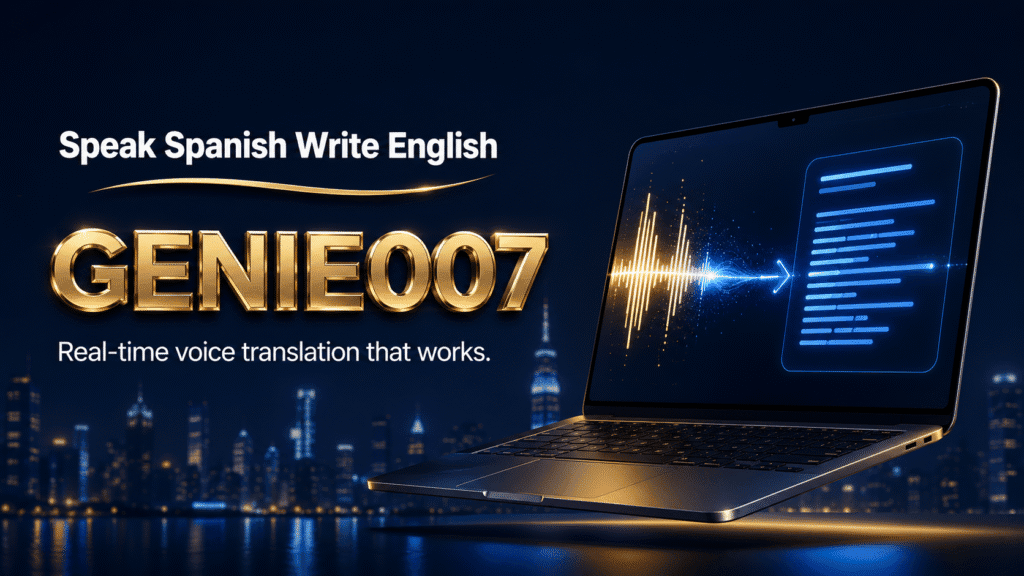
A spanish to english voice translator lets you speak Spanish into any app — email, WhatsApp, a video call — and see polished English appear instantly, without typing or switching to a separate translation tool. The best ones handle accents, real-time meetings, and voice notes, not just short phrases.
What Is a Spanish to English Voice Translator, Exactly?
Search for “spanish speech translator” or “voice translator spanish to english” and you’ll find two very different categories of tool. The first is a phrase translator: you speak a sentence, it shows or reads back a single translated sentence, and the interaction ends there. The second is a live translation layer that sits inside the apps you already use — Gmail, WhatsApp Web, Slack, Google Meet — and converts your spoken Spanish into typed English wherever your cursor happens to be.
The distinction matters because most people searching for a spanish to english voice translator aren’t looking to translate a single holiday phrase. They’re a bilingual professional replying to a client, a family member reading a voice note from a relative, or a remote worker joining a call with Spanish-speaking colleagues. For those situations, you need something that works inside a real workflow, not a standalone translation booth.
The scale of that demand is easy to underestimate. There are more than 45.5 million native Spanish speakers in the United States, and over 17.2 million US residents report speaking English “less than very well”, according to 2026 language access statistics. That’s millions of daily interactions — customer support calls, school emails, family messages, workplace meetings — that cross the Spanish-English line every single day, whether or not the tools involved are built for it.
The Honest Free Option: Google Translate’s Voice Mode
Google Translate is free, and it deserves a fair mention here. Open the app, tap the microphone, speak Spanish, and it transcribes and translates to English, sometimes reading the result aloud. For a one-off phrase — asking directions, checking a menu, understanding a short message — it does the job with no cost and no sign-up.
Where it falls short is exactly where a spanish to english voice translator needs to be strong: sustained, in-context work. Google Translate lives in its own app or browser tab, so you can’t dictate directly into an email or a WhatsApp reply without copying and pasting the result. It struggles with idiom and regional Spanish — “está genial” often comes back as a flat “it is great” rather than the warmer “that’s brilliant” a native speaker would write. And every audio clip you translate is sent to Google’s servers for processing, which is a reasonable trade-off for casual use but a real concern if the voice note contains client, medical, or legal detail.
| What you need | Google Translate (voice mode) | Genie 007 (live translation) |
|---|---|---|
| Cost | Free, no sign-up | Free trial, then from £5/mo |
| Works inside Gmail, WhatsApp, Slack, Meet | No — separate app or tab, copy-paste required | Yes — dictate straight into the field |
| Handles code-switching (mixed Spanish/English) | Unreliable | Built for it |
| Where audio is processed | Google’s servers | On-device / in-browser, not stored |
| Best for | One-off phrases, travel, quick checks | Daily emails, meetings, voice notes, messages |
Neither is “wrong” — they solve different problems. If you need to translate one sentence today, Google Translate is genuinely the fastest free option and there’s no reason not to use it. If you’re doing this daily as part of your job or your family communication, the in-app workflow starts to matter more than the price tag.
Real-Time Spanish to English Translation in Meetings and Calls
The demand for real time spanish to english translation has grown fastest in video calls. Global hybrid teams now run meetings where half the room speaks Spanish natively and half doesn’t, and waiting for a human interpreter isn’t always practical. By the end of 2026, more than 90% of global hybrid events are expected to include some form of live speech translation or captioning, according to recent industry analysis of real-time translation adoption.
Google Meet’s built-in captions can translate what a Spanish speaker says into English on your screen — that solves half the problem. But instant spanish to english translation only becomes useful in a live discussion when it works both ways: you also need to reply, ask a clarifying question, or push back on a point, in English, without stumbling through a second language in real time. That’s the gap Genie 007’s live translation for Google Meet is built to close — you speak your question or reply in Spanish, and it lands in the chat as natural English within seconds, so you’re participating, not just following along.
Picture a project stand-up with a Spanish-speaking developer and an English-speaking product manager. The developer follows the discussion through Meet’s translated captions, then needs to flag a blocker. Instead of composing halting English on the fly, they open Genie 007, speak the update in Spanish — “el endpoint todavía falla con cargas grandes, necesito otro día” — and post the English translation directly into the meeting chat: “The endpoint is still failing under heavy load, I need another day.” The whole exchange takes seconds and nobody loses the thread of the meeting waiting for a translated reply.
WhatsApp Voice Message Translator Online: Translating Voice Notes Without Leaving the Chat
A huge share of this demand comes from WhatsApp specifically. More than 7 billion voice messages are sent on WhatsApp every day — roughly 5% of all daily WhatsApp traffic — according to WhatsApp usage statistics for 2026. If even a fraction of those notes cross a language line, the search for a whatsapp voice message translator online makes complete sense: nobody wants to leave the conversation to translate it.
The manual route is familiar and slow: download the voice note, open a separate transcription tool, wait, copy the text into a translator, wait again, then finally read what your relative or colleague actually said. Genie 007 collapses that into one step. Our guide on how to translate voice notes to English walks through processing an incoming Spanish voice message and getting readable English in real time, transcription and translation happening together instead of in sequence. And because WhatsApp Web and WhatsApp Desktop have no native voice typing feature at all, replying is just as much of a bottleneck as understanding — our guide to replying to WhatsApp by voice on desktop covers the other half of that workflow, so you can speak your reply in Spanish and send it as English without touching the keyboard.
Speak Spanish, Type English: The Genie 007 Live Translation Workflow
Underneath meetings and voice notes sits the simplest and most common use case: you need to speak and translate spanish to english for ordinary typing — an email, a Slack message, a LinkedIn comment. This is where a translate spanish to english voice workflow earns its keep every day, not just in the odd cross-language emergency.
The mechanism is straightforward. You open the field you’d normally type into, activate voice input, and speak Spanish. Genie 007 recognises the language, understands the context (a formal email reads differently from a casual WhatsApp message), and delivers English text that captures what you meant rather than a literal word-for-word transcript. A legal consultant dictating “Necesitamos revisar los términos del acuerdo antes de firmar” into Outlook sees “We need to review the agreement terms before signing” appear — properly formal, properly punctuated, ready to send.
Code-switching — mixing Spanish and English mid-sentence, the way many bilingual speakers naturally talk — is where basic transcription tools usually break down. Say “El cliente didn’t respond to the proposal” into a standard dictation tool and you’ll often get a garbled half-transcript. Genie 007’s translate spanish to english audio app functionality is built around understanding intent across that language boundary, not transcribing it literally, so the mixed input still produces one clean English sentence.
The same workflow covers social and content work, not just business correspondence. A bilingual content creator managing an English-language audience but thinking naturally in Spanish can dictate an Instagram caption or a LinkedIn post in Spanish and get platform-appropriate English out the other end — casual and short for Instagram, structured and professional for LinkedIn — without manually rewriting the tone each time.
How Accurate Is Instant Spanish to English Translation?
Accuracy is the fair question to ask before relying on any spanish to english voice translator for work that matters. Streaming speech-recognition engines in 2026 typically report word accuracy in the low-to-mid 90s for clear, general business speech, with the strongest systems reaching 94%+ word accuracy under good conditions, per current benchmarks for real-time speech translation. Genie 007’s translation layer builds on that baseline, learning your accent and vocabulary over repeated use, which improves accuracy further for regular users.
The honest limitation: highly technical jargon, rare acronyms, or very recent terminology can occasionally need a quick manual check, and heavily accented or noisy audio always degrades any speech system’s accuracy, human or AI. For casual messages and most professional correspondence, that’s a minor edit cycle, not a blocker. For a contract clause or a medical instruction, it’s worth a second read before you hit send — the same discipline you’d apply to a human interpreter’s work.
Privacy: Who Sees Your Spanish to English Translations?
Voice translation only works if you trust it with what you’re actually saying, and for bilingual professionals that’s often sensitive: legal correspondence, medical notes, confidential client conversations. Genie 007 processes voice and translation in-browser and on-device across all four platforms — Windows, Mac, mobile, and the browser extension — with AES-256 encryption, no audio storage, and zero data retention. Your translations never touch a company server for anyone, including us, to see.
That’s a meaningful difference from cloud-based free tools, where audio is sent off-device for processing as a condition of the free service. If you’re translating a WhatsApp voice note from a relative, that trade-off rarely matters. If you’re a legal, healthcare, or financial professional working across languages, it does — Genie 007 is GDPR compliant and HIPAA ready for exactly that reason.
In practice, the people who get the most value from a spanish to english voice translator fall into a few recurring groups: bilingual customer support agents replying to Spanish-speaking customers all day, healthcare and legal professionals who need both speed and confidentiality, families and friends staying in touch across a language gap over WhatsApp, and remote teams where a meeting or a Slack thread regularly crosses from Spanish into English and back. The underlying need is the same in every case — speak naturally in your own language, and let the tool carry the meaning across.
Getting Started With a Spanish to English Voice Translator
Setup takes a few minutes. Install Genie 007 for Windows, Mac, mobile, or as a browser extension — the same account and trained voice profile follow you across all four, so your terminology and accent adaptation carry over whether you’re replying to email on your laptop or a WhatsApp voice note on your phone.
Set your input language to Spanish and your output language to English (or leave detection on auto if you regularly switch between the two), then start dictating into any text field — no per-app plugins, no copy-paste. The free trial requires no credit card, so you can test the full workflow — meetings, WhatsApp, email — before deciding whether to upgrade. Full plan details, including the Teams option for shared accounts, are on the pricing page.
Frequently Asked Questions
What is the best spanish to english voice translator app?
For occasional single phrases, Google Translate’s free voice mode is enough. For daily use — emails, WhatsApp voice notes, meetings — a purpose-built spanish to english voice translator like Genie 007 works better because it translates directly inside the app you’re using, understands context and tone, and never requires copy-pasting between tools.
Can I get real time spanish to english translation on a video call?
Yes. Google Meet’s built-in captions can translate what a Spanish speaker says into English on screen, but that’s one-directional. Genie 007’s live translation for Google Meet adds the missing half: you speak your reply or question in Spanish and it appears as natural English text within seconds, so you can actually participate, not just follow along.
How do I translate a WhatsApp voice message from Spanish to English?
WhatsApp has no built-in translator, so the voice note has to be processed elsewhere. With Genie 007, you open the voice note in the app, enable live translation to English, and it transcribes and translates simultaneously as the audio plays — no downloading to a separate transcription tool first.
Is there a free way to translate Spanish to English by voice?
Yes — Google Translate’s voice mode is free and works well for short, simple phrases, with no sign-up required. It becomes less reliable for idiom, accents, and sustained professional use, which is where a dedicated tool with a free trial, like Genie 007, tends to save more time.
How accurate is instant Spanish to English translation?
Modern speech translation engines typically achieve word accuracy in the low-to-mid 90s for clear speech, with the strongest systems passing 94% under good conditions. Accuracy drops with heavy accents, background noise, or rare technical terms, so a quick read-through before sending anything important is still good practice.
Try Genie 007 Free
A spanish to english voice translator should work everywhere you actually communicate — not in a separate tab. Genie 007 turns your spoken Spanish into polished English in email, WhatsApp, meetings, and messages, all processed privately on your own device.
Download Genie 007 free — available for Windows, Mac, mobile and as a browser extension. No credit card required.
If you work across two languages every day, see our guide to dictation software for bilingual professionals for choosing a setup that handles both languages smoothly.
Written by Bill Kiani, founder of Genie 007.
Related reading: Speak English, Write Spanish.