
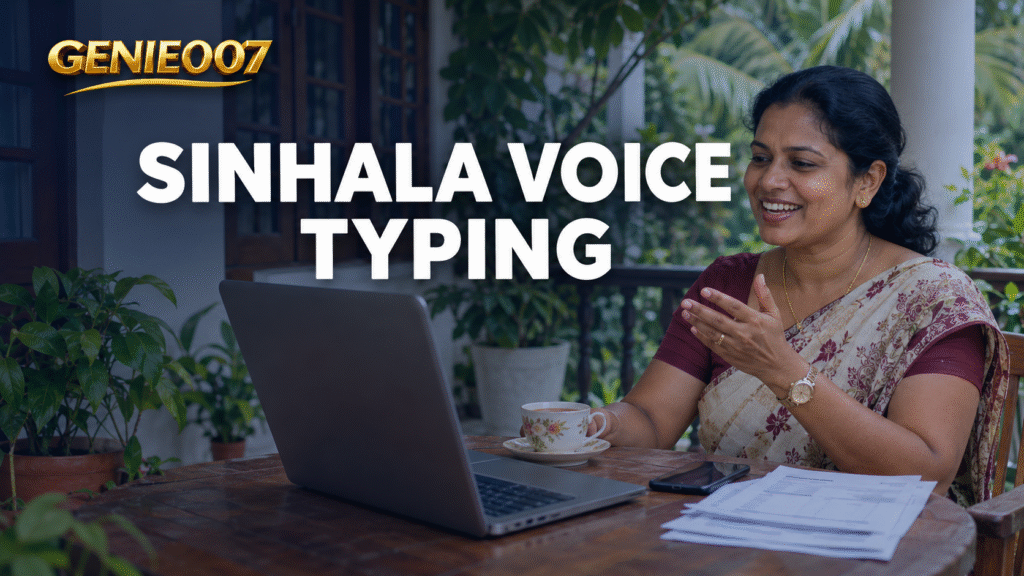
Sinhala voice typing is not built into Windows 11 or Word: Microsoft’s language lists for both leave Sinhala out. Google Docs does list it, though only inside a browser tab. On a PC or Mac, Genie 007 lists Sinhala and types what you say straight into whichever app your cursor is in.
Quick answer
- For a PC or laptop, use the Genie 007 desktop app (Windows or Mac). In Settings, set Input Language to Sinhala.
- Put your cursor in Word, Gmail, WhatsApp Web or any text box. Press X (or any key or combination you choose) and talk.
- Free and online: in a Google Doc (Chrome, Edge or Safari), go to Tools, then Voice typing, and select Sinhala. The text stays in that tab.
- Android phone: add the Sinhala keyboard in Gboard, tap the microphone and run a short test.
The problem with Sinhala voice typing on a laptop
Typing Sinhala on a laptop is slow, and you know it. The keys in front of you are English, whether you are in Colombo or in London, so you either learn the Wijesekara layout or spell the words in English letters and trust a converter to pick the right one. A message you could say in one breath takes far longer to type.
So you try your voice. You press the Windows key and H, and Windows 11 has no Sinhala. Word’s Dictate button has none either. Google Docs does, and it works, but the words stay in that one browser tab. A WhatsApp Web message, a Gmail reply, a paragraph in Word: each gets spoken in Docs, copied and pasted. Tomorrow you do it all again.
Sinhala voice typing with Genie 007: say it, get it
Genie 007 takes the copying and pasting away. It is a desktop app for Windows and Mac, and Sinhala is on its Input Language list in Settings (and on the Output Language list too). You stay in the app you are working in, speak Sinhala, and the Sinhala text is typed where your cursor is.
| You are in | You press and say | What appears |
|---|---|---|
| A Word document | Press X and say in Sinhala: මම හෙට කාර්යාලයට එන්නේ නැහැ, සිකුරාදා එන්නම්. | මම හෙට කාර්යාලයට එන්නේ නැහැ, සිකුරාදා එන්නම්. (in Sinhala script, at your cursor) |
| A Gmail reply | Press X and say the same Sinhala sentence, with Output Language set to English (live translation) | I’m not coming to the office tomorrow, I’ll come on Friday. |
| An email you need to answer | Press Q and say what you want: reply to this email, can’t do Thursday, offer Friday | A finished reply that says you can’t do Thursday and offers Friday, ready to read and send |
One key types and the other writes. Press X and your Sinhala goes in as you said it, with filler words removed and punctuation tidied. Set Output Language to English and the same key gives you English: that is live translation. Press Q (think-to-text) and you give only the gist, and Genie 007 writes the finished message. See what is think-to-text for how that second key works.
Input Language can stay on Auto-detect, or you can set it to Sinhala yourself. Stop talking for about 9 seconds and the app stops by itself (that is the default). Genie 007 covers 140+ languages and is free to start, with no card needed: request access on the Windows or Mac page.
Sinhala speech to text: which built-in tools list it
Here is Genie 007 beside the tools already on your computer. The cells about other companies’ tools come from their own help pages, read on 22 and 23 November 2026. Those lists change, so check the pages linked below.
| What a Sinhala typist needs | Genie 007 | Windows 11 voice typing | Word Dictate | Google Docs voice typing | Apple Dictation |
|---|---|---|---|---|---|
| Sinhala on a Windows PC | Yes, Input Language lists it | No | No | Yes, in a browser tab | Not applicable |
| Sinhala on a Mac | Yes, Input Language lists it | Not applicable | No | Yes, in Safari or Chrome | Not listed on Apple’s page |
| Inside any app, not one tab | Yes, Windows and Mac | Not for Sinhala | Word only | Docs tab only | Not for Sinhala |
| Inside Word | Yes | No | No | No, copy and paste | No |
| Speak Sinhala, get English text | Yes, with Output Language set to English | No | No | Not offered on Google’s help page | Not offered |
The built-in tools are free, and if everything you write lives in one Google Docs tab, that is enough. Once you need Sinhala in Word, Gmail or WhatsApp Web, only the Genie 007 column says yes.
Sinhala voice typing for PC and Windows 11
Windows 11 comes with its own voice typing, opened with the Windows key plus H according to Microsoft’s help page. That page names 46 supported languages and regional versions, among them Hindi, Tamil, Telugu, Gujarati and Marathi. Sinhala is missing. So Sinhala voice typing for PC cannot come from Windows 11 itself today.
If you came looking for a Sinhala voice typing app for PC, this is the gap Genie 007 fills. Set Sinhala under Settings, then Input Language, click into Word, a browser box or a chat window, and speak. That is Sinhala voice typing in laptop apps of every kind. Avoid unknown browser extensions that want your microphone, because you cannot see what happens to your voice.
Write Tamil as well? Windows does list Tamil, and our Tamil voice typing guide has the steps. Malayalam is in the same position as Sinhala, as our Malayalam voice typing guide shows.
Sinhala voice typing in Word
In Word, Dictate sits under Home, then Dictate, and Microsoft’s Dictate page says the feature is only available to Microsoft 365 subscribers. Its supported list and its preview list both leave Sinhala out, so Sinhala voice typing in Word is not possible with the built-in button. There is a free way round it:
- Start a new Google Doc and set its voice typing language to Sinhala (the next section has the steps).
- Say your text, then read it back once.
- Copy the text into Word. Sinhala script comes across intact if the Word font supports it.
Or skip the second window. With Genie 007 you click into the Word document, press X and speak Sinhala, and the words are typed on the page.
Sinhala voice typing online in Google Docs
For Sinhala voice typing online, with nothing to install, Google Docs is the dependable free choice. Sinhala is on the language list on Google’s help page, which says voice typing works in the latest versions of Chrome, Edge and Safari. The page gives a menu path, not a keyboard shortcut.
- Make sure your microphone is switched on and working.
- Open a document in Google Docs in one of those three browsers.
- Go to Tools, then Voice typing, and a microphone box appears.
- In that box, open the language list and select Sinhala.
- Click the microphone when you are ready, speak at a normal pace, and click it again when you finish.
What you say stays in that Doc. Moving it to WhatsApp Web, Gmail or Word is a copy and paste every time, which is the step Genie 007 removes.
Sinhala voice typing on iPhone
On Apple’s iPhone feature availability page, Sinhala is in the QuickType keyboard list, so you can type it. It is not in the Dictation list (checked 22 November 2026), which means Apple does not list the keyboard’s microphone key for Sinhala. Apple’s Mac page shows the same: a Sinhala keyboard, no Sinhala under Dictation.
Genie 007 has a mobile app too. It adds the Genie keyboard to your phone: tap the mic on the Genie keyboard and say what you want. The mobile page has the current iPhone details.
Sinhala voice typing on Android with the Gboard keyboard
Gboard is Google’s keyboard for Android.Google’s Gboard help lists two Sinhala keyboards, Sinhala and Sinhala, Transliteration, and Google announced speech recognition for Sinhala (Sri Lanka) in August 2017. Run a quick test all the same, because Google’s talk to write page warns that it does not work with all languages. Add Sinhala in Gboard’s Languages settings first, then:
- Open an app you can type in and tap where the text goes.
- Tap the microphone at the top of the keyboard.
- Speak when “Speak now” appears.
- With more than one language switched on, tap the language abbreviation at the bottom left of the voice toolbar and switch to Sinhala.
The same Google page says punctuation might not be available in all languages, so be ready to add full stops by hand. Gboard also stays on the phone. For the laptop, you are back to a Docs tab or Genie 007.
A short Sinhala script example to test with
Test any tool with a short everyday sentence and compare the script with what you said.
| Sinhala | English meaning |
|---|---|
| මම හෙට කොළඹට යනවා. | I am going to Colombo tomorrow. |
| ඔයා කෑම කෑවද? | Have you eaten? |
Two things tend to trip up Sinhala speech to text: formal written Sinhala that differs from everyday speech, and Sinhala mixed with English. Google and Microsoft publish no accuracy figures for Sinhala, so test with your own voice, in short sentences. Treat Sinhala voice to text as a fast first draft that needs one read.
Sinhala voice to text: Google Docs or Genie 007?
If Google Docs is the only place you ever dictate, stay with it. If your Sinhala also has to go into Word, Gmail, WhatsApp Web or anything else, or you think in Sinhala and have to write in English, Genie 007 takes away the copying, pasting and retyping. Choose Sinhala as the input and English as the output, say the message once, and read the English before it goes.
Other languages are in our voice typing languages table and the voice typing guides hub.
Frequently asked questions
How do I do Sinhala voice typing on my laptop?
Use the Genie 007 desktop app for Windows or Mac: set Input Language to Sinhala, click into any app and speak, and the Sinhala text is typed at your cursor. The free route is Google Docs voice typing in Chrome, Edge or Safari, where the text stays in the Docs tab.
Does Windows 11 have Sinhala voice typing?
No. Sinhala is not among the 46 languages and regional versions on Microsoft’s Windows 11 voice typing page, so the Windows key plus H will not type Sinhala. On a PC, Google Docs lists Sinhala inside a browser tab, and the Genie 007 desktop app lists it for any app.
Can I use Sinhala voice typing in Word?
Not with Word’s own Dictate button: Microsoft’s Dictate page has a supported list and a preview list, and Sinhala is on neither. You can speak into a Google Doc and paste the result into Word. Or use Genie 007, which types Sinhala into the Word document itself, right where your cursor is.
Can I do Sinhala voice typing online for free?
Yes. Google Docs voice typing is free, runs online in Chrome, Edge or Safari, and has Sinhala on its language list: go to Tools, then Voice typing, and select Sinhala. Your words stay in that tab until you copy them. Genie 007 is also free to start, with no card needed.
Can I speak Sinhala and get English text?
Yes, if the tool has live translation. In the Genie 007 desktop app you set Sinhala as the Input Language and English as the Output Language, speak Sinhala, and English text is typed in the app you are in. Google’s help page for Docs voice typing does not mention a translation option.
Try Genie 007 Free
Say it in Sinhala and get the finished text where you are working: Word, Gmail, WhatsApp Web or any other app, in Sinhala script or in English. Nothing to copy, and no tab to keep open.
Free to start, no card needed. Request access to the desktop app on the Windows or Mac page. Genie 007 works on Windows, Mac, mobile and as a browser extension.
Written by Bill Kiani, founder of Genie 007.