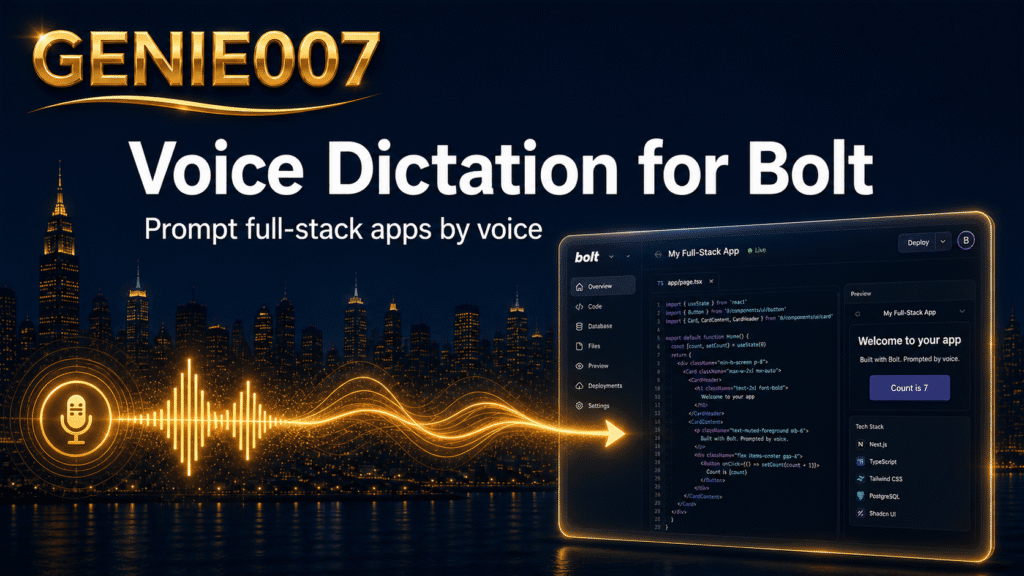
Voice dictation for Bolt now works two ways: Bolt’s own built-in dictation, added in August 2026, lets you talk straight into the chatbox, while system-level tools such as Apple Dictation, Windows Voice Access, and Genie 007 add accuracy, cleanup, and multilingual support everywhere else you build.
Bolt.new is one of the fastest AI app builders around, and how you feed it prompts matters. Typing a detailed feature request and a bug description in one session slows you down; talking doesn’t. This guide covers what Bolt’s native dictation does, where system-level options still beat it, and how Genie 007 turns spoken prompts into clean, structured instructions across every app — not just Bolt’s chatbox.
Does Bolt.new Have Built-In Voice Dictation?
Yes. Bolt shipped native bolt.new voice input in its August 10–16, 2026 release, per Bolt’s own release notes. Talk instead of typing, and Bolt transcribes your speech into the chatbox before you send it.
Three ways to start: click the microphone icon and click again (or press Enter) when done, hold Ctrl+Shift+D while you talk, or right-click and hold in the chatbox. All three transcribe your voice into editable text in the prompt field. Dictation supports multiple languages, and you can mix typed and spoken text in the same prompt.
The Limits of Bolt’s Built-In Dictation
Bolt’s native dictation is genuinely useful for a quick one-off prompt, but it has real boundaries. It only works inside the Bolt chatbox — switch to your inbox, GitHub issues, Slack, or Notion to write the same request, and you’re back to typing. It also does raw transcription: it writes down roughly what you said, rather than cleaning up filler words, restructuring a rambling explanation into a tight spec, or translating your prompt on the fly. Fine for short instructions, less fine for a multi-step checkout flow or a bug with five reproduction steps — prompts where a bit of structure produces a noticeably better first result.
How to Talk to Bolt: System-Level Voice Options
If you want dictation that follows you outside the chatbox, or a backup when Bolt’s mic isn’t cooperating, system-level tools pick up the slack. This is how to talk to Bolt using what’s already on your computer or phone:
Windows Voice Access is built into Windows 11 and free. Turn it on from Settings > Accessibility > Speech; it dictates into the Bolt browser tab like any text field, though it’s clunky for long technical prompts.
Apple Dictation works on Mac, iPhone, and iPad with zero setup — press the dictation key twice or tap the keyboard mic. It’s private and on-device, but accuracy drops with Bolt-specific vocabulary.
Google voice typing / Gboard covers Android users and anyone dictating into Bolt via Google Docs first. Free and built into Gboard, but not designed for long, structured prompts.
Dragon (Nuance) is the legacy professional option — a one-time $699.99 Windows licence, or $15/user/month for Dragon Professional Anywhere in the cloud. No free plan and no native Mac version, but still the choice for teams with deep, specialised vocabularies already built around it.
Voice Dictation for Bolt: Comparison Table
Here’s how the built-in option, the big system players, and Genie 007 stack up for dictating Bolt prompts:
| Tool | Price/month | Free plan? | Platforms | Works in | Best for |
|---|---|---|---|---|---|
| Genie 007 | From £5 | Yes, free trial, no card | Windows, Mac, mobile, browser extension | Bolt’s chatbox plus every app and site — Gmail, Slack, Notion, GitHub, Docs | Builders who want think-to-text cleanup and multilingual prompts everywhere, not just Bolt |
| Bolt built-in dictation | Free | Yes, included with Bolt | Browser (wherever Bolt runs) | Only the Bolt chatbox | A quick, zero-setup spoken prompt inside one project |
| Apple Dictation / Siri | Free | Yes | Mac, iPhone, iPad | Any macOS/iOS text field, including Bolt in Safari | Mac and iPhone users wanting a private, on-device fallback |
| Google voice typing / Gboard | Free | Yes | Android, Chrome, Google Docs | Any Android text field; Google Docs on desktop | Android users and free dictation into Google Docs |
| Windows Voice Access | Free | Yes | Windows 11 | Any Windows text field, including the Bolt browser tab | Windows users who want a free, hands-free basic option |
| Dragon (Nuance) | $15–$699.99 | No | Windows (desktop), Windows/mobile (Anywhere cloud) | Any Windows text field | Legacy enterprise or medical vocabularies on Windows |
Genie 007 wins on overall coverage: the only option here running on four platforms, working inside Bolt’s chatbox and everywhere else you write, with live translation across 140+ languages. Bolt’s built-in dictation suits a single quick prompt; Genie 007 suits switching between Bolt, your ticket tracker, and team chat.
Dictate Bolt Prompts on Mobile
Bolt runs in a mobile browser rather than a dedicated app, so to dictate Bolt prompts on mobile you have a few routes: tap the keyboard mic for Apple Dictation on iPhone, or Gboard’s mic on Android, both inside Bolt’s chatbox in the browser. Both transcribe literally and won’t tidy up a rambling voice note. The Genie 007 mobile app does exactly that: describe a bug or new screen out loud, and it turns the ramble into a clear prompt to paste straight into Bolt, in whichever of 140+ languages you’re speaking.
Genie 007 for Bolt: Setup and Workflow
Genie 007 is a think-to-text voice assistant — it captures what you mean, not just what you said. Unlike Bolt’s own dictation, it isn’t limited to one chatbox: install the Windows app, Mac app, mobile app, or browser extension, and it works in Bolt’s prompt field the same way it works in Gmail, GitHub, or Slack.
The workflow: open your Bolt project, trigger Genie 007’s Voice Typing mode, and talk through what you want — a landing page, a bug fix, a styling tweak — the way you’d explain it to a teammate, filler words and all. Genie 007 cleans up the phrasing and drops a ready-to-send prompt into the chatbox. Prompting in one language and want output in another? Live translation across 140+ languages handles that in the same step. It all processes on-device with AES-256 encryption and zero data retention, so product ideas never touch a server.
Spoken Prompt Cheat Sheet for Bolt
These are examples of bolt ai voice prompts — what to say out loud for common build tasks:
| What you want to build | What to say out loud |
|---|---|
| Landing page | “Build a landing page for a fitness app with a hero section, three pricing tiers, and a signup form that saves emails to the database.” |
| SaaS dashboard | “Create a dashboard with a sidebar nav, a chart showing weekly revenue, and a table of the ten most recent customers.” |
| E-commerce checkout | “Add a checkout flow with a cart summary, shipping address form, and Stripe payment step, then redirect to an order confirmation page.” |
| Bug fix | “The signup button submits twice when clicked fast — disable it after the first click until the request finishes.” |
| Styling change | “Make the header sticky, switch the accent colour to teal, and increase the spacing between cards on mobile.” |
| Mobile responsiveness | “The pricing table overflows on small screens — stack the columns vertically below 600 pixels wide.” |
Bolt Voice Not Working? Quick Fixes
If Bolt voice not working is what brought you here, the fix is usually the browser, the OS, or Bolt itself. Check browser permissions first — click the site controls icon next to the address bar and confirm microphone access is Allowed for bolt.new. Next, check OS-level settings: Windows > Privacy & Security > Microphone, or Mac > System Settings > Privacy & Security > Microphone. Still stuck? Try a different microphone, disable browser extensions, or reload in a clean profile. If Ctrl+Shift+D doesn’t trigger dictation, another app may be using that shortcut — use the microphone icon or right-click-and-hold instead.
Typing tops out at roughly 40 words per minute for most people, while natural speech runs close to 150 words per minute — nearly four times faster. That gap is why voice input for Bolt, where you’re often describing multi-part features in one go, adds up over a full build session.
Frequently Asked Questions
Does Bolt.new have built-in voice dictation?
Yes. Bolt added native voice dictation in its August 2026 release. Click the microphone icon, hold Ctrl+Shift+D, or right-click and hold in the chatbox to dictate, and Bolt transcribes it into editable text before you send it.
How do I dictate Bolt prompts on mobile?
Bolt runs in a mobile browser, so use your phone’s built-in dictation — Apple Dictation on iPhone or Gboard on Android — inside the chatbox. For longer, messier prompts, the Genie 007 mobile app cleans up rambling voice notes first.
Why is Bolt voice not working?
Bolt voice usually fails because of a permissions issue: check that your browser has microphone access allowed for bolt.new, then check your operating system’s microphone settings, and try a different browser profile.
Is voice dictation faster than typing?
Yes. Typing averages around 40 words per minute for most people, while natural speech runs close to 150 words per minute, roughly three to four times faster, which adds up across a full Bolt build session.
Does Genie 007 work with Bolt.new?
Yes. Genie 007 runs as a Windows app, Mac app, mobile app, or browser extension and works inside Bolt’s chatbox the same way it works in any other app, adding think-to-text cleanup and 140+ language live translation.
Building across more than one AI coding tool? See also voice dictation for Replit and voice dictation for Claude Code.
If you switch between Bolt and Windsurf, Genie 007 works the same way in both — see the voice dictation for Windsurf guide.
Try Genie 007 Free
Bolt’s native dictation gets a quick prompt into the chatbox; Genie 007 turns every rambling idea — for Bolt, your inbox, or your next client message — into clean, structured text in seconds.
Download Genie 007 free — available for Windows, Mac, mobile and as a browser extension. No credit card required. See pricing for full plan details.
Written by Bill Kiani, founder of Genie 007.
If you also build in Bolt, see our guide to voice dictation for Lovable for how its native voice input compares to Genie 007 across both AI app builders.
Developers who also use v0 for UI components will find the same dictation approach covered in our guide to voice dictation for v0.