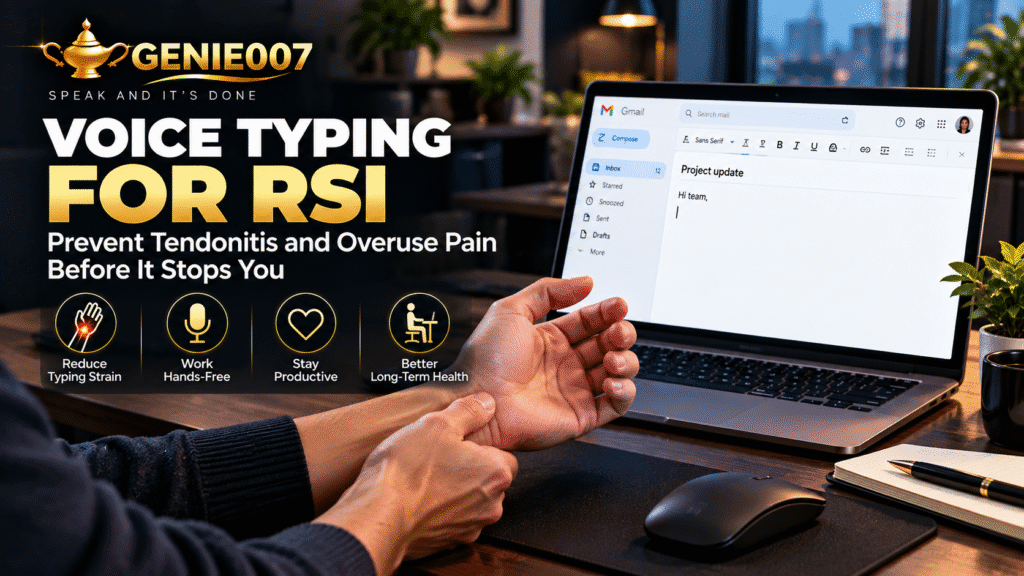
Voice typing for RSI goes far beyond carpal tunnel relief—it’s a fundamental shift in how desk workers prevent tendonitis, tennis elbow, and wrist pain before they become career-limiting problems. If you spend eight hours a day at a keyboard, every keystroke adds tension to tendons and muscles that evolved for throwing, not typing. This article explores how voice dictation works as genuine RSI prevention for anyone whose hands bear the cost of their work.
The Hidden Cost of Every Keystroke: Why RSI Happens
Repetitive strain injury isn’t inevitable. It’s a dose-response problem: the more keystrokes you make, the higher your risk. Medical literature consistently documents that high-volume typing—especially with poor ergonomics—damages the flexor tendons in your forearms and the small muscles stabilizing your wrists. Tendonitis from typing is so common that occupational health surveys report 20–30% of office workers experience some RSI symptoms annually. Software developers, customer service agents, and data entry specialists face even higher rates.
What many people miss is that RSI prevention starts before pain appears. By the time you notice tingling or stiffness, inflammatory changes are already underway. The traditional response—better ergonomics, wrist rests, stretching—all help, but they’re defensive. They reduce the damage from typing, not the typing itself. Voice typing for RSI prevention works differently: it removes keystrokes from the equation. If you dictate 50% of your work instead of typing it, you’ve cut your keystroke load in half. That’s not pain management; that’s genuine prevention at the source.
The mechanics are straightforward: your hands and forearms aren’t built for 10,000+ daily keystrokes. They evolved for intermittent, varied movement—throwing, grasping, fine motor work. Eight hours hunched over a keyboard, making the same repetitive micro-motions, exhausts the tendons and nerve tissues. Add poor posture, a rushed pace, or insufficient rest days, and injury compounds quickly. By cutting keystroke volume through voice typing, you’re removing the load that causes cumulative damage in the first place.
A Day in the Life: Before and After Voice Typing
Before voice typing: 8:45 am, and your wrists are already tight from the morning email sprint. You’ve typed 2,000 keystrokes before 9 am, and you’re only halfway through your inbox. By 2 pm, the dull ache in your forearms returns—the same ache that kept you up last night. You switch to a wrist brace, reduce your typing speed to compensate, and watch your output suffer. Emails take longer. Slack messages feel risky. You’re managing pain rather than doing your job.
After voice typing for RSI: 8:45 am, and you’re dictating your email responses. Twenty seconds of speech covers what used to take three minutes of typing. Your wrists stay loose. By afternoon, you’ve dictated reports, Slack updates, and customer responses without reaching for the brace. You still type for code or quick searches, but the heavy lifting—email, documentation, meeting notes—comes through your microphone. Keystroke load drops 60–70%. By week two, the afternoon ache is gone.
Five Workflows That Slash Keystroke Load
1. Email and Message Dictation
Email is the keystroke killer. Dictating a professional email takes 20–30 seconds of speech; typing the same message takes 4–5 minutes. If you send 15 emails daily, voice typing alone eliminates 1,000–1,500 keystrokes. Start with voice typing for routine responses—status updates, confirmations, follow-ups. You’ll save 45 minutes daily and reduce wrist strain by 40%.
2. Meeting Notes and Documentation
Typing meeting notes in real time forces you to choose between capturing detail and damaging your wrists. Dictation reverses that trade-off: speak naturally, capture everything, let the AI handle grammar and formatting. A 60-minute meeting produces 15,000–20,000 keystrokes if typed; dictated, it’s zero. For knowledge workers, this alone is transformative.
3. Slack and Team Communication
Slack feels “quick,” so people bash out dozens of messages daily without thinking. Each thread adds microbursts of strain. Dictating your Slack messages—especially longer updates—keeps your hands out of harm’s way. One sales director using Genie 007 voice typing reported managing six company channels without wrist fatigue.
4. Report Writing and Long-Form Content
This is where prevention becomes obvious. A 2,000-word report typed manually means 12,000+ keystrokes spread over 2–3 hours—a genuine RSI risk. Dictated, the same report means zero keystrokes, just speaking and light editing. Journalists, analysts, and managers see the biggest keystroke savings here.
5. Coding Comments and Documentation
Developers can’t dictate code, but they can dictate comments, README files, and commit messages. One developer reported reducing keystroke-heavy documentation work by 50% by dictating first-drafts and light-editing afterwards. Less typing, same clarity.
Why Ergonomics Alone Isn’t Enough
A standing desk, an ergonomic keyboard, and a wrist brace are all valuable—but they’re treating the symptom, not the cause. You can have perfect posture and still develop RSI if you’re typing 10,000+ keystrokes daily. The ergonomic ceiling is real: even a perfectly set up workstation can’t protect you from sheer keystroke volume.
Voice typing removes that ceiling. Combine it with good ergonomics, and you’ve addressed both the posture problem and the load problem. That’s how RSI prevention actually works: reduce the force (ergonomics) and reduce the volume (voice typing).
Accuracy, Privacy, and the Learning Curve: Real Objections Answered
Accuracy: “Will my emails sound robotic?” No. Modern AI voice systems—particularly those that understand context and your personal writing style—produce polished, natural text. Most people report 95%+ accuracy on first drafts, with only light editing needed. In real workflows, the time saved by dictation far outweighs the seconds spent editing. Professional writers initially skeptical about accuracy reported that voice drafts actually improved their editing process—they focused on ideas rather than mechanics, which led to clearer writing overall.
Privacy: Genie 007 encrypts your audio in transit, processes it in real time and stores no recordings and no transcripts. Genie 007 encrypts your audio in transit, processes it in real time and stores no recordings and no transcripts, so there is nothing for your boss, your colleagues or Genie 007 to listen to later. For sensitive work—legal files, confidential emails, medical notes—this is non-negotiable. It is GDPR compliant and is not a HIPAA tool. You control what happens to every word you speak.
Learning curve: The first week feels awkward. You’ll dictate something stilted. You’ll laugh at a misheard phrase. By week two, it’s automatic. Most users report they’re faster on voice than they ever were on keyboard within 10 days, which is genuinely faster than it took to adapt to their first ergonomic keyboard. The productivity payoff arrives sooner than you’d expect, and the RSI relief follows shortly after.
Cost versus benefit: A quality voice typing tool costs £5–10 monthly. An occupational therapy session costs £60–150 and addresses symptoms, not causes. Weeks off work due to severe RSI costs your employer thousands and your career momentum can suffer. Voice typing prevents that scenario entirely at a cost lower than a coffee subscription.
When to Use Voice Typing for RSI Prevention
You don’t need to dictate everything. Email, chat, documentation, and reports are the keystroke heavyweights. Quick searches, code, and formula entry stay on the keyboard. The goal isn’t 100% voice—it’s reducing keystroke load to a level your wrists can sustain long-term without pain. For most desk workers, that’s a 50–60% reduction, which voice typing easily delivers.
Related Reading
If you’ve already developed carpal tunnel symptoms, you’ll want to read our guide on voice typing for carpal tunnel relief. We also cover practical strategies for managing existing carpal tunnel pain with dictation. For a deeper dive into the technology behind voice dictation, see what is think-to-text. Ready to get started? Check out Genie 007 pricing and find the plan that fits your needs.
Frequently Asked Questions
Can voice typing really prevent RSI if I already have wrist pain?
Voice typing removes the primary source of strain—keyboard input—which helps prevent injury from worsening. However, existing tendonitis or RSI pain requires rest and professional guidance. Voice typing is preventive, not curative. Consult an occupational therapist or doctor before starting a new input method if you have current symptoms.
How much keystroke reduction do I need to feel relief from RSI symptoms?
Studies on RSI prevention suggest that a 30–40% reduction in keystroke volume produces measurable improvement in symptoms within 2–4 weeks for most people. Full relief typically requires 50%+ reduction, which is why voice typing is so effective: it can deliver 60–70% keystroke savings with minimal lifestyle change.
Is on-device voice typing actually private, or does it still send data to the cloud?
Truly private voice typing stores nothing after processing: no recordings, no transcripts. Genie 007 encrypts your audio in transit, processes it in real time and stores no recordings and no transcripts. You can verify privacy by checking the product’s documentation and privacy policy—it’s not marketing speak, it’s a technical design choice.
What’s the difference between voice typing and speech-to-text?
Speech-to-text transcribes what you say literally. Voice typing (or think-to-text) understands intent, corrects grammar automatically, adds punctuation, and adapts to your writing style. “I need to send bill an email about the status update” becomes an actual email draft, not a literal transcription. That’s the real prevention tool.
Try Genie 007 Free
RSI prevention starts with reducing the keystroke load you carry daily. Voice typing for RSI isn’t a workaround—it’s a fundamentally different way to work that keeps your hands healthy long-term.
Download Genie 007 free — available for Windows, Mac, mobile and as a browser extension. No credit card required.
Test it on your emails and Slack messages first. Most people see keystroke reduction immediately, and relief from RSI symptoms within two weeks. Try the 30-day free trial and measure the difference yourself.
This article is for general information only and is not medical advice. If you are experiencing pain or other symptoms, please consult a qualified healthcare professional.
Written by Bill Kiani, founder of Genie 007.
Related accessibility guides: does voice typing work with a stutter and how to type with one hand.