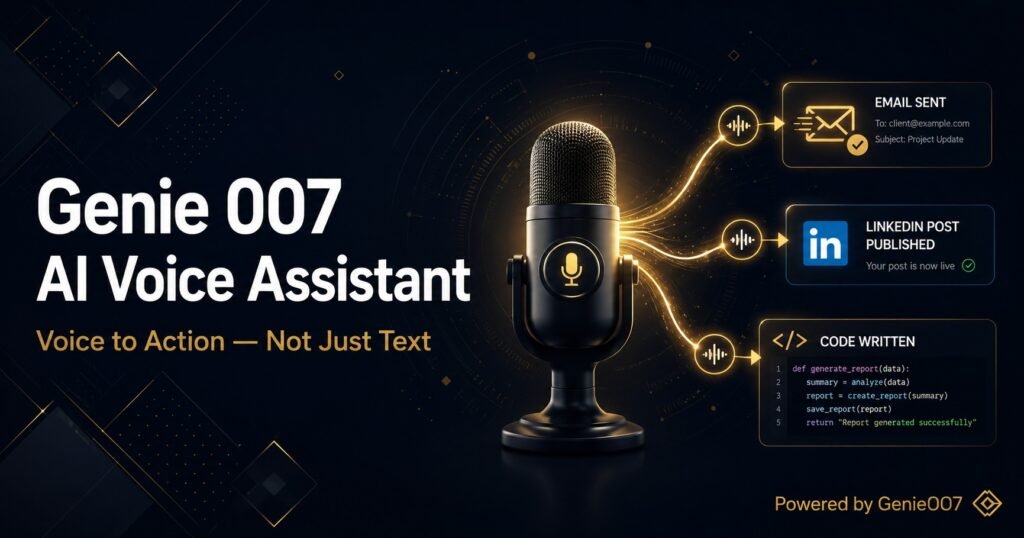


What if you never had to type again? Not just dictating documents — actually replacing your keyboard entirely for work tasks: writing emails, posting on social media, searching the web, filling forms, updating your CRM, booking meetings. All of it, by voice.
This isn’t science fiction. In 2026, the tools exist to do this. But there’s a gap most people don’t realise until they try: dictating text and actually doing things by voice are completely different capabilities. Most voice tools only offer the former. This guide covers both — and shows you what a genuinely keyboard-free workflow actually looks like.
Why People Want to Replace Their Keyboard (And Why It’s Harder Than It Sounds)
The motivations vary. For some it’s physical: repetitive strain injury (RSI), carpal tunnel syndrome, or chronic wrist pain makes extended typing genuinely painful. According to the Bureau of Labor Statistics, musculoskeletal disorders account for 30% of all worker injury and illness cases — and keyboard-heavy roles are disproportionately affected.
For others, it’s productivity. Talking is faster than typing — the average person speaks at 130 words per minute but types at only 40. If you could convert even half your keyboard use to voice, the compounded time savings across a working week are significant.
Then there are neurodivergent users — people with dyslexia, ADHD, or other conditions where translating thoughts into typed text is cognitively expensive — for whom voice-first interaction is transformative.
The problem is this: traditional voice tools only handle text input. They transcribe what you say. But the keyboard doesn’t just input text — it navigates, selects, shortcuts, submits, clicks. A true keyboard replacement needs to do all of that. Until recently, no single tool could.
The Difference Between Voice Typing and Voice Control
These terms get conflated constantly, but they’re fundamentally different:
Voice typing (also called speech-to-text or dictation) converts your speech into text and places it in a document or text field. Tools like Google Docs’ built-in dictation, Apple Dictation and traditional dictation software fall here. They’re excellent at transcription — but that’s all they do. You still need your keyboard or mouse to do anything with that text.
Voice control operates the device itself — navigating menus, clicking buttons, switching apps, executing commands. Windows Voice Access and macOS Voice Control fall here. They’re built for accessibility and work well for OS-level interaction, but they struggle with web apps and complex multi-step workflows.
Voice-to-action is the emerging third category — and it’s the only one that actually replaces your keyboard for knowledge work. It combines voice input with intelligent context-reading and browser-level execution. You say what you want to achieve, and the system figures out and performs the steps needed. This is what Genie 007 does — and it’s a different class of tool entirely.
What Tasks Can You Actually Do by Voice in 2026?
Let’s be concrete. Here’s what’s genuinely possible with a voice-to-action setup today:
Email (Complete Replacement)
With voice-to-action tools, you can handle your entire inbox by voice: read incoming emails, compose replies, draft new messages, add recipients, set subject lines, and send — all without touching the keyboard. See our full guide on typing-free email for a detailed walkthrough.
Social Media
Draft and post on LinkedIn, Twitter/X, and other platforms by voice. Describe the tone, the message, and who you’re writing for — the AI composes it and publishes it. We covered this in how to post on LinkedIn without typing.
Forms and Data Entry
Form-filling is one of the most tedious keyboard tasks in any job. Voice-to-action tools can read a form’s fields, understand what each one needs, and populate them from a verbal description. This alone saves hours per week for sales reps, recruiters, and admin-heavy roles.
Calendar and Scheduling
Find a time, create an event, send invitations — by voice. Say “find a 30-minute slot next Tuesday afternoon for a call with James and send him the invite” and it’s done.
The Best Tools for Going Keyboard-Free in 2026
Genie 007 — Voice-to-Action (Best Overall)
Genie 007 is the only tool built specifically to replace your keyboard for browser-based knowledge work. Its two core modes — Genie Mode and Agent Mode — handle different levels of task complexity.
Genie Mode handles single-context commands. Agent Mode handles multi-step goals — you give it a sequence like “find me three SaaS tools for expense tracking, open their pricing pages, and create a comparison doc in Google Drive” and it works through the entire sequence autonomously.
Audio is processed in real time and never stored, GDPR compliant, and works across 140+ languages. Learn more about how it compares to other AI Chrome extensions.
Windows Voice Access and macOS Voice Control
Both platforms ship with built-in voice control for OS navigation. They work well for desktop app control but struggle with modern web apps and multi-step browser workflows — which is where voice-to-action tools like Genie 007 take over.
A Realistic Keyboard-Free Workday
Morning: “What’s in my inbox?” — AI reads and prioritises emails. “Reply to David saying I’ll have the proposal ready by Thursday.” Done. No keyboard touched.
Mid-morning: “Open the Q2 sales deck and add a slide summarising last week’s numbers.” Agent Mode navigates between Drive tabs, reads the data, generates the slide content.
Afternoon: Three customer calls. Between each: “Log this call in the CRM — we discussed onboarding concerns, follow-up next Monday.” Logged, reminder set.
End of day: “Send end-of-day summary to the team Slack channel — cover what shipped and what’s blocked.” One command. Done.
Common Objections (And Honest Answers)
“I work in an open office — I can’t talk to my computer all day”
This is the most common objection and it’s valid. Noise-cancelling directional microphones help significantly. Hybrid working means many people have enough privacy at home to make voice-first work practical for the majority of their week.
“Voice recognition still makes too many errors”
In 2019, this was true. In 2026, top-tier systems operate above 95% accuracy. More importantly, voice-to-action tools understand intent — even if a word is slightly misheard, the system infers the correct meaning from context.
“What about privacy?”
Genie 007 encrypts your audio in transit, processes it in real time and stores no recordings and no transcripts. The AI reasoning happens in the cloud but receives text intent, not audio. For healthcare, legal, and finance professionals, this is an important compliance distinction.
How to Make the Transition
Week 1: Voice for all text composition. Keep keyboard for navigation. Build the muscle memory of thinking out loud.
Week 2: Handle your entire email workflow by voice — draft, fill, approve.
Week 3: Add Slack and social media to your voice workflow.
Week 4+: Use Agent Mode for multi-step research and cross-app workflows. Most users report 60–70% voice by this point.
Frequently Asked Questions
Can I really replace my keyboard completely with voice?
For most knowledge work, yes. Code, passwords, and precise technical inputs still favour keyboard. For emails, documents, messaging, social media, research, and forms — voice-to-action tools handle it all. Most users land at 70–80% voice.
Is voice-first working good for RSI?
Yes — it’s one of the most impactful interventions for keyboard-related strain. Reducing keyboard use by 60–70% significantly lowers cumulative load on wrists and forearms. Many occupational health specialists now recommend voice-to-action tools as part of RSI management plans.
What microphone do I need?
Most modern laptop microphones work fine in quiet environments. For open offices, a USB directional mic (Blue Yeti, HyperX QuadCast) makes a noticeable difference. A noise-cancelling boom headset (Jabra Evolve, Bose QC) is best for all-day voice-first work.
Related Reading
- How to Never Type an Email Again — The complete guide to voice-powered email
- Post on LinkedIn Without Typing — Voice-first social media for professionals
- Best AI Chrome Extensions 2026 — Full comparison of AI browser tools
- Why Your Voice Assistant Is Useless at Work — Why Siri and Alexa fail at real tasks
- Best AI Productivity Tools 2026 — Broader roundup of AI tools that actually move the needle
The Bottom Line
Replacing your keyboard with your voice is no longer a futurist concept — it’s a practical choice available to anyone doing browser-based knowledge work in 2026. The barrier isn’t technology. It’s the transition: building the habit of speaking your intent rather than typing it.
👉 Try Genie 007 — the voice-to-action tool that actually replaces your keyboard
On mobile, start with our breakdown of the best dictation app for iPhone to pick the right tool for the phone in your pocket.
For the full picture of how Genie 007 works across every platform — Chrome extension, Windows app, Mac app, and mobile — the Genie 007 AI voice assistant complete guide has everything you need.
If your main keyboard is the one on your phone, start with our complete guide to voice typing on Android before ditching the desktop one.