

You asked your voice assistant to help you with work today. It set a timer, told you the weather, and misheard “send a draft to marketing” as “set alarm at four thirty.” You sighed, typed it yourself, and moved on.
Sound familiar? You’re not alone — and you’re not wrong to feel like the technology hasn’t lived up to the promise. But here’s the thing: the problem isn’t voice AI. The problem is the specific voice AI you’ve been using. Consumer assistants — Siri, Google Assistant, Alexa, Cortana — were never designed for serious work. They were designed for your kitchen, your commute, and your smart home. Using them to run your professional life is like using a screwdriver to hammer a nail. Wrong tool.
This guide breaks down exactly why traditional voice assistants fail at work — and what voice-to-action AI looks like when it’s actually built for professionals.
The 5 Reasons Your Voice Assistant Is Useless at Work
1. It Has No Context About What You’re Working On
Siri doesn’t know you’re in the middle of a client proposal. Alexa doesn’t know you’re looking at a long email thread that needs a reply. Google Assistant doesn’t know you’re on LinkedIn trying to post something before a window of inspiration closes.
Consumer voice assistants operate in a vacuum. They hear your words but they don’t see your screen, they don’t know your current task, and they have no concept of your workflow context. So when you say “write a reply to this”, they have no idea what “this” is.
True professional-grade voice AI — like Genie 007 — reads your current browser environment before it does anything. It knows which app you’re in, what’s on screen, and what the most logical next action is. That context is everything.
2. It Can’t Execute — Only Answer
“Hey Siri, draft an email to my team about the project delay and send it when done.” What actually happens: Siri opens a blank email and stops. It answered (poorly) but it didn’t execute.
This is the fundamental architectural limitation of consumer voice assistants: they’re designed to retrieve information and trigger simple device actions. They are not designed to compose, navigate, submit, and complete tasks that span multiple steps and multiple tools. The moment a task involves more than one action, they break.
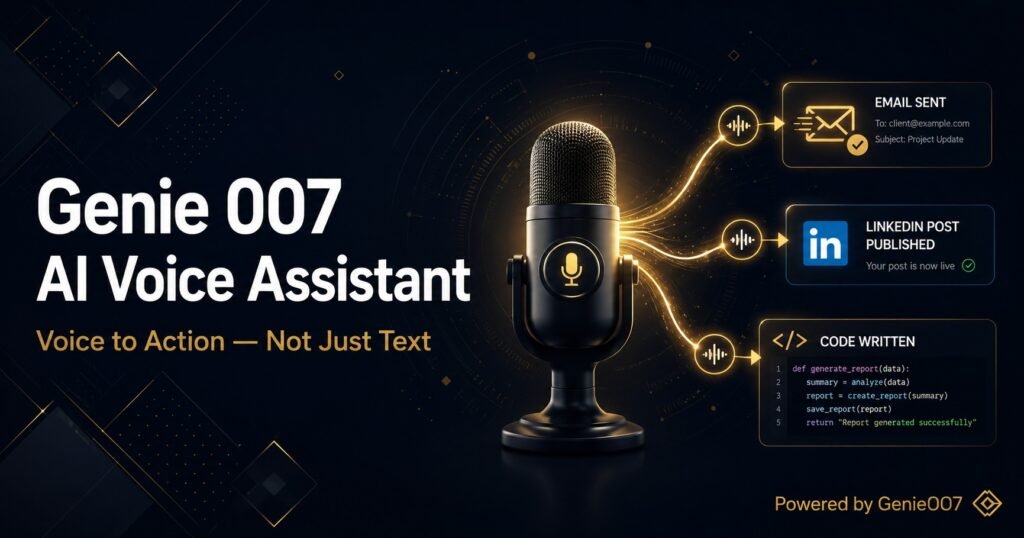
Modern voice-to-action AI executes. When you say “draft a reply to this email explaining we need two more weeks”, it reads the email thread, writes a contextually appropriate reply, puts it in the compose window, and waits for you to hit send. That’s execution, not just retrieval.
3. It Doesn’t Understand Professional Intent
Professional communication has nuance. “Politely decline this meeting but suggest an alternative time.” “Summarise this report but skip the methodology section.” “Write a LinkedIn post about this that doesn’t sound like I’m bragging.”
These instructions require semantic understanding — grasping not just the words but the intent, tone, and professional context behind them. Consumer assistants don’t have this. They pattern-match to known commands and fail on anything outside their training vocabulary.
Newer AI engines — the kind built into tools like Genie 007’s Chrome extension — use large language models that genuinely understand professional intent. You talk to them the way you’d talk to a smart colleague, and they understand you the same way.
4. It Doesn’t Work Inside Your Actual Tools
You use Gmail. Slack. Google Docs. Notion. LinkedIn. Salesforce. Your voice assistant works in none of these. It operates at the operating system level — phone calls, text messages, calendar entries, basic device settings. The moment you need something done inside a web-based app, consumer voice assistants are useless.
Voice-to-action AI built as a browser extension operates inside your tools. When you tell Genie 007 to “update the status in this Notion page to Complete and add a comment saying it was reviewed”, it navigates Notion’s interface, finds the right field, and makes the change. It lives where you work.
5. It Wasn’t Built for Knowledge Workers
Siri was designed for the person who wants to turn off their lights and add milk to their shopping list. That person is very different from the sales director who needs to draft six follow-up emails, update a CRM, and post a LinkedIn update before a 10am call.
The use cases, the vocabulary, the complexity of tasks, the apps involved, the professional stakes — none of these were part of the design brief for consumer voice assistants. They weren’t built for you. Genie 007 was.
What Good Voice AI for Work Actually Looks Like
In contrast to the limitations above, here’s what a professional-grade voice-to-action tool delivers:
Context-first understanding
It understands the context before it listens to your command. It knows you’re in Gmail, that you’re viewing a complaint from a client, and that you probably want to draft a diplomatic response. The command “reply to this professionally” is understood completely — because the AI has already read what “this” is.
Multi-step autonomous execution
One command triggers a chain of actions. “Research this company, find their main decision-maker on LinkedIn, and draft an outreach email for me” executes as a sequential task — research, identify, compose — without you doing anything between steps. This is what Genie 007’s Agent Mode delivers: genuine task autonomy.
Deep app integration
It operates inside Gmail, Google Docs, LinkedIn, Slack, Notion, Salesforce, and any other browser-based tool. Not alongside them in a separate panel — inside them, interacting with their actual interface on your behalf.
Enterprise-grade privacy
Professional data is sensitive. Genie 007 encrypts your audio in transit, processes it in real time and stores no recordings and no transcripts. Genie 007 is GDPR compliant as a result, making it suitable for healthcare, legal, and financial professionals who need to be particularly careful about data.
Making the Switch: From Useless to Unstoppable
The good news is you don’t have to unlearn anything. You don’t need to master a new syntax or memorise commands. Genie 007 listens the same way you talk — naturally, conversationally, in the moment. You just need to give yourself permission to speak to your computer the way you’d speak to a very capable assistant.
The professionals who’ve made this shift report not missing typing at all within a week. Not because voice AI is perfect — it isn’t — but because it’s dramatically faster, and speed compounds. An hour saved on email today is an hour you spend on higher-leverage work. Multiply that across a year and the productivity difference is substantial.
If you want to know what this looks like in practice, read how people are using it to eliminate email typing entirely or run their LinkedIn presence hands-free.
Frequently Asked Questions
Why is my voice assistant useless for work tasks?
Consumer voice assistants (Siri, Alexa, Google Assistant) were designed for home automation and simple queries — not professional workflows. They lack screen context, can’t execute multi-step tasks, don’t integrate with web apps like Gmail or Slack, and were never trained on professional use cases. They’re not broken — they’re just the wrong tool for the job.
What’s the difference between a voice assistant and voice-to-action AI?
A voice assistant answers questions and triggers simple commands. Voice-to-action AI reads your current screen context, understands professional intent, and executes complete tasks — writing, navigating, submitting, scheduling — inside the tools you actually use. It’s the difference between an answer and an outcome.
Which voice AI actually works for professionals in 2026?
Genie 007 is purpose-built for professional workflows. It runs as a Chrome extension, reads your browser context, executes multi-step tasks autonomously, and works inside Gmail, Slack, LinkedIn, Google Docs, and more. Genie 007 encrypts your audio in transit, processes it in real time and stores no recordings and no transcripts. It is GDPR compliant. It’s what Siri should have been for work.
Related: The Voice AI Tools That Actually Work
- 🏆 Best AI Productivity Tools 2026 — The complete landscape of AI tools that genuinely save professionals time.
- 🔌 Best AI Chrome Extension 2026 — Why Genie 007 tops the list of Chrome extensions that actually do things.
- 🗣️ Voice Commands That Actually Do Things — Practical examples of voice-to-action AI in professional workflows.
- 📧 How to Never Type an Email Again — Put the theory to work, starting with your inbox.
- 💼 Post on LinkedIn Without Typing — Build your LinkedIn presence using voice-to-action AI.
Research Sources
- INFORMS: Voice Interfaces and Cognitive Load — Academic research on how voice input reduces cognitive burden compared to typing.
- Apple Siri — Official capabilities overview — What Siri is actually designed to do.
- Google Assistant — Official overview — Google’s consumer voice assistant capabilities.
👉 Try Genie 007 free — the voice AI that was actually built for your work
More From the Voice-to-Action Series
- Replace Your Keyboard With Your Voice — Complete guide to going keyboard-free in 2026
- AI That Works in Gmail, Slack and Notion — Native AI that operates inside your apps
- How to Use AI at Work Without Being a Prompt Engineer — Getting results without prompt expertise
- Talk to Your Computer and Actually Get Things Done — Why this works in 2026 when it didn’t before
For a complete breakdown of what a truly context-aware Genie 007 AI voice assistant looks like in practice — across Chrome, Windows, Mac, and mobile — the full guide covers every feature and workflow in detail.
Related reading: What Is a Voice-First AI Assistant?.