

Most voice commands are a joke. “Hey Siri, set a timer.” “Alexa, play jazz.” Useful for your kitchen. Completely useless for your job.
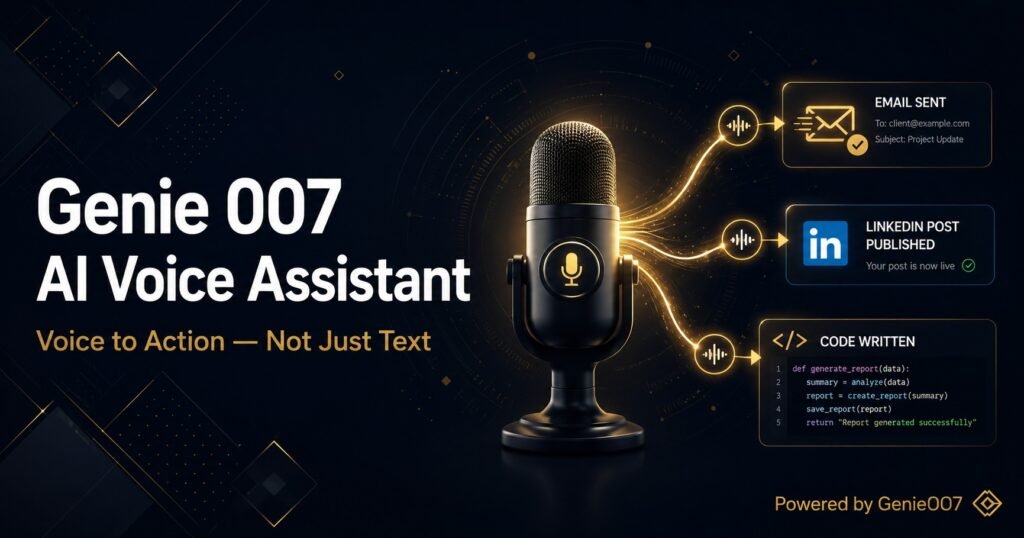
But voice commands at work — the kind that actually do things — are a different beast entirely. We’re not talking about setting reminders or asking what the weather is. We’re talking about drafting a client proposal, scheduling a team meeting, searching through your inbox, posting on LinkedIn, and closing 12 browser tabs — all from a single sentence you say out loud.
That capability exists today. And if you’re not using it, you’re leaving hours of your week on the table.
The Problem With Most Voice Commands
Standard voice assistants — Siri, Google Assistant, Alexa, Cortana — were built for consumer use cases. They’re excellent at controlling smart devices, playing media, and answering trivia questions. But the moment you ask them to do something that requires understanding your work context, they fall apart.
Ask Siri to “draft a follow-up email to the proposal I sent last Tuesday” and you’ll get a blank new email with the cursor blinking at you. That’s not a voice command that does things. That’s a shortcut to a starting point.
True voice-to-action requires three things that most assistants don’t have:
- Context awareness — understanding what you’re currently working on
- Intent understanding — grasping not just the words but the goal behind them
- Execution capability — actually performing the action in the right app or tool
What Voice Commands That Actually Do Things Look Like
With a proper voice-to-action system, commands like these become reality:
“Summarise this page and email it to the team”
The AI reads the current webpage, generates a concise summary, opens your email client, creates a new email to your team distribution list, pastes the summary in, and prepares it to send. You haven’t touched the keyboard once.
“Find a gap in my calendar this week and book a meeting with James”
The AI checks your Google Calendar, identifies free slots that respect your working hours, drafts a meeting invite with context you specified, and sends it to James — complete with a video link and agenda points you dictated.
“Write a LinkedIn post about this article I’m reading”
The AI understands the context of the current page, extracts the key insight, writes a professional LinkedIn post in your brand voice, opens LinkedIn, and pastes the post ready to publish. You just say “looks good, post it” — and it’s done.
“Fill in this job application with my standard information”
The AI reads the form fields on the current page, matches them to your professional profile information, and fills in the application — name, email, experience, cover letter and all. What used to take 20 minutes takes 30 seconds.
“Draft a reply to this email saying I’ll need two more weeks”
Reading the email thread you’re looking at, the AI writes a professional, context-aware reply that acknowledges the original request and politely explains the extended timeline. It drafts it in your Gmail compose window, subject line included.
How Genie 007 Makes This Possible
Genie 007 is built from the ground up around voice-to-action. It’s not a voice-enabled version of an existing tool — the entire architecture is designed to bridge the gap between what you say and what gets done.
Two features make it work:
Genie Mode processes your voice command in the context of what’s currently on your screen. It knows which tab you’re on, what app you’re in, what text is visible, and what actions are possible. When you say “reply to this”, it knows which “this” you mean — because it can see what you’re looking at.
Agent Mode handles multi-step tasks that span several actions or apps. “Research the top five CRMs under £50/month, open their pricing pages, and create a comparison table in Google Sheets” — Agent Mode executes each step in sequence, handing off between browser tabs and tools without you doing a thing. You set the goal. Agent Mode handles the doing.
Genie 007 encrypts your audio in transit, processes it in real time and stores no recordings and no transcripts.
The Types of Voice Commands That Work Best
Not all voice commands are created equal. Here’s how to get the most out of voice-to-action technology:
Contextual commands
Commands that reference what’s currently on your screen are the most powerful. “Summarise this”, “reply to this”, “share this”, “book a time to discuss this” — the AI does the hard work of reading the current context so you don’t have to re-explain everything.
Workflow commands
Chain multiple actions together in a single sentence. “Search for the latest data on remote work productivity, summarise the top three findings, and add them to my weekly report doc.” One command. Three actions. Done.
Communication commands
The biggest time savings come from communication tasks. Emails, Slack messages, LinkedIn posts, calendar invites — all of these can be done entirely by voice, from the initial draft to hitting send. For heavy communicators, this is where voice-to-action pays for itself in the first hour.
Research commands
Ask the AI to research a topic, read multiple sources, synthesise the key information, and put it somewhere useful — a doc, an email, a Slack message. Voice-triggered research that actually deposits results somewhere is dramatically more powerful than typing search queries one at a time.
Voice Commands by Use Case
Here are real examples of the kinds of voice commands that drive serious productivity gains:
For sales professionals
- “Log this call in the CRM and add follow-up task for next Friday”
- “Draft a personalised follow-up email based on what we just discussed”
- “Find the pricing deck and attach it to this email”
- “Research this company and pull their latest news for my prep notes”
For marketers
- “Turn this blog post into three LinkedIn posts”
- “Write a 280-character tweet version of this article headline”
- “Pull last month’s analytics and draft a performance summary email”
- “Write a subject line A/B test for this email campaign”
For managers and executives
- “Summarise my unread emails from this morning and flag anything urgent”
- “Draft a team update based on the notes in this doc”
- “Book 30 minutes with each direct report this week”
- “Turn these bullet points into a presentation outline”
Why 2026 Is the Year Voice-to-Action Goes Mainstream
Three things have converged to make real voice-to-action possible in 2026:
Large language models are now good enough to understand intent, not just instructions. When you say “sort out that email”, a modern AI understands what “sort out” means in the context of what’s on your screen.
Browser-level integration means AI can actually interact with the tools you work in — not just generate text in a separate window. Tools like Genie 007 operate inside your browser environment, giving them the ability to actually do things rather than just suggest them.
Voice recognition accuracy has reached a point where it’s no longer the bottleneck. At 99.5% accuracy across multiple languages and accents, the AI is reliably hearing what you mean — even in a noisy environment, even with technical vocabulary.
Frequently Asked Questions
What are voice commands that actually work for productivity?
Commands that understand context, execute multi-step workflows, and work inside your existing tools. Basic voice assistants can set reminders and play music. True voice-to-action tools like Genie 007 can draft emails, fill forms, post to LinkedIn, schedule meetings, and complete complex research tasks — all triggered by a single voice command.
How is Genie 007 different from Siri or Google Assistant?
Siri and Google Assistant are general consumer assistants optimised for simple queries and device control. Genie 007 is a professional voice-to-action tool that reads your current browser context, understands your working intent, and executes tasks inside Gmail, Slack, LinkedIn, Google Docs, and more — autonomously and without keyboard interaction.
Is voice-to-action technology safe for confidential work?
With Genie 007, yes. Genie 007 encrypts your audio in transit, processes it in real time and stores no recordings and no transcripts. The platform is GDPR compliant, making it suitable for use in healthcare, legal, finance, and any other sector with strict data requirements.
How long does it take to get productive with voice commands?
Most users see immediate time savings on their first day. The natural language interface means there’s no syntax to learn — you just talk the way you’d tell a colleague what to do. Within a week, most users have replaced significant portions of their keyboard-based workflow entirely.
Start Using Voice Commands That Actually Do Things
The gap between “voice commands that kind of work” and “voice commands that actually do things” is the gap between setting timers and getting real work done without touching a keyboard.
Genie 007 is on the right side of that gap. It’s not a novelty. It’s not a demo. It’s a professional tool that replaces hours of manual work every week with voice commands that execute, not just suggest.
👉 Try Genie 007 free — voice commands that actually get things done
Related: Put Your Voice Commands to Work
Ready to go further? These guides show you how to apply voice-to-action AI across every part of your working day:
- 🏆 Best AI Productivity Tools 2026 — How voice-to-action fits into the bigger picture of AI-powered productivity.
- 🔌 Best AI Chrome Extension 2026 — The Chrome extension that executes voice commands directly in your browser.
- 💼 Post on LinkedIn Without Typing — How to use voice commands to run your LinkedIn presence hands-free.
- 📧 How to Never Type an Email Again — Voice commands for email: draft, send, reply, all without the keyboard.
Further Reading on Voice AI & Productivity
- Stanford HAI: Human-Centered AI Research — Research on how voice interfaces reduce cognitive load and improve task completion.
- Index Ventures: Voice + AI Is Coming to the Workplace Loud and Clear — Why voice is moving from home assistants into everyday work tools.
- Gartner: Conversational AI Definition & Market Guide — Authoritative analyst definition and market overview of voice AI technology.
More From the Voice-to-Action Series
- Replace Your Keyboard With Your Voice — Complete guide to going keyboard-free in 2026
- AI That Works in Gmail, Slack and Notion — Native AI that operates inside your apps
- How to Use AI at Work Without Being a Prompt Engineer — Getting results without prompt expertise
- Talk to Your Computer and Actually Get Things Done — Why voice-to-action works in 2026
To see every voice command capability in one place, the Genie 007 AI voice assistant guide covers Genie Mode, Agent Mode, Voice Typing, and multi-platform support across Chrome, Windows, Mac, and mobile.
Related reading: dictation punctuation commands — and why you may not need them.